
Feature release – January 2026
This article highlights the new features and enhancements Qargo released this month.
Week 1
⏰ Locations – Smarter use of location opening hours
🚚 Resources – Vehicle-type specific add-on restrictions
⏱️ Resources – Auto-assign field options for To plan vs Planned
📆 Resources – Improved unavailability end date visibility
💬 Resources – Resource group filters in WhatsApp chat
Week 2
💰Invoices – Split cost charges linked to multiple orders
🧾 Invoices – Default invoice action when creating invoice
🔎 Orders – Improved visibility of PBN/GMR on loads and new customs section on order
🅿️ Orders – Trailer handling option improved for incidents
🛠️ Loads – Option to auto-complete previous stops
🗓️ Planning – Timeline view for trailer/container planning
📣 General – Improved shared views management
Week 3
🛠️ Mobile app – Admin-initiated password reset
📑 Custom exports – Include document details in reports
Week 4
📊 Reporting – Data export limits optimized
🚢 Intermodal – ‘Buyer / Seller’ database
Week 1
⏰ Locations – Smarter use of location opening hours
Previously, when a location had multiple opening-hour intervals (for example, morning and afternoon), only the first interval was used to determine the time window. This update ensures all opening-hour intervals are now taken into account, resulting in more accurate and flexible planning.
-
Full interval support: All defined opening-hour intervals for a location are now considered when calculating time windows.
-
Opening hours as prefill options: Opening hours can be selected to automatically prefill time windows in the following places:
- Orders (via customer or transportation service prefill)
- Locations
- Order templates
🔍 Limitations
- When enforced time windows are enabled and a location is closed for an entire day (for example, weekends), the system will generate a violation rather than automatically shifting the load to the next open day.
This update improves scheduling accuracy for locations with split opening hours, reduces manual adjustments, and ensures prefills better reflect real-world availability, while still clearly flagging cases that require planner intervention.
Learn more about opening hours
🚚 Resources – Vehicle-type specific add-on restrictions
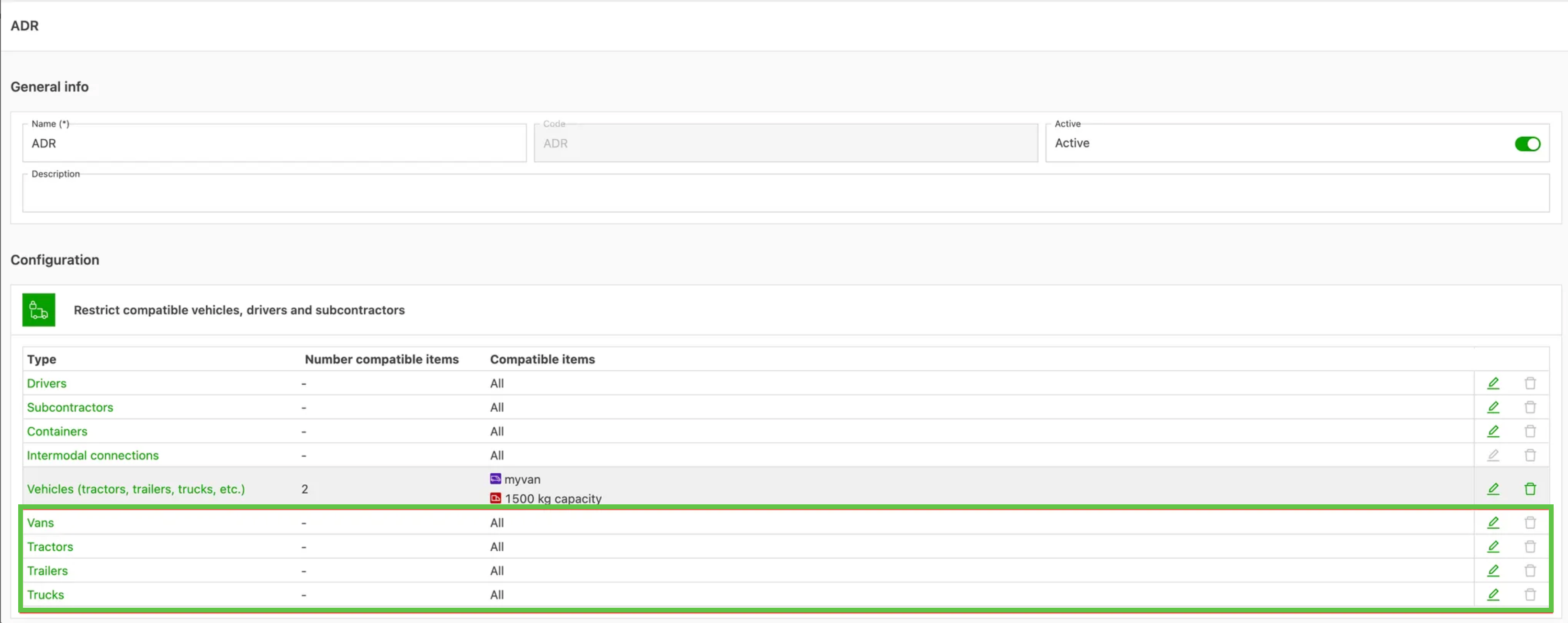
- Create add-on restrictions that apply to specific vehicle types (Trailers, Tractors, Trucks, and Vans) while still keeping the general Vehicle restriction for broader checks.
-
This enforces rules only when a particular vehicle type is assigned, avoiding unnecessary violations and enabling more realistic planning.
-
Common use cases include restricting products to compatible trailers or fine-tuning ADR and other extras for specific vehicle types.
Note: vehicle-type restrictions must be created from the add-on configuration; restrictions created from a resource detail page remain general.
Resource compatibility settings
⏱️ Resources – Auto-assign field options for To plan vs Planned
The “auto-assign resource feature” uses a set of rules based on specific fields to automatically assign loads; assigning any of these fields would always trigger load planning.
This update allows users to select the desired action on assignment:
- To plan
- Planned
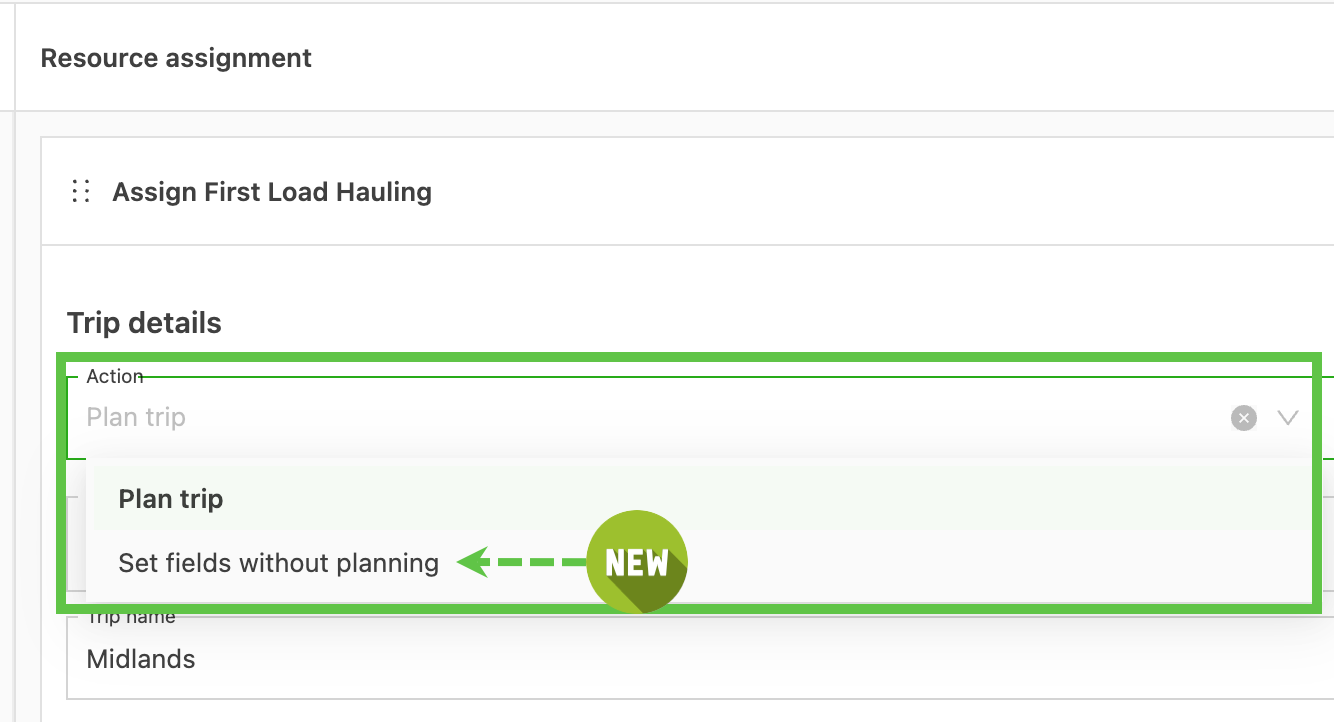
- The list of fields that can be assigned without planning the load is smaller (e.g., it does not include primary resources or load start time).
📆 Resources – Improved unavailability end date visibility
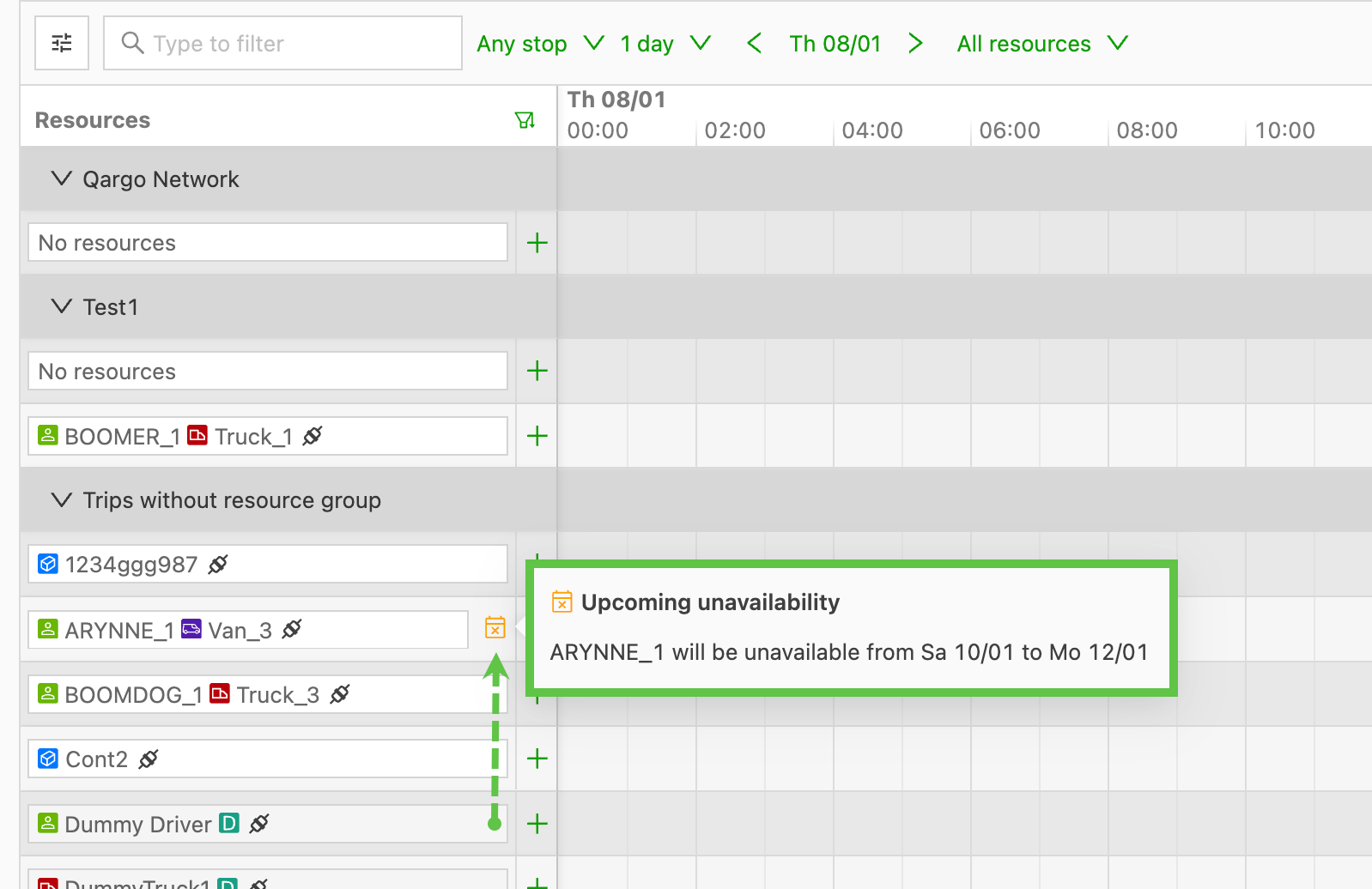
When resource unavailability is added with an end date, this date is now displayed on the planning board.
-
Hover over the calendar icon to display the details.
💬 Resources – Resource group filters in WhatsApp chat
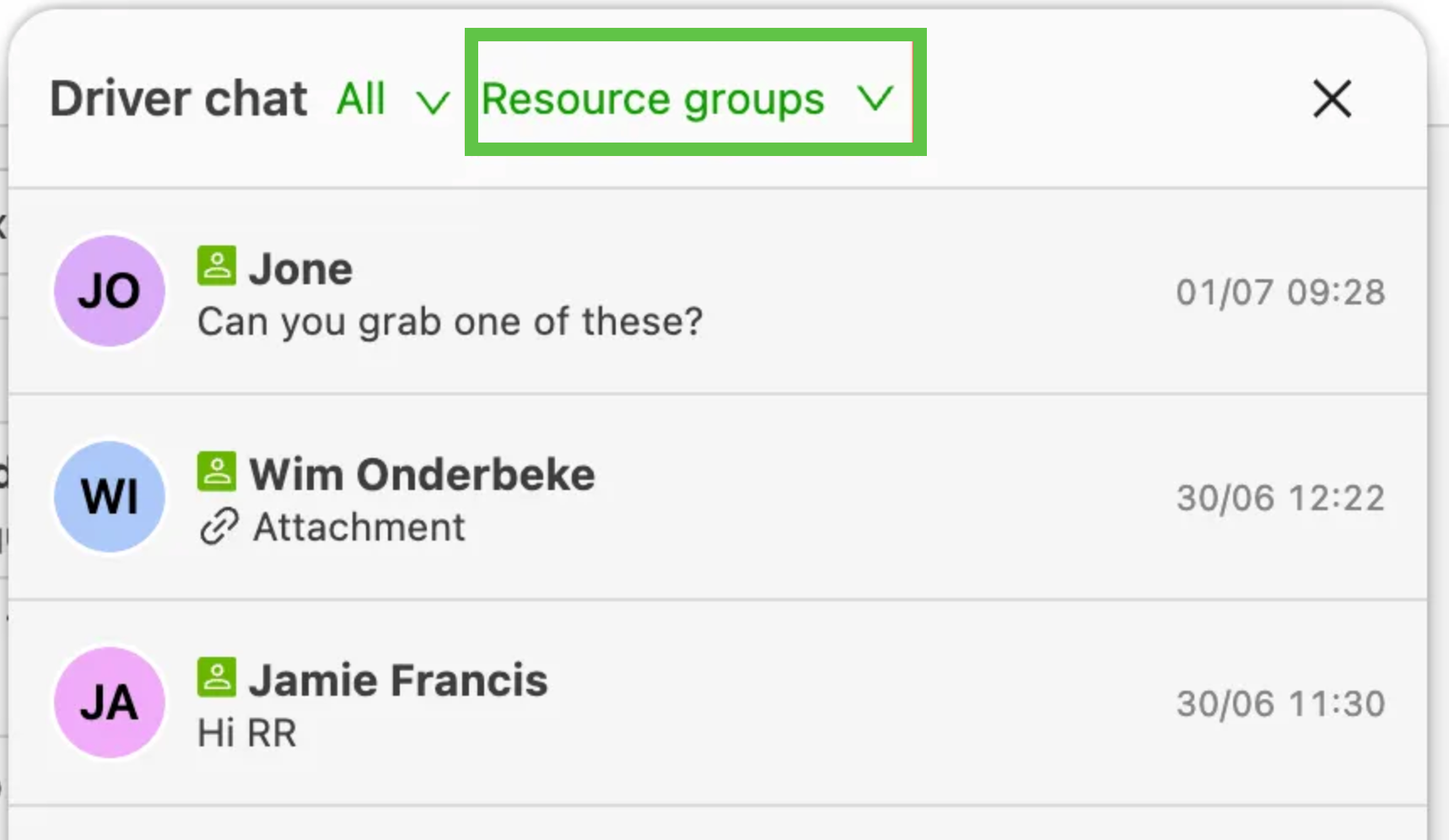
Connecting with the right drivers is now easier. Drivers in the chat can now be filtered by Resource group, helping users focus on the teams that matter most.
-
New Resource group filter in the driver chat.
-
Quickly narrow the view to relevant drivers for faster, more targeted communication.
-
Save time and streamline communication across teams.
Week 2
💰Invoices – Split cost charges linked to multiple orders
Cost charges linked to a load can now be split across multiple orders for accounting connectors and exports. Using a new ‘Split lines by cost distribution’ toggle, costs are automatically allocated per order based on configured load cost distributions, with separate accounting lines created for each split.
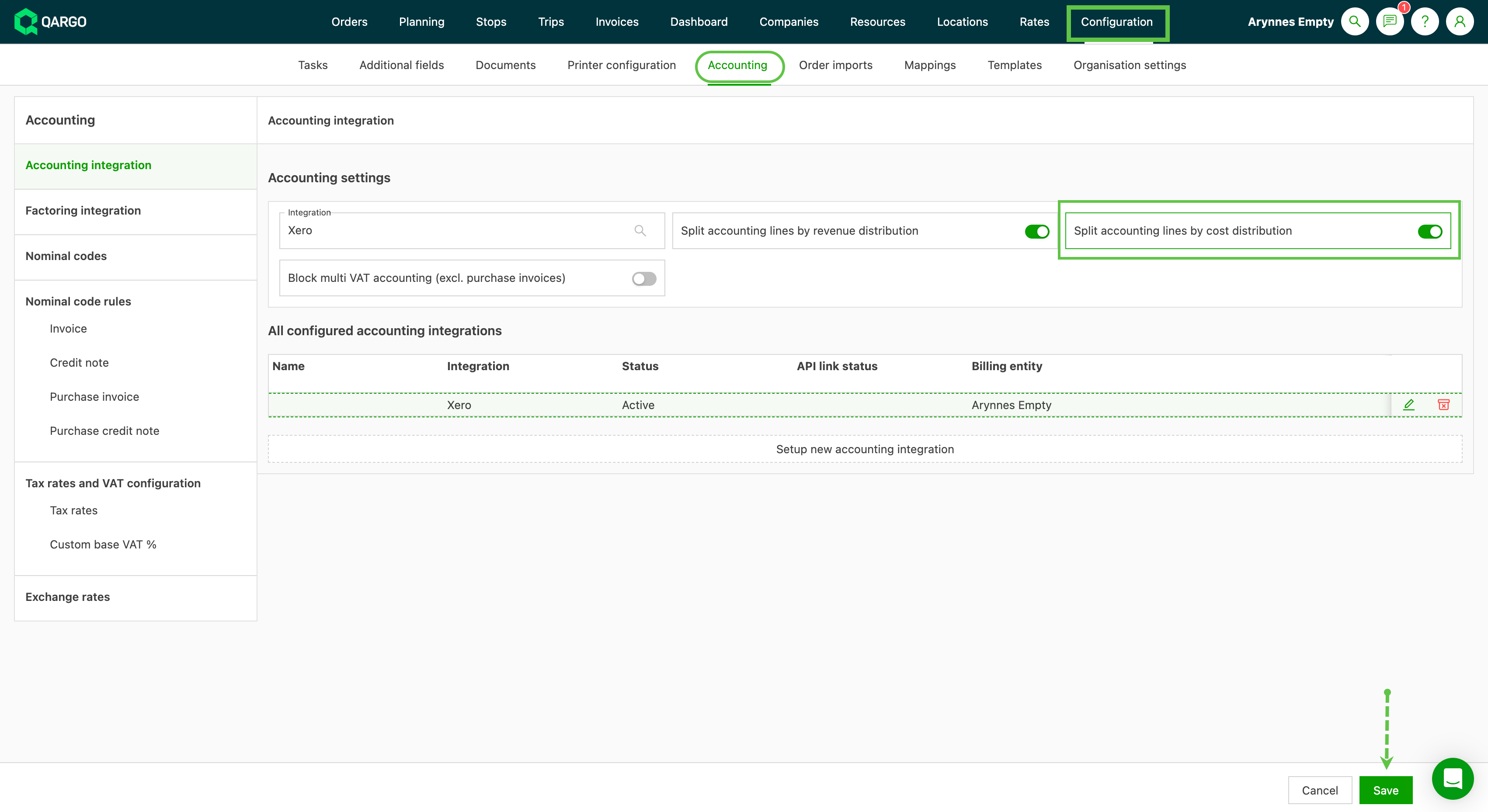
This brings cost accounting to the same analytical level as revenue, improving visibility and accuracy for finance teams, especially for multi-order loads and intermodal operations.
🧾 Invoices – Default invoice action when creating invoice
The create invoice modal now includes a default invoice action dropdown at the top, allowing users to set the action once and apply it to all invoices in the batch. A new tenant-level configuration lets teams define the preferred default (such as create draft invoice), which is prefilled automatically.
This reduces repetitive manual changes and streamlines invoice creation for finance and back-office users.
🔎 Orders – Improved visibility of PBN/GMR on loads and new customs section on order
Customs tracking is now more visible across the platform. Loads and Intermodal tables include new columns showing PBN and GMR references with clear status indicators, while a new Customs section at order level consolidates all related customs information and linked loads.
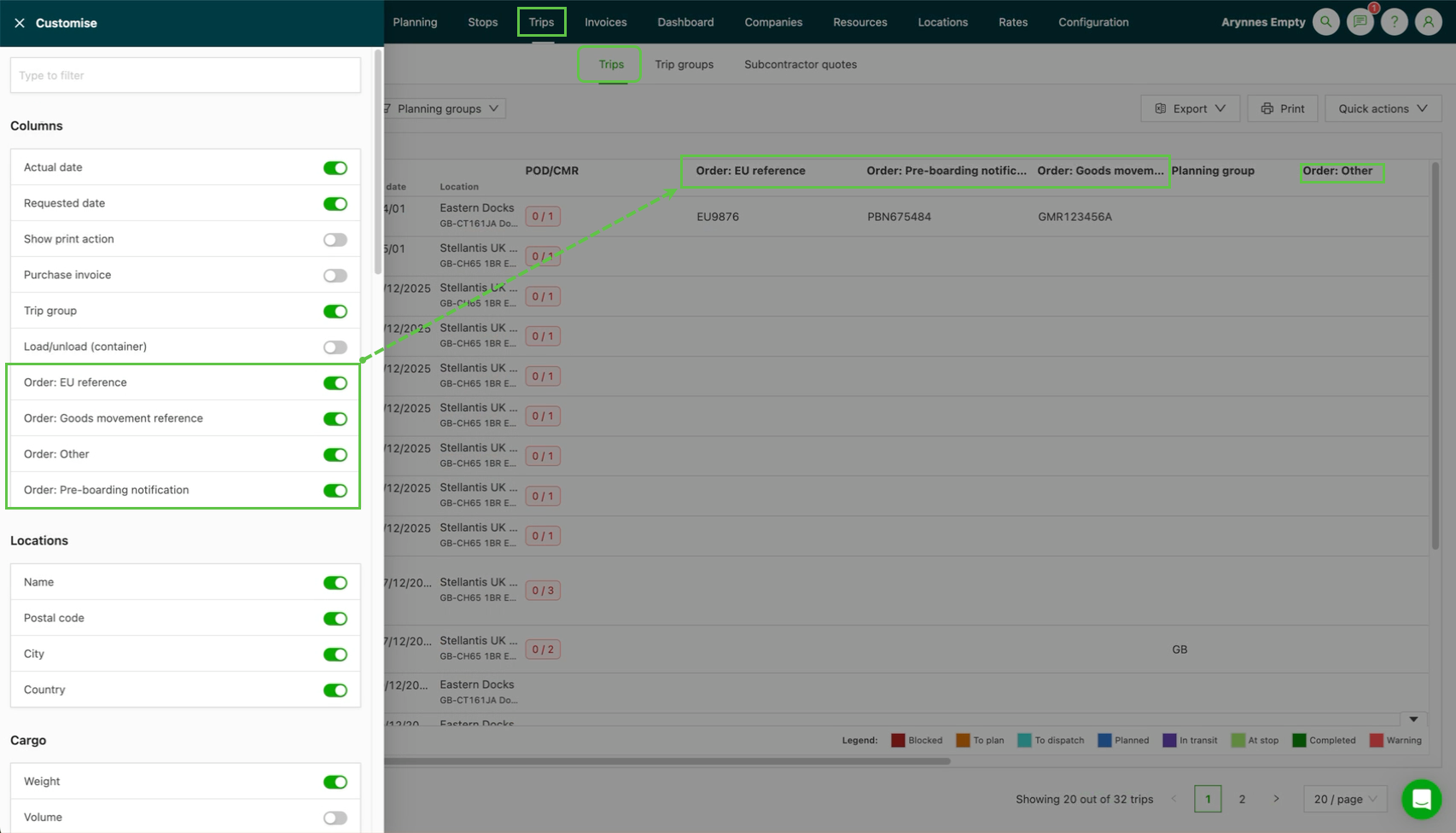
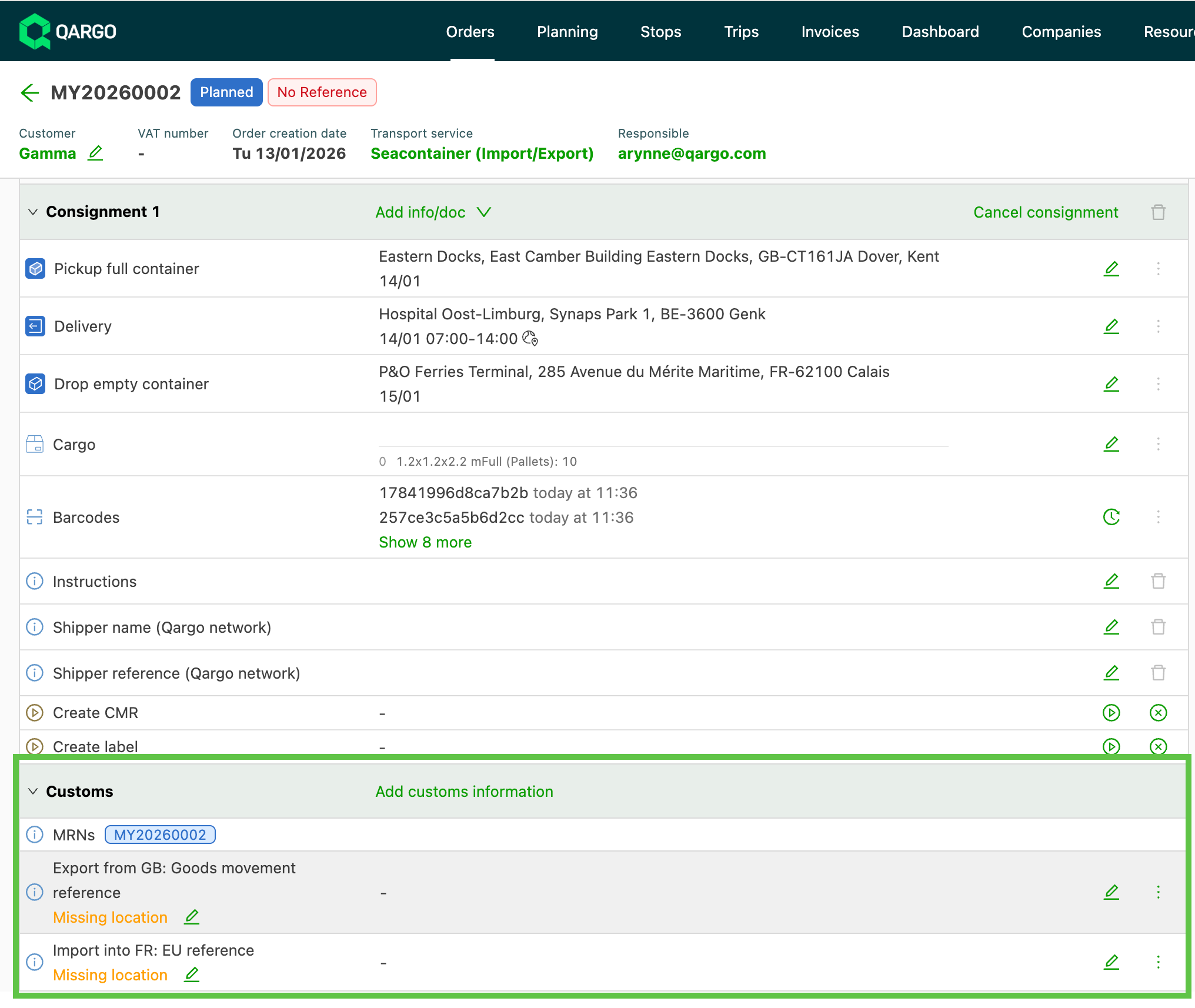
This reduces the need to open individual loads, helps planners spot missing or complete customs data at a glance, and improves clarity between customs and intermodal booking information.
Click the link below👇 to learn more about the customs process in Qargo.
Customs pre-notification process
🅿️ Orders – Trailer handling option improved for incidents
Trailer-based operators can now resolve incidents by parking trailers at a terminal instead of unloading goods. A new incident configuration option allows businesses to select ‘Park at terminal’, triggering drop and hook actions rather than cross-docking.
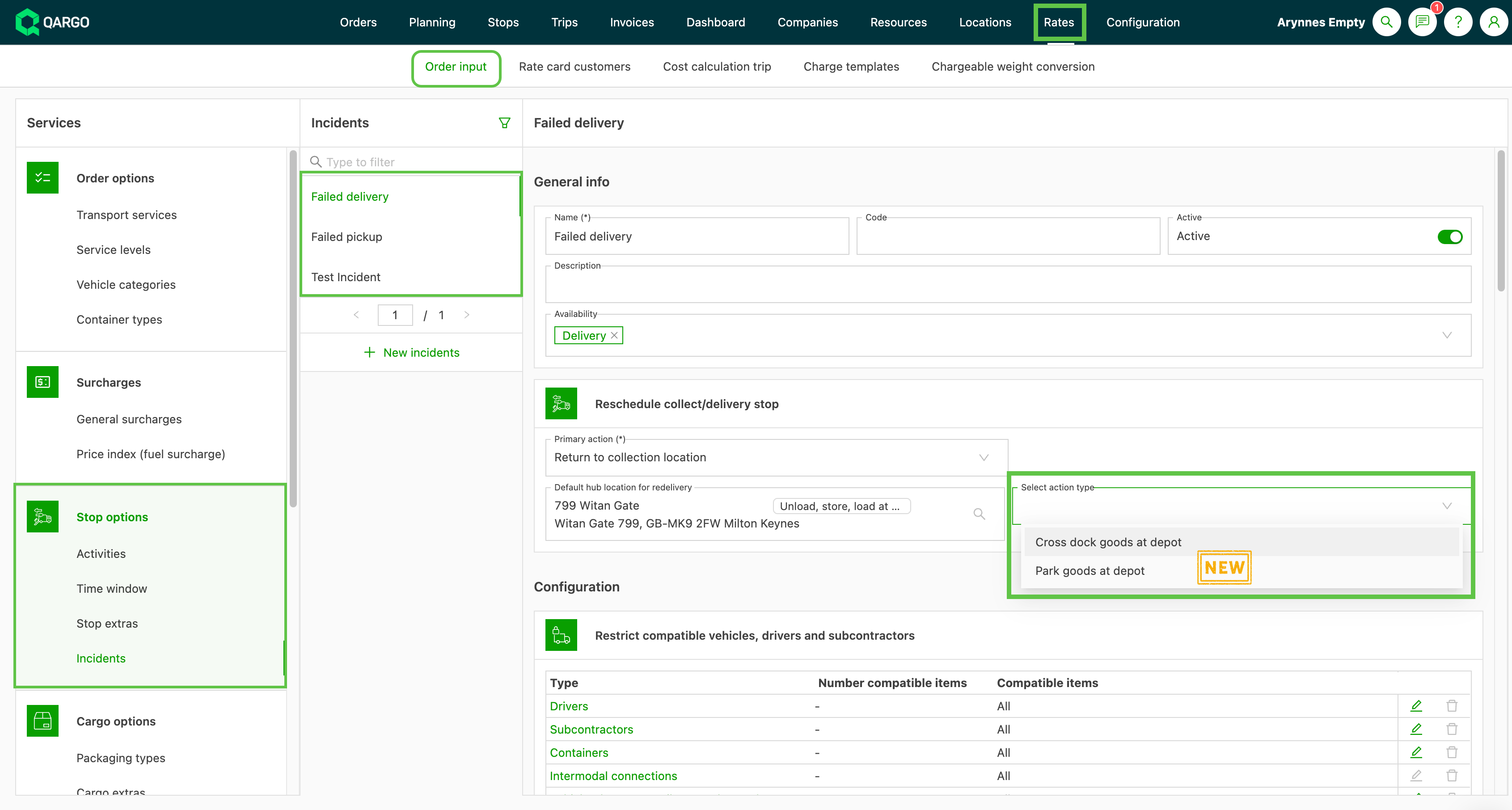
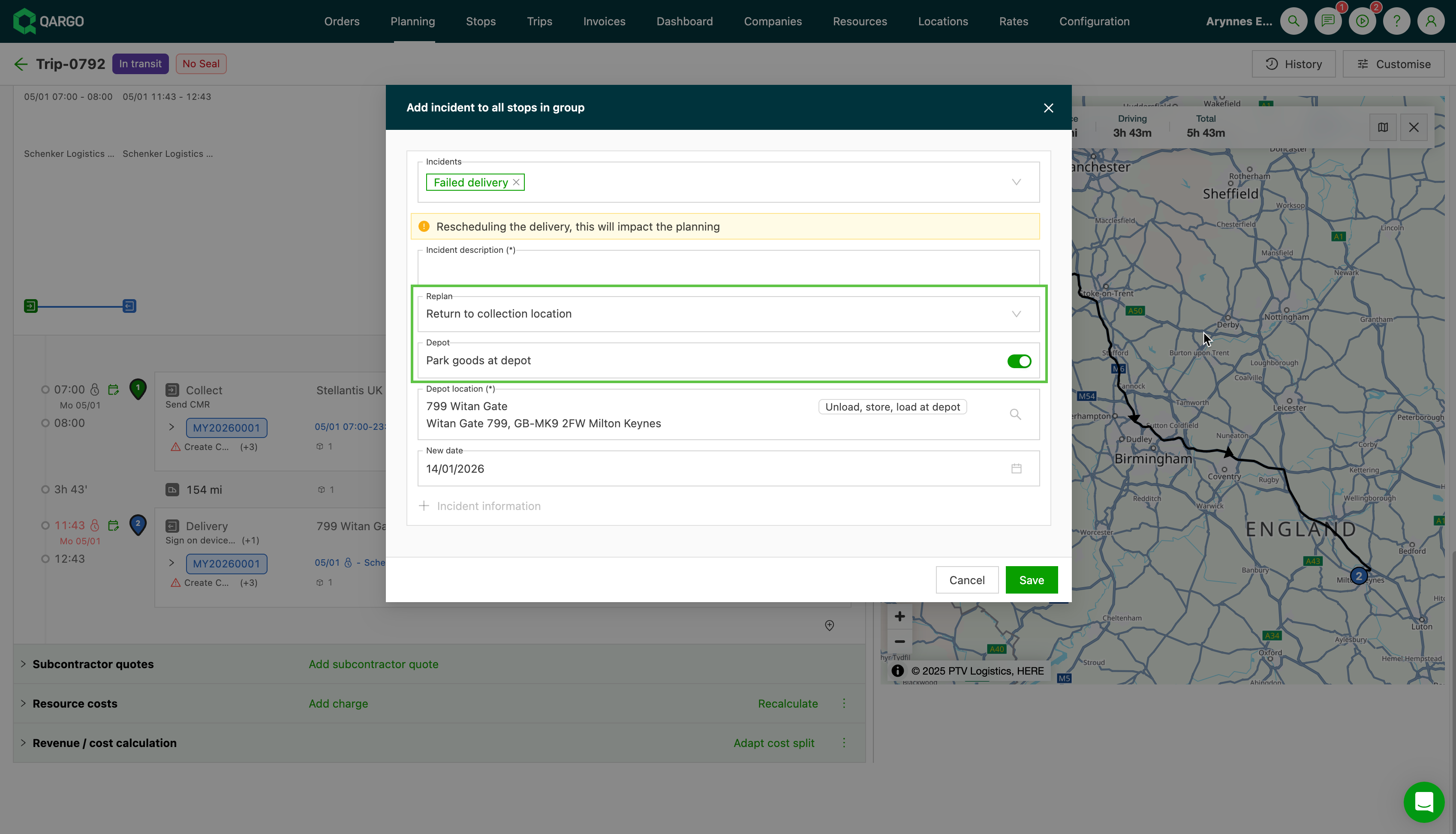
This aligns incident handling with real trailer workflows and gives dispatchers more appropriate operational control when disruptions occur.
Click the link below👇 to learn how to add incidents to orders and loads in Qargo.
🛠️ Loads – Option to auto-complete previous stops
Automatically complete preceding stops and stages when a delivery stop is marked as completed.
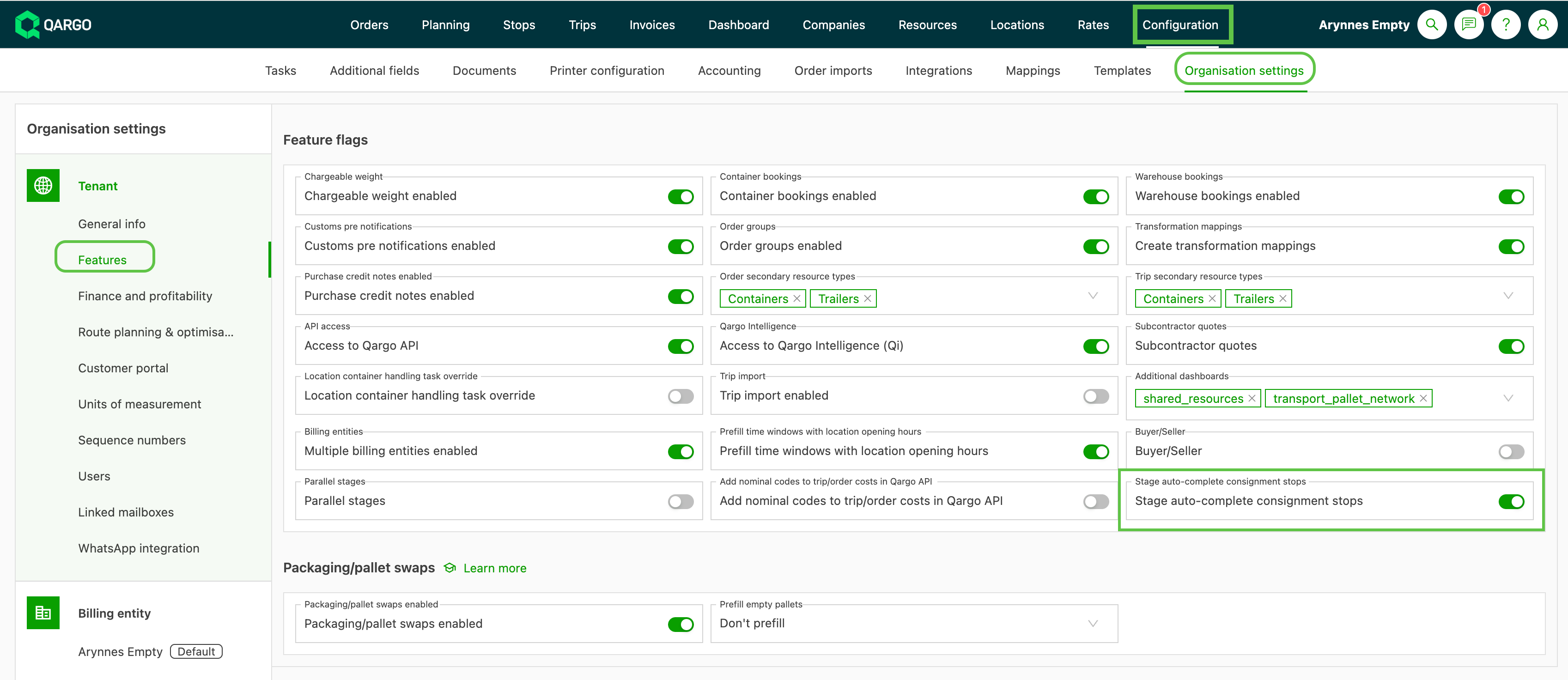
- Resolve inconsistent load states without manual intervention, ensuring smoother workflow tracking.
🗓️ Planning – Timeline view for trailer/container planning
A new timeline view gives planners a clear, per-resource overview of trailer and container usage.
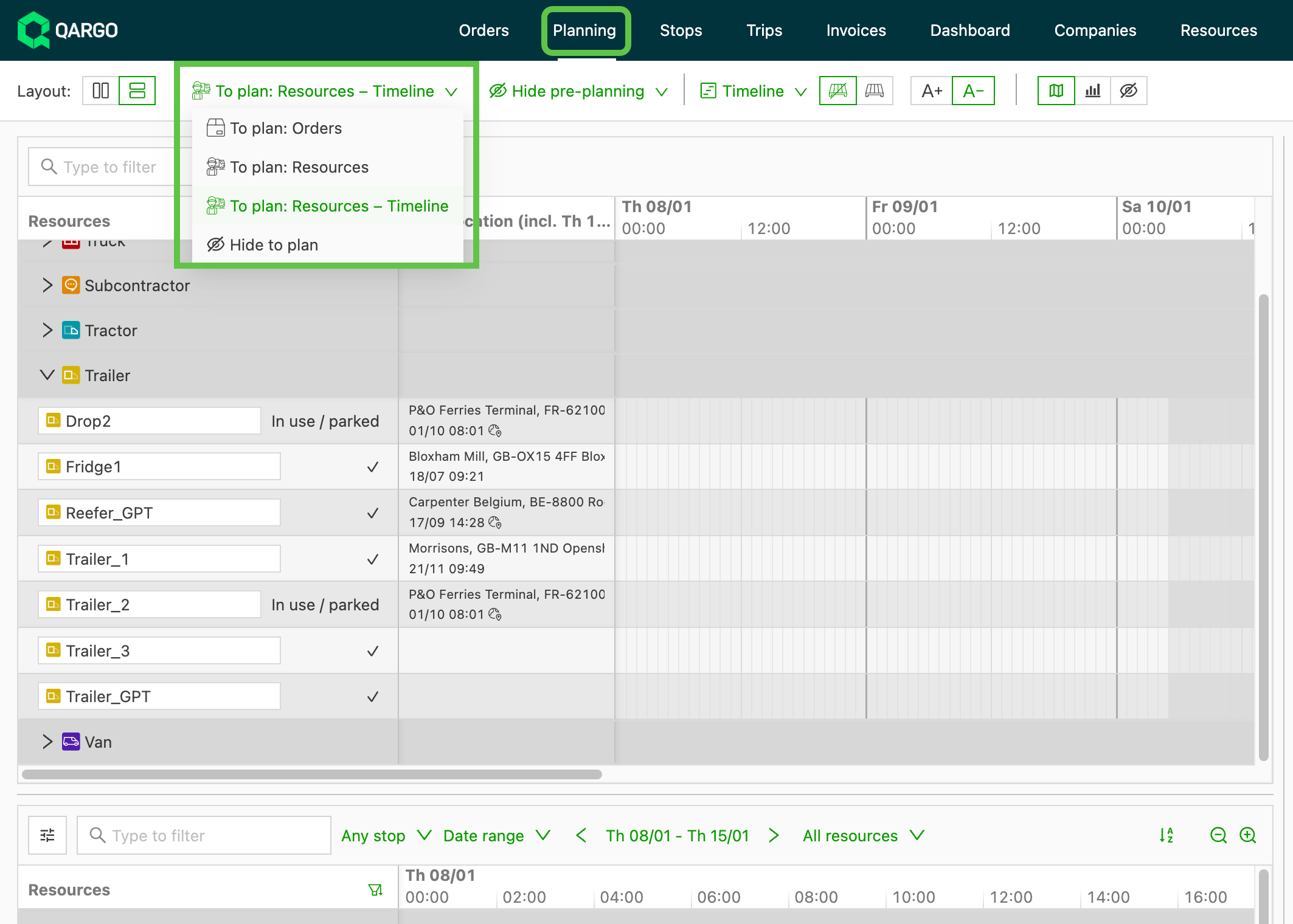
- Each resource now has its own timeline showing planned shipments, unavailabilities, and schedules, with drag-and-drop assignment to loads or reservations.
- Additional context such as the resource’s last known location and resource extras filtering helps planners make faster, more informed assignment decisions.
📣 General – Improved shared views management
Shared views provide a consistent data layout and workflow for all users in a team or organization, but any changes, like filters or columns, affect everyone using that view.
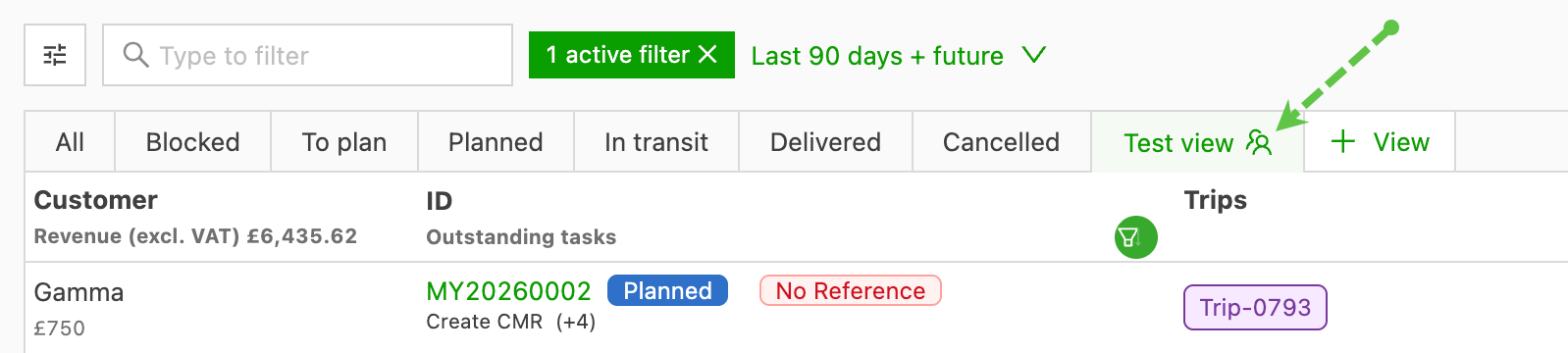
:::
Week 3
🛠️ Mobile app – Admin-initiated password reset
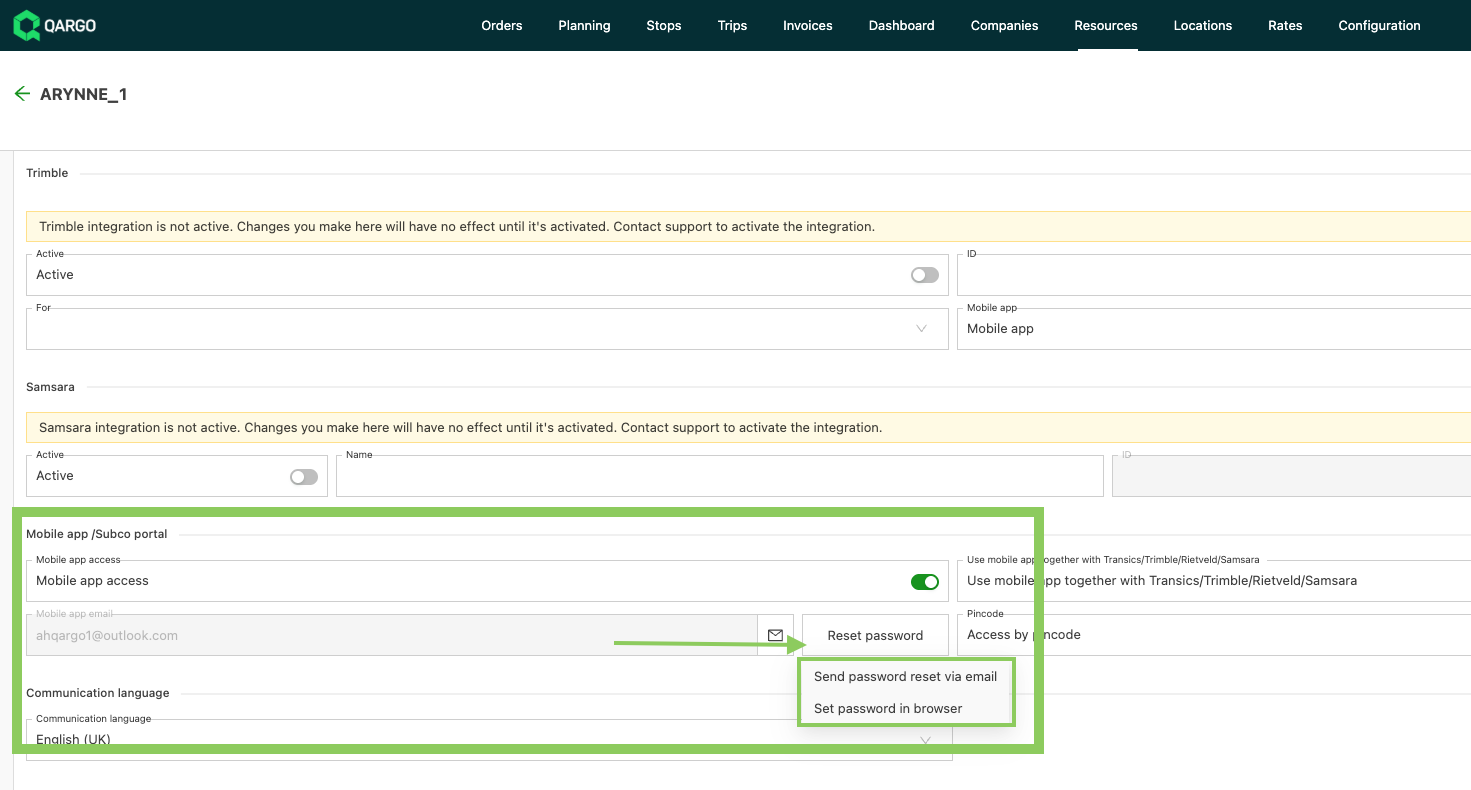
Super Admin and Admin users can reset a driver’s password using one of two methods
-
Generate password reset email
- Choose Generate password reset email
- A confirmation notification appears, and the driver receives an email to reset their password
-
Set password in browser
- Choose Set password in browser
- A new tab opens where the admin can set a new password
- The admin must securely communicate the new password to the driver
This update improves account recovery reliability, reduces support dependency, and gives admins greater control when assisting drivers.
Understanding the driver mobile app
📑 Custom exports – Include document details in reports
Users can now include documentation details in reporting, using the expression builder aggregation option “Exists”. Details include:
-
Name, description, date/time stamps
-
Using the aggregation ‘exists’ adds the column with ‘true/false’ descriptions
- True = documentation attached to the order
- False = no documentation attached to the order
Custom exports: Using the expression builder
Week 4
🚢 Intermodal – ‘Buyer / Seller’ data enhancements
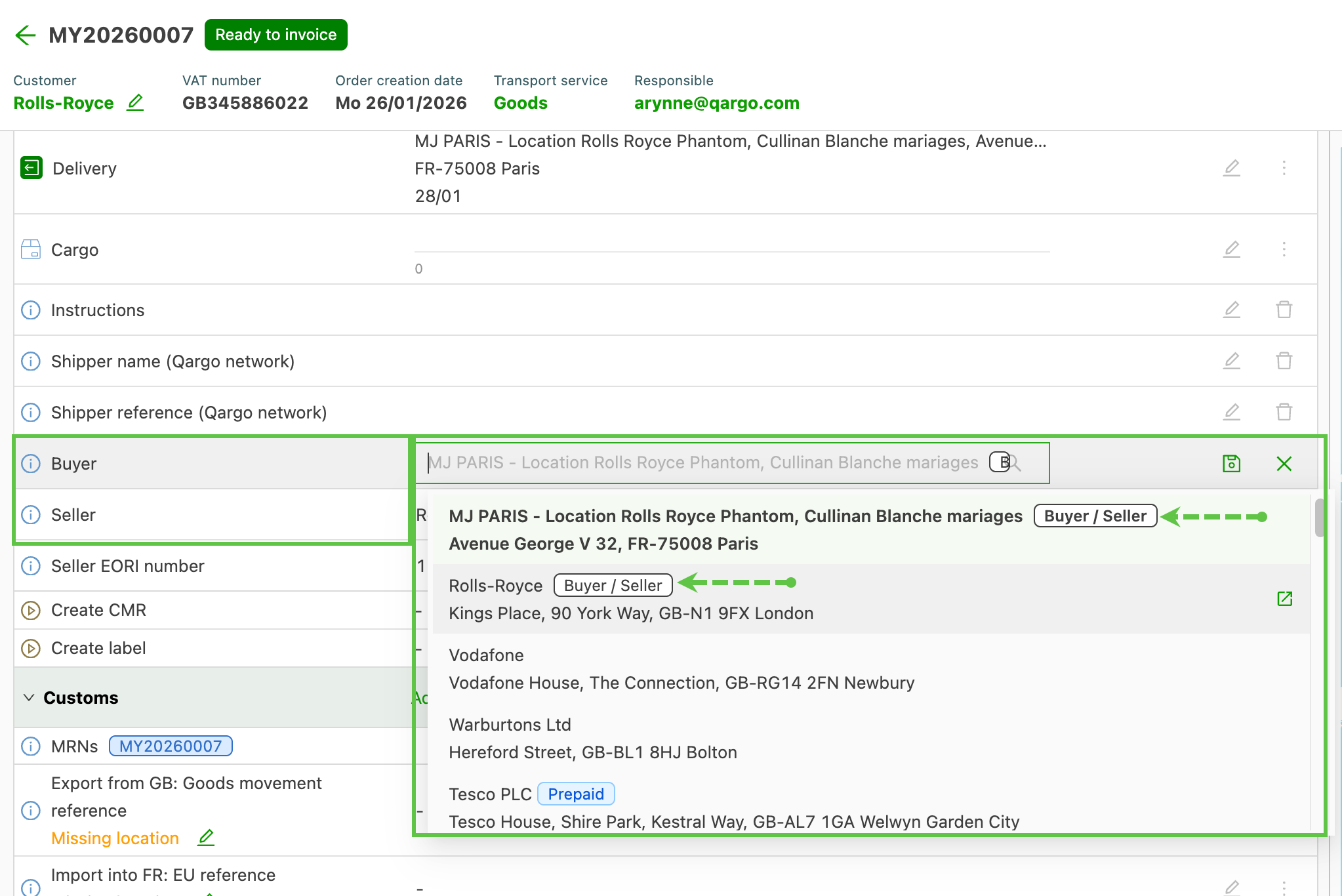
This update makes it easier to connect Buyer/Seller details (business side) with Shipper/Receiver details (shipping side). It helps keep shipments and imports accurate and compliant.
Key features and benefits:
- Easy setup: turn fields on, set where Buyer/Seller info appears, and manage where it comes from.
- One clear record for Buyer/Seller and Shipper/Receiver so everything matches.
- Auto-fill and quick data entry: speeds up creating orders while keeping data clean.
- Better data control: rules for archiving and who can change data, plus proper EORI alignment.
- Aliases to match names across systems: reduces duplicates and errors.
- Better reports: include Buyer/Seller data in exports.
- User-friendly hints: tags, prompts, and simple edits to cut mistakes and duplicates.
Impact:
- Faster, more accurate declarations and safer risk checks.
- Clear view of business vs. shipping roles throughout a shipment’s life.
- Easy to scale with many parties, fewer data mix-ups.
- Scalable governance for multi-party transactions with fewer data mismatches.
Understanding buyer and seller roles in Qargo
📊 Reporting – Data export limits optimized
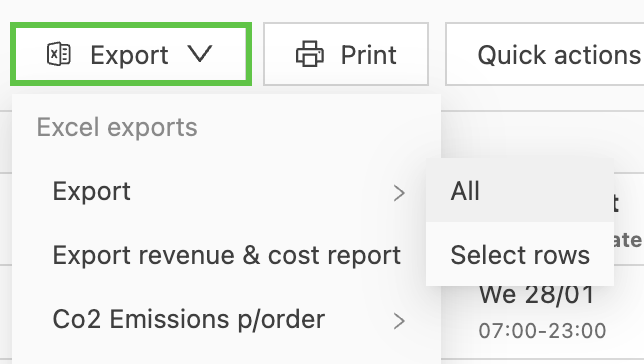
Data export improvements make exports more reliable and faster, reducing timeouts while allowing more records to be exported at once.
What changed
-
Smarter export limits: exports are faster and less likely to time out.
-
Faster small exports: Exports that aren’t too big now finish in under 10 seconds.
-
Bigger, but controlled exports: For busy accounts, about a month of data can be exported in one go, or up to 10 minutes per export.
- Very large exports may still need to be split into several requests.
Key features
- Validated limits: All export types (orders, shipments, invoices, charges, etc.) follow tested limits.
- Quick exports: Small exports complete quickly.
- Large exports are possible: For heavy users, up to 25,000 records can be exported asynchronously.
Benefits
- Fewer timeouts and faster exports.
- Better performance for high-volume users.
- Clear rules for how big exports can be in one go.