
Rates – Order input
The order input configuration is now under the Rates main menu. Use this menu to create, edit, and update order details and components.
Table of contents
From the main menu, navigate to Rates > Order input:

The services the company offers can be amended here. The screen is divided into 3 columns.
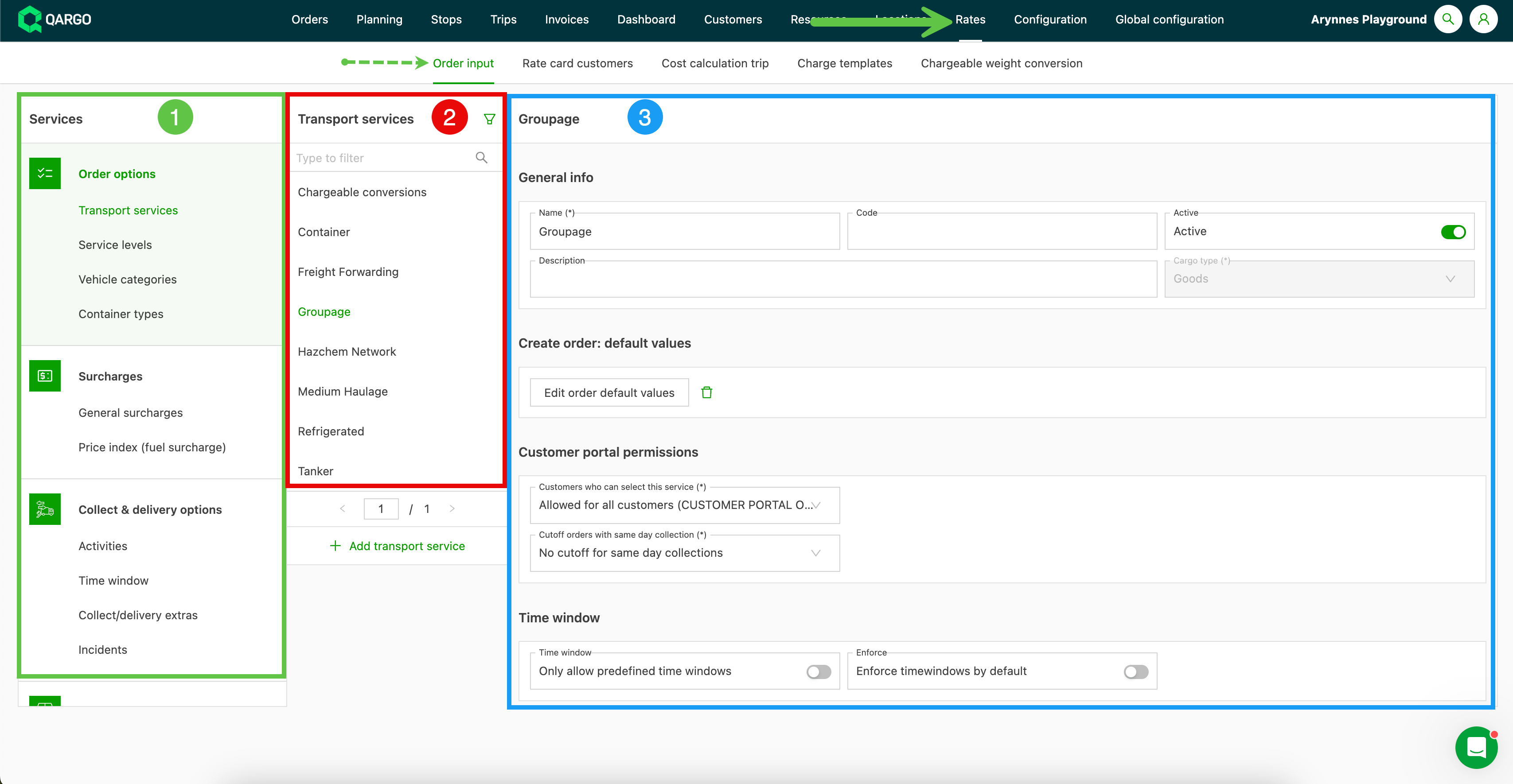
- The left column shows all the possible configuration categories linked to order input.
- Clicking one of the categories in that column shows all the options linked to that category in the second column.
- The third column shows the details of that option, which can be edited if necessary.
Options shown in gray (or light green when selected) indicate that the option is inactive. Once set to Inactive, the option cannot be used in orders. Previously created orders that used that option won’t be changed.
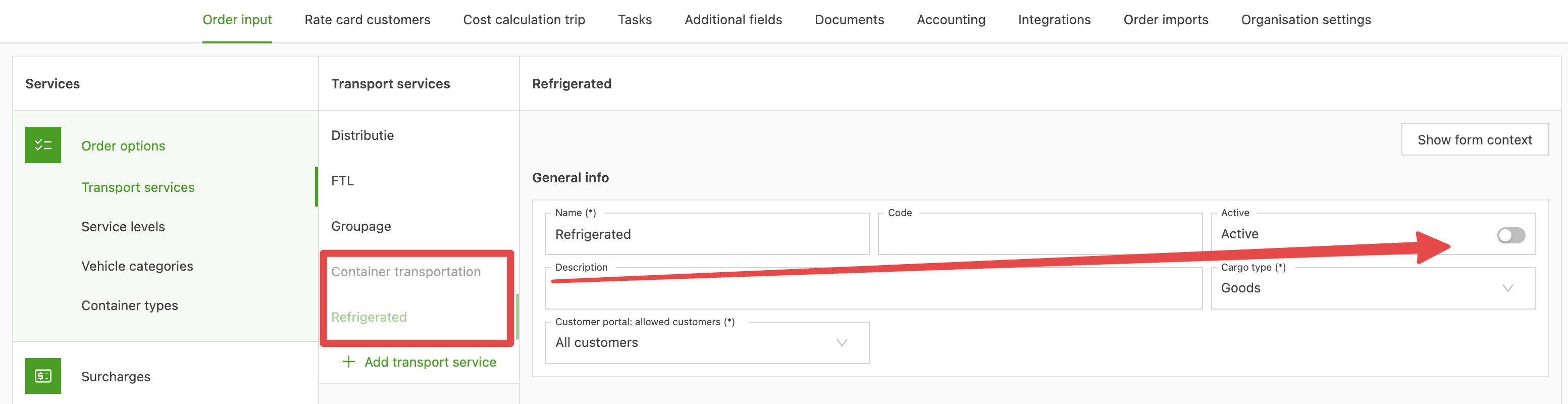
Below is an overview of the categories shown on the order level page. Click the links for more information.
Order options
Surcharges
Pickup & delivery options
Freight options
Product options
Planning/resource groups
- Resource groups
- Planning groups
- Departments
Compatible resources
To set up and modify compatible resources for order capture and load cost calculations.
-
Under Rates > Order input, when the option to add a ‘compatible resource’ is available, it can easily be added in the table under the Configuration panel.
-
Ordered by type (Vehicle, Driver, Container, Contract carrier, Intermodal connections).
-
Click into the line, or use the Edit icon to open the table and select the resource(s)
- Select single, multiple, or all with a simple click
- Once resources are selected, a summary appears on the main configuration panel showing how many resources are selected and which ones.