
Configure incidents (freight)
Configure incidents that can happen on freight, e.g., goods are damaged. This records the incident against the specific freight on the order or load.
Table of contents
Configure freight incident
-
Navigate to Rates > Order input
-
Left-hand menu: Freight options - Click ‘Incidents’
-
Click ‘New incident’ to add a new option and complete the details under ‘General info’.
-
Set the customers that can see the incident via the customer portal. Options include:
- All customers
- Select specific customers that can see the incident on the order in their portal view
-
Click Save.
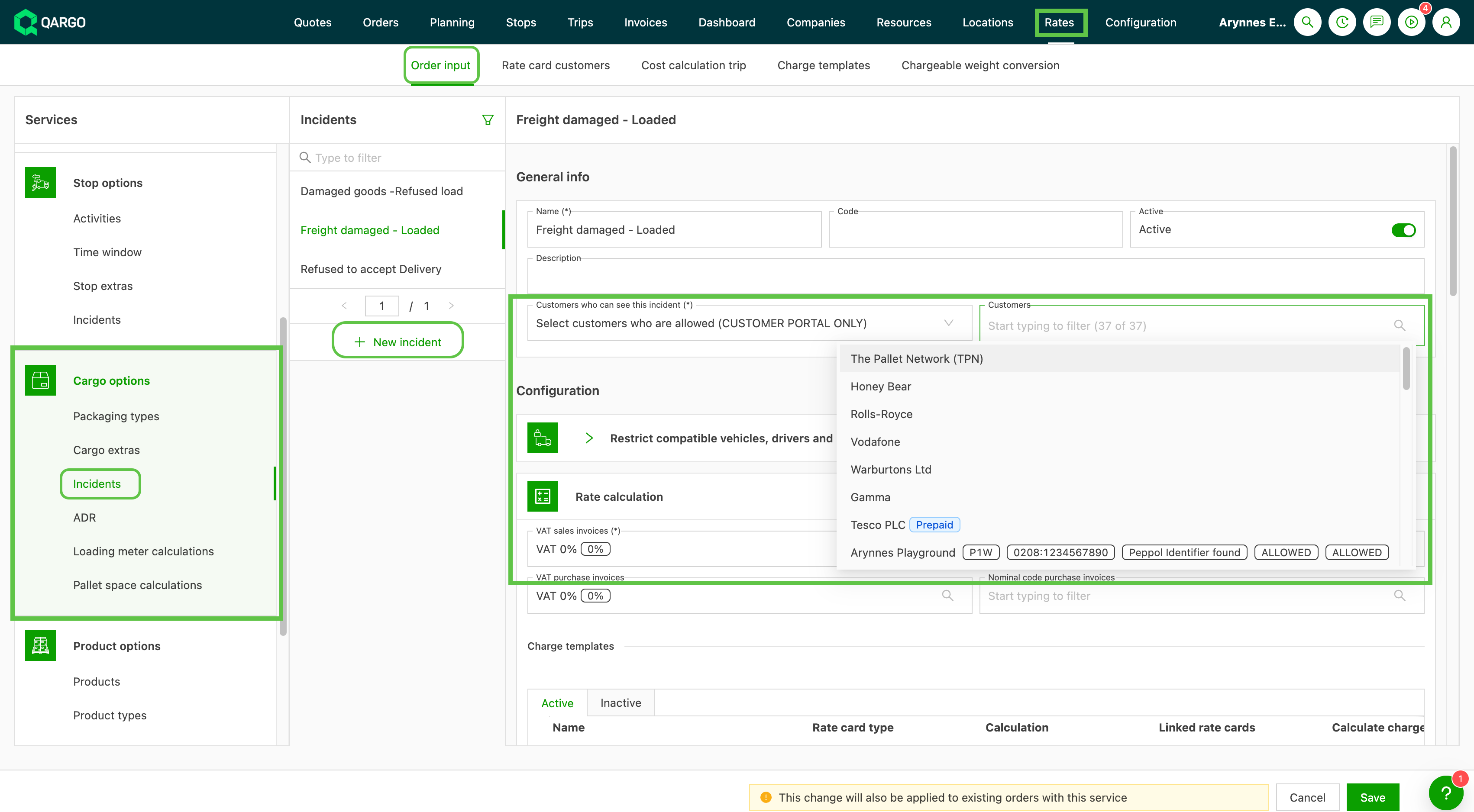
Once saved in the configuration, the options are available to record against the Freight details in the order.
Record freight incident:
- Click the edit icon on the freight row
- Select the appropriate option from the freight incidents
- Click Save
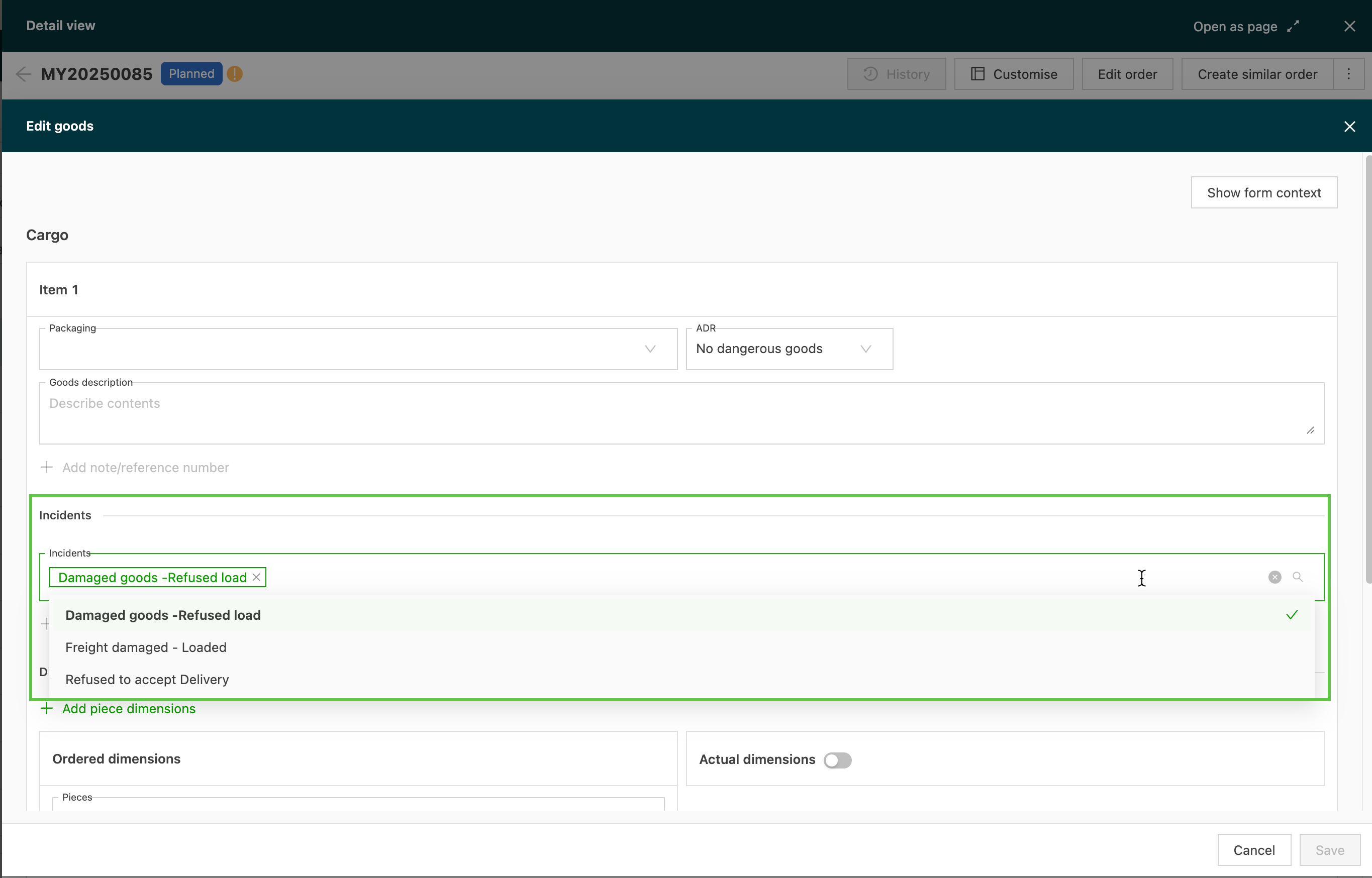
- The order displays a warning against the order number, and the freight incident details show in the freight row.
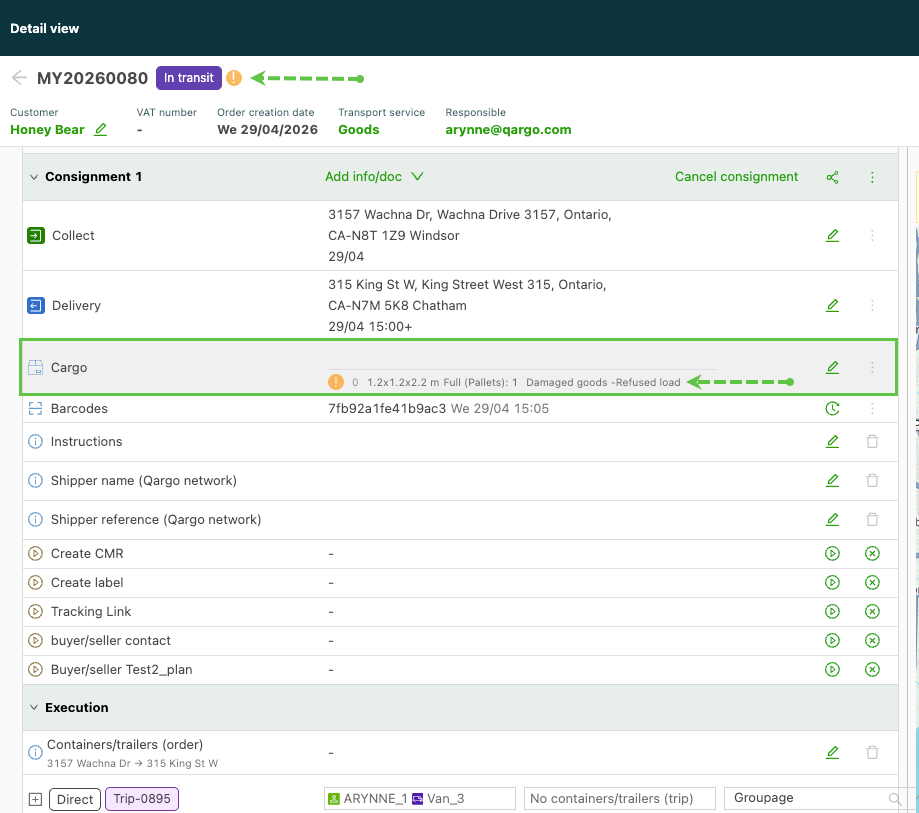
Unlike a stop incident (pickup/delivery), no further action is required once the freight incident is recorded.
Viewing freight incidents on the customer portal (optional)
When enabled, incidents display in the customer portal: