
Failed delivery for pallet network order
This article explains how to record a failed delivery for a palletline shipment
Table of contents
Operational
When a delivery for a palletline shipment fails, take the following steps:
-
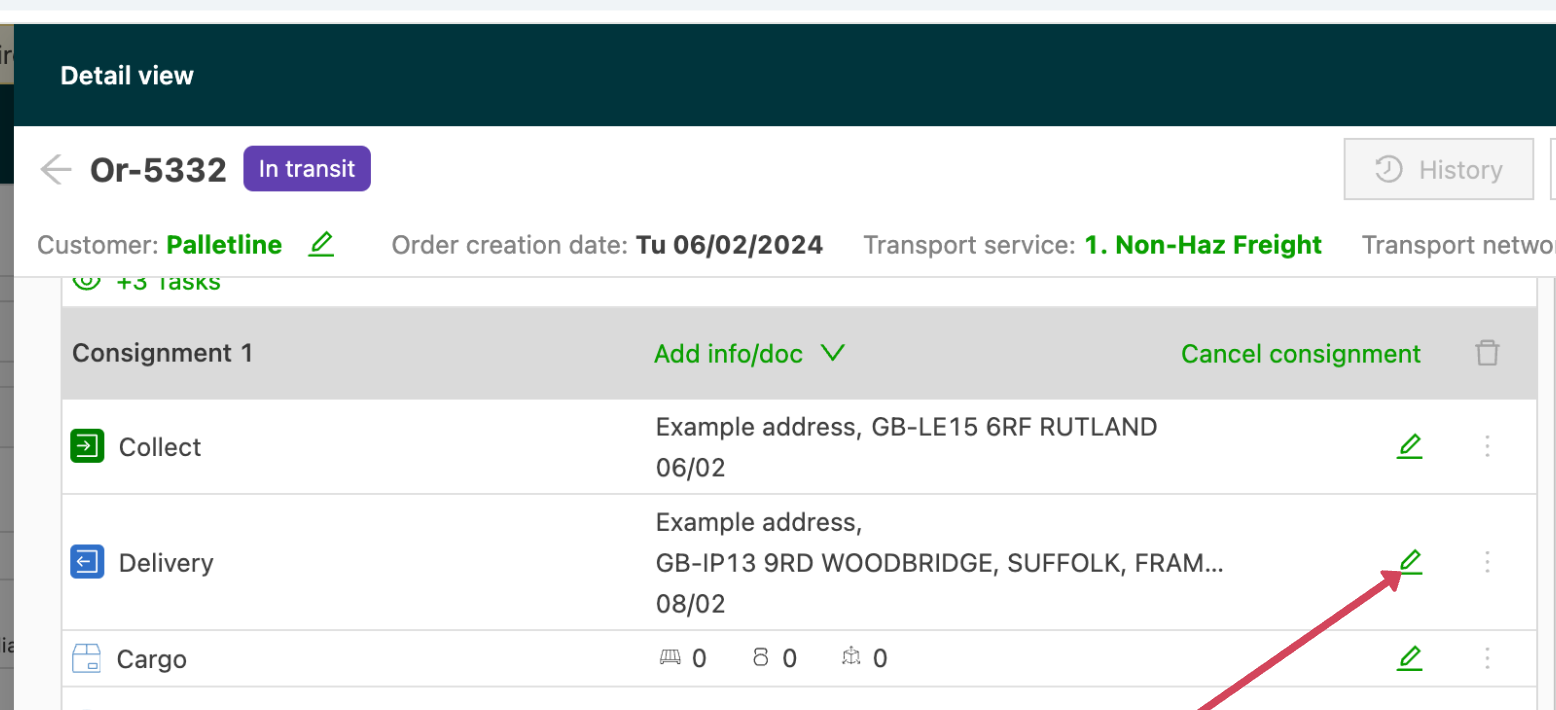
Open the order with the failed delivery and edit the delivery location:
-
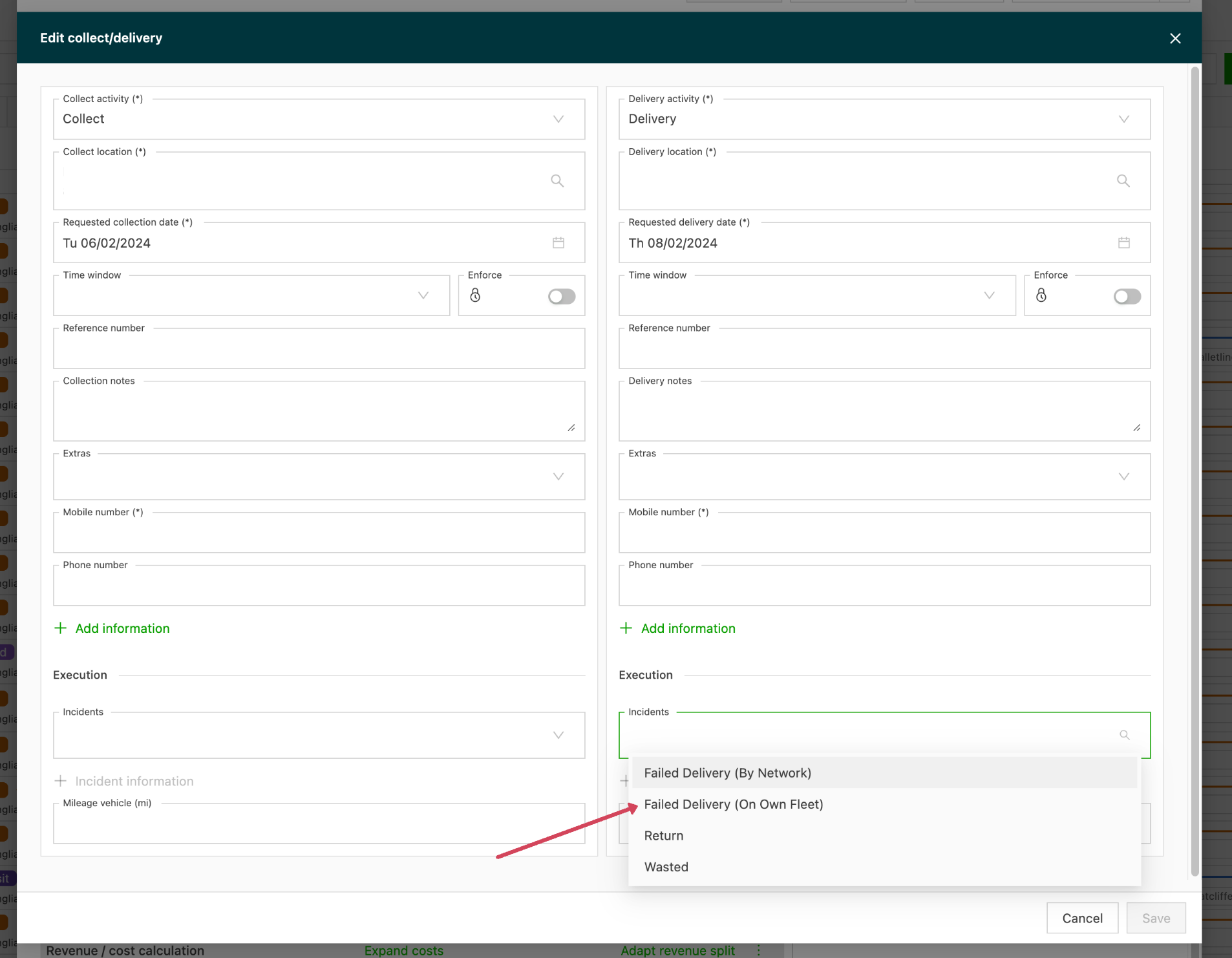
Go to incidents and select Failed delivery
-
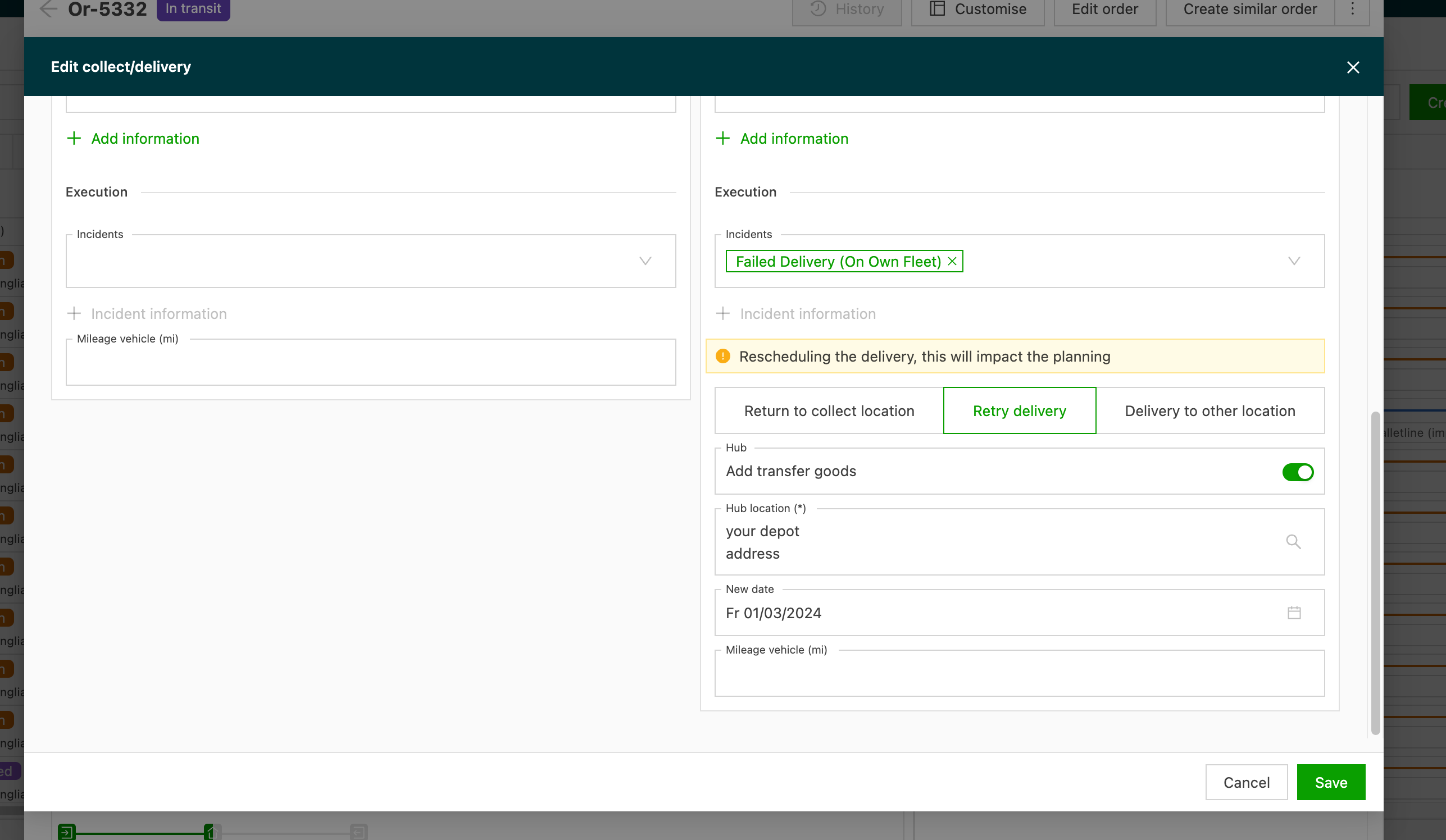
Then select Retry delivery and select the terminal address and the date to retry the delivery:
-
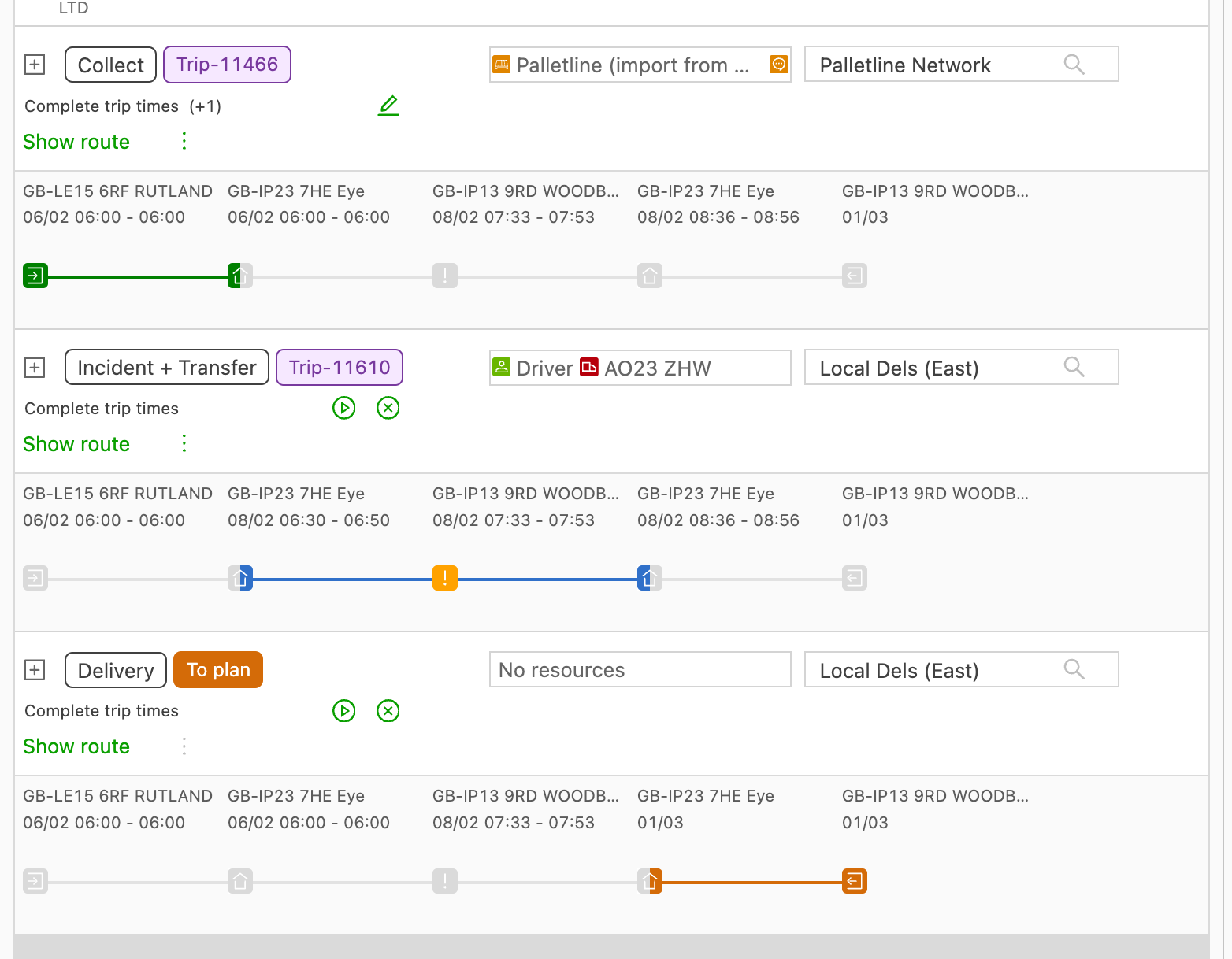
A new leg is added to the order to plan the redelivery:
-
An alert for the failed delivery also needs to be added manually on Contrado
Configuration
Go to Configuration > Order input > Pickup & delivery incidents:
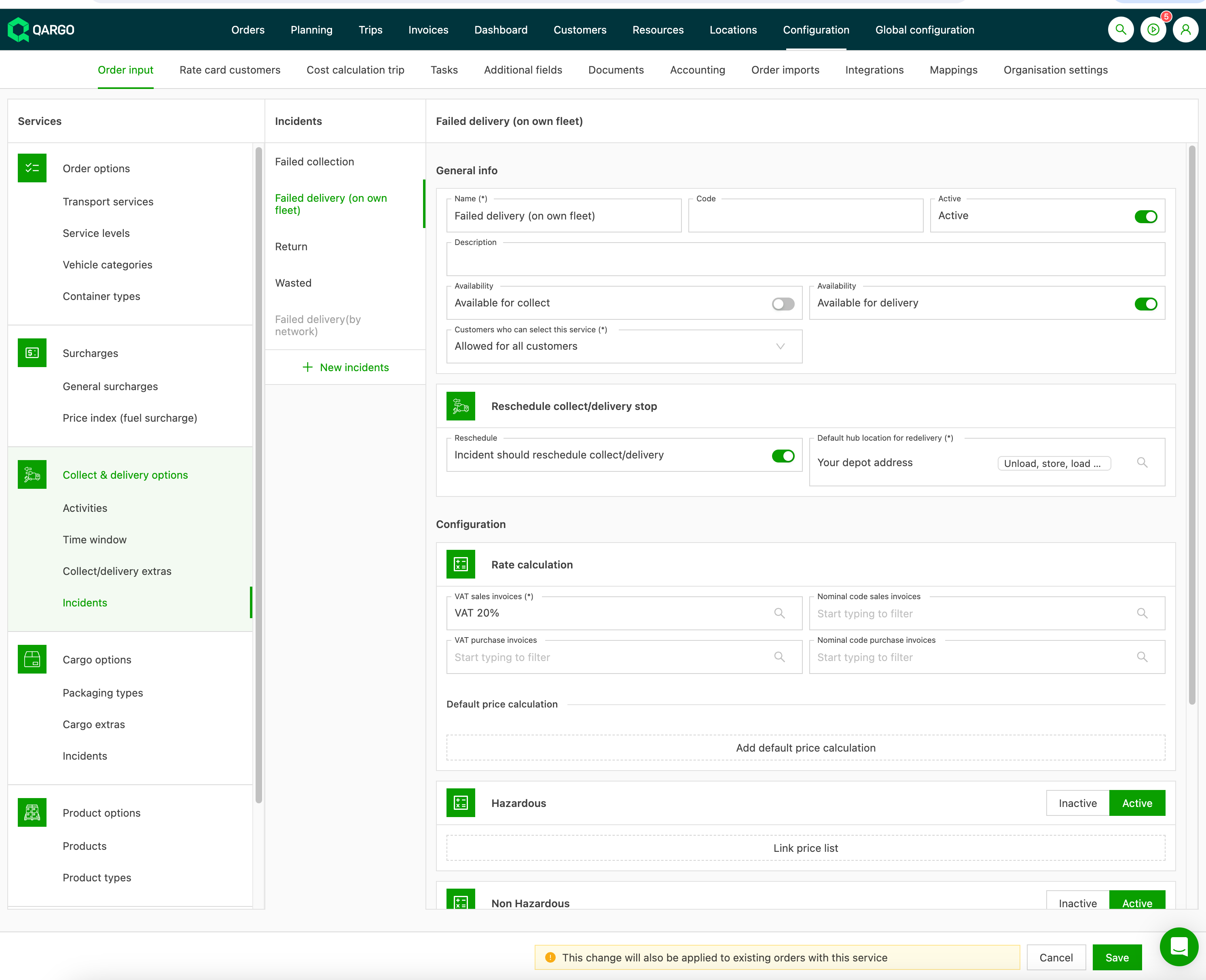
Then make sure there is an incident with the following settings:
-
Failed delivery: this name can be chosen freely
-
Availability: Only for delivery must be checked
-
Incident should reschedule pickup/delivery must be checked, and the terminal must be selected as the default terminal

-
Make sure the correct transportation services are selected