
Resource groups
Add resource groups to organize planning boards by resource type. Easily filter, customize, and improve visibility in planning & pre-planning.
Resource groups can be added in Rates. This is useful when there are many resources and the planning work is divided by different kinds of resources, or when the planning board should be divided by resource.
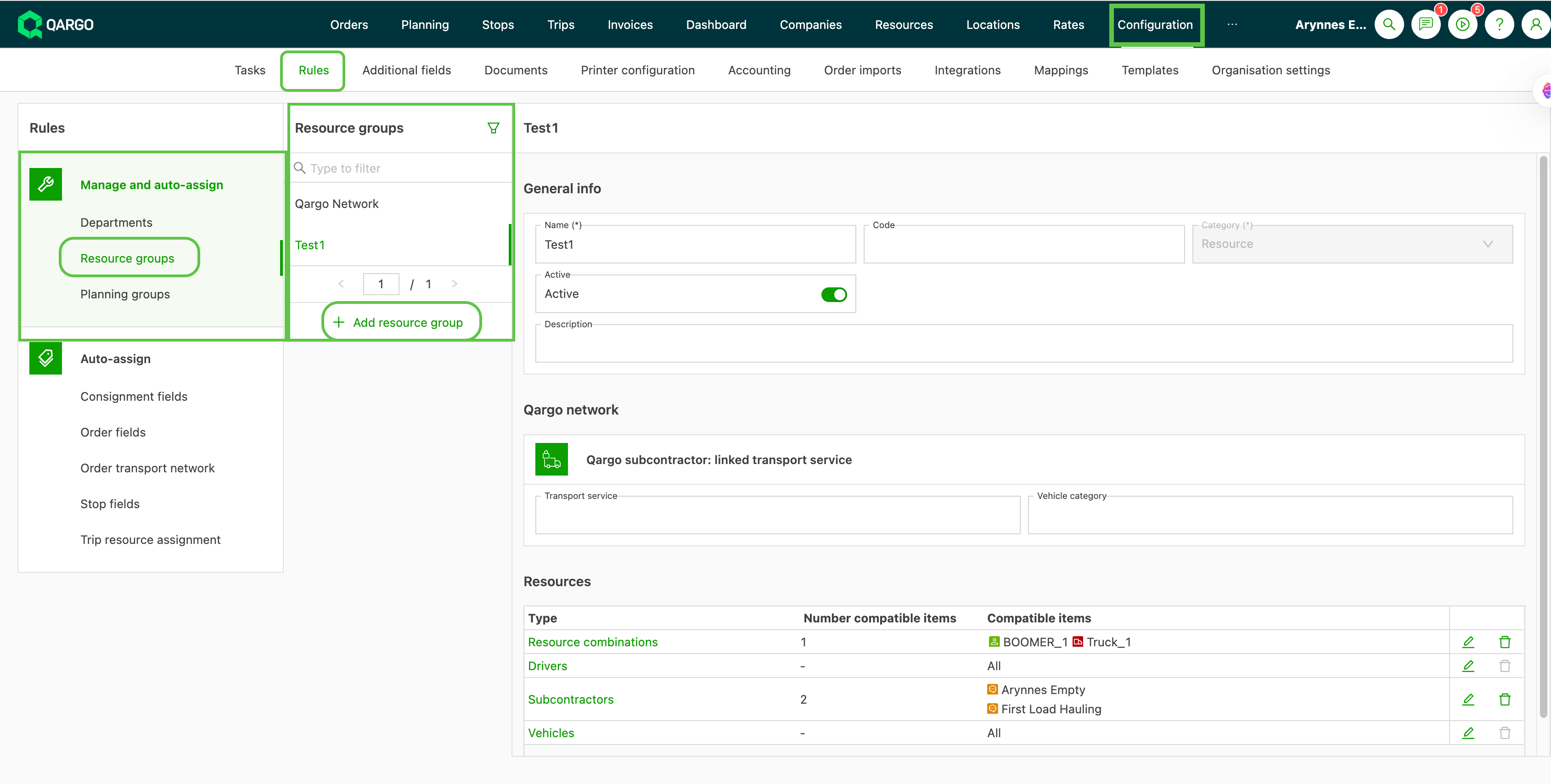
- Navigate to Configuration > Rules
- From the left menu, open Manage and auto-assign > Resource groups
- Select Resource groups
- Click Add resource group
-
The new resource group is added to the list.
-
In the right panel, enter the general information and give the resource group a name that makes it easy to identify.
-
Add any compatible resources that will be used within this resource group
- Click the individual lines to quickly enable the compatible resources that apply.
- Once saved, the planning board is divided into those categories
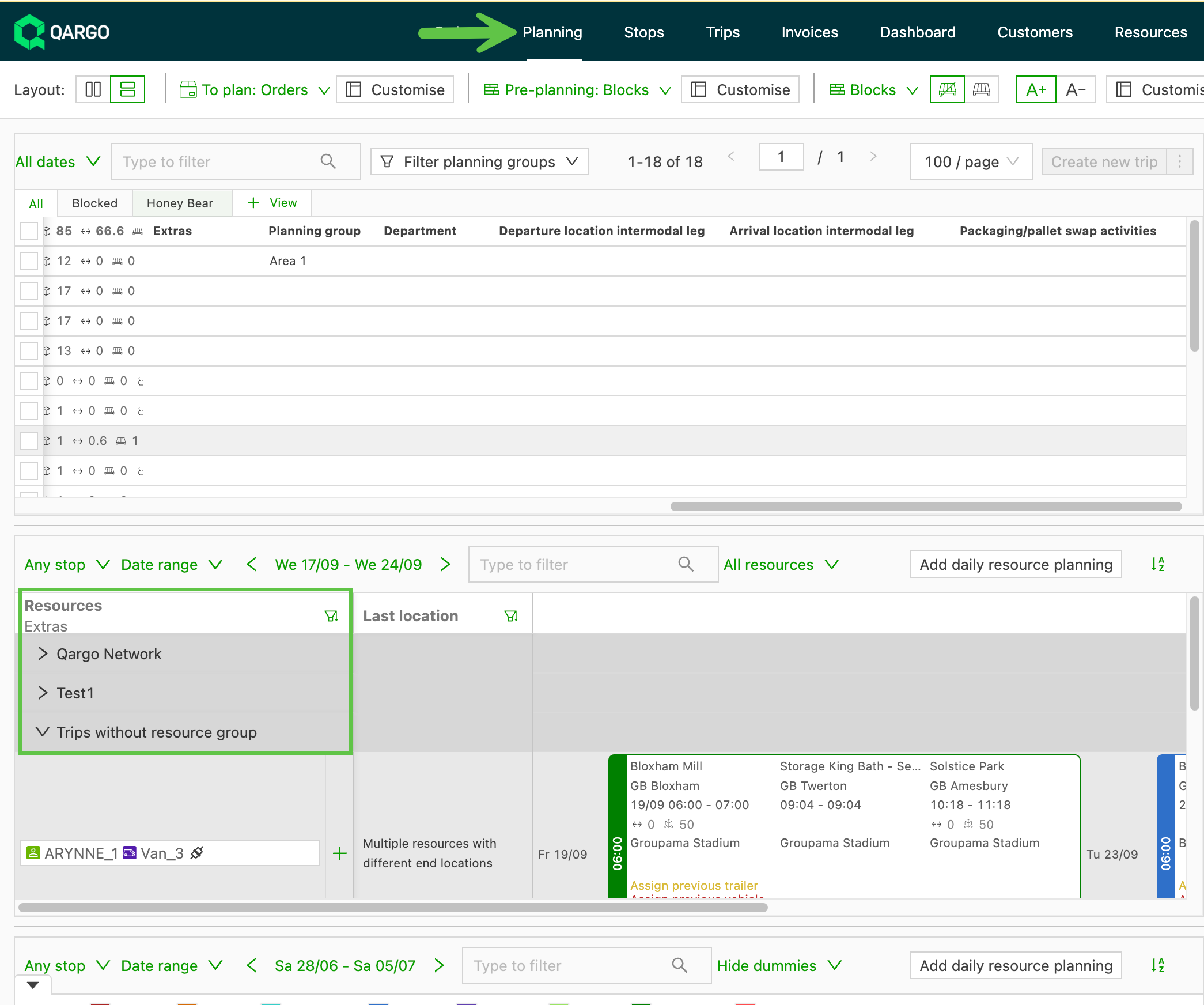
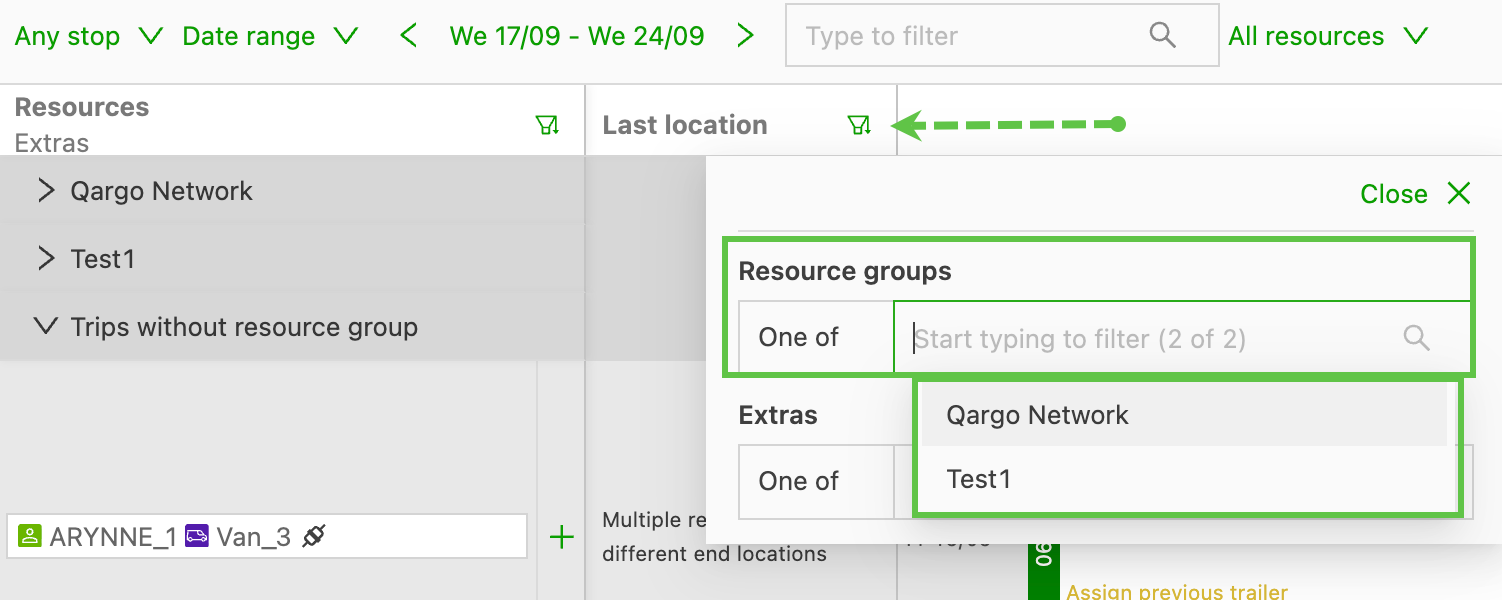
- To improve visibility, these groups can be used as a filter on the planning board.
-
To hide resource groups, use the Customize button to toggle the option off.
- This can be done for both planning & pre-planning