
Feature release April 2025
This article highlights the new features and enhancements released by Qargo this month.
Week 1
Intermodal: Improved visibility of operational status
Planning: “Next order” planning suggestions.
Week 2
User settings and permissions in user roles
CO2 calculations now available on documents
Week 3
Configure invalid service level notification
Week 4
Planning: Improved mapping tools
Configuration: New user roles
Orders: Planning preference for multiple shipments
Week 1
Intermodal: Improved visibility of operational status
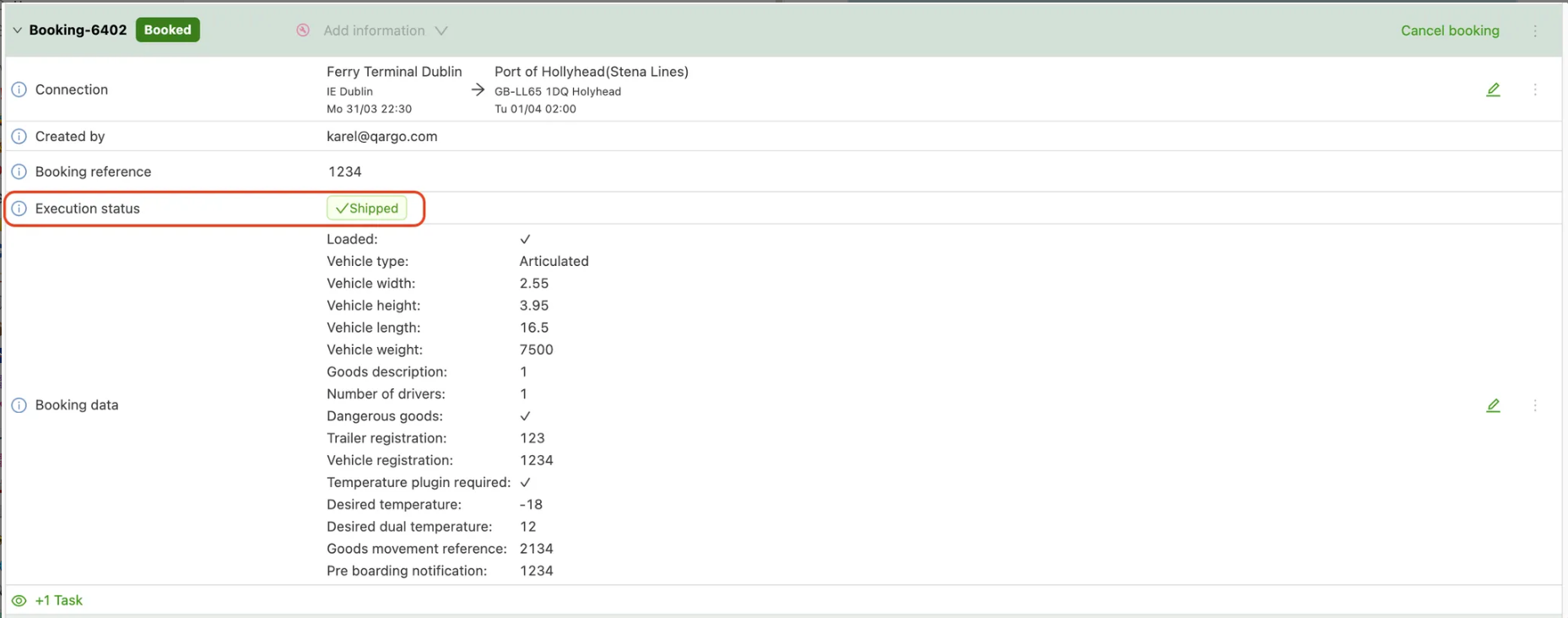
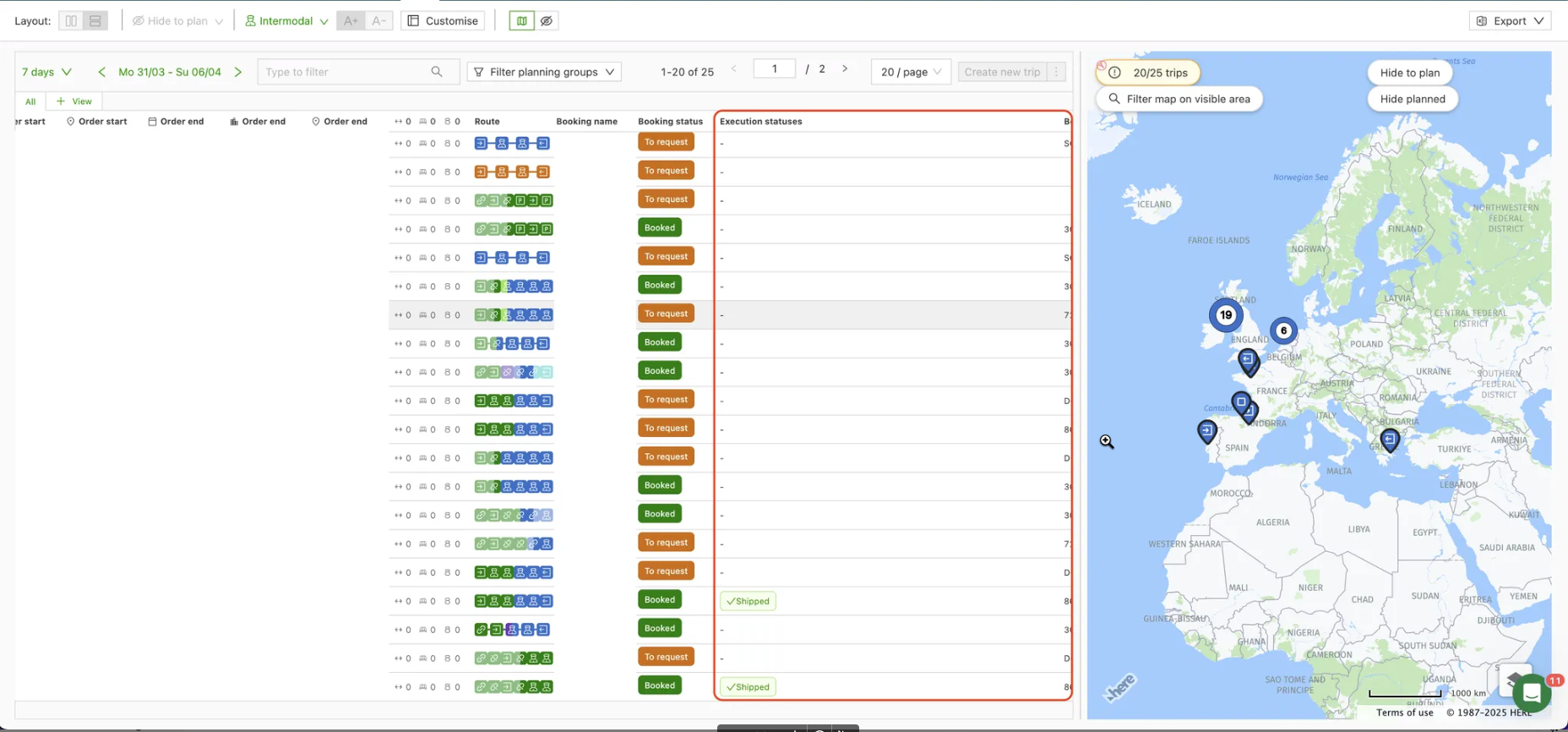
There is a new column showing operations status on intermodal bookings (Stena lines / Irish Ferries integrations). This gives improved visibility after booking, detailing the ferry status from departure to arrival.
In the Intermodal view on the Planning tab, the ‘Operations statuses’ column can be moved by dragging to suit user preference. The status also displays in the order and load details, under the Booking panel. Status updates are synced back at 5-minute intervals and include ‘Checkedin / Confirmed / Shipped’.
The link below shows what other intermodal features are available.
Planning: “Next order” planning suggestions.
The new planning flow suggests optimal order combinations based on vehicle capacity and location. It addresses challenges like high order volumes and resource compatibility to improve efficiency and reduce operational costs.
The planning flow provides suggestions based on the available capacity in vehicles and planned locations. The suggestions are exposed in two directions:
-
Planning → to plan: Open the stop actions button, go to ‘Find nearby’ and choose either pickup or delivery within one of the given distances.
-
To plan → planning: Select 1 row in the to plan table, then click the ‘Find nearby loads’ dropdown to filter the planning view on a given distance from the pickup or delivery location of the selected to plan order.
Week 2
User settings and permissions in user roles
An update this week added a new feature, ‘User settings’. Users assigned an Operational role may have noticed a slight adjustment to menu and tab visibility.
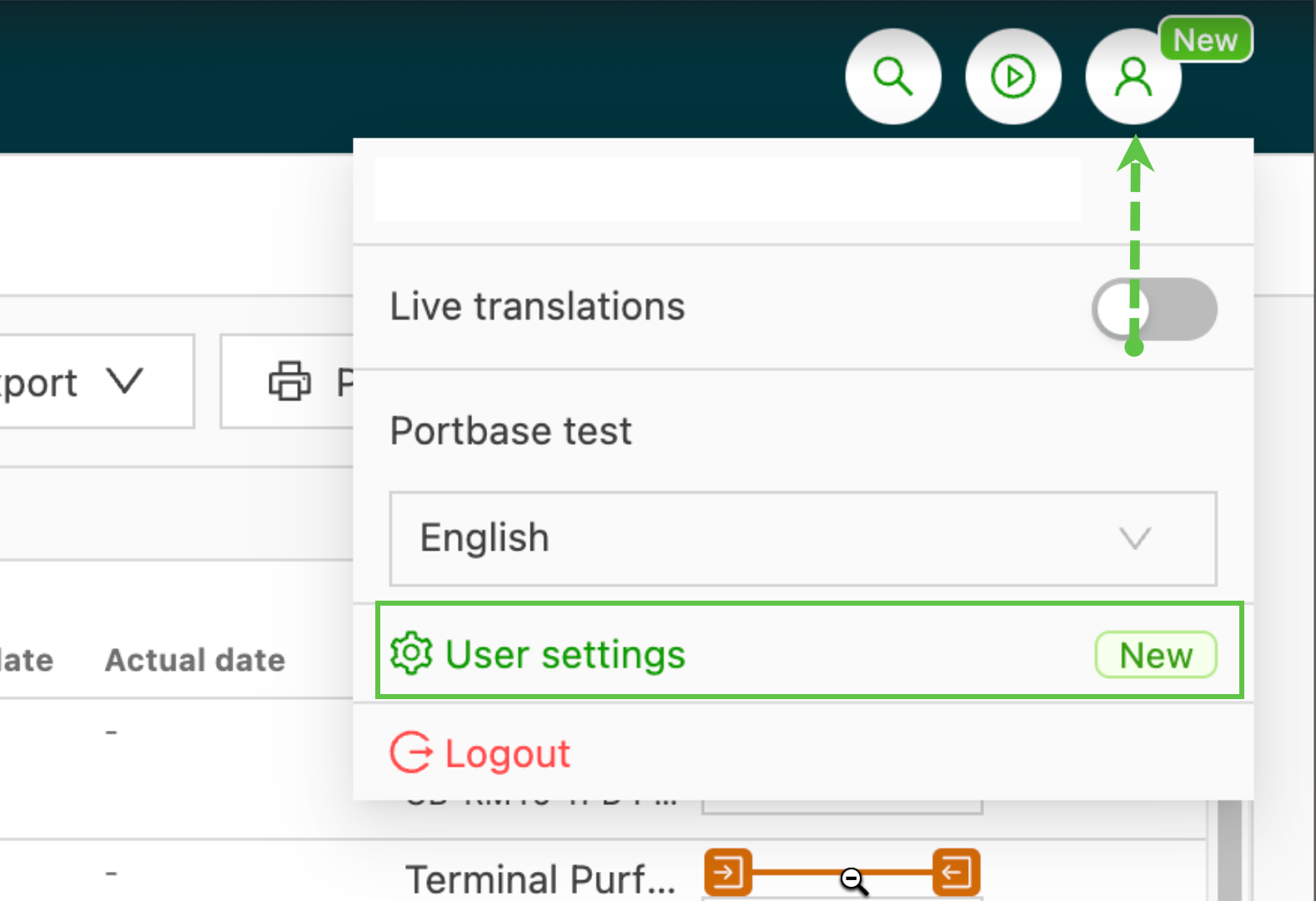
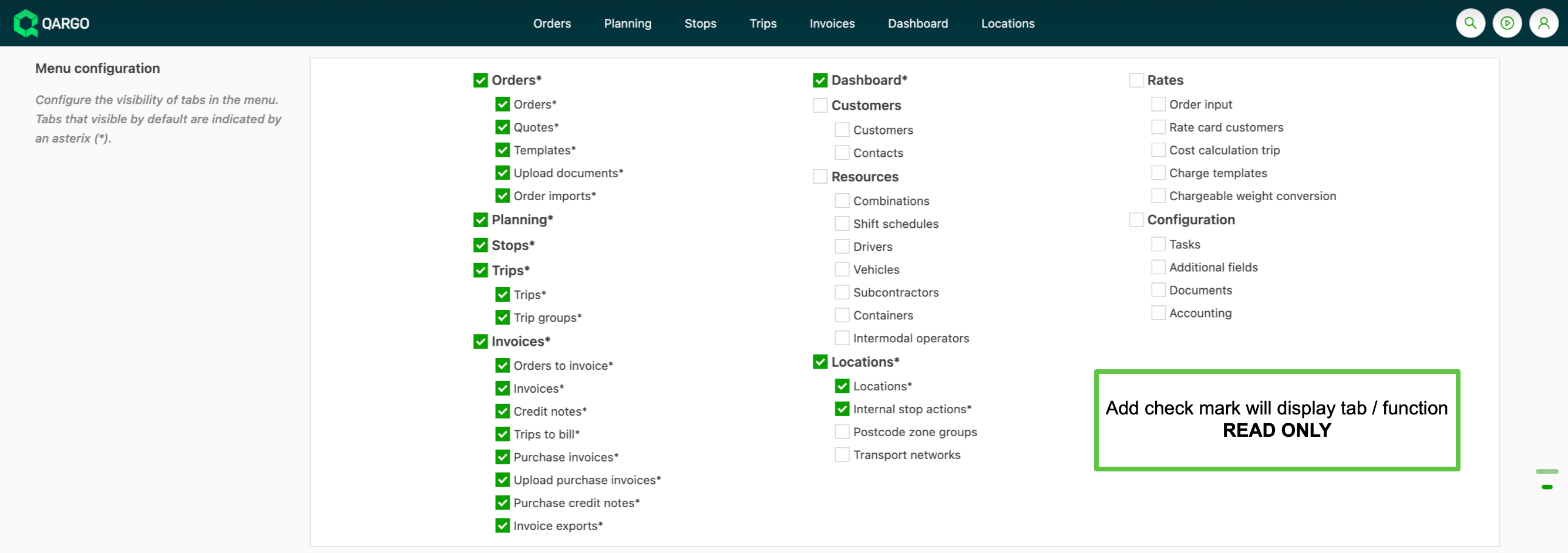
User settings give access to the default permissions assigned to a user role.
FAQ - User role permission & visibility
CO2 calculations now available on documents
CO2 calculations can be included on documents by adding the data to a document template. As calculations are available in both the order and load details, the data can be included in a variety of templates.
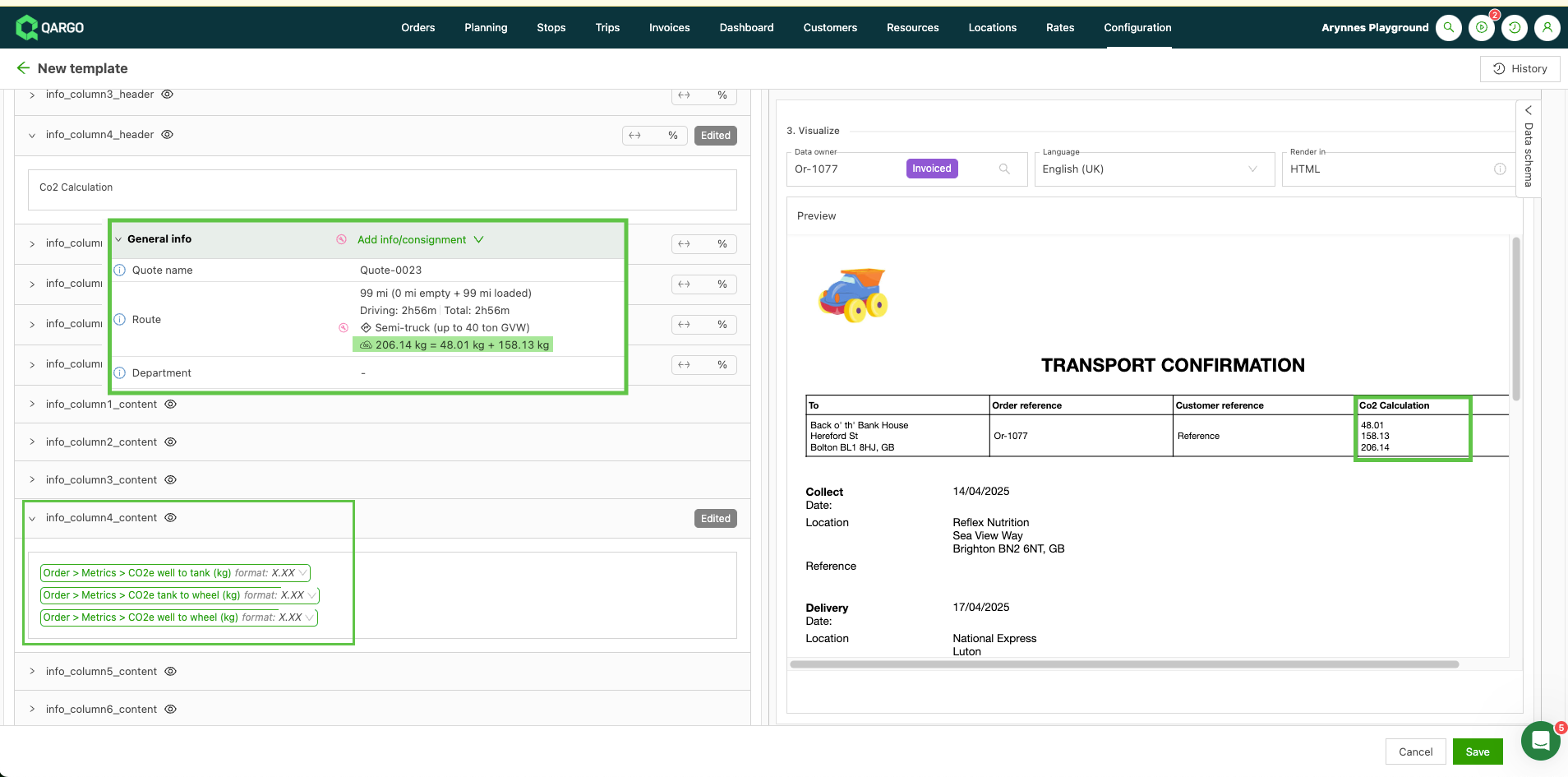
CO2 calculations on documents.
Week 3
Configure invalid service level notification.
Service levels can be configured with a lead time. This is the number of days required to complete the order. For instance, a priority / 24hr service allows the customer to book priority shipments, and the dates automatically fall within the allocated time frame.
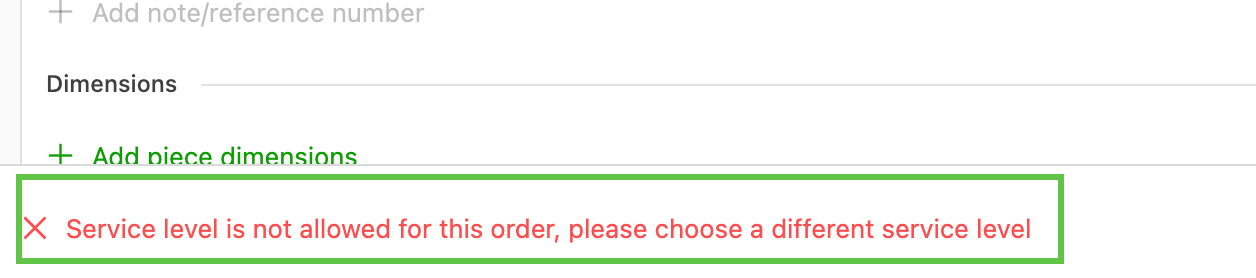
When the system optimizes the route and the route is not possible within the specified lead time, the system automatically rolls the date over to the next available date. To generate a warning to the user, an alert can be added to the service level, with the lead time set to -1. The system then warns the user that the dates are invalid based on the selected service levels.
Week 4
Planning: Improved mapping tools.
The mapping tool offers a layered view, easy stop identification, interactive traffic data and better selection tools in a streamlined interface.
-
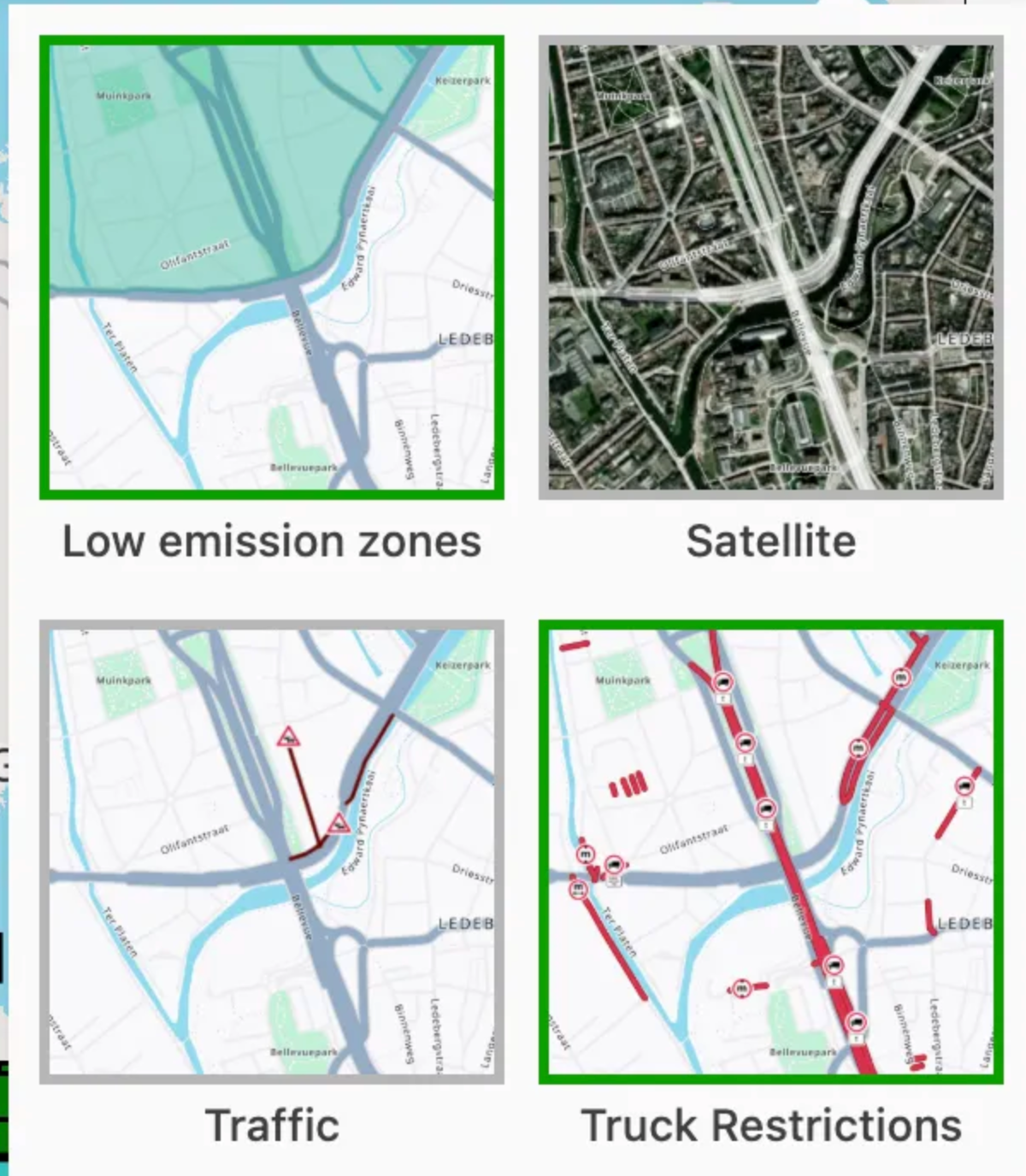
Customize views include visibility of Low Emission Zones (LEZ), live traffic and truck restrictions.
-
Focus on specific stop activity with the ability to hide stops, for example pickups or deliveries.
-
Hide resources to focus on order specifics.
-
Enhanced stop visibility uses unique, color-coded markers to represent stops (Triangle = Pickup / Square = Delivery).
- Color coding matched to the stop status gives clear visibility of stop status and load progress.
-
Interactive functionality allows users to select preferred map layers, including live traffic and truck restrictions that could impact the route.
-
Planning features include the ability to define an area on the map to select orders.
- Select multiple orders quickly and easily, directly from the map.
- The ‘Filter on map’ function is enhanced to include the same functions.
The link below gives more information on map functions.
FAQ - Map features & functions
Configuration: New user roles.
Roles can be assigned with default permissions, offering a predetermined level of access to functions. Streamlined visibility ensures users can focus on their core areas of responsibility, for example Planning or Finance.
User roles have a selection of default functions, with both read and write access. Additional functions may be added as read only, provided they are available within the user role settings.
Summary of roles:
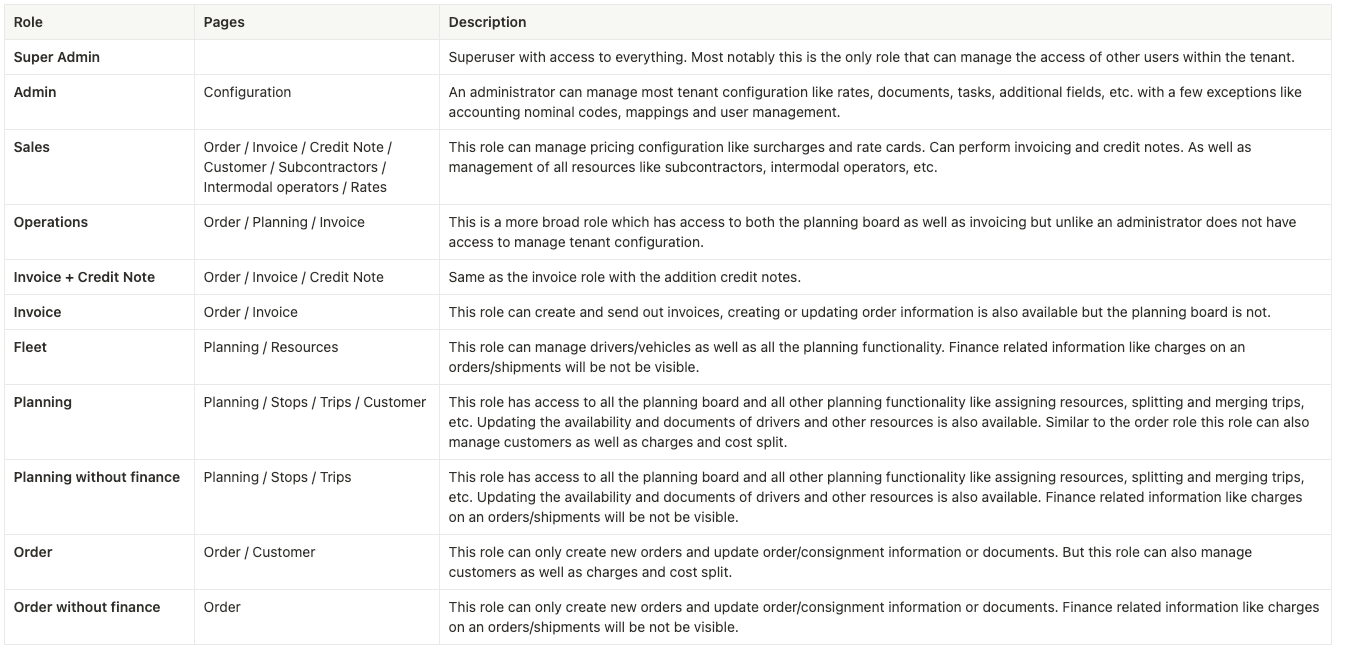
User roles: Permission and visibility
Orders: Planning preference for multiple shipments.
When building an order that includes multiple shipments (pickups and/or deliveries), it is now possible to specify a planning preference. Options include merging all shipments onto one load or creating a single load per shipment.

The link below explains how to build orders with multiple shipments.
Add extra shipments to an order
:::