
Rate card: Percentage of charges calculation metrics
Price list calculations can be based on a fixed amount, formula, rate table, or percentage of charges. This article covers the Percentage of charges method: what it does and the options available when configuring it.
Table of contents
What Percentage of charges does
Instead of a fixed amount, formula, or table lookup, this method sets the price as a percentage of a chosen base of other charges on the order. Rather than taking the full allocated order revenue, the base can be narrowed so that surcharges (such as fuel, toll, terminal, and admin) are kept out when they are not meant to be included.
A typical use is a contract carrier or internal cost that should be a percentage of only the transport charge, without fuel or toll surcharges inflating it.
Options
When Percentage of charges is selected as the calculation method, the following options appear:
-
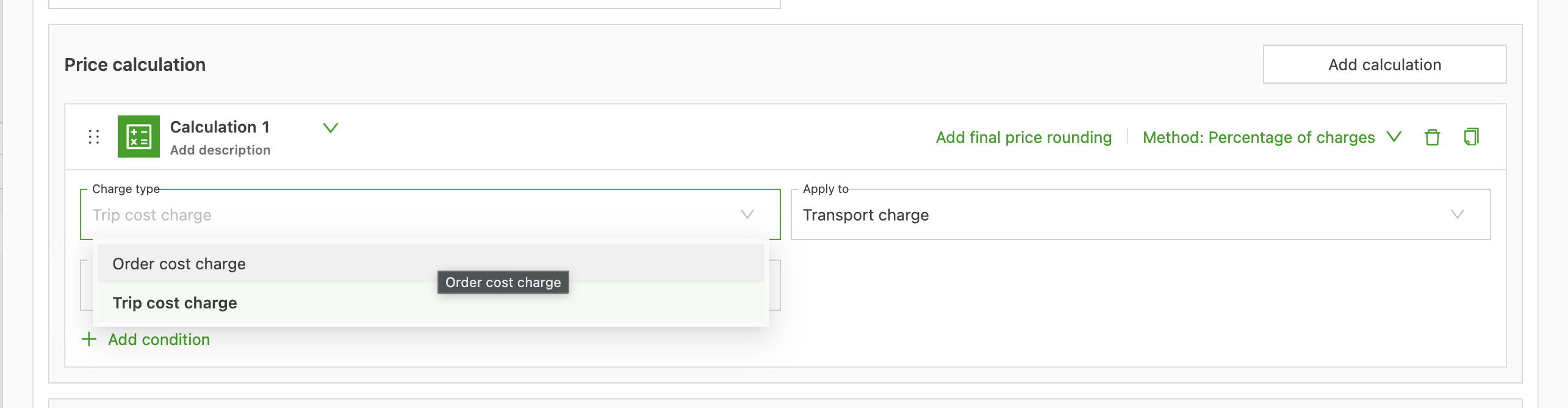
Charge type (on cost price lists): Order cost charge or Load cost charge, setting whether the cost is calculated at the order level or the load level.
-
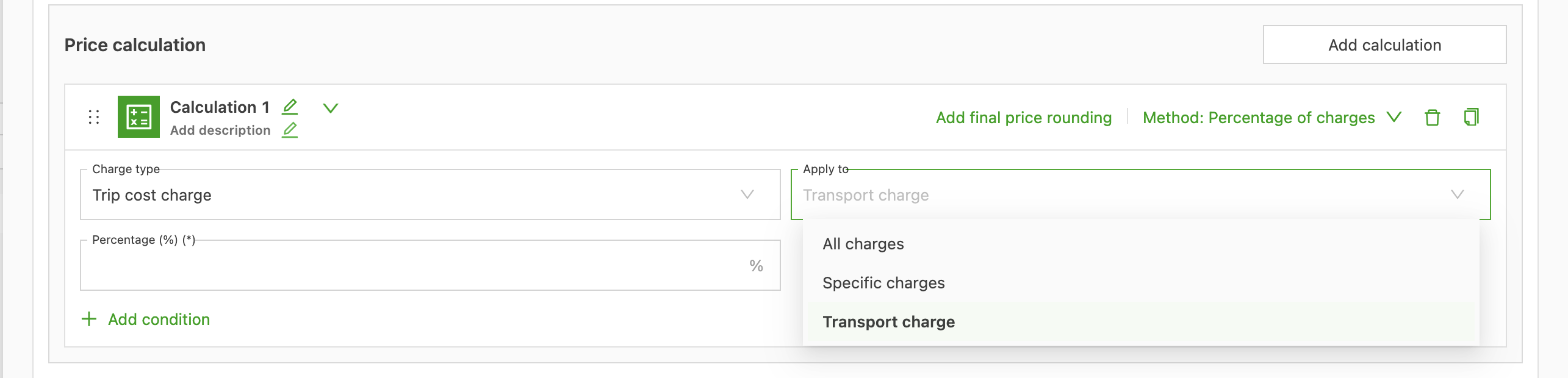
Apply to: defines the base of revenue charges the percentage is taken from.
-
All charges: every revenue charge on the order.
-
Transport charge: the base transport charge only, excluding surcharges.
-
Specific charges: only the charge types selected in the charge picker that appears.
-
-
Percentage (%) (required): the percentage applied to the selected base.
-
Add final price rounding (optional): opens a Result section to round the calculated amount. Set the Final price rounding type (Round up, Round down, or Round to nearest) and the Round final price per increment in the price list currency (for example, 1.00 for the nearest currency unit, 0.10 for the nearest ten cents).

Configuring the method
- Open a charge on a price list under Rates (Rate card customers, Contract carrier costs, or Internal costs) and open the calculation.
- Select Percentage of charges from the Method dropdown.
- On a cost price list, select the Charge type (Order cost charge or Load cost charge).
- Choose the Apply to scope (All charges, Transport charge, or Specific charges). When Specific charges is selected, pick the exact revenue charge types that form the base.
- Enter the percentage in the Percentage (%) field.
- Optionally, select Add final price rounding, then choose the rounding type (Round up, Round down, or Round to nearest) and enter the Round final price per increment.
Adding conditions
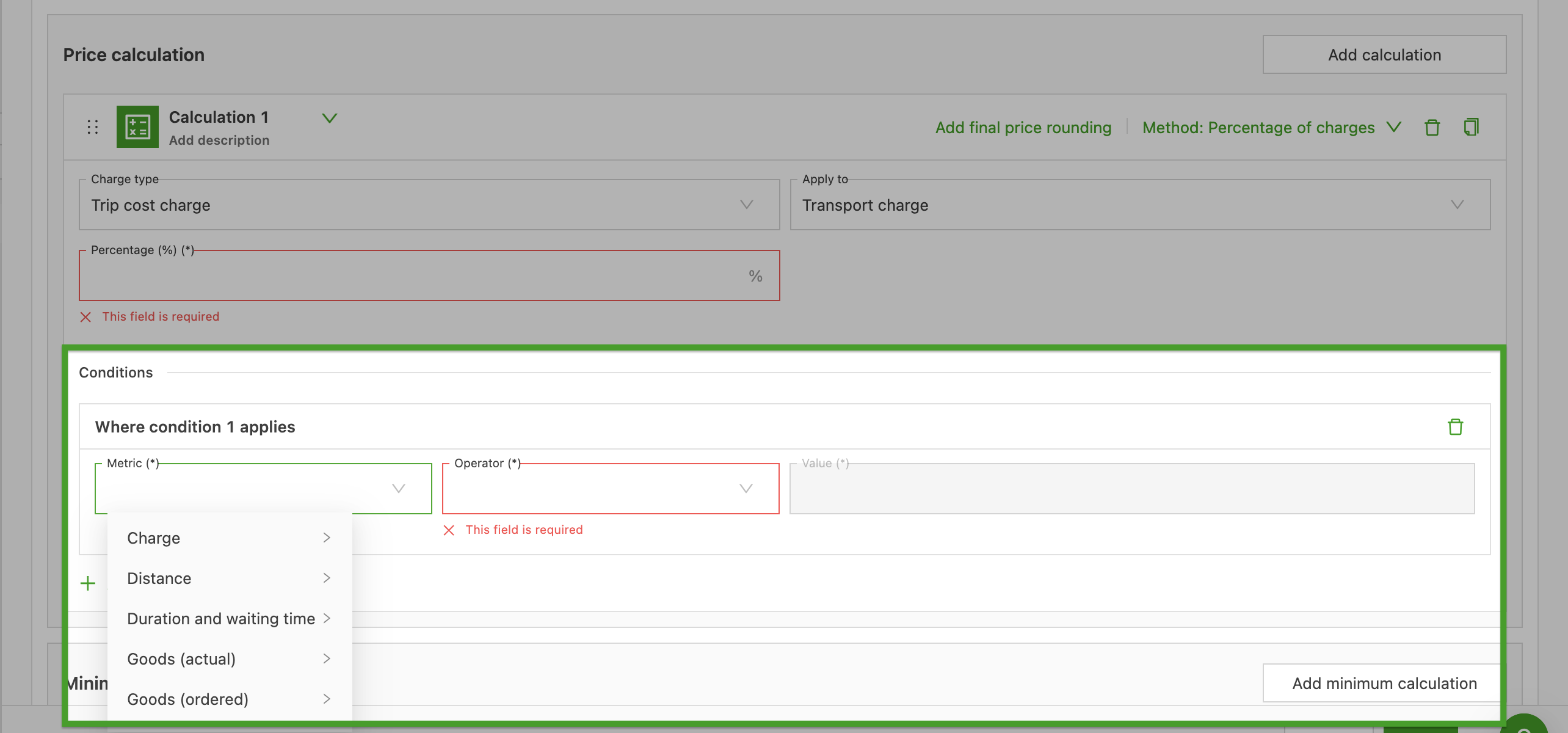
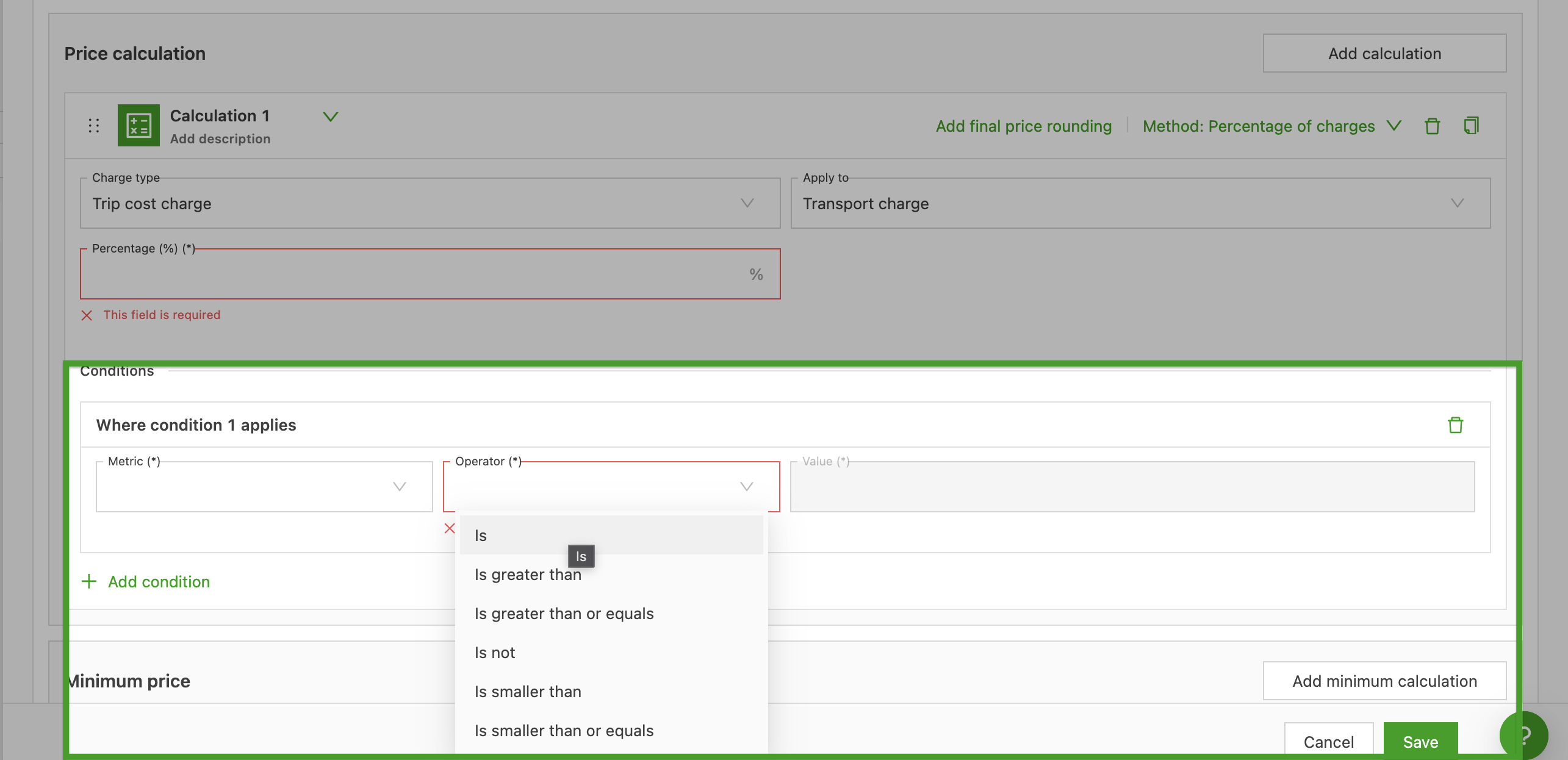
Conditions restrict when the calculation applies. Select Add condition and set a Metric, an Operator, and a Value.
- Metrics are grouped by type, for example Charge, Distance, Duration and wait time, Goods (actual), and Goods (ordered).
- Operators include Is, Is not, Is greater than, Is greater than or equals, Is smaller than, and Is smaller than or equals.
Multiple conditions can be added; the calculation applies only when the conditions are met.
Good to know
- On multi-order loads, the selected charges are summed across all orders before the percentage is applied.
- On split orders, the amount is distributed proportionally to each load’s assigned revenue share.
- Only surcharge-type charges can be picked individually under Specific charges.
- A Percentage of charges calculation cannot be based on another Percentage of charges calculation.
- Mixed currencies between charges and orders are not supported.