
Rate cards: automatically charge load costs to customer orders
Load cost surcharges automatically mirror actual carrier costs (e.g., ferry, FSC, BAF) onto orders, with proportional splitting and optional markup. No manual entry needed.
Table of contents
Create revenue surcharges that automatically mirror load costs. This eliminates manual calculation and reduces billing errors.
What is the “Charge load cost” surcharge method?
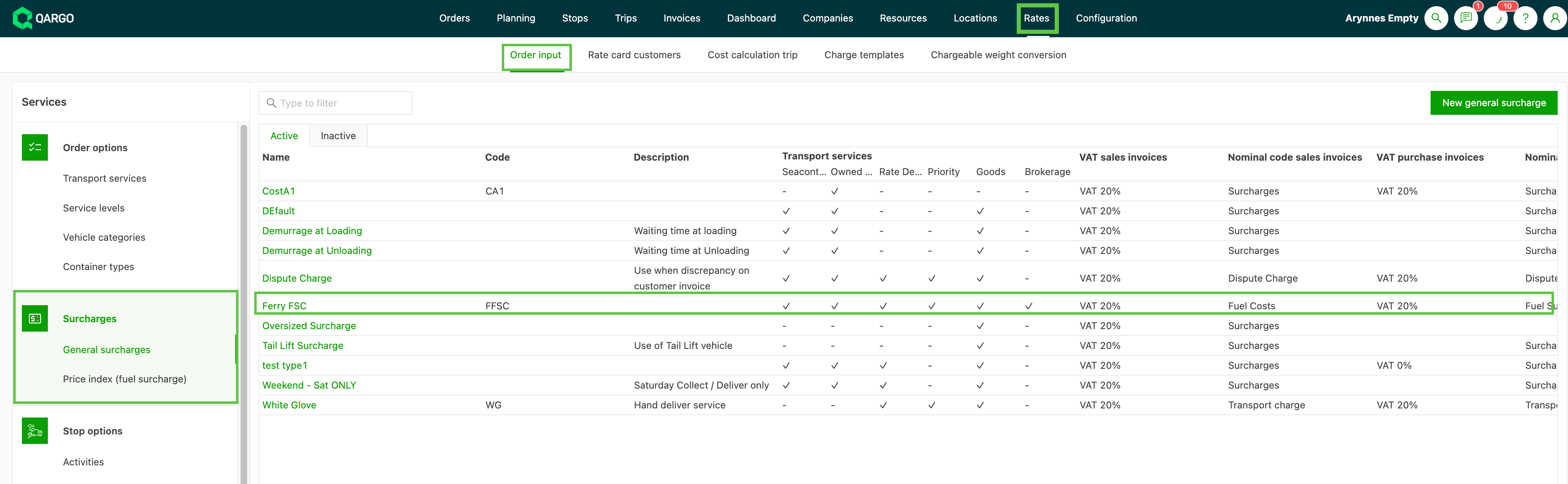
The Charge load cost calculation method is available on revenue surcharges. Instead of a manually entered fixed amount or a percentage of the order value, the surcharge is configured to automatically follow the actual cost charged on a linked load (e.g., a ferry cost, FSC, BAF, or ETS surcharge).
This is useful when:
- Ferry or shipping surcharges must be passed through to customers
- The surcharge amount depends on what the carrier actually charges per load
- The same load carries orders for multiple customers (the cost is split proportionally)
How to configure a revenue surcharge to follow a load cost

Add the surcharge calculation to the customer rate card
-
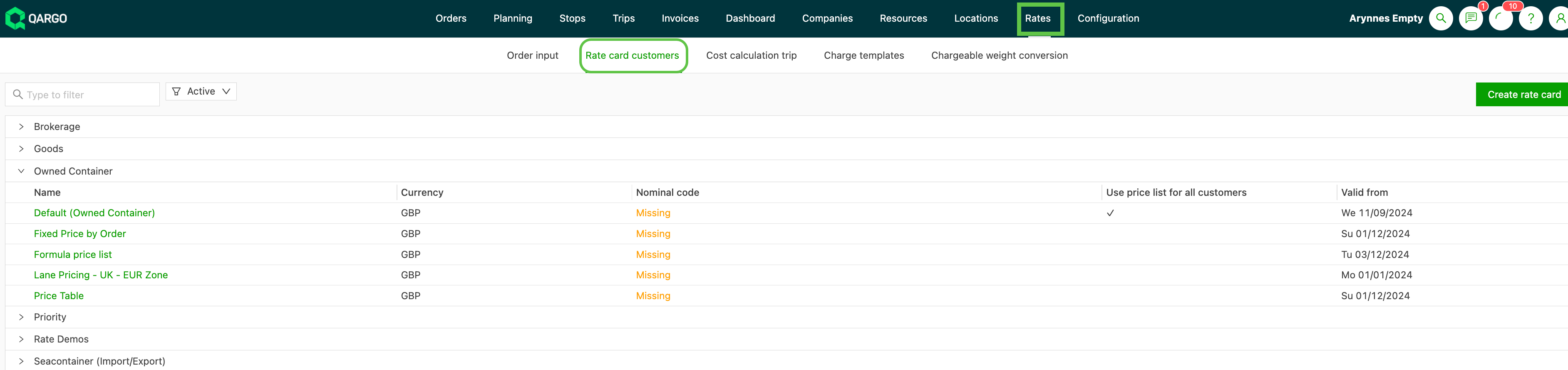
Go to Rates > Rate card customer and select or create the price list to update.
-
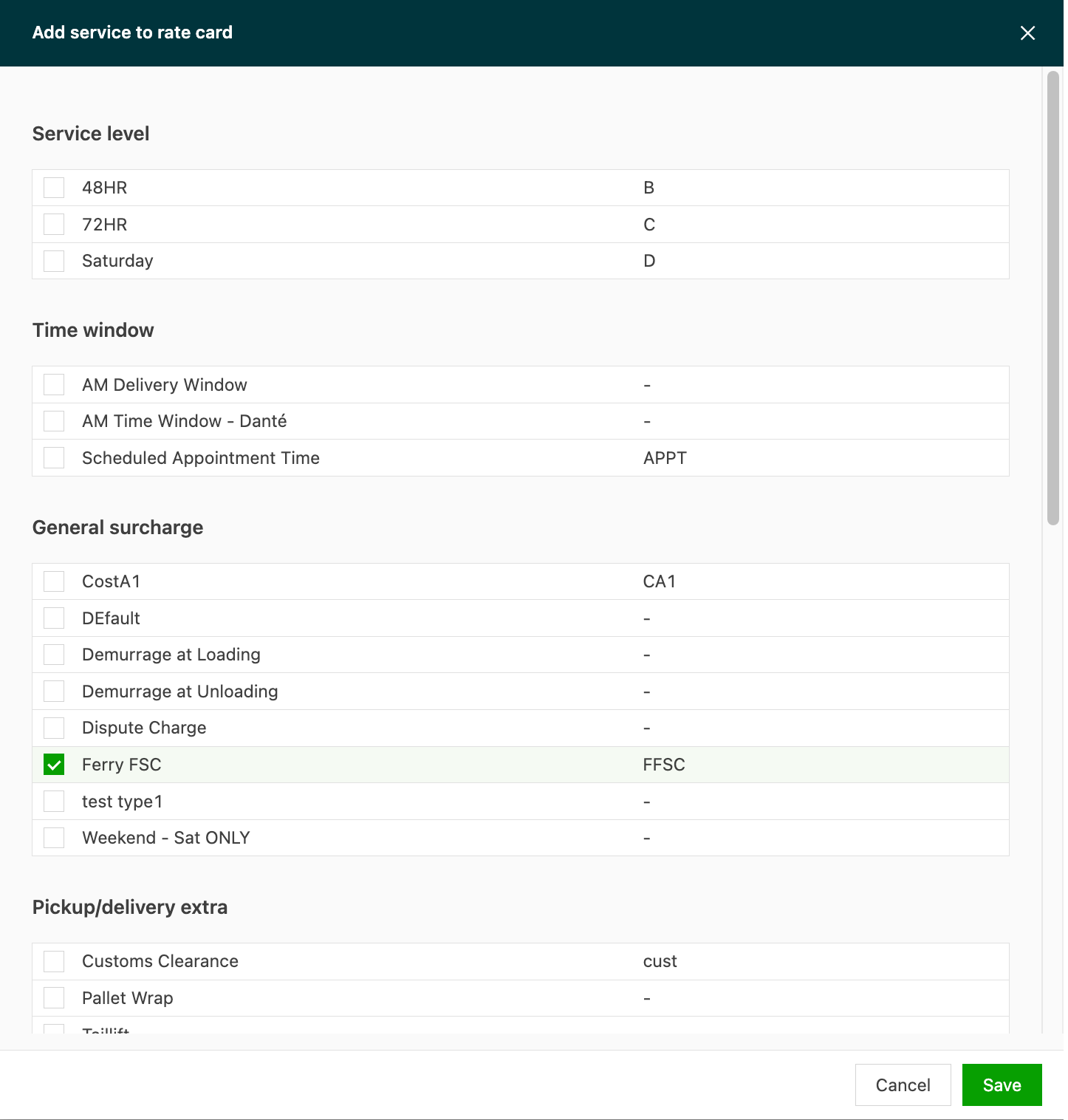
Click Add charge and select the surcharge from the available list.
-
Open the surcharge to set the Price calculation method.
-
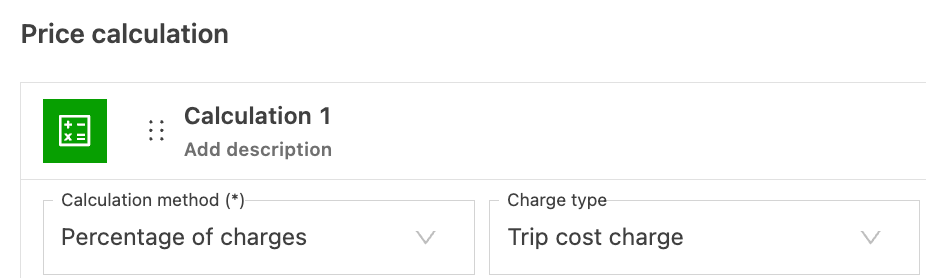
Set Calculation method to Percentage of charges and select the charge type Load cost charge.
-
Select which charge to apply the surcharge calculation to. Choose from:
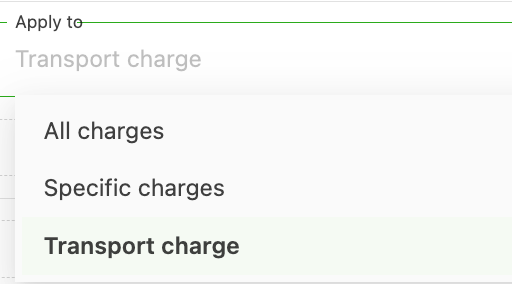
- All charges on the load: to mirror the full load cost total
- A specific surcharge (e.g., “Ferry FSC,” “BAF”): to mirror only that cost
- Transport charge: to apply to the transport charge only
-
Set a Percentage to calculate the charge at.
- Optional: set it above 100% to include a markup (e.g., 110% = cost passed through + 10% margin)
-
Save the surcharge.

Once this is configured, the charge amount is calculated automatically when the surcharge is added to an order and the corresponding load cost is entered.
The example below shows a “Ferry FSC” cost assigned to the load. On the customer rate card, the surcharge is configured to include a 10% markup on the load cost. Once the order is dispatched, the revenue value on the order updates from 0.00 to the calculated value.
How the cost is split across orders
When a load covers multiple orders (e.g., consolidated freight), each order is billed only its proportional share of the load cost. The split is based on the order’s contribution to the load.
Example: A ferry load costs €300 and covers 3 orders of equal size. Each order is automatically billed €100 (or €110 if a 110% markup is configured).
Limitations
- This calculation method only works with surcharge-type cost charges. General transport costs or base freight rates cannot be used as the mirroring source.
- Orders and loads must use the same currency. Mixed-currency scenarios are not supported.
- The surcharge amount is calculated based on the actual amount entered on the load cost. If no load cost is recorded, no amount is calculated on the order.