
Rate card: general surcharges
This article explains how to configure general surcharges that are added to orders, automatically in some instances.
Table of contents
Configure surcharges that are added to orders automatically, such as tolls or waiting hours. Charges can apply automatically to all orders or be added manually with specific calculations.
-
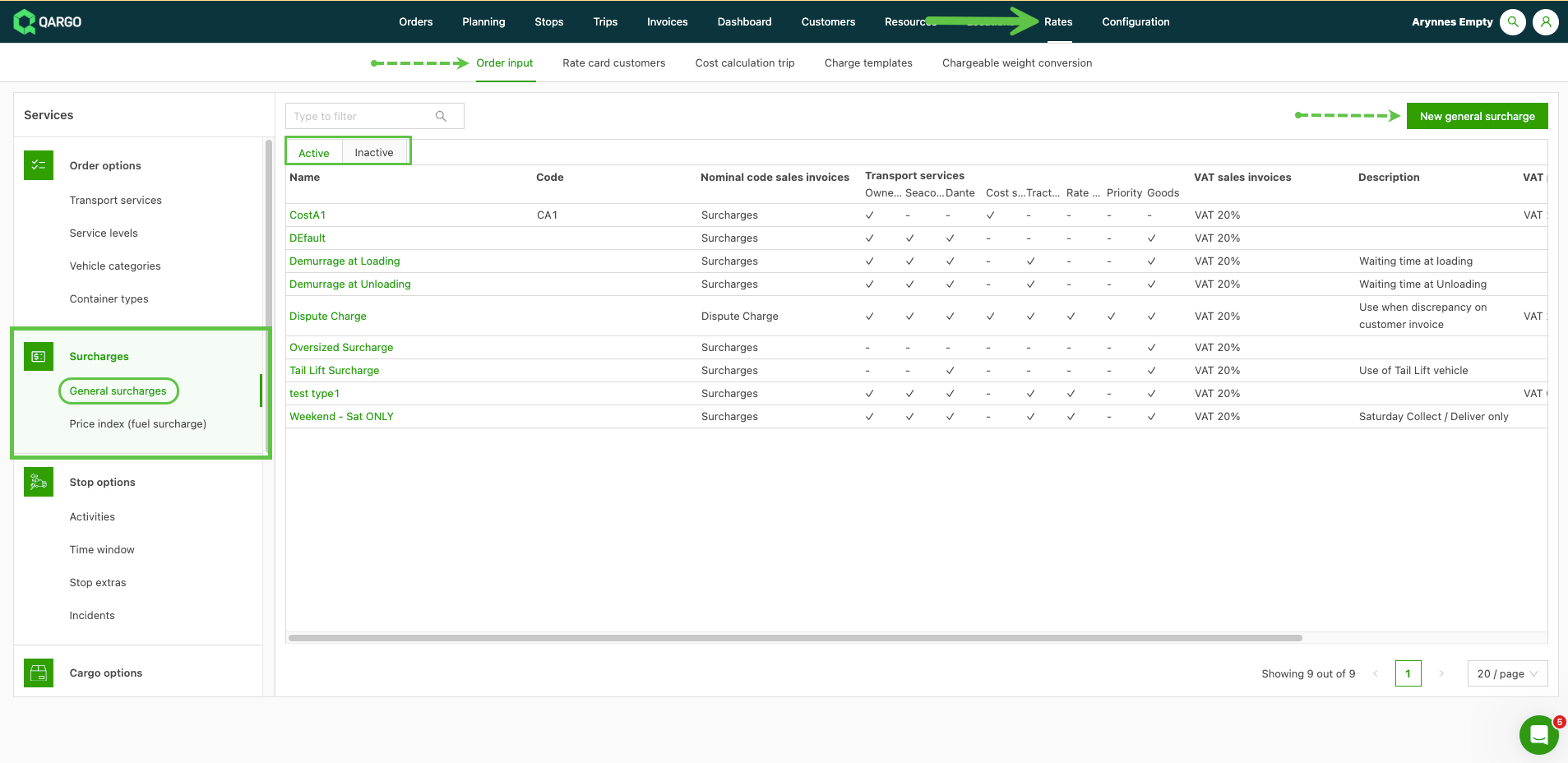
Navigate to Rates > Order input
-
Click General surcharges
Add a new surcharge
- Click New general surcharge and give the new charge a name.
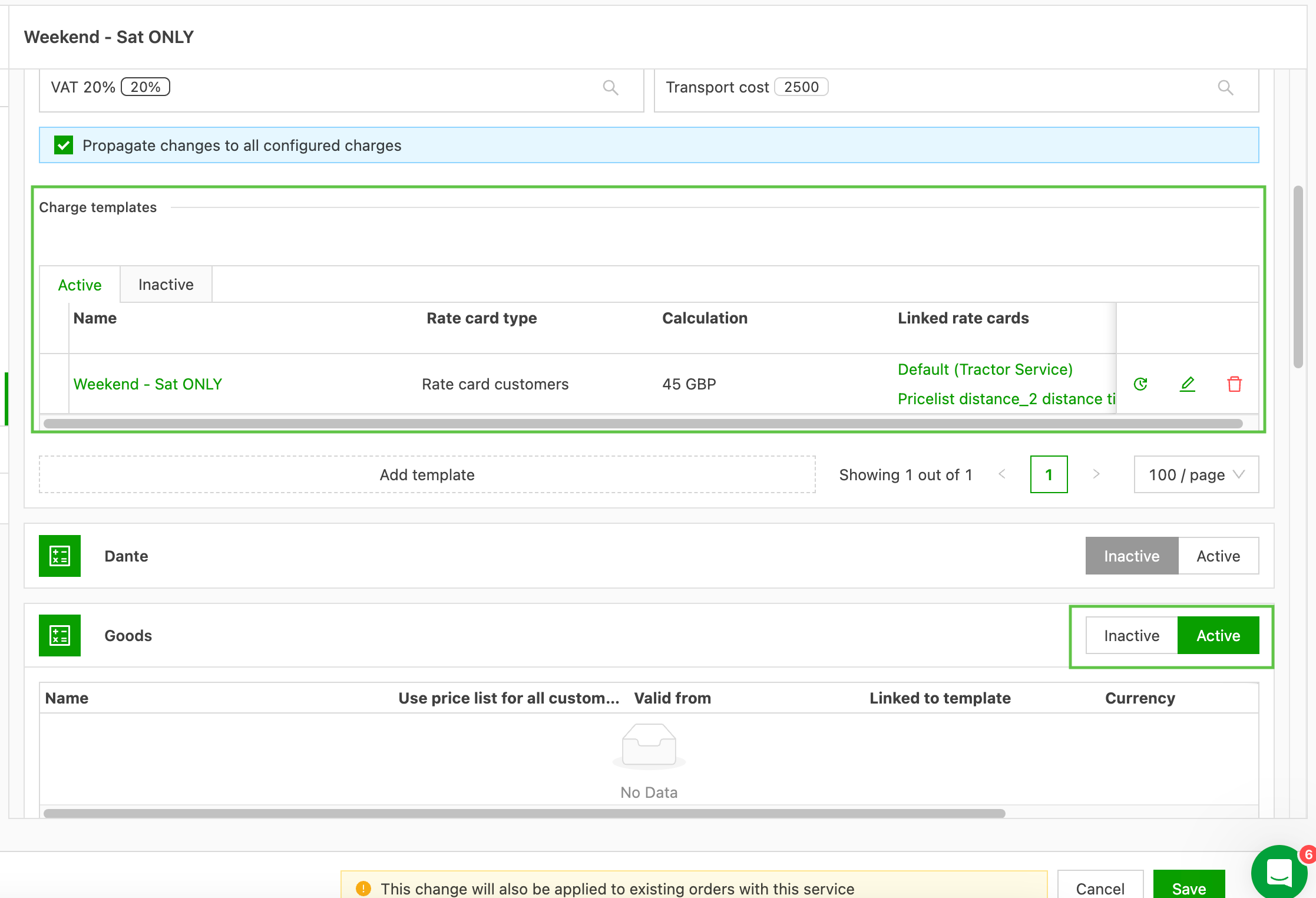
- Select the service the charge should be active on
- Save the charge
- Create the default charge template
- Link the charge to
Adding conditions
When a specific set of criteria must be met to trigger a surcharge, configure this with conditions on the charge calculation.
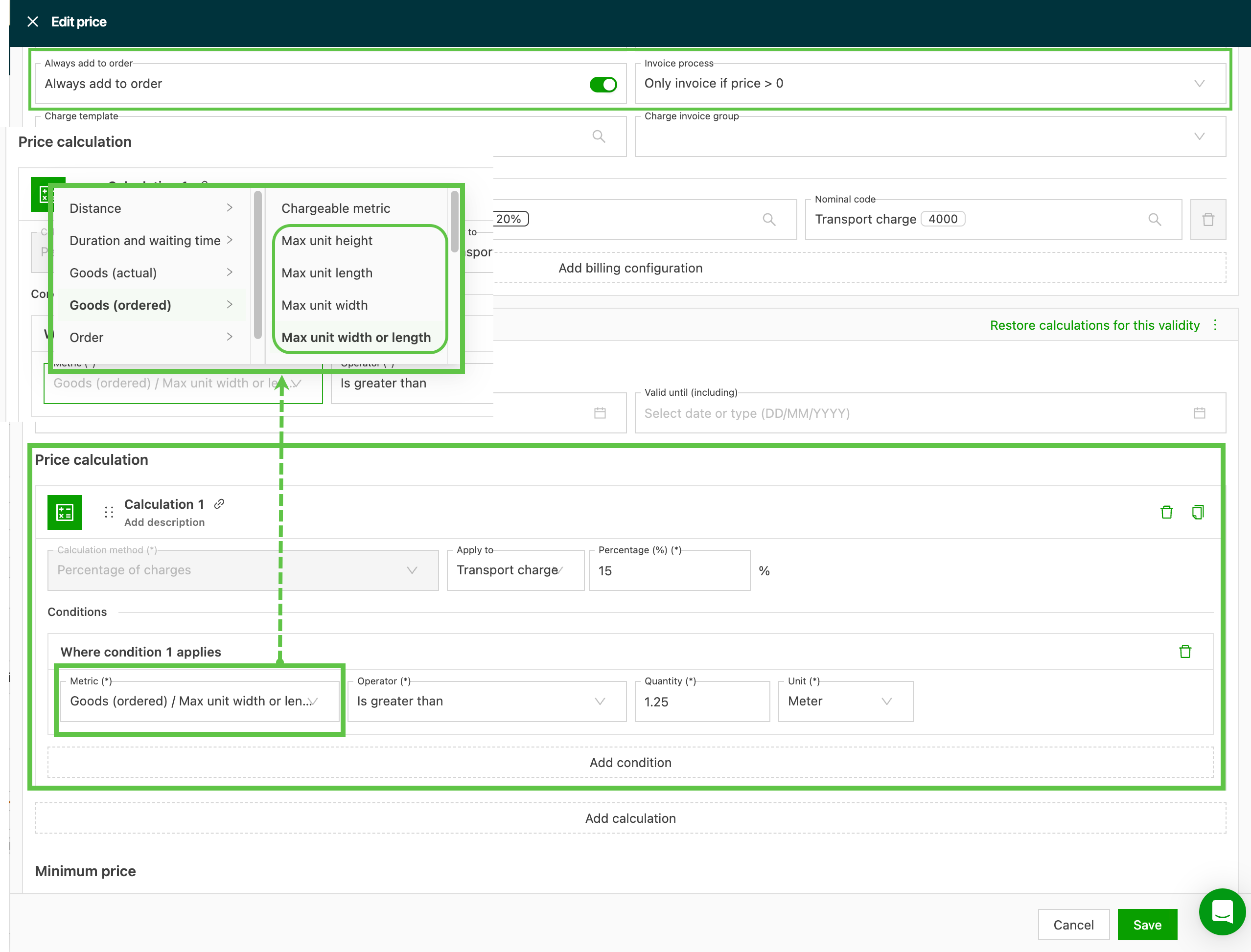
- If the calculation should apply automatically, make sure Always add to order is toggled on.
- Set the Invoice process option to only invoice if price >0 so the charge only shows when it is applied.
- Add the surcharge calculation. In the example shown, it is a % applied to the transport charge.
- Select the conditions that apply to the charge. In the example shown, they are based on the max unit width or length being larger than specified. The Always add to order setting is only available for general surcharges or index charges in rate cards. It cannot be enabled for manual charges or cost calculations. To add a charge to orders automatically, configure it as a general surcharge or an index charge and enable the Always add to order option there. Manual charges with precalculated values can be configured in the price calculation section by selecting Add calculation > Percentage of charges > Transport charge and setting the desired percentage.
These conditions can be applied across all rating methods, including:
- Fixed cost per order
- Formula-based rating
- Other advanced calculation methods
This makes it possible to model surcharges such as oversize fees, handling charges or special equipment requirements. Use the Always add to order setting for charges that should consistently apply to all orders, such as standard fuel surcharges or index-based adjustments. Manual application with precalculation suits charges that are added selectively but still need precalculated values, such as specific customer discounts or adjustments.
Add a surcharge and link it to a price list.