
FAQ - Custom export data limits
Qargo limits exports to prevent timeouts. Larger reports are generated in the backend, and the results are emailed within 10 minutes. Smaller reports are generated as before and delivered in near real time.
Table of contents
Q. Is there a maximum range for exporting data? What are the maximum data limits when exporting from orders, loads, invoices, etc. How does this impact account performance?
A. Yes, guidance is available for the recommended maximum data limits. Qargo has optimized custom data export limits based on empirical load testing to improve overall export reliability and performance. This optimization helps prevent timeouts while maximizing the number of records a user can export.
There are 2 methods used for compiling data:
-
The export is processed as a complete operation. The system waits until the export is finished before continuing.
- Limited to smaller record counts to prevent timeouts
- Maximum 30-second processing limit, most delivered within 10 seconds
-
Exports that start and run independently. The rest of the workflow continues without waiting for the export to finish.
- The system provides the export via email once processing is completed
- Maximum processing time is 10 minutes.
- Optimized for high-volume data
Partial export warning when a result set is too large
When an export from a list page exceeds the limits because the result set is larger than the export limit, a non-blocking warning appears at export time. It confirms in plain language that the export will be partial. It also points to the two existing ways to retrieve the full data set:
- Apply filters to narrow the result set so it falls under the limit.
- Use a custom export, which supports much larger volumes and is delivered by email.
The warning does not block the export:
- Export anyway downloads the partial file
- Cancel stops the export so filters or a custom export can be used instead
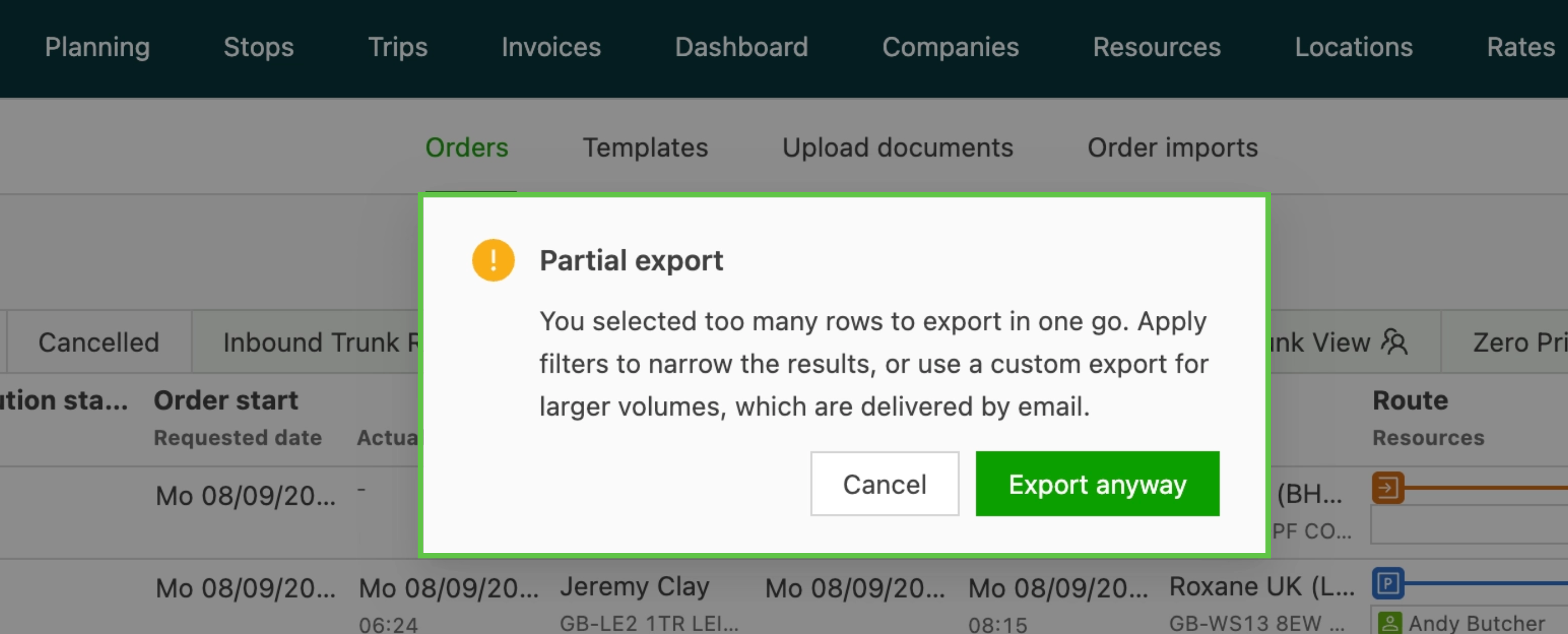
Where the warning appears
The warning applies to the default Excel export on every list page that has an Export button (for example Orders, Loads, Invoices, and Credit memos), as well as to custom (DataShaper) exports. The correct limit is checked automatically for each export type, so a truncated file can no longer go unnoticed.
Note about custom data export delivery
- Small exports download immediately in the browser.
- Larger exports are processed in the background and sent by email with the file attached.
- The size threshold for “instant download” versus “email” depends on the export type and data complexity.
- The tab does not need to stay open. If the email has not arrived after a while, check the spam folder.