
FAQ - Conditional cell highlighting
This article explains how to use conditional cell highlighting in the 'To Plan' table to visually prioritize data and speed up the planning process based on custom rules set by the user.
Table of contents
Q: How can specific orders or values in the ‘To Plan’ table be highlighted visually to speed up the planning process?
A: Visual distinction can now be significantly enhanced by setting up conditional cell highlighting in the ‘To Plan’ table.
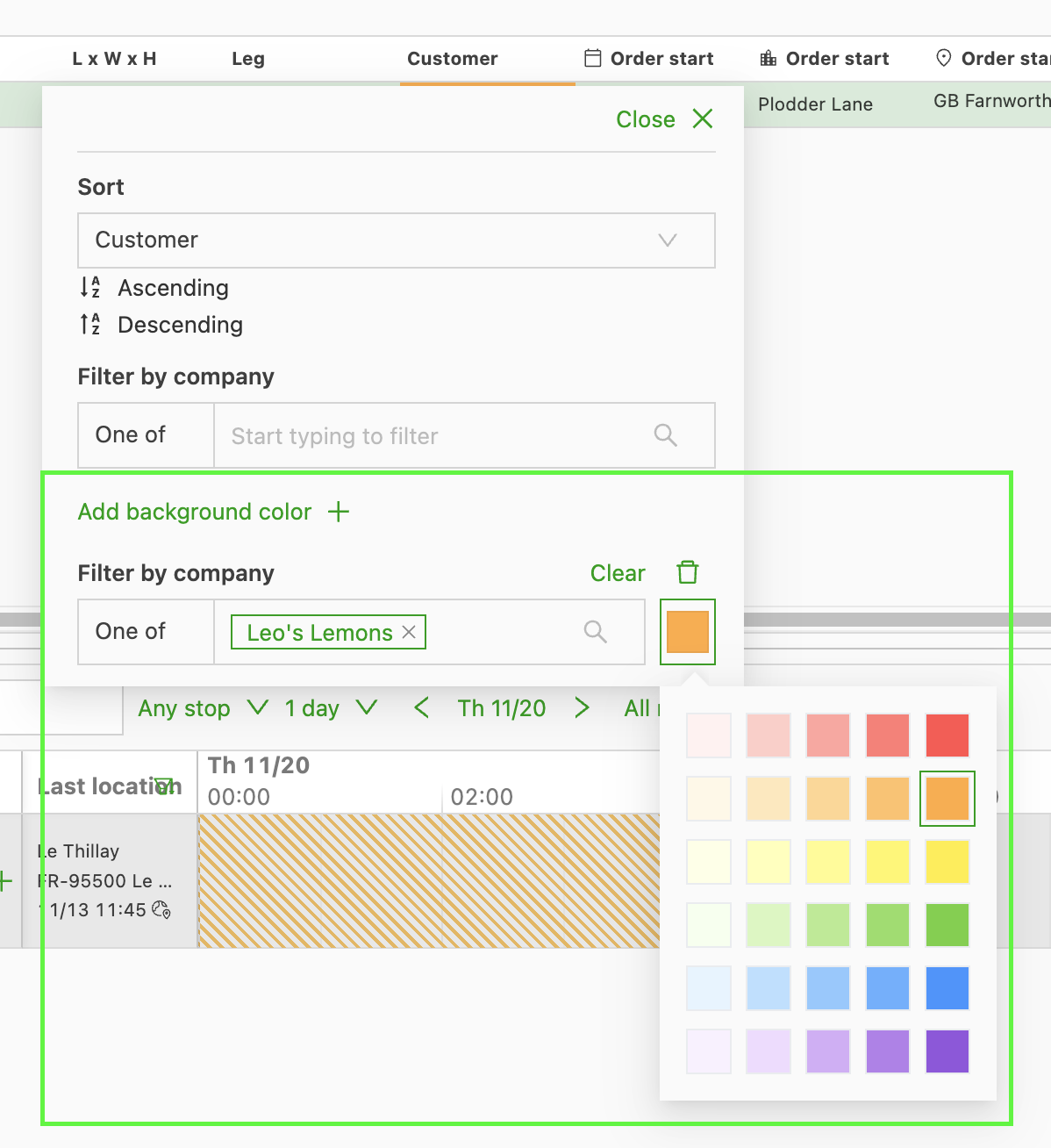
This feature allows individual users to create personal rules that set custom background colors on cells based on the data they contain (e.g., highlighting all orders with ‘BARRY’S TOFFEE’ as the customer in orange).
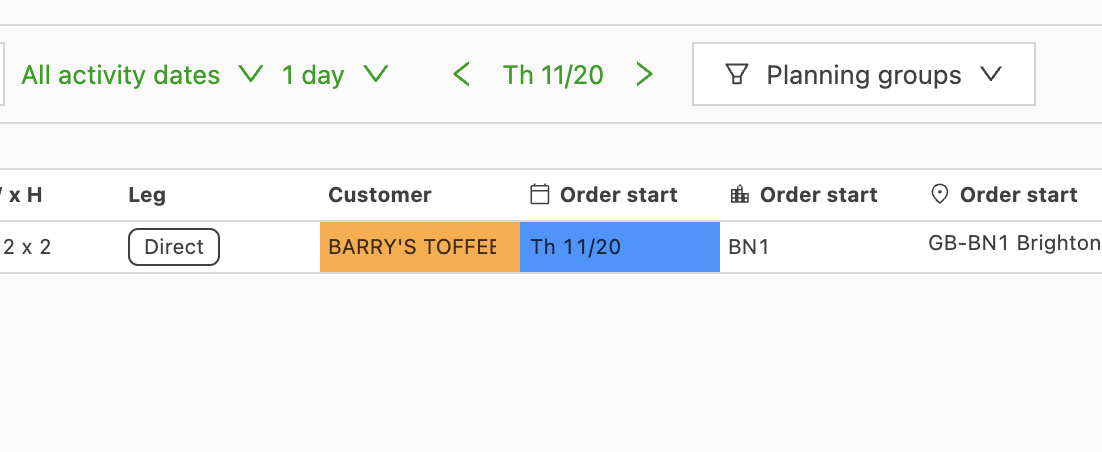
The rules are configured per column using conditions (such as ‘one of’ or ranges). They apply only to the user’s own view and to (shared) custom views.
This helps planners instantly prioritize, verify data, or spot specific criteria (such as tight time windows, high weight, or certain customers) without manually searching through the list.
Q: Can background colors be used on the To Plan: Resources table?
A: Yes. Planners can now define personal coloring rules on any column in the To Plan: Resources table, using the same rule engine and interface already available for orders.
This is especially useful for operations with large fleets. Visually distinguishing resources by category (e.g., trailers dedicated to food, pharmaceuticals, or bulk goods) speeds up the planning process significantly.
How to set up a coloring rule on the Resources table
- Go to the To Plan: Resources table on the Planning board.
- Click any column header to open the column settings.
- Scroll to the Highlight cells section.
- Add a rule: choose a condition (e.g., “one of”) and assign a background color.
- The rule applies to the user’s personal view immediately.
Rules are personal per user, consistent with the behavior on the orders table. There are currently no shared views on the resources to plan table, so rules apply across all resource types for the user’s account.