
FAQ: Planning container orders
Prioritize time-critical container orders by displaying and sorting on the requested time window directly in the planning orders table
Table of contents
Q. How can the most time-critical container orders be identified quickly?
A. The best way to handle time-critical container orders is to display the key terminal window information directly in the main planning list.
An option is now available to show the Container requested time window column in the Planning view (to-plan table).
A time-saving solution
-
Activate the column: Open the Planning view and click the Customize button.
-
Select the new column option: ‘Terminal time window’
- Optional: ‘TAR/TAS code’
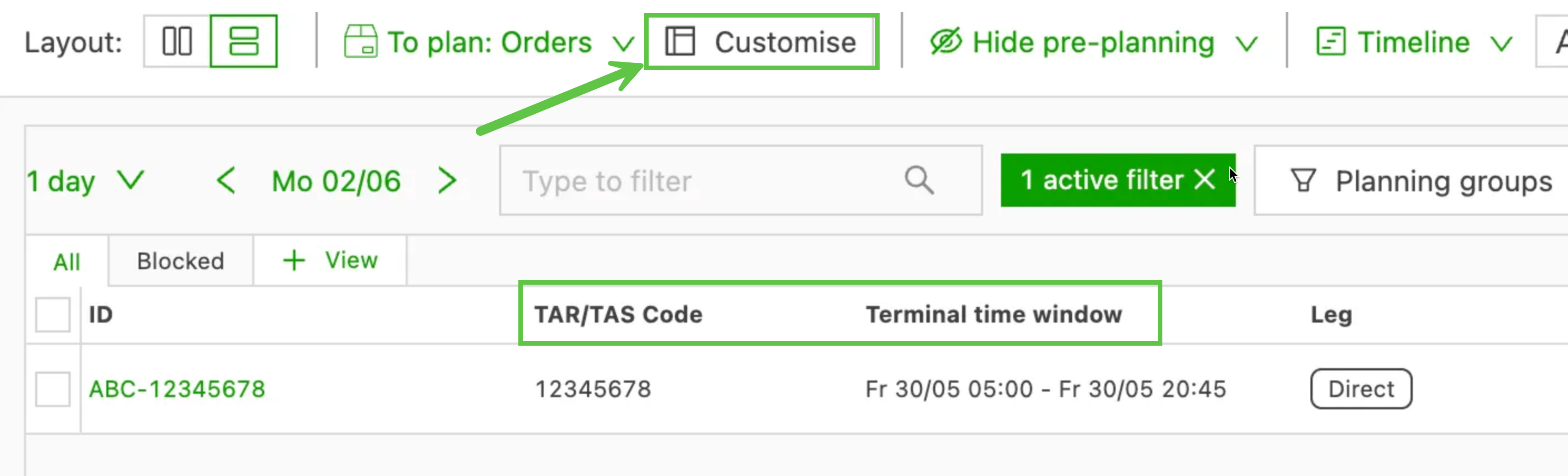
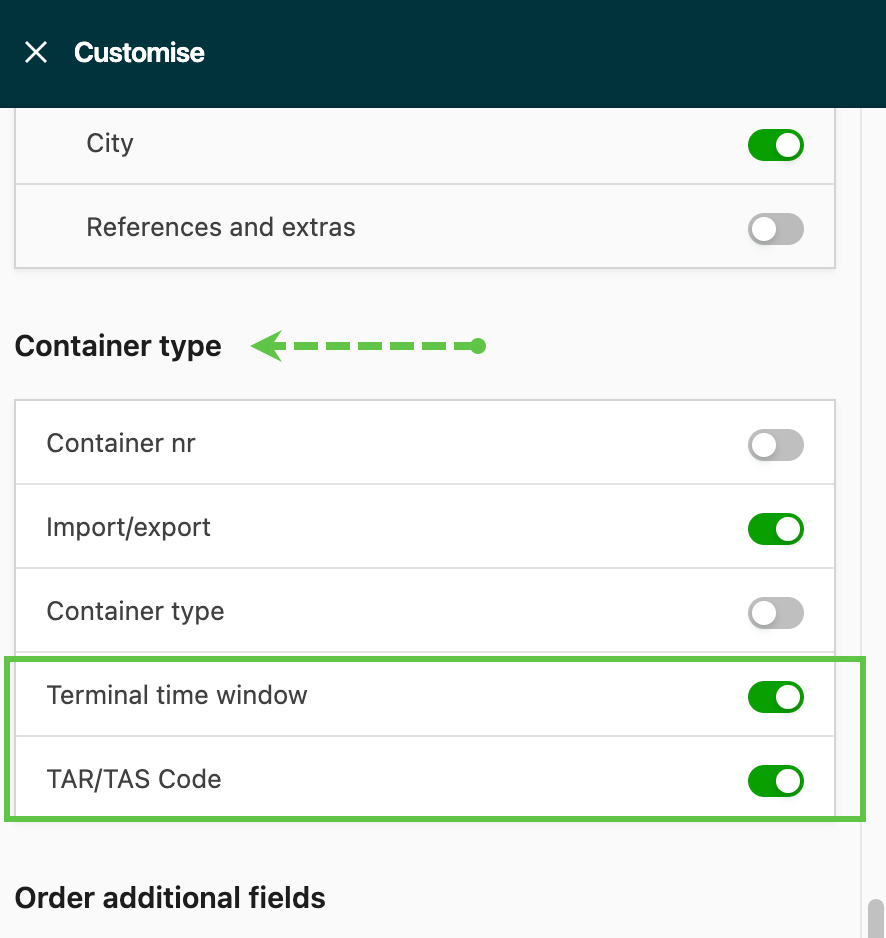
- Streamlined workflow: This removes the manual step of switching to the separate booking board to retrieve the time. Urgent containers can be prioritized and assigned faster and more accurately, all from one screen.