
FAQ: Bulk add activities to Planning/To plan
The bulk activity addition feature allows planners to efficiently select and assign common activities, like terminal or intermodal stops, to multiple unassigned orders directly from the To plan table. This reduces repetitive manual effort.
Q1. What is the bulk activity addition feature in the ‘To plan’ table, and how does it help planners plan activities like terminal visits or intermodal stops more efficiently?
A. The bulk activity addition feature enables planners to select several unassigned orders directly in the Planning > To plan table. Planners can then instantly assign a common activity (such as a Terminal visit, an Intermodal stop or another specific activity type) to all of them at once.
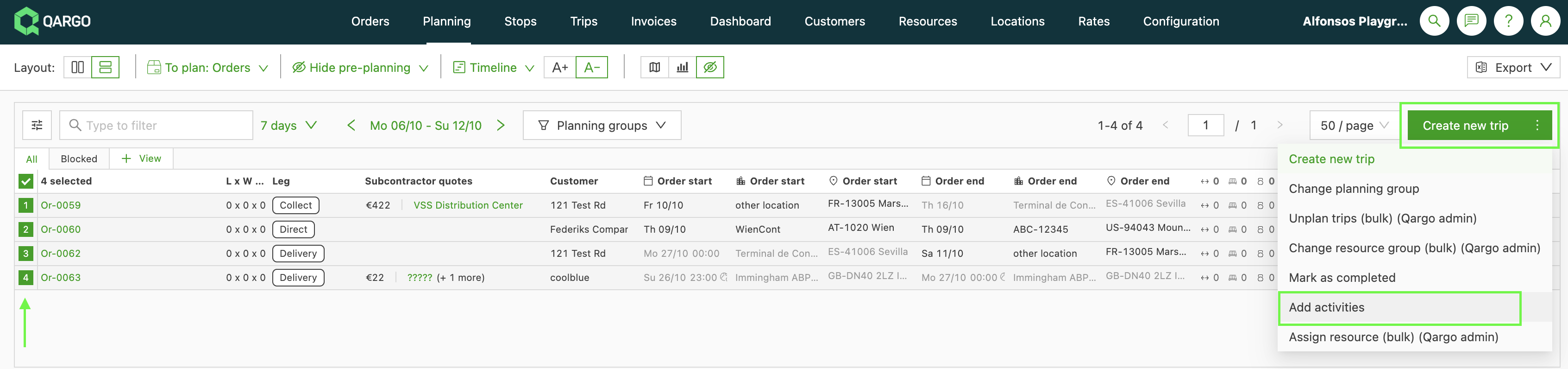
This function is designed to streamline the planning workflow and reduce manual effort by allowing planners to:
- Quickly add activities: Instead of navigating to individual order details, planners can efficiently schedule activities across a batch of orders in the To plan queue. For example, planners can select 50 orders awaiting planning and instantly assign a Terminal visit activity to all of them.
- Reduce repetitive data entry: It provides the same efficient bulk-add capability that was previously available only on the Orders table. This saves time when planning similar activities for multiple orders.
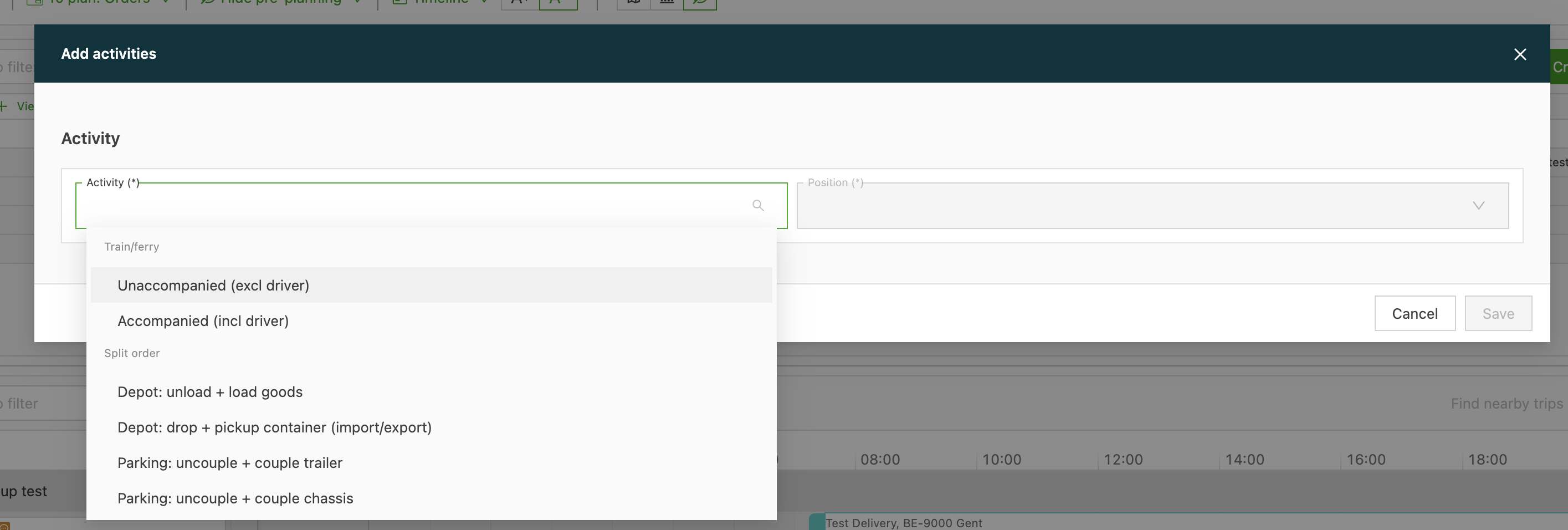
Important notes:
- Up to 100 orders can be selected for a single bulk action.
- Orders can be selected across multiple pages.