Rates – activities
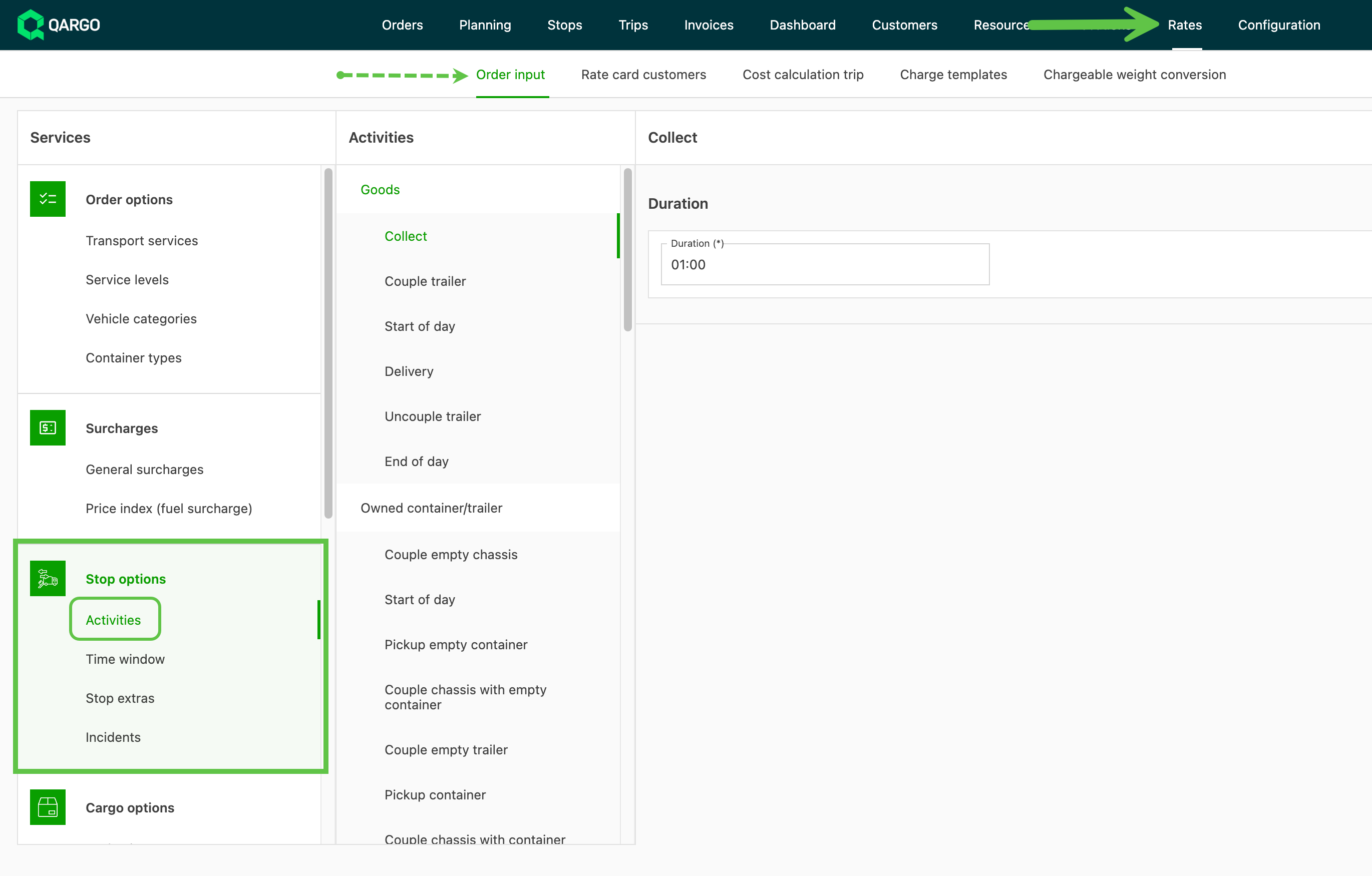
Set time allocations for stops via Rates > Order input > Activities. Duration auto-calculates in loads. View in Operations.
Each stop has an activity. All possible activities are listed in Activities.
- Navigate to Rates > Order input
- Click ‘Activities’ in the left sidebar
-
Configure the amount of time to allocate for the activity
-
The duration is automatically calculated when that activity is included in a load
-
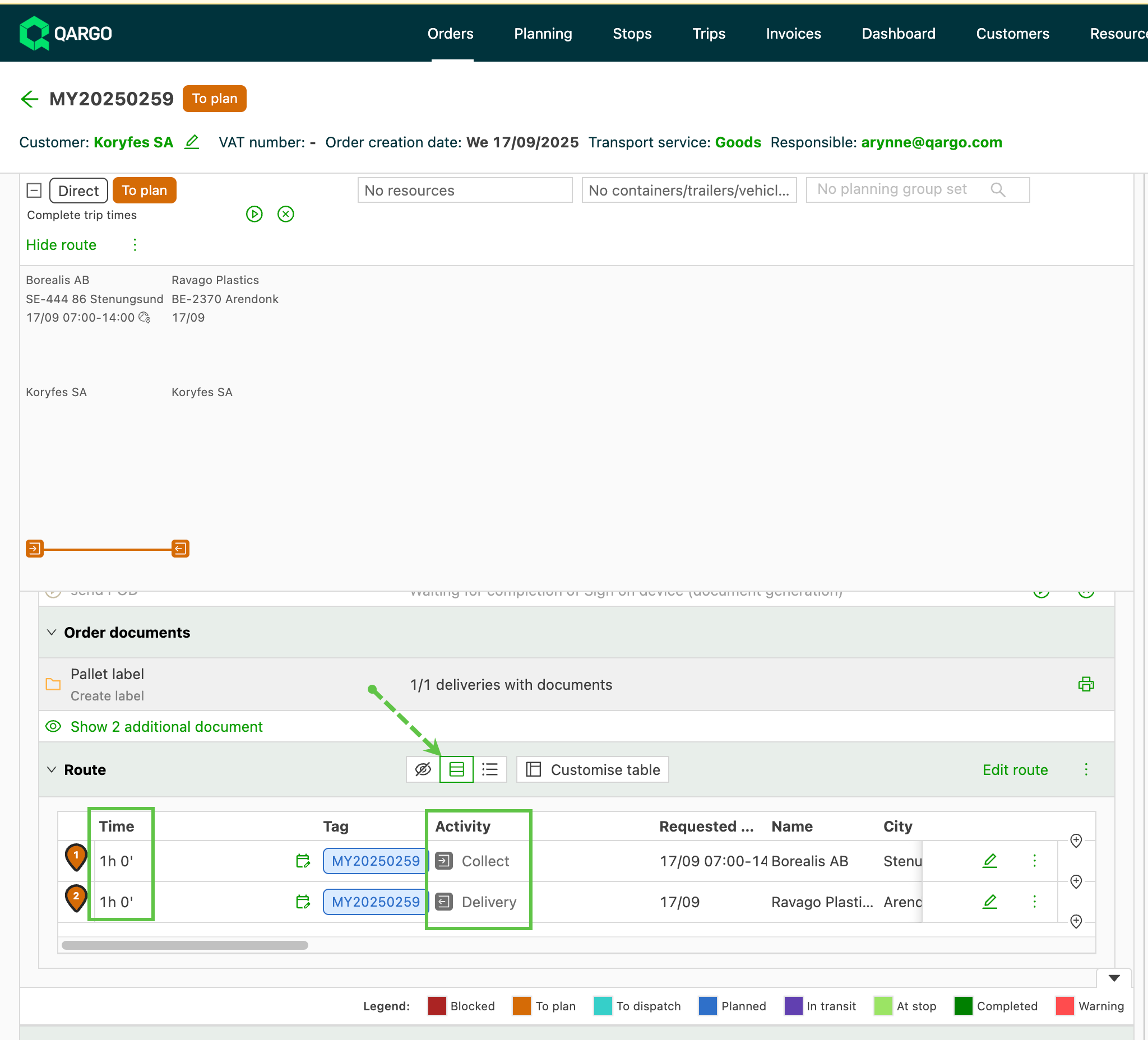
To view in order:
- Navigate to the ‘Operations’ section and show the route details
- Use ‘Block view’ to see each leg by line
- The Activity is shown along with the specified Time.