
Internal stop actions
Table of contents
If a driver has to make a certain stop during a load, these stops can be added as internal stops in Locations. For instance, this is used for the following stops:
- Weighing
- Cleaning
- Repairing
- Resting/Sleeping
Add internal stop actions in Locations
First, create the internal stops used in the company in Locations.
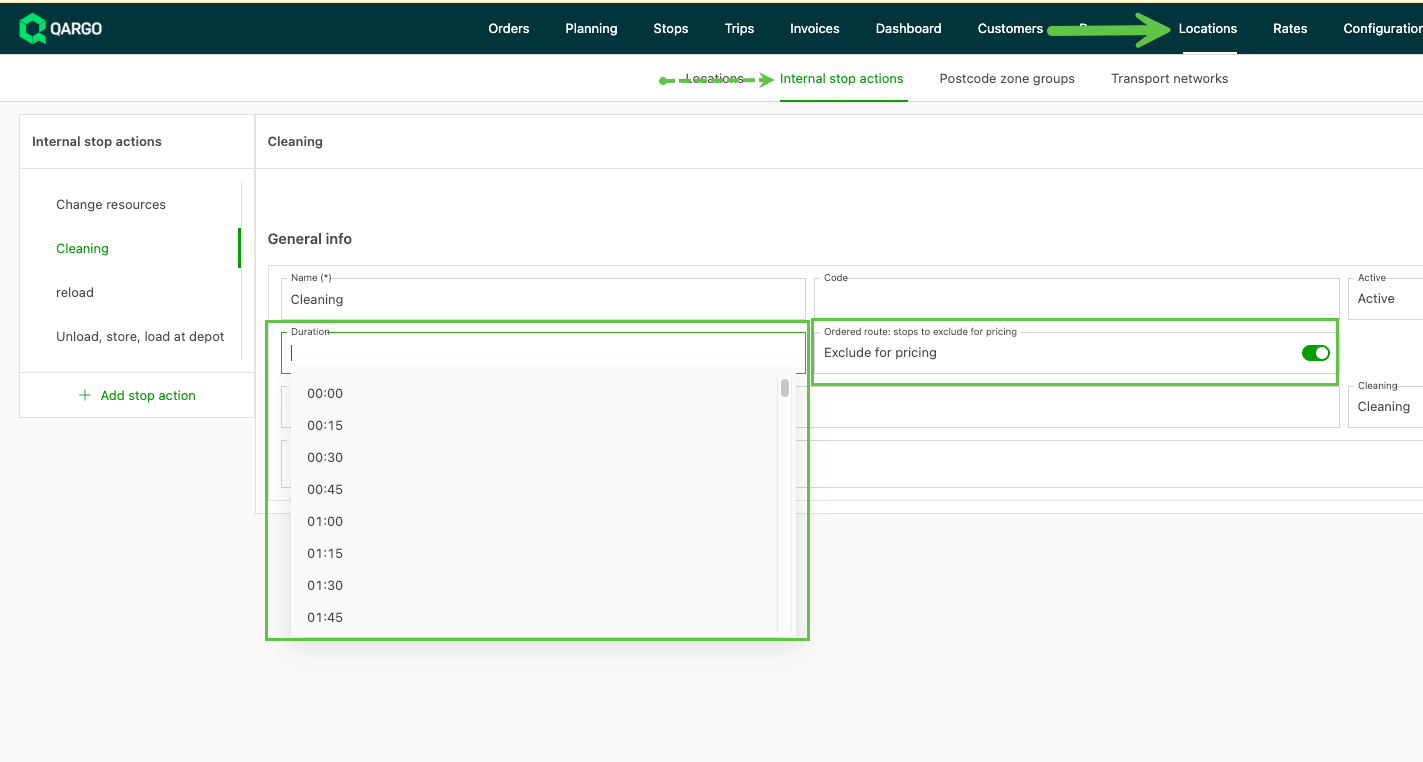
- Go to Locations
- Click Internal stop actions in the header
- Click “Add stop action” in the left sidebar
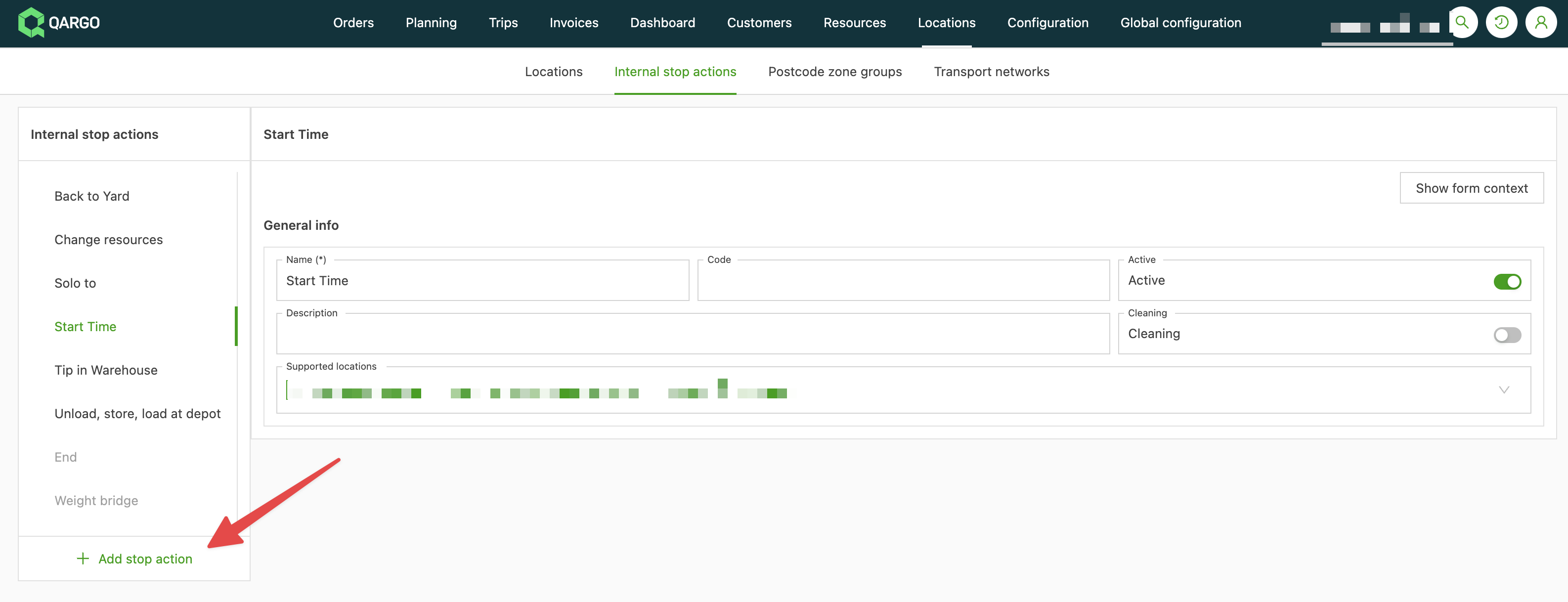
Complete the details for the stop, including:
-
Duration of the stop: the selected time appears as part of the route when the stop is added to a load.
-
Exclude for rating: Toggle on or off to determine whether this stop is included in duration-based rating metrics. When toggled off, the stop is not included in the order rating calculation.
Add an internal stop to a load
Once created, these stops can be added to the operations of an order.
- Go to an order.
- Go to the Operations section.
- Click the map icon to add a stop.
- Click Other.