
FAQ: Is it possible to set a start and/or end location for resources?
Table of contents
Q. Is it possible to set up default start and end locations for resources? For instance, if a driver always starts and ends their day at a specific location, can this be shown somewhere so planners take it into account when using this resource?
A. Yes! The driver profile can include a start/end location where the driver typically begins and ends their shift. The driver profile has a field under the General info panel where the start/end location can be set.
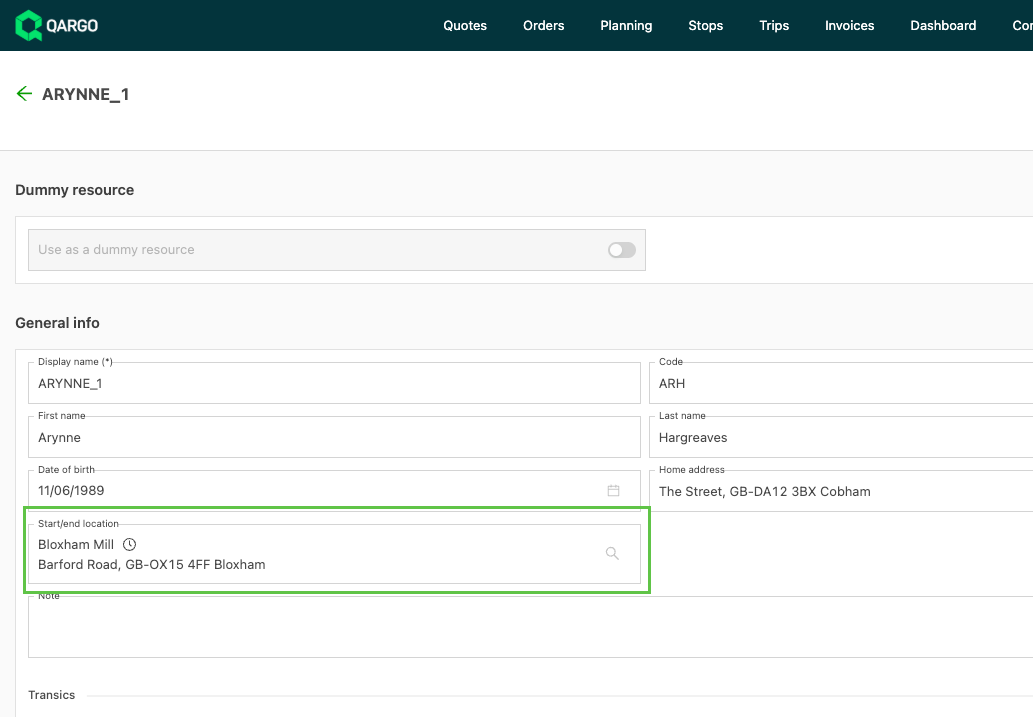
- If the field does not appear in the driver profile, check that the field is active under Additional fields.
Setting a fixed start and end location for a driver
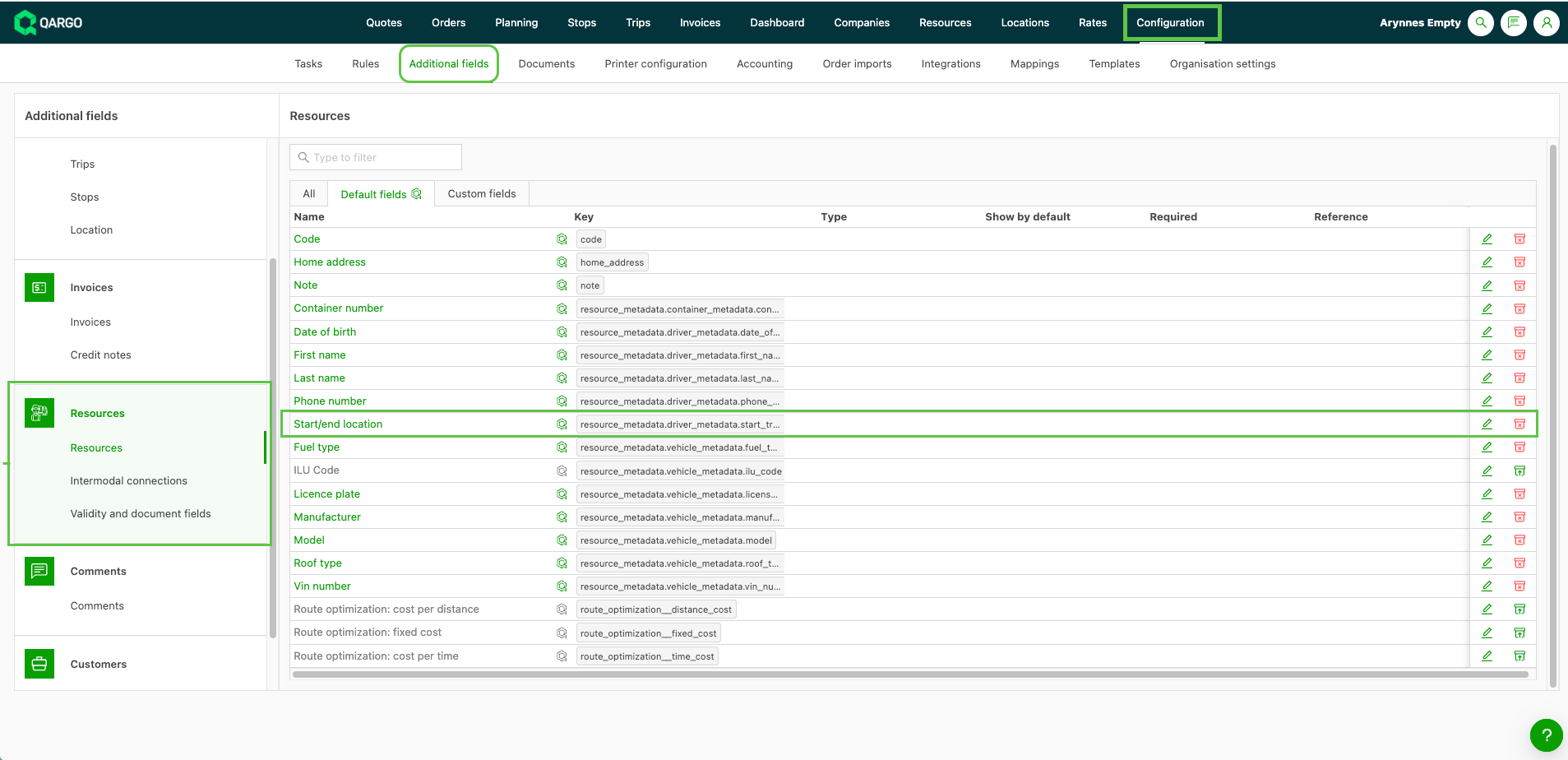
Once enabled, this sets a default departure and arrival point for each driver. Qargo uses these points when calculating routes on the planning board.
Step 1: Check or enable the fields
- Go to Configuration > Additional fields
- In the left sidebar, click Resources
- Find Start location/End location
- Toggle to Active, and optionally to Required to make the field mandatory
- Click Save
Step 2: Set the location for each driver
- Go to Resources > Drivers
- Open the driver profile
- Find the Start location/End location field under the General info panel
- Search for the correct location in the location database and select it
- Click Save
Using a start/end location in planning
The fixed start/end location is used only when orders are dragged onto a resource on the planning board. It is not applied with auto-assign resources rules or when a load is created manually from the To plan list.
-
From the planning orders view, drag the order to the driver or combination resource
-
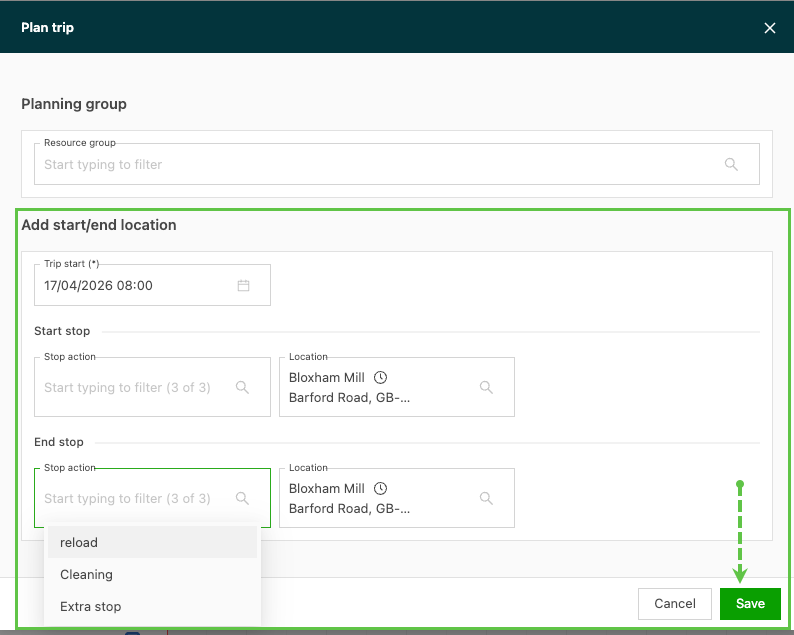
For drivers with a start/end location set in their profile, a pop-up screen appears to verify the stop activity and location
-
Select the correct stop activity and, if needed, update the associated location.
- Locations default to the location entered in the driver profile.
- Click Save once the actions and locations are updated.
- The order is planned to the resource, with the additional stops included in the route planning.