Orders - Exclude stops from calculations
Exclude certain stops from order distance calculations when those stops should not be taken into account for distance-based rating.
Table of contents
When rating calculations are based on distance, certain stops can now be excluded from order route distance calculations. These stops are then not included in rating calculations.
The decision to include or exclude these stops for rating affects:
- Price calculations that use distance or duration metrics
- Cost/revenue distributions
- Toll cost estimates for the order
- CO2 emissions calculated for the order
Configure exclusions
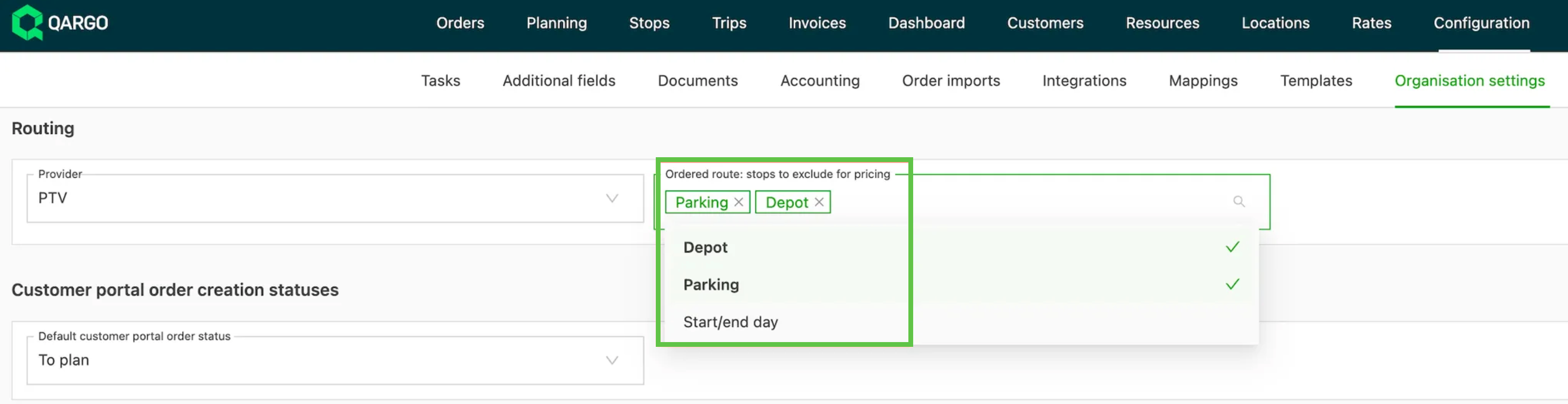
Under Configuration > Organization settings, navigate to Route planning & optimization > Ordered route: stops to exclude for rating.
-
Stops that can be excluded:
- Terminal (unload + load goods; drop + pickup container)
- Parking (drop + hook trailer; drop + hook chassis)
- Start day / End day
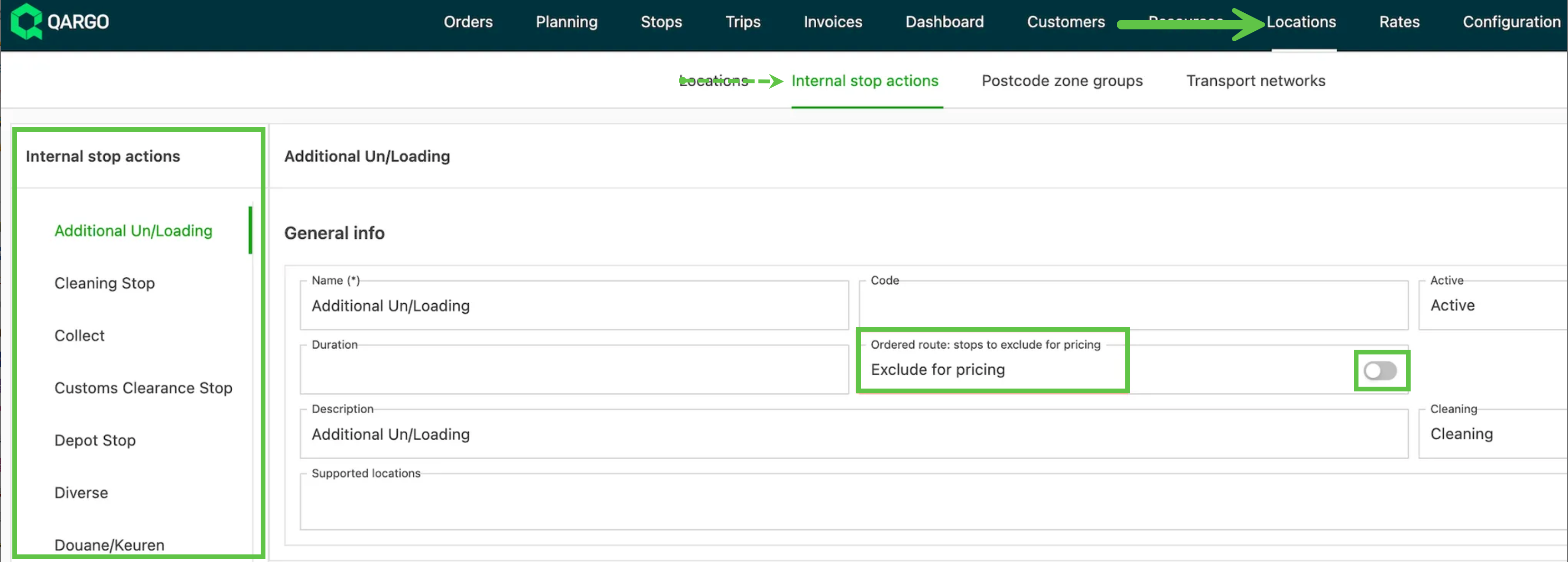
Internal stop actions can also be excluded from order route distance calculations.
- To define this, navigate to Locations > Internal stop locations.
- Click the specific stop. Toggle it on if it should be excluded.
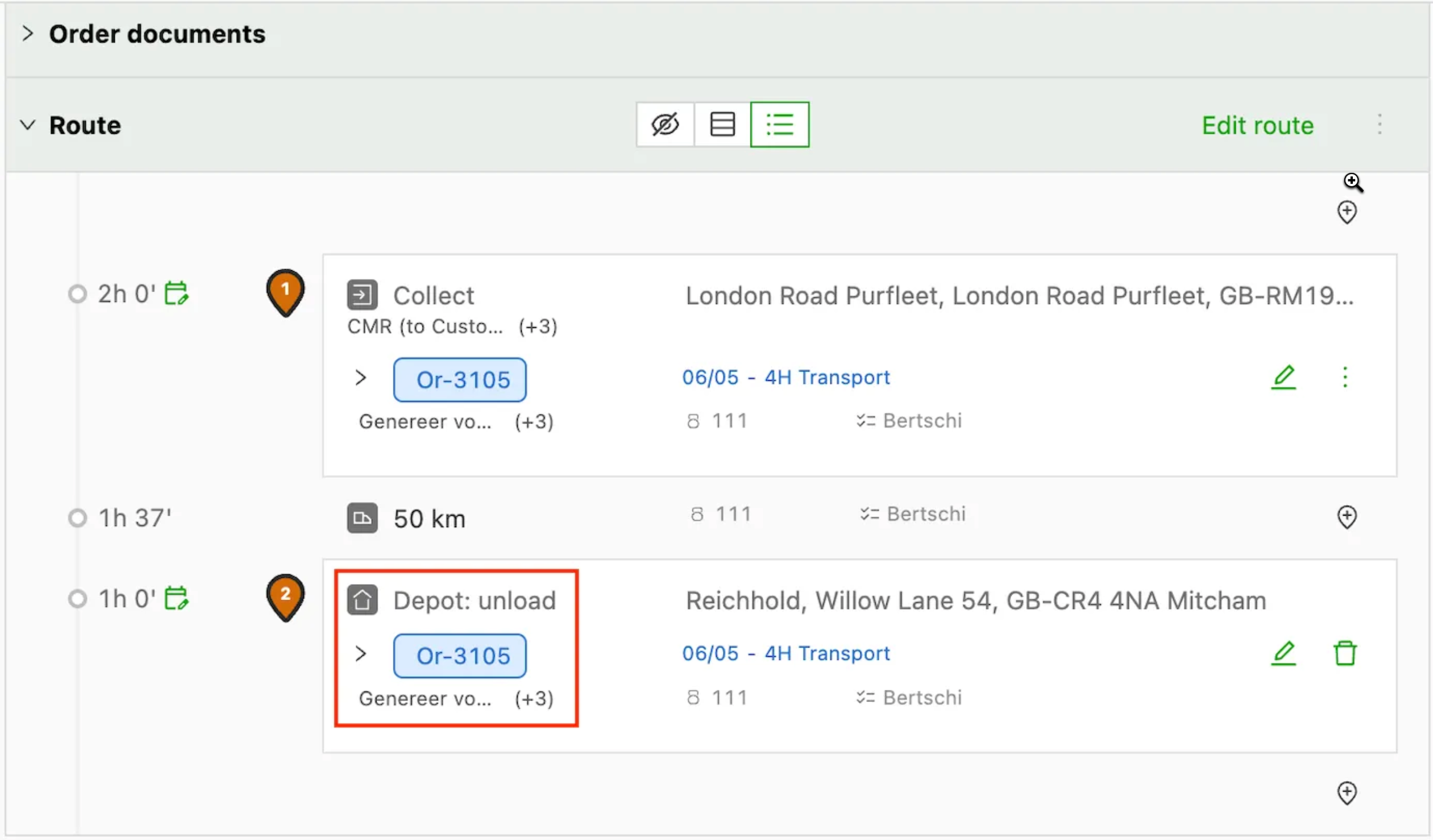
Stops that have been excluded from the distance/stop calculation remain visible on the order detail, including for customer portal users:
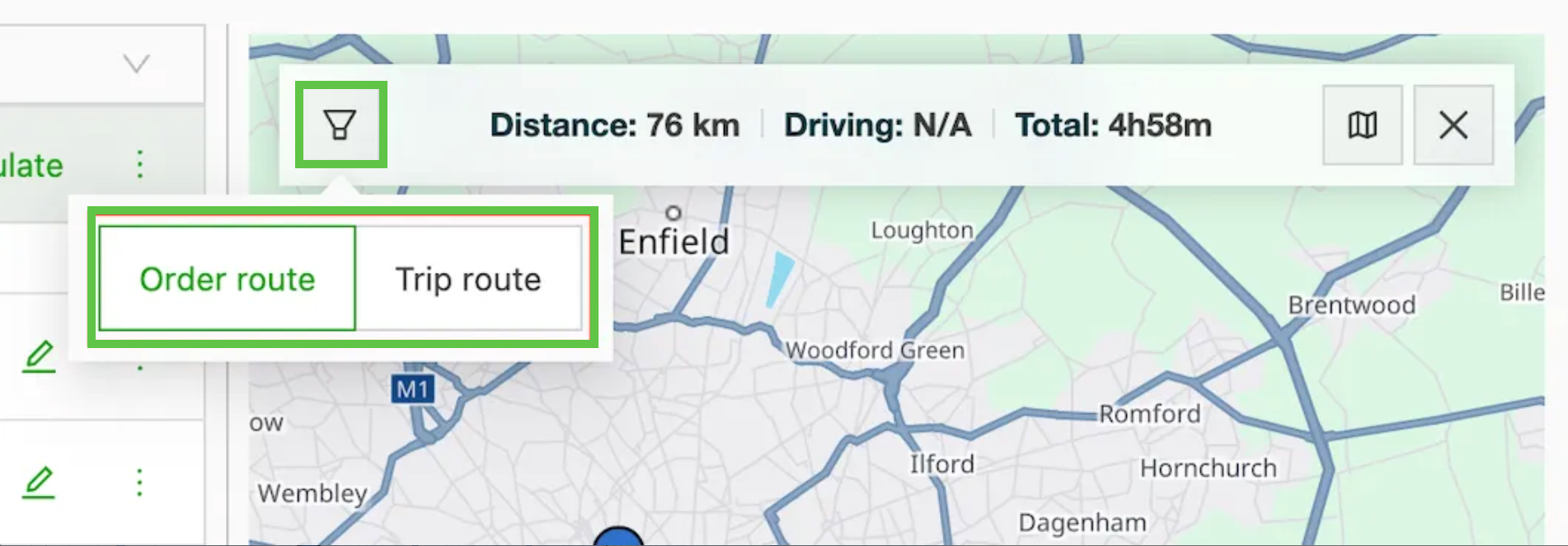
For clarity, the map now includes an option to switch between the order route and the load route. Where stops have been excluded on the order, the distance shown reflects this.
-
The order route is the one used for rating.
-
The order route visualization excludes the stops with the configured labels.
- ⚠️ Canceled shipments are still included in distance calculations. Qargo currently includes all shipments in the order’s distance calculation, even if one has been canceled. There is no automatic way to exclude a canceled shipment. The only available workaround is to manually adjust the distance on the order to reflect the correct figure.
-
The load route shows all stops.
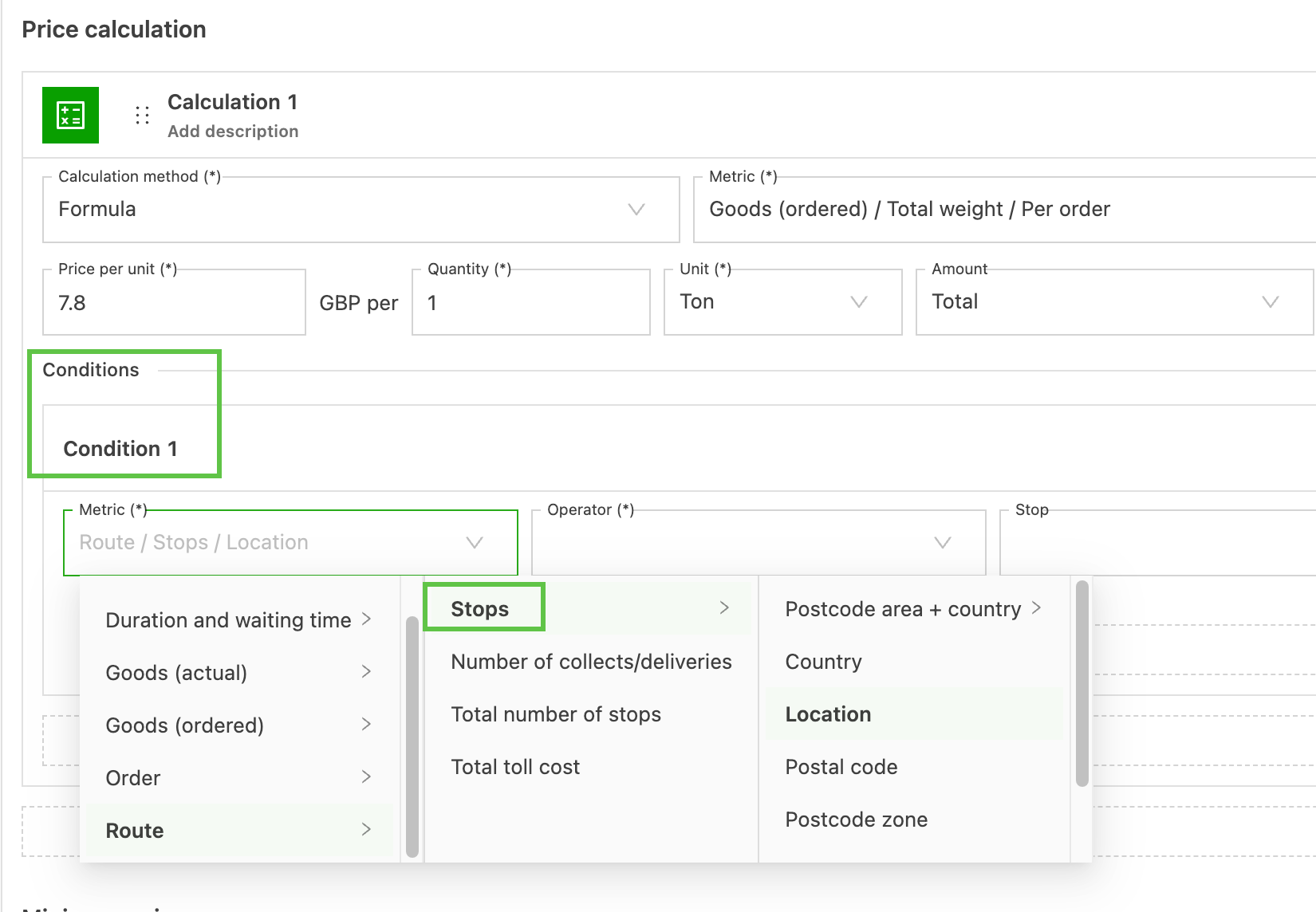
Stops can now be configured as conditions to exclude internal stops on customer rate cards.