Rate card FAQ: rating by location
Location-based rating with different rates within the same ZIP code. Use fixed prices or tables with specific stop locations as calculation metrics.
Table of contents
Rating based on locations is possible with a price list that uses specific stop locations as part of the calculation metrics. This is useful when a single customer has different rates for different locations within the same ZIP code.
Configure the rate card
-
Navigate to Rates > Rate cards by customer
-
Click Create rate card
-
Select the transportation service for the new price list
-
Complete the General info section
-
If the price list will be the default for all customers, turn the toggle on
- If the toggle is off, assign specific customers once the price list is built
-
Save the price list.
-
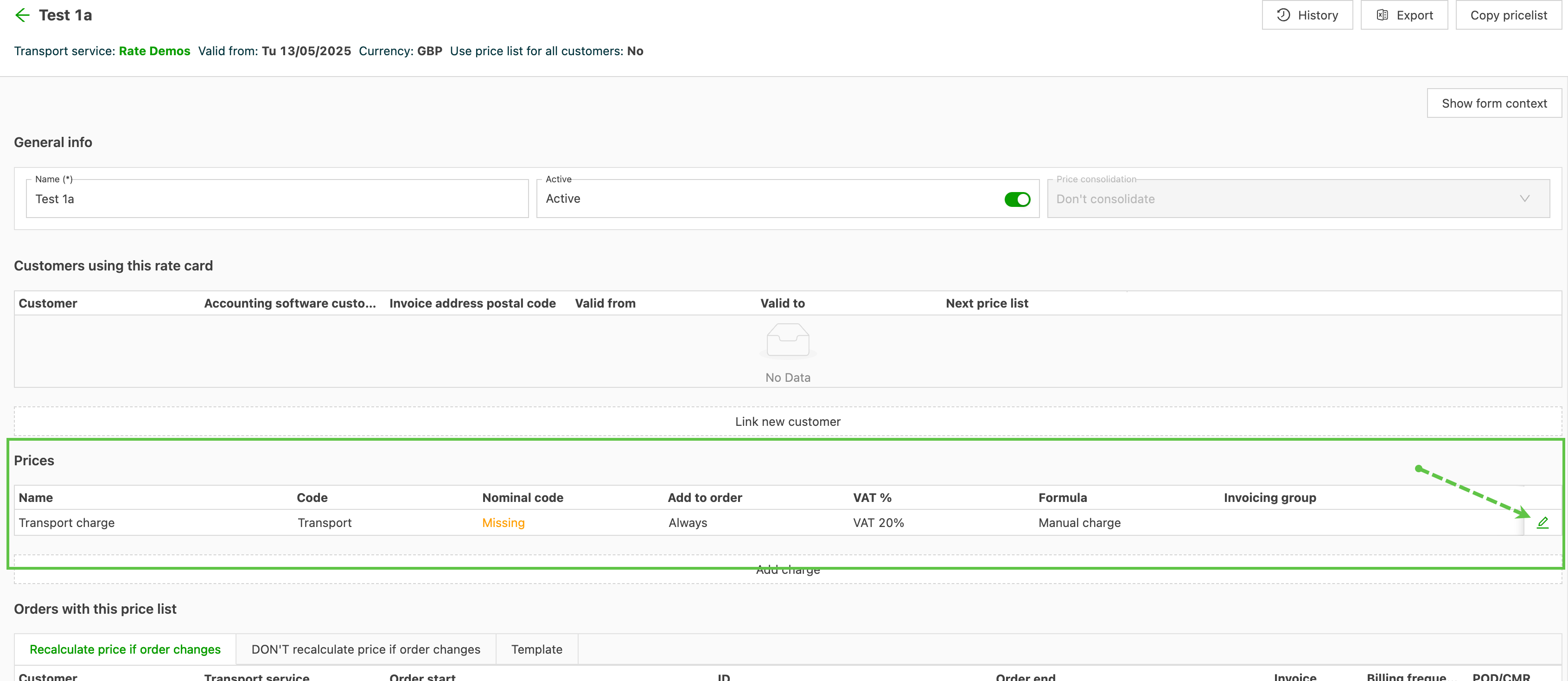
Go to the Prices panel and click the Edit icon on the Transport charge row
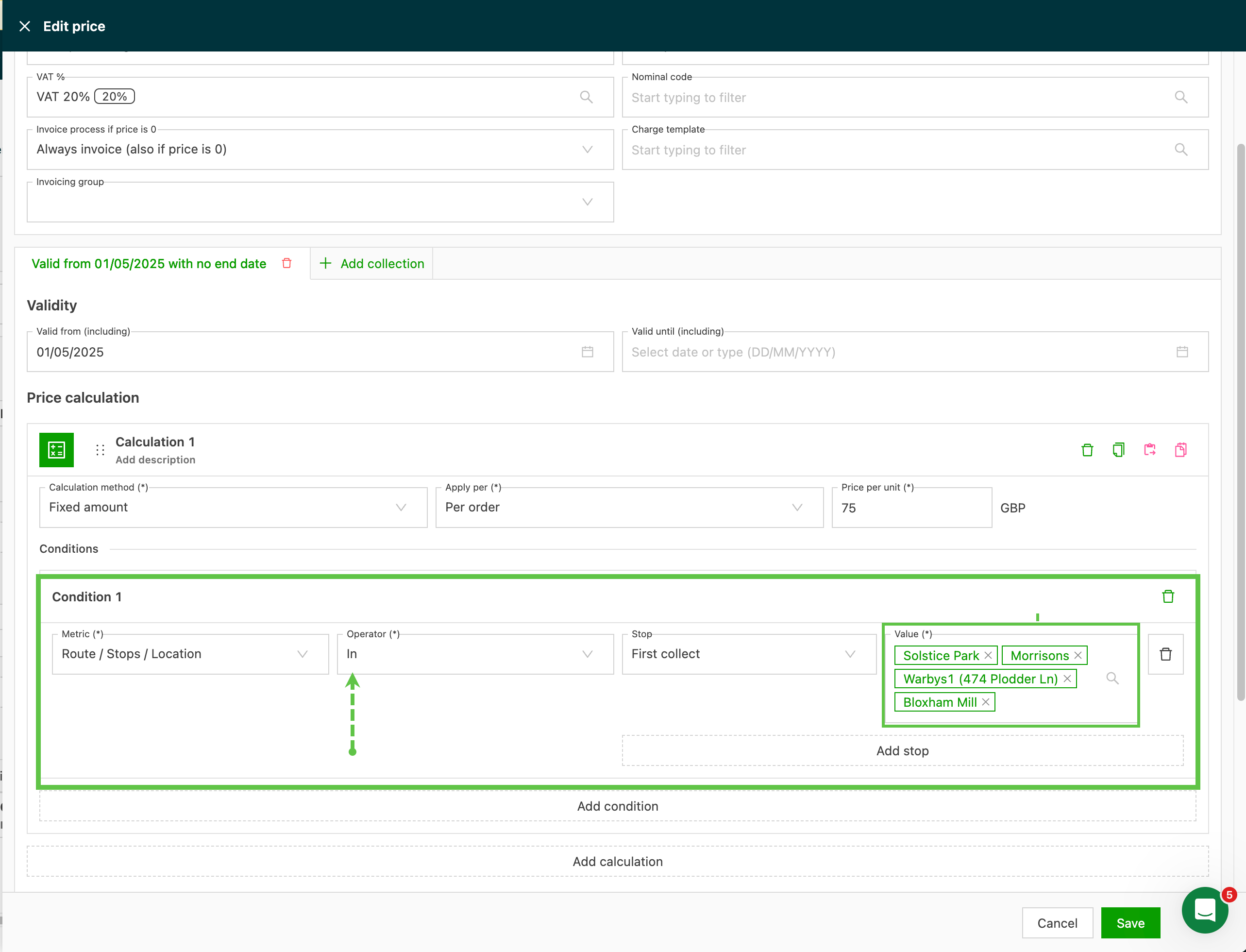
Fixed price
- Complete the price calculation details
- Set the calculation method to Fixed price / per order
- Add the amount to charge per order
- Click Add condition to enter the location details
Rate table
-
Complete the price calculation details
-
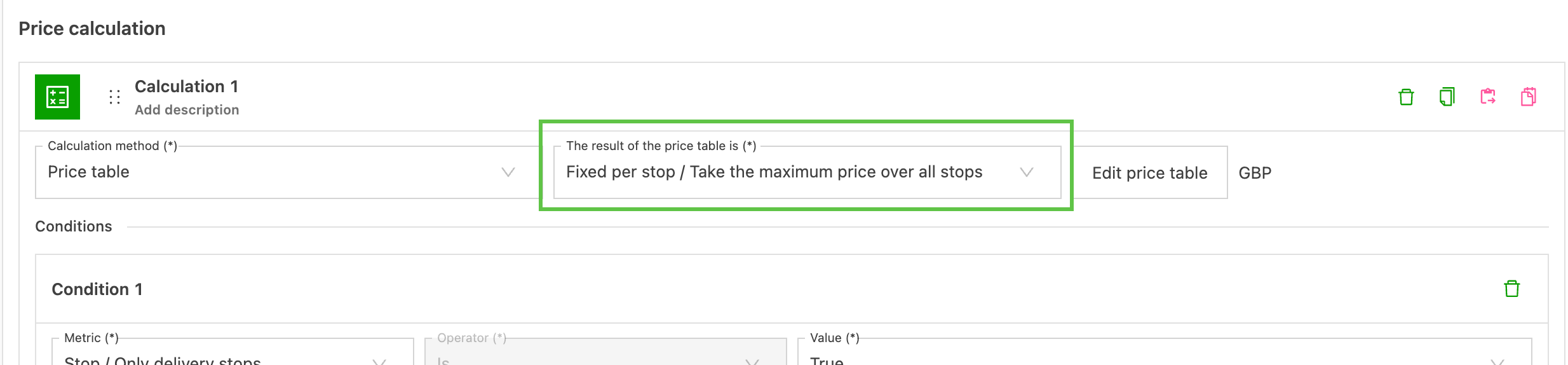
Set the calculation method to Rate table / Result of the table: Fixed per stop
-
When multiple locations from the rate table are used as stops on a load, there are 2 further options:
- Sum price of the stops: The charge is the total of all the prices of the location stops used on the load.
- Take the maximum price over all stops. The charge is the highest of all the prices of the location stops used on the load.
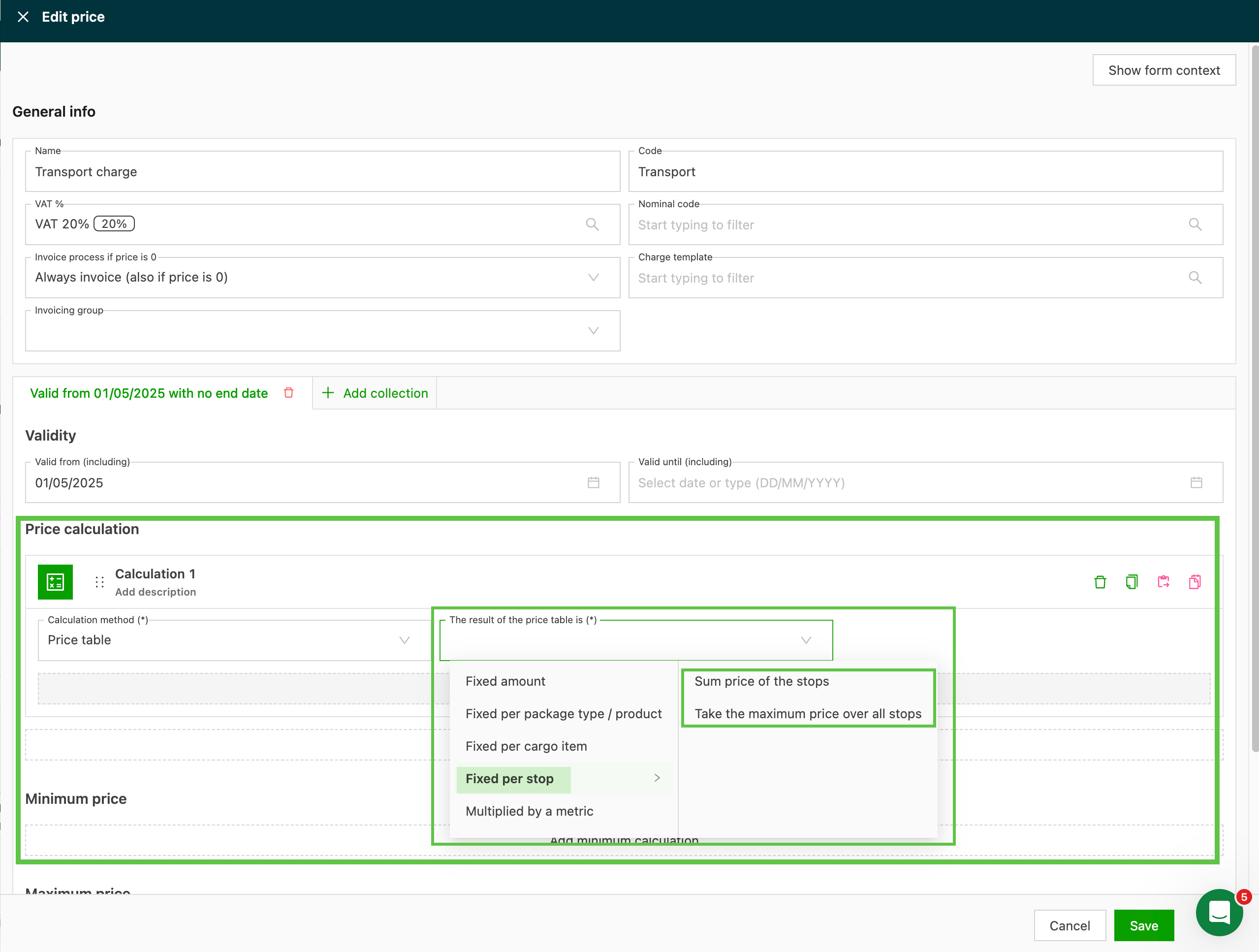
Rate table options
Route stop location metric:
- Specify the stop where the price is valid.
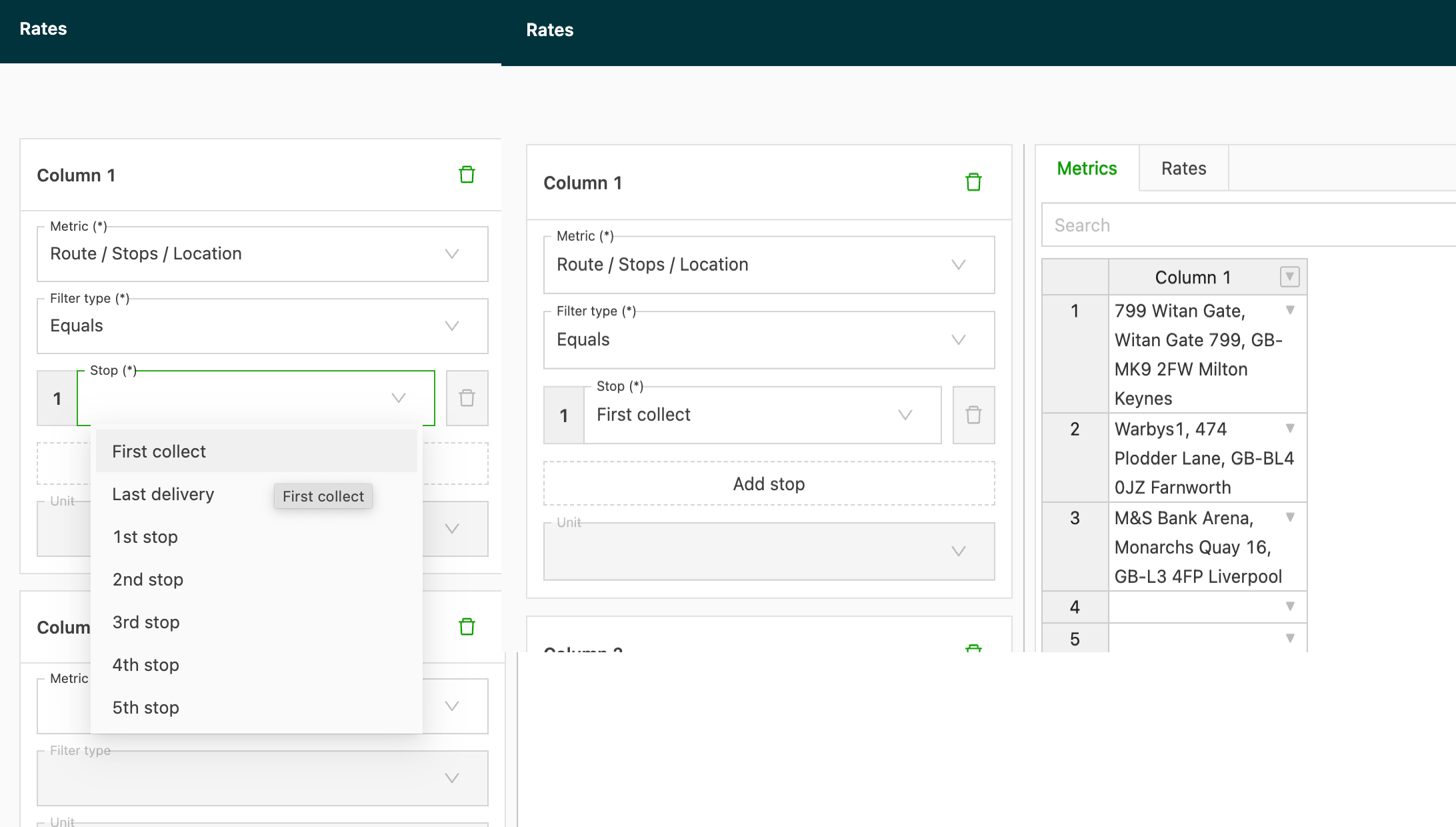

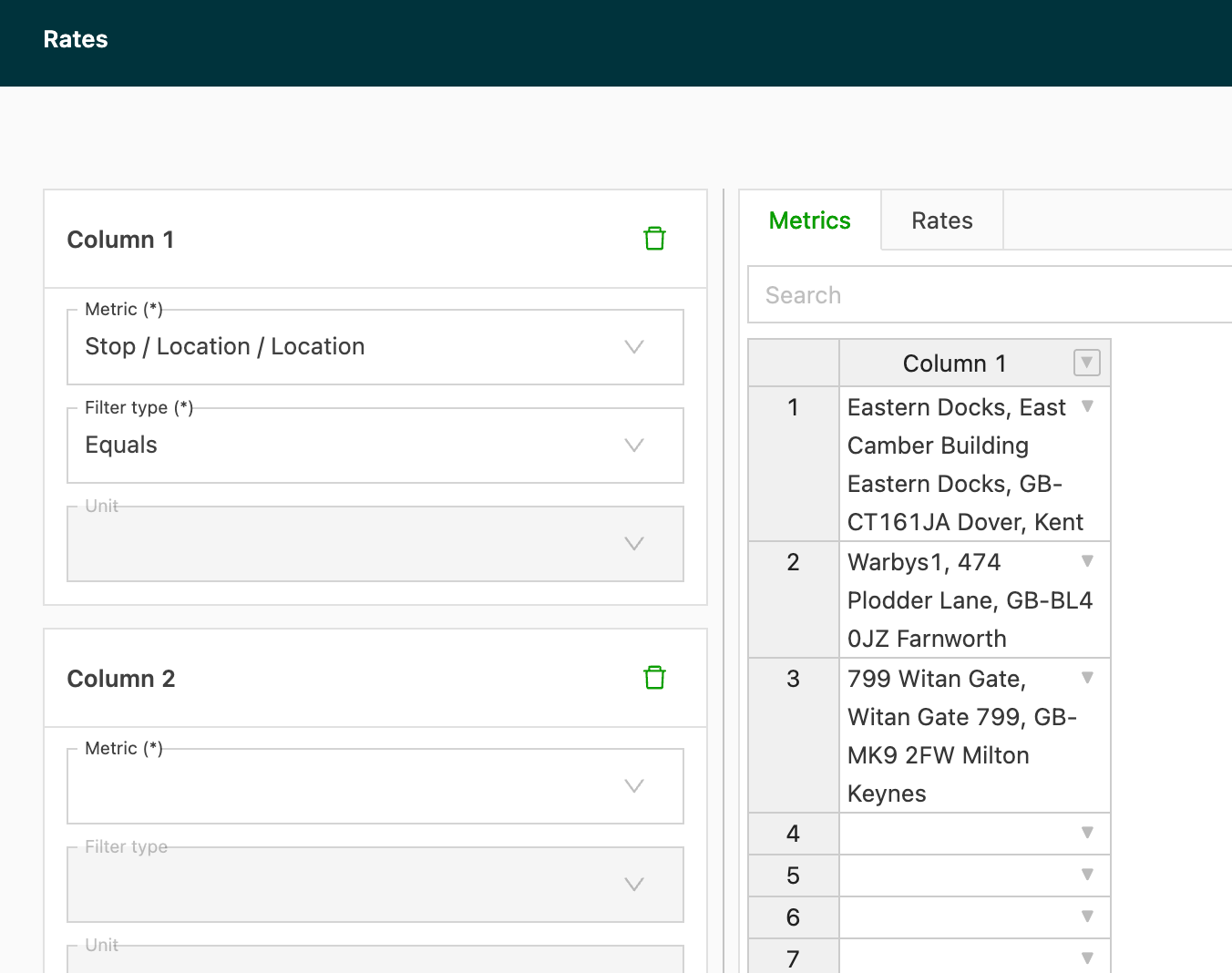
Stop location metric:
- The price is applied as soon as the condition is met: the location is used as the stop specified in the condition.
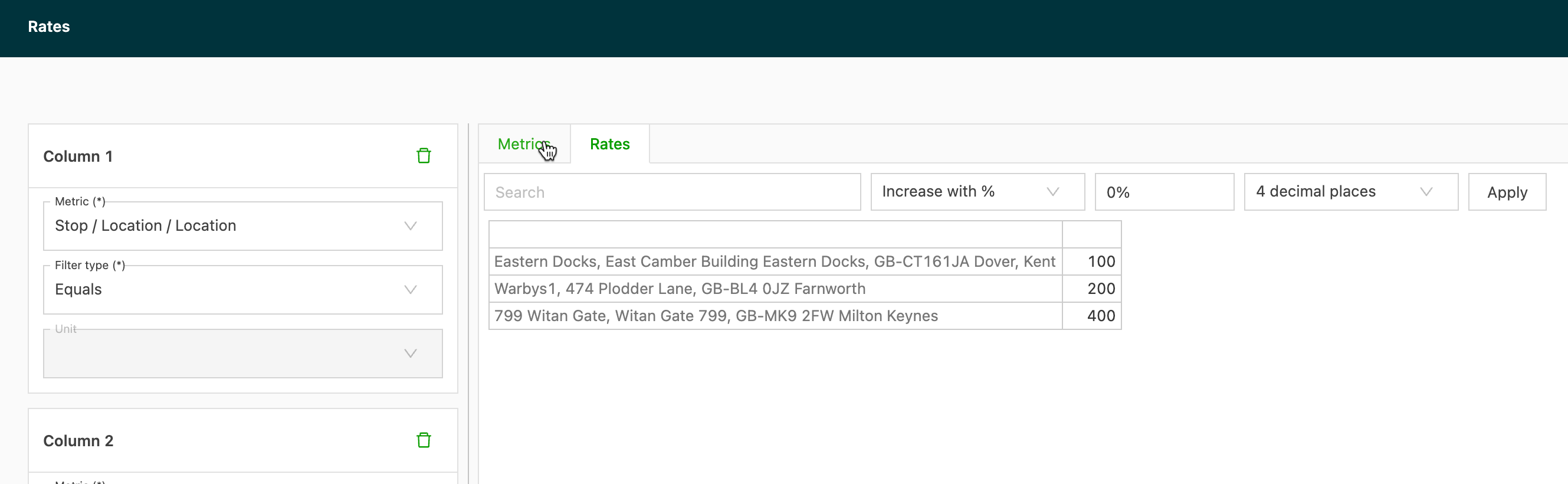
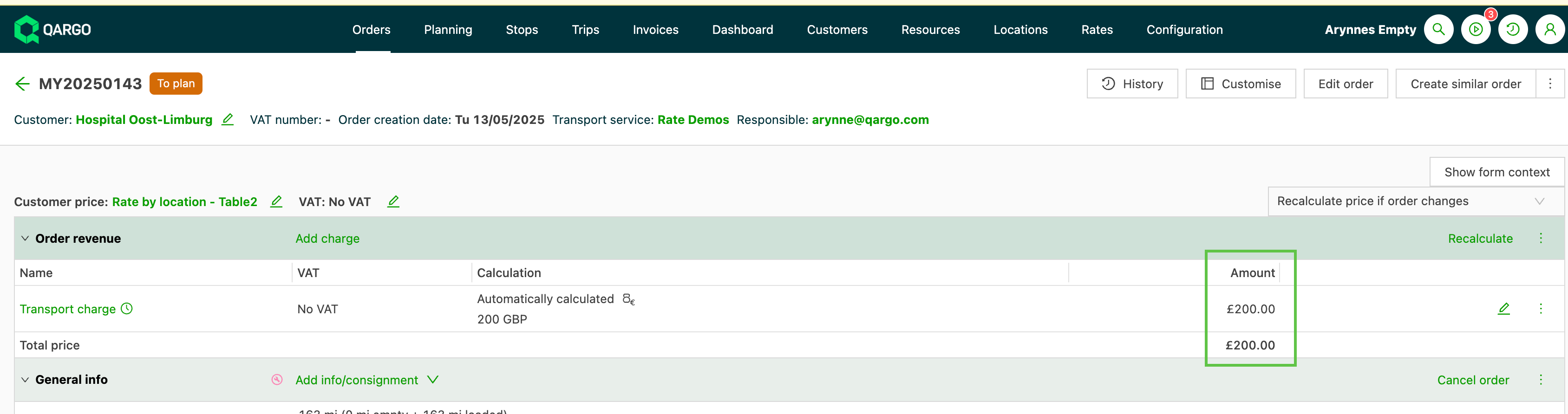
Sum all stops option:
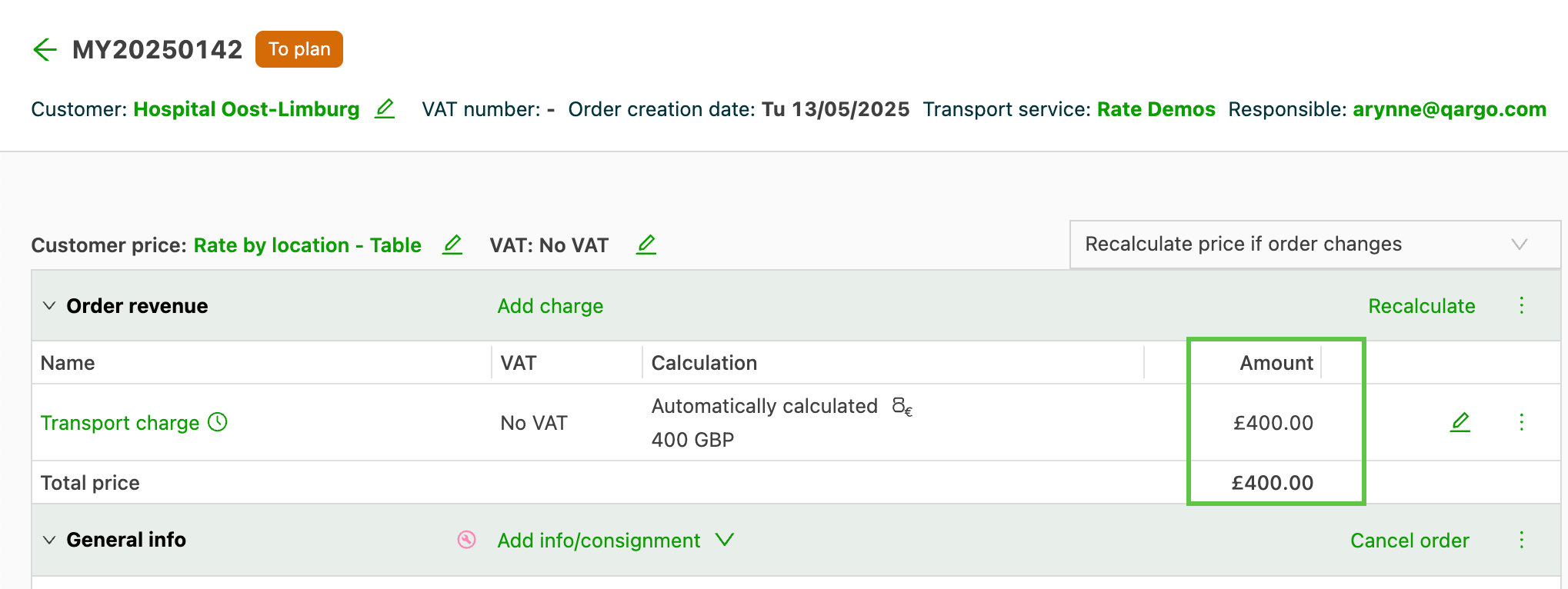
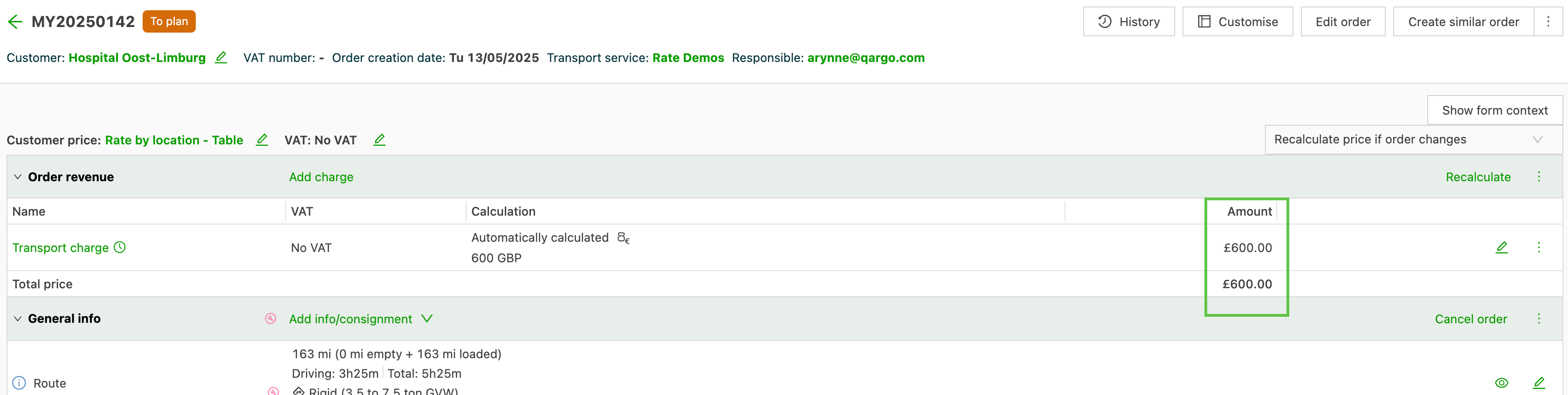
- The condition determines which stops are included. In the example below, both the pickup and delivery locations are included in the table, so the cost for both is included.
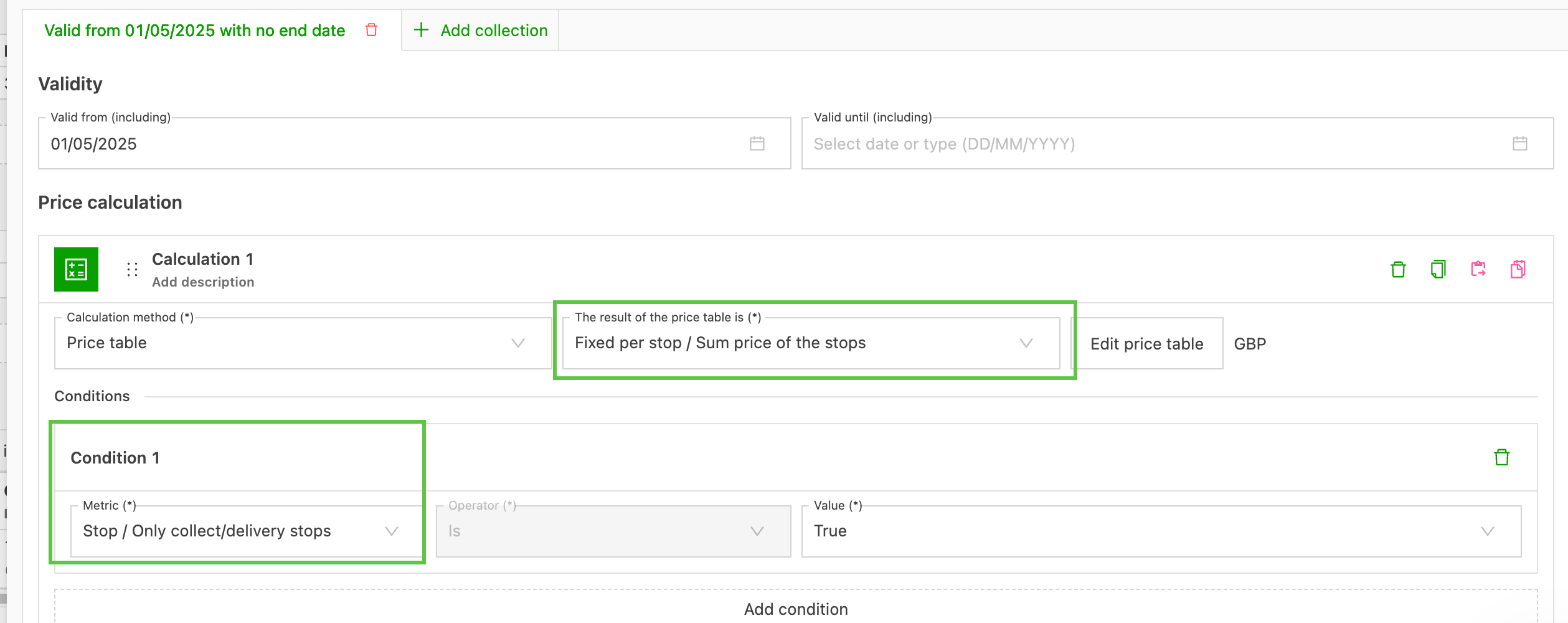
Maximum price option:
- The condition determines which stops are included. In the example below, only delivery locations are included in the table, so only that cost is included.