
PN - Pallet network: surcharges
This article gives an overview of the Palletline surcharge setup applied to deliveries.
Table of contents
Concept
Palletline has a number of “surcharges” that can be applied to deliveries (only to deliveries, not to pickups).
They are called surcharges because there is an associated cost.
Implementation in Qargo
The surcharges are implemented as add-ons:
Do not change the codes, as these are synced with Palletline.
Time windows
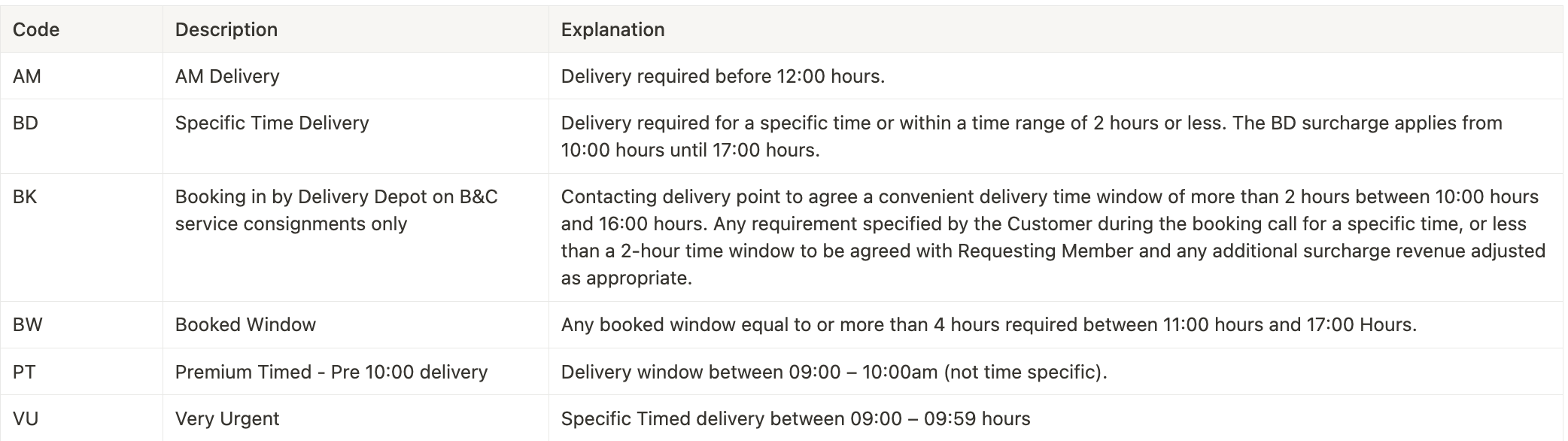
More details on time window configuration: here
View in order:
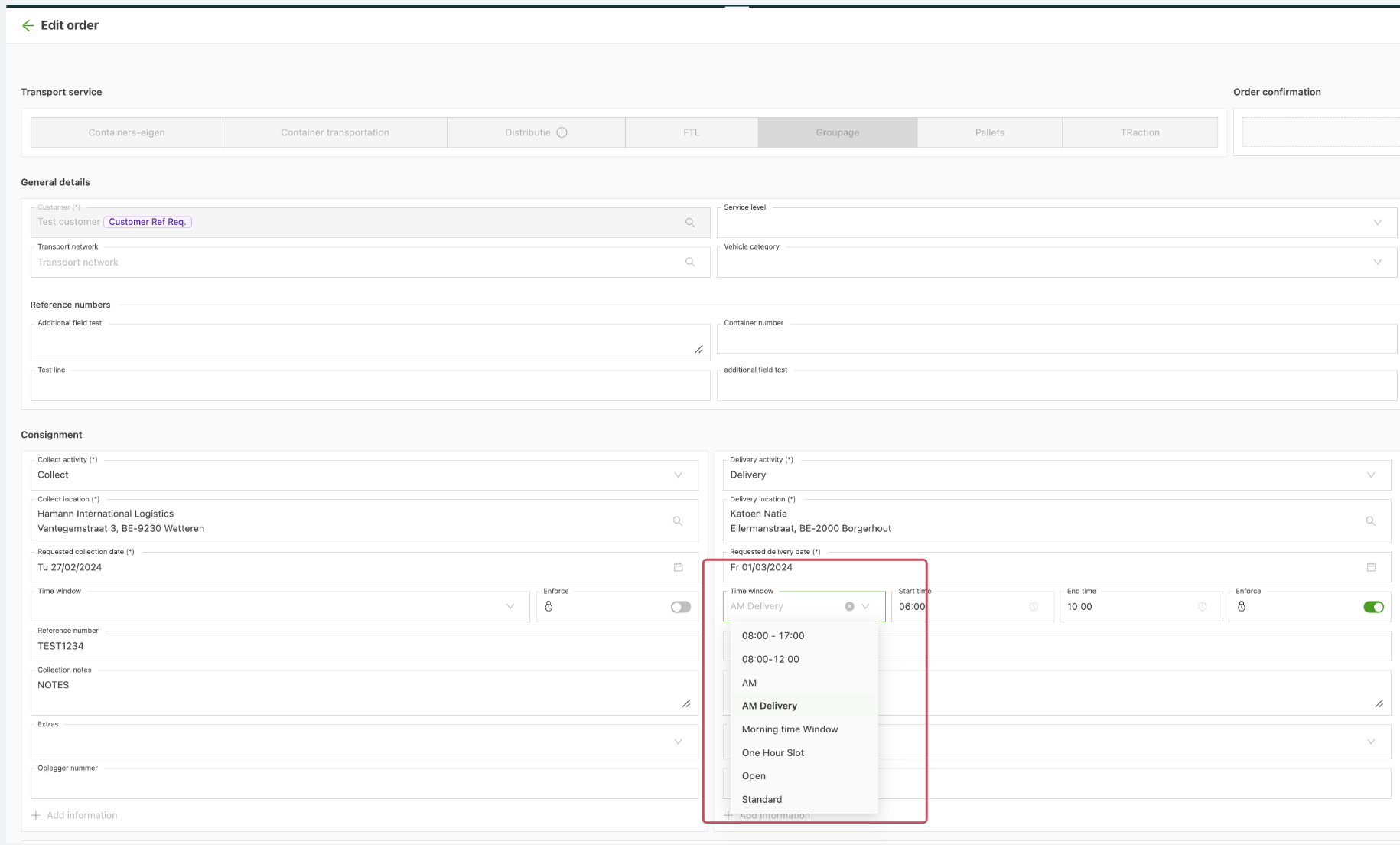
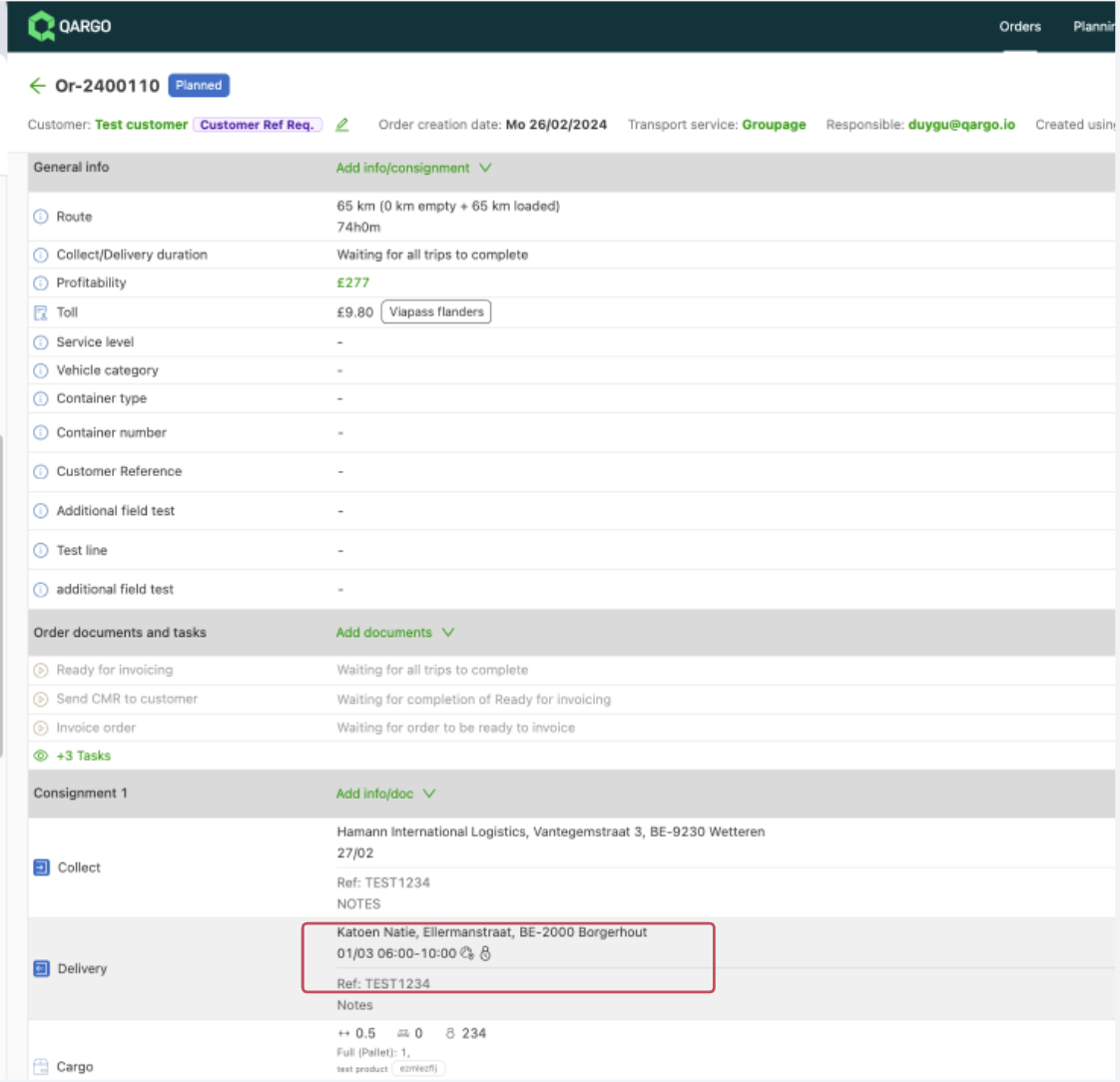
Pickup/delivery extras
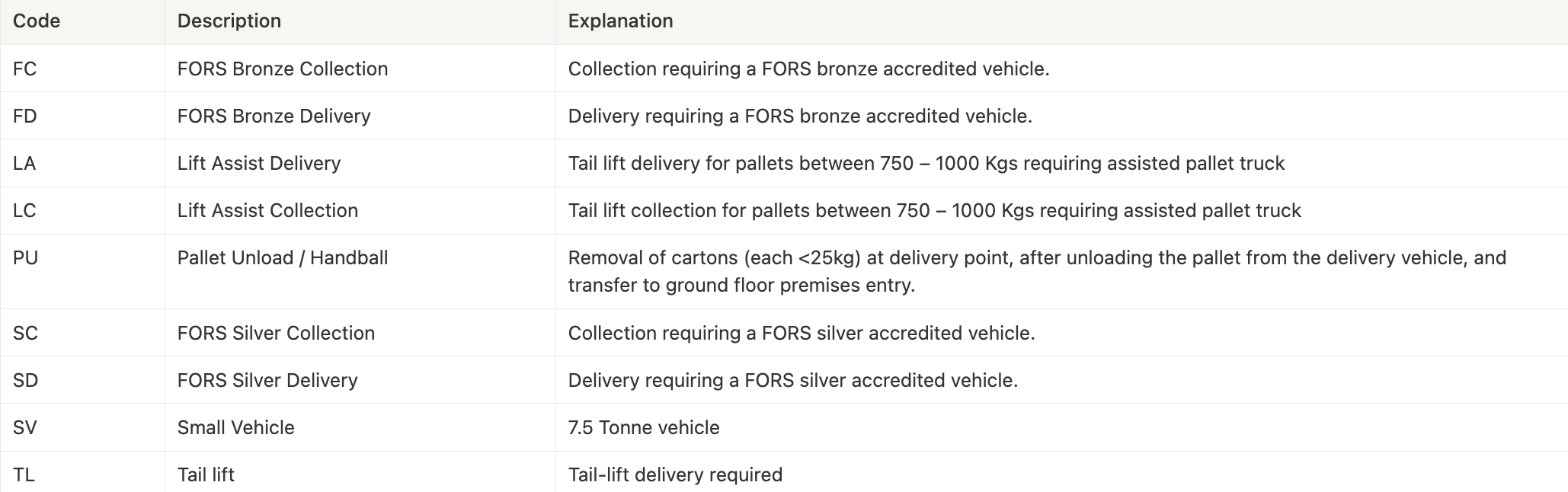
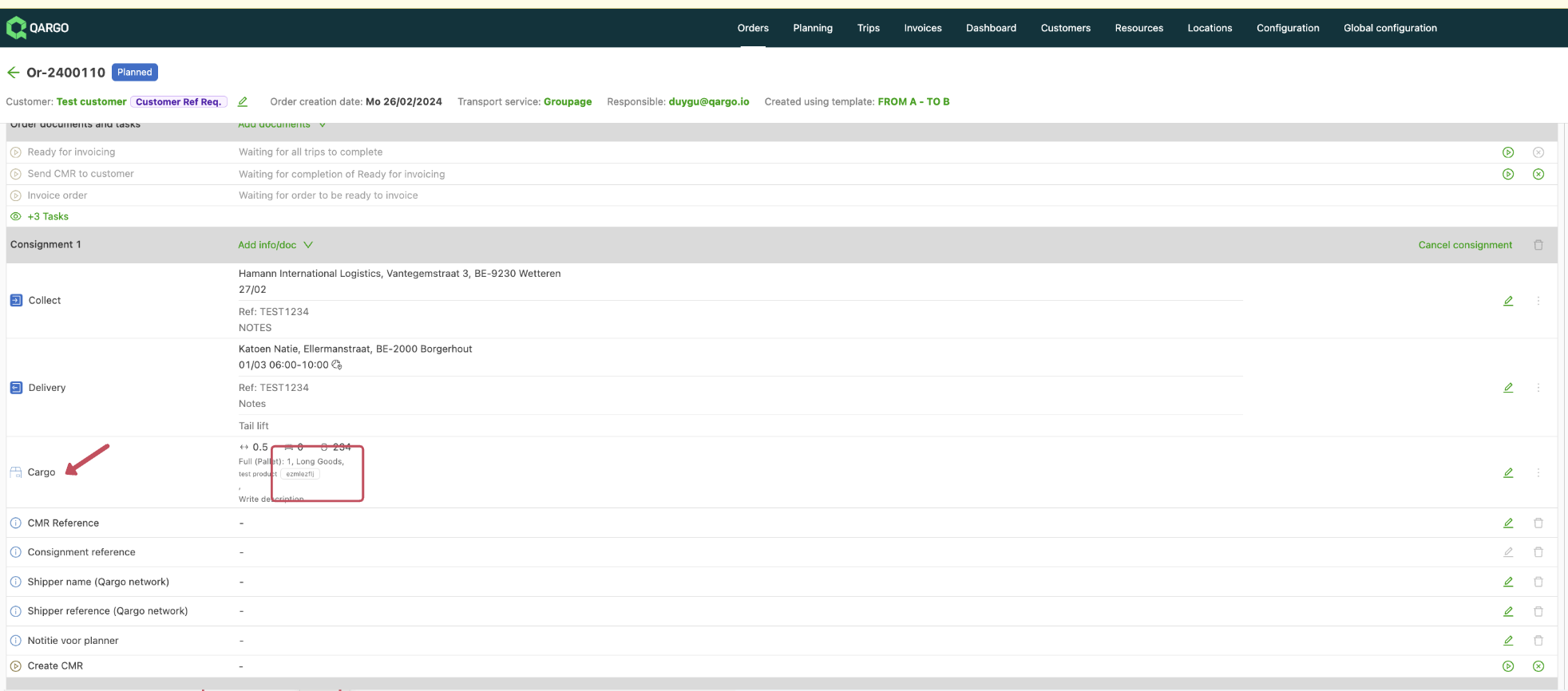
View in order:
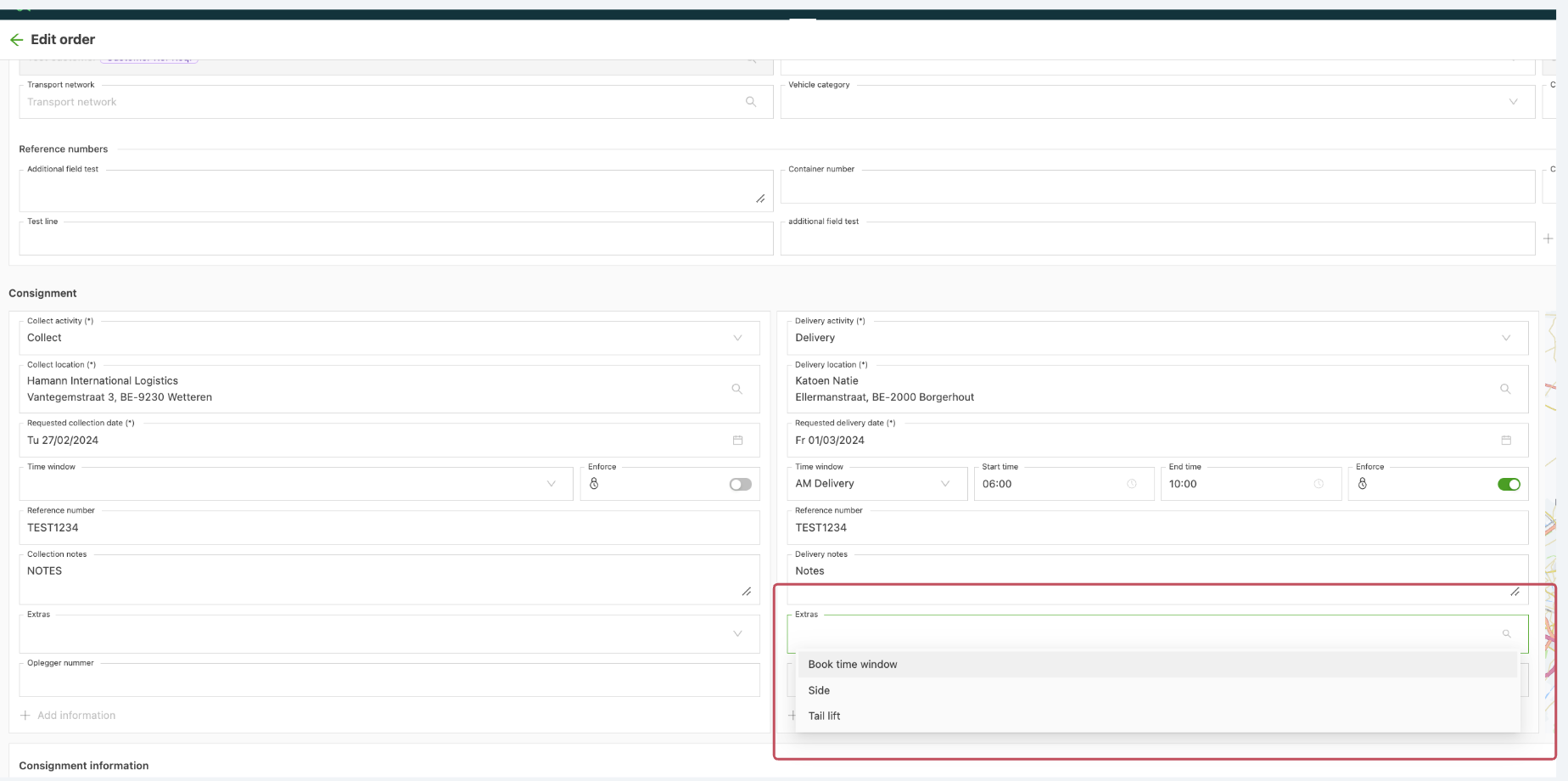
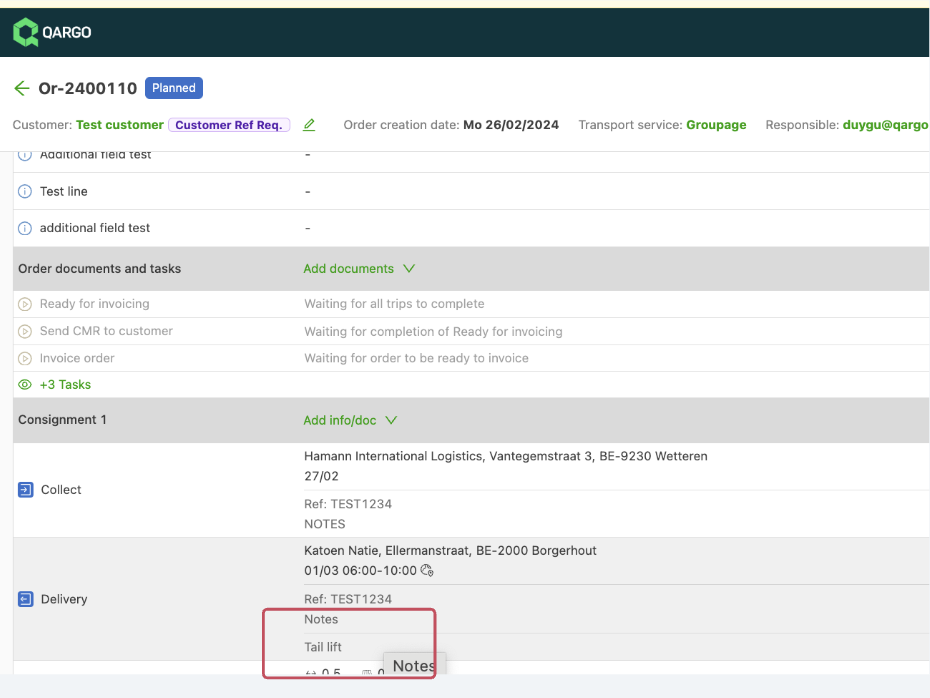
\
{#h_7a31f447ba}
Freight extras
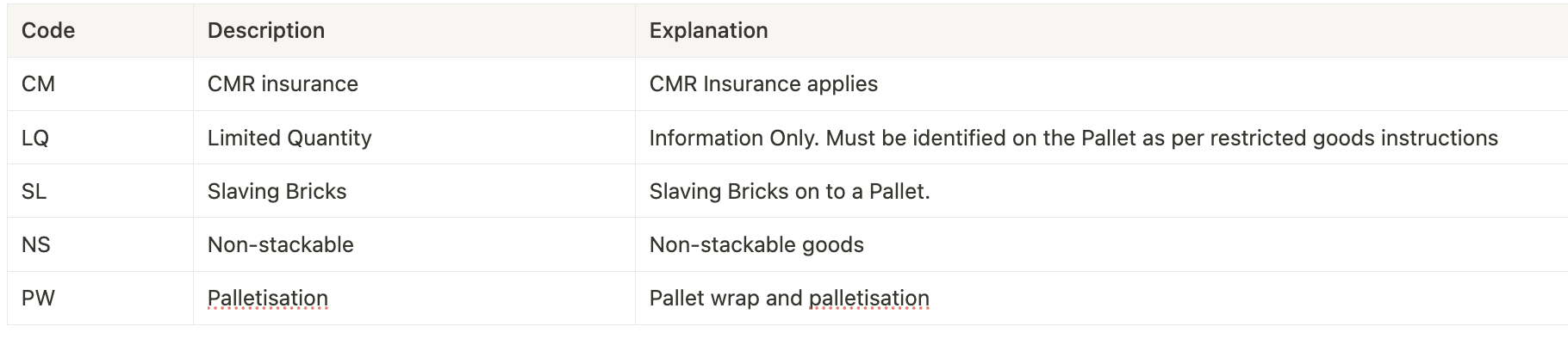
View in order:
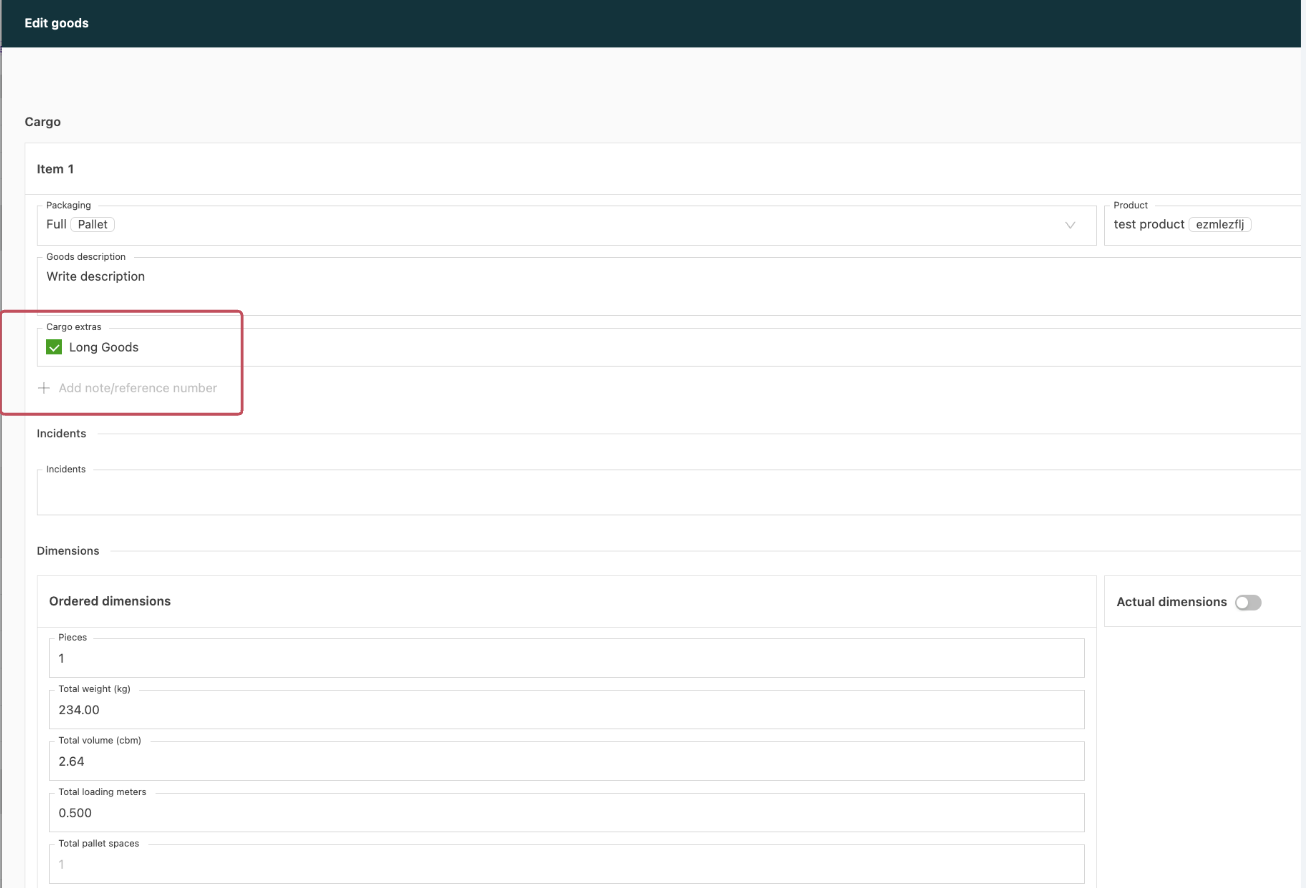
If extra charges need to be applied for a specific rate card that is used, these surcharges can be linked to the rate card as shown below, and the price configuration can be set up:
- Open the price list
- Click Add charge
- Select the ones to be added
- Enter the prices