
Rates – Vehicle categories
Vehicle categories help manage a fleet. Add a new category, set up the vehicle profile, and activate services.
Table of contents
From Rates > Order input, click Vehicle categories.
This page lists the categories available in the fleet.
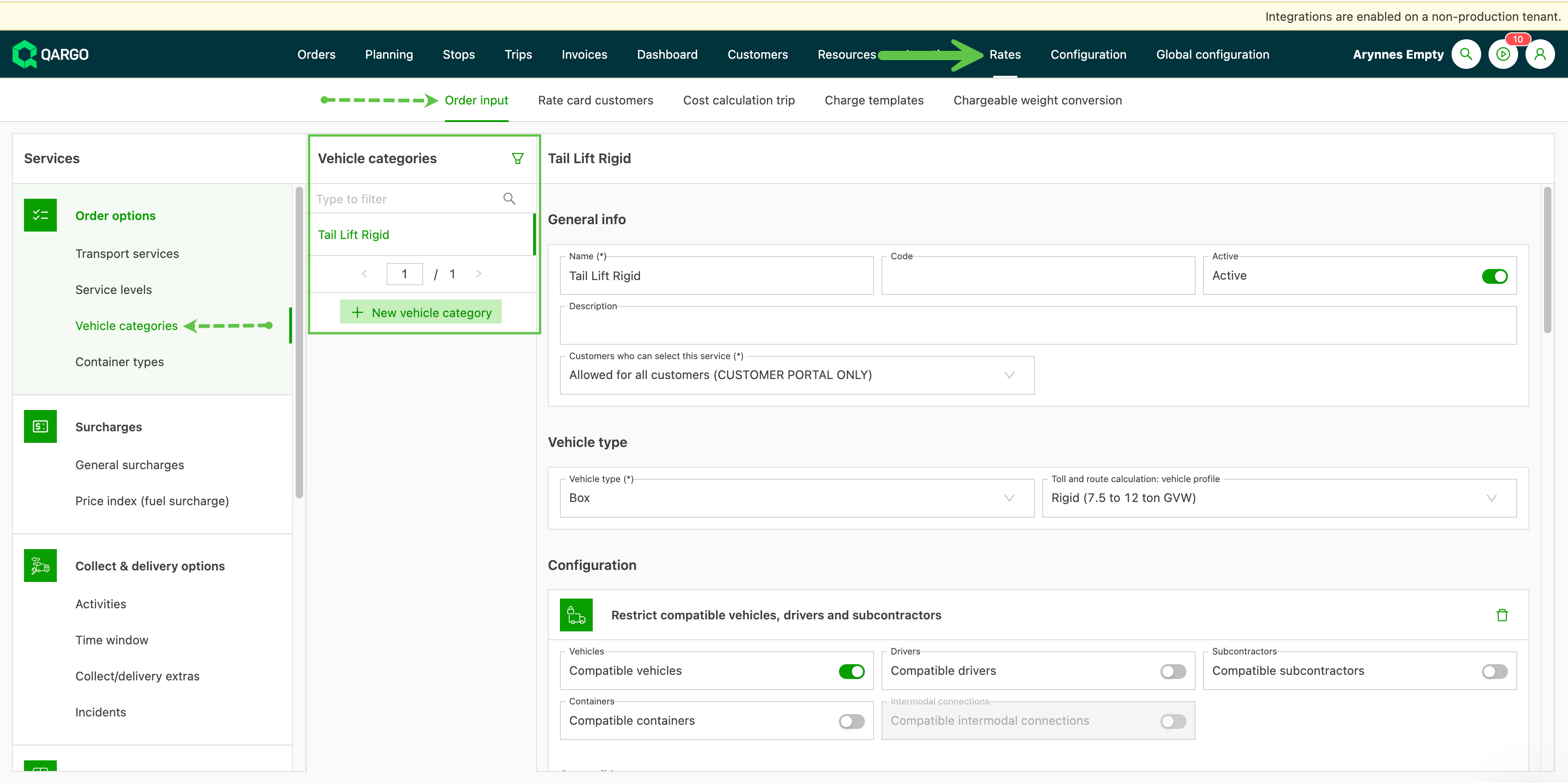
To add a new vehicle category, click + New vehicle category and give the new category a name. If the category is available to customers via the portal, complete this option and add any specific customers if required.
Add the vehicle type and select the appropriate toll and route calculation: vehicle profile setting. This setting is used when calculating the route and the CO2 metrics.
Complete as much of the profile as possible. Adding the tax and GL codes helps make imports into accounting packages efficient. Additional configuration includes
-
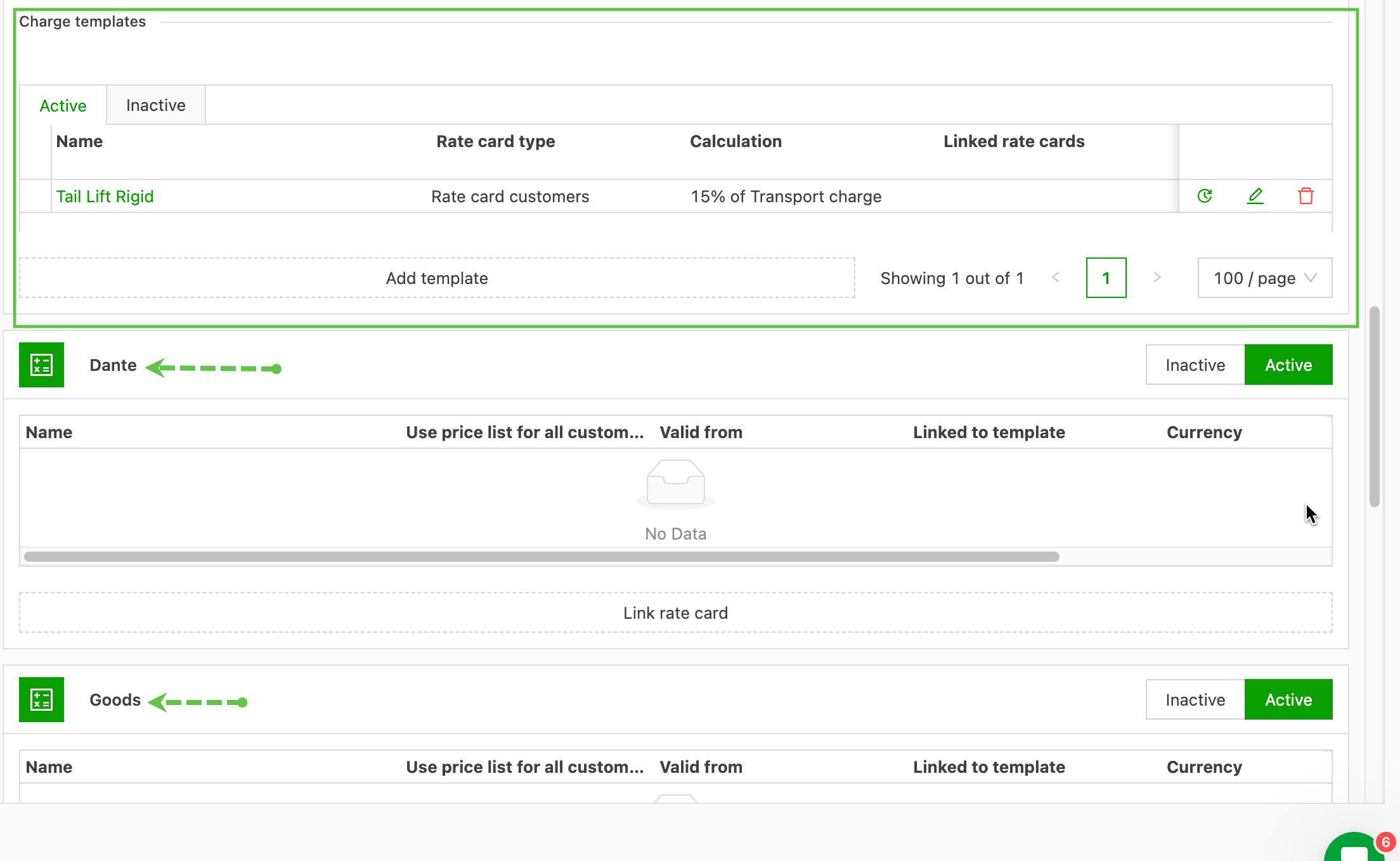
a default charge template
-
which transportation service the vehicle category is active on.
Electric vehicles
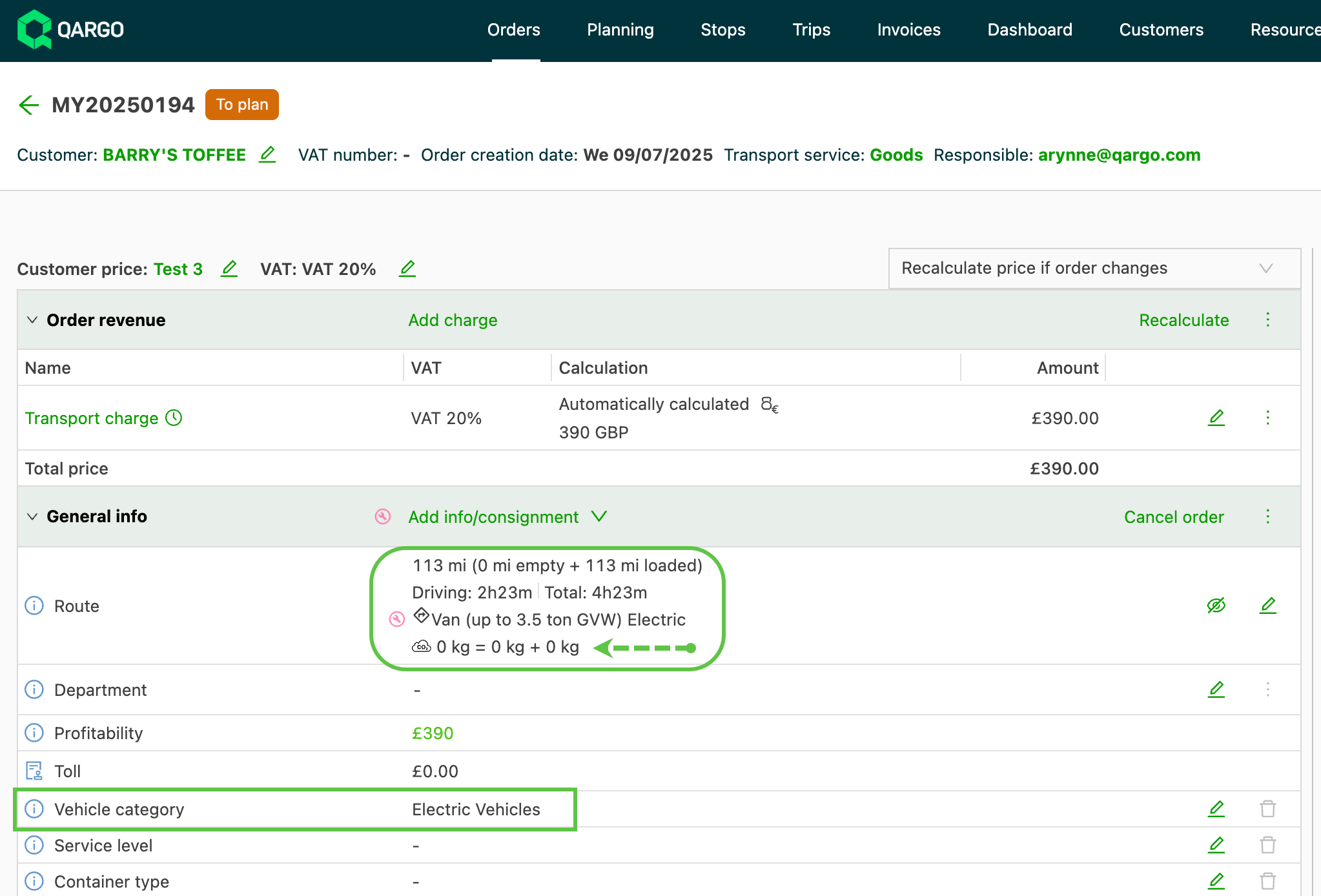
As more fleets introduce electric vehicles, it is now possible to configure these as a vehicle category. When an order is built, including this category affects the CO2 calculation, which shows on the order as 0 kg.
Adding a charge template to the category can be useful if premiums are charged for this type of vehicle delivery. The charge template can then be added to the customer rate card and/or the cost price lists.