
Planning: FAQ on full truckload (FTL) optimization
This article explains the "Full truckload" toggle and how it forces a dedicated one-to-one assignment of a shipment to a truck in planning optimization.
Q. When should the “Full truckload” toggle be used in planning optimization instead of only configuring vehicle and shipment dimensions and weights?
A. The “Full truckload” toggle is the right choice when the primary operational requirement is to guarantee a dedicated vehicle for a single shipment (order), regardless of whether the truck has remaining capacity after the shipment is loaded.
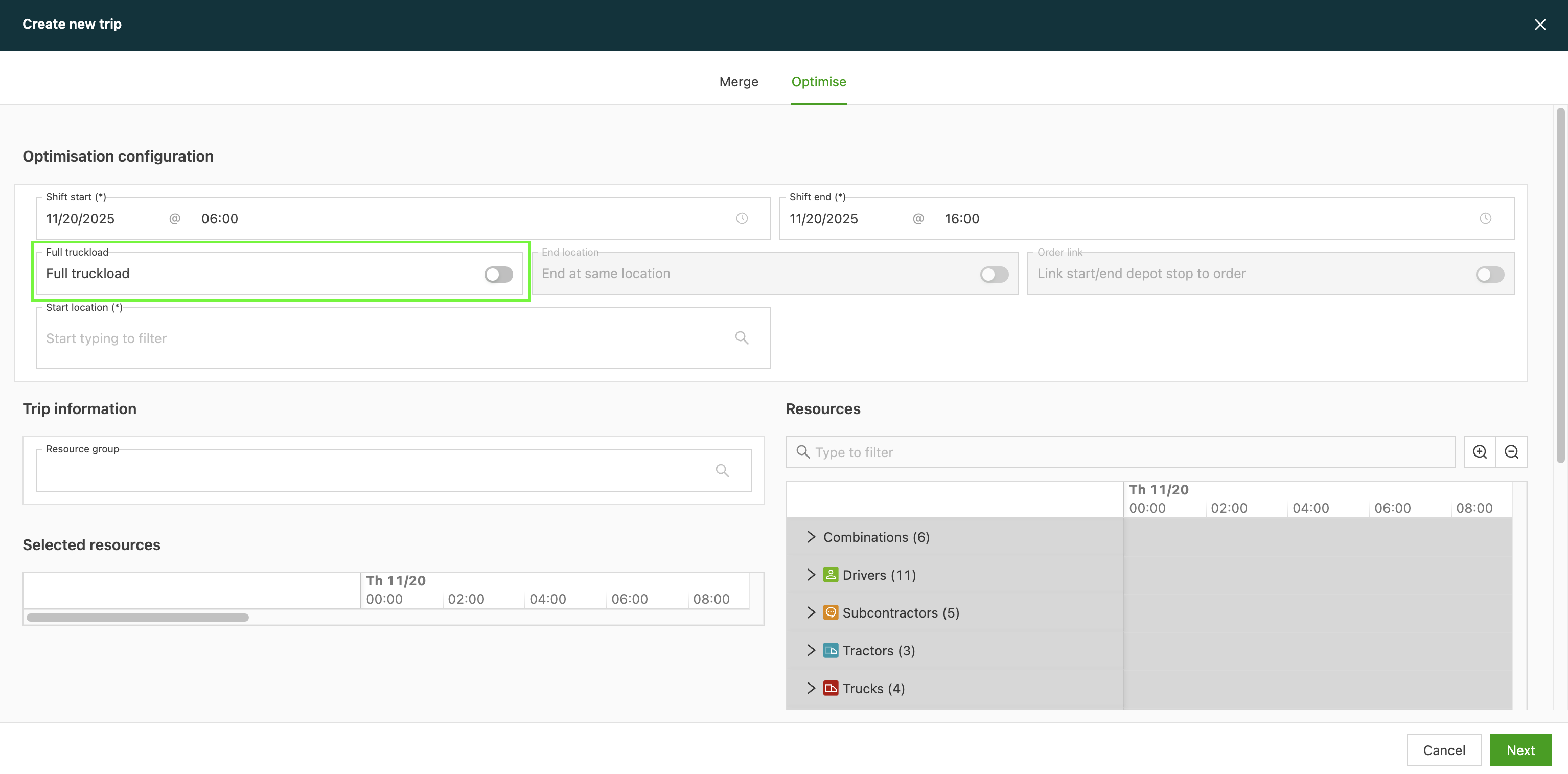
Configuring correct dimensions and weights is the standard best practice for optimizing vehicle utilization. However, the FTL toggle addresses specific situations where standard volume- or weight-based planning is not ideal:
- Operational simplicity: For simple FTL moves that need a guaranteed 1:1 assignment (shipment:truck) without the complexity of making sure precise dimension and weight data are configured across all orders and vehicles.
- Preventing accidental consolidation: This toggle acts as a hard override for the planning algorithm. It eliminates the risk of the system ever combining a shipment with another smaller order, even if they physically fit together. This can happen when the dimension configuration is slightly imperfect or incomplete.