Invoices: charge status approval workflows
Qargo charge statuses: Approval to request, Approval requested, Invoice externally. Enhanced approval workflow for the customer portal.
Table of contents
There are 3 statuses for charges.
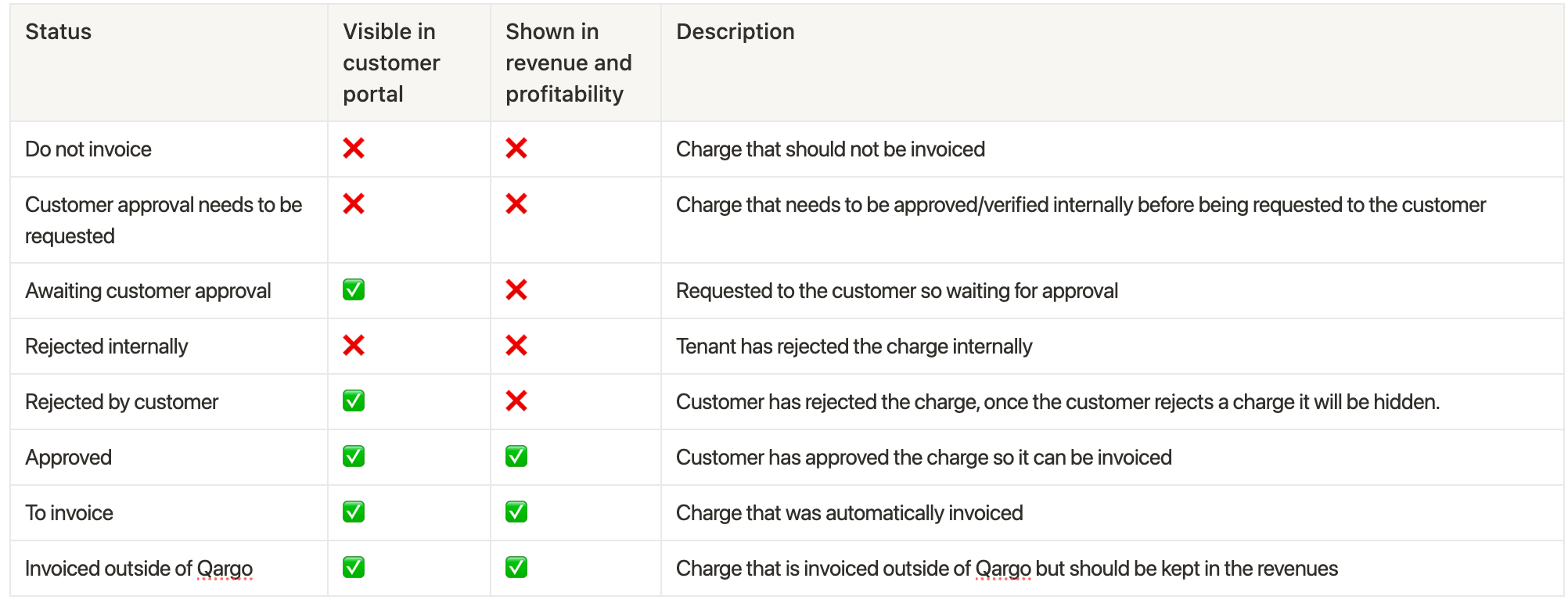
- Approval to request: creates the charge with the ‘Request approval’ label on the charge in the detail view. The charge is not visible on the customer portal.
- Approval requested: creates the charge with the ‘To approve’ label on the charge. The charge is visible in the customer portal (when enabled).
- Invoice externally: creates the charge with the ‘Invoiced externally’ label. The charge is omitted from the final invoice.
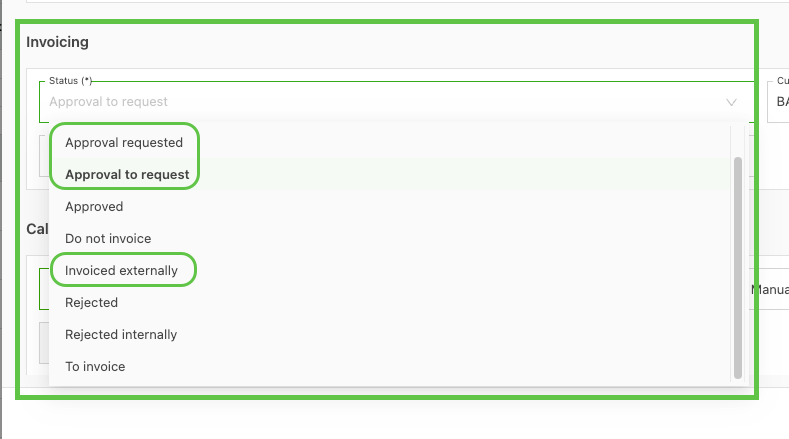
The charge status can be added:
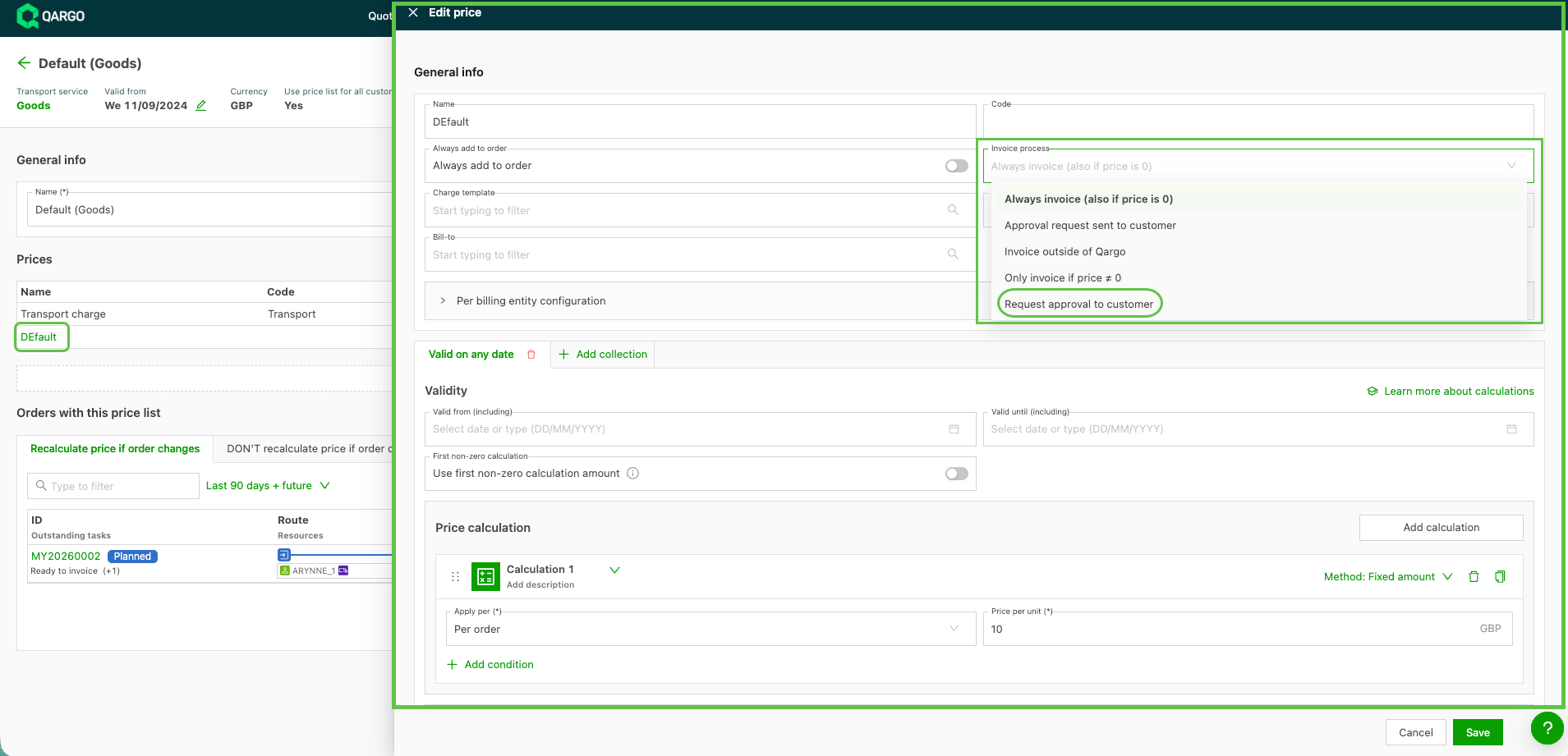
- On the charge in the rate card, under the ‘Invoice process’ field. This always applies when the charge is added to the order.
- On the charge when adding it to the order, under the ‘Status’ field.
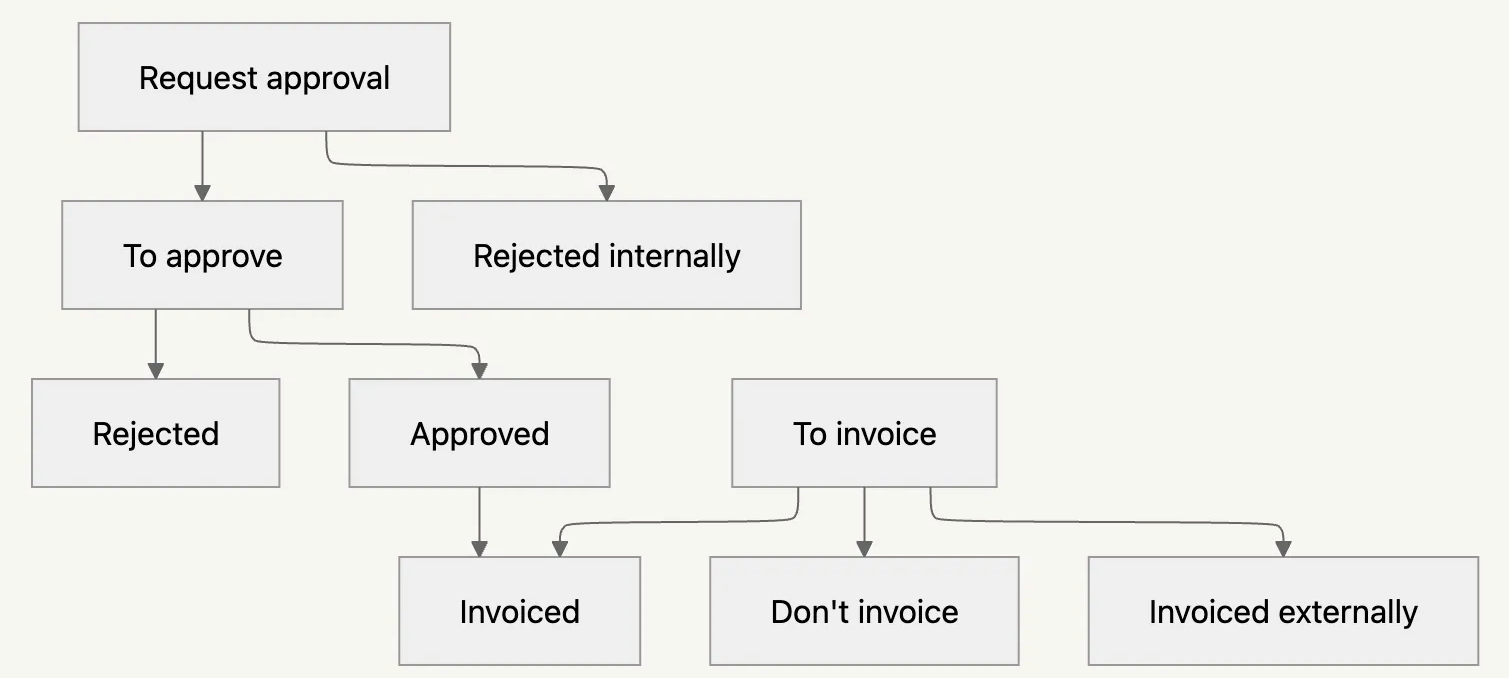
New charge status flow
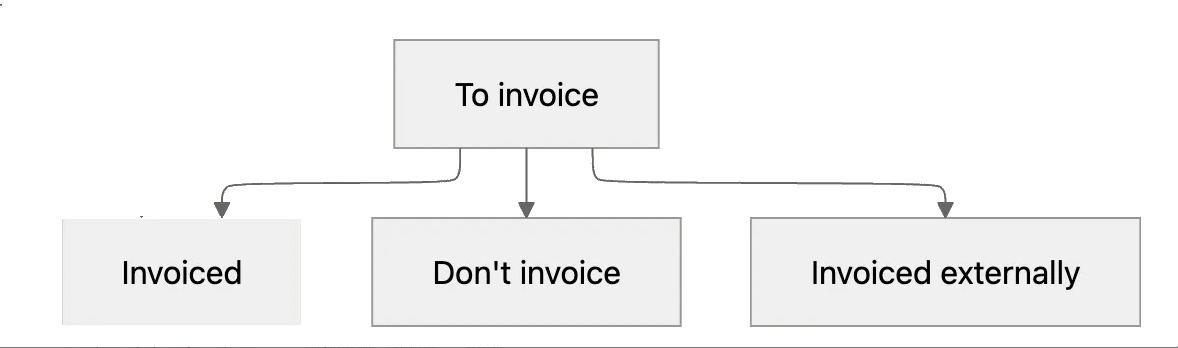
Charges that do not require approval:
-
Start in the status ‘To invoice’
-
Processing the invoice allows for the following options:
- Invoiced
- Don’t invoice
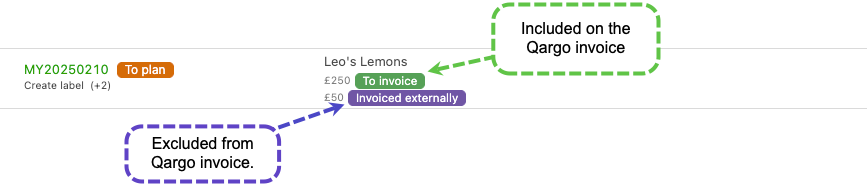
- Invoiced externally (new)
Invoiced externally status
- Use for charges that should not be invoiced in Qargo but will be invoiced externally.
- The charge will not be included in the invoice created in Qargo, but it will be taken into account for revenue and profitability.

Charges that require approval
Charges that always require customer approval can be configured to start in an approval status.
Configuring the start status of a charge on rate cards and cost calculations.
On rate cards and cost calculation cards, when editing a charge, it is possible to define the status of that charge upon order creation.
Request approval by customer
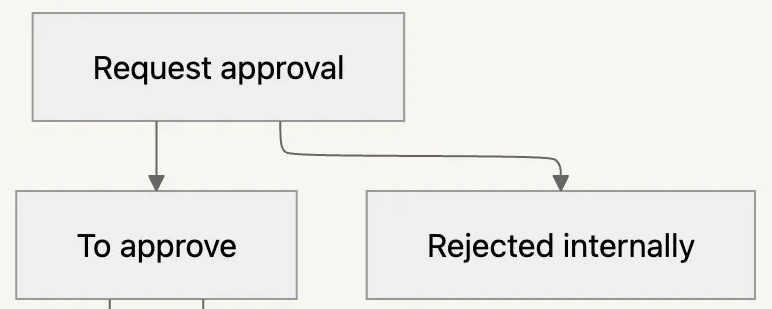
- Charges on new orders are set to the status Request approval.
- The tenant user approves / rejects the charge to show it to the customer for approval.
- Hover over the tag and click ‘approve’; this moves the status to ‘To approve’.
Awaiting approval by customer
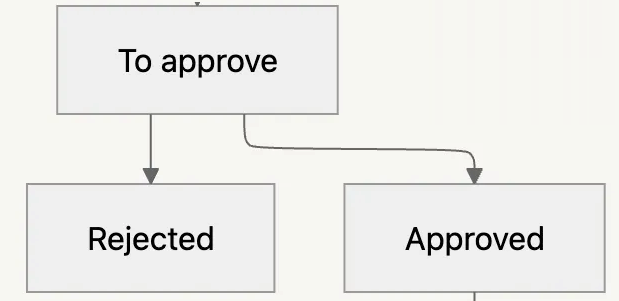
- Charges on new orders are set to the status To approve.
- Charges are visible to customer portal users for approval (when enabled).
- Charges that still require customer approval are not yet taken into account in the revenue and profitability calculation.
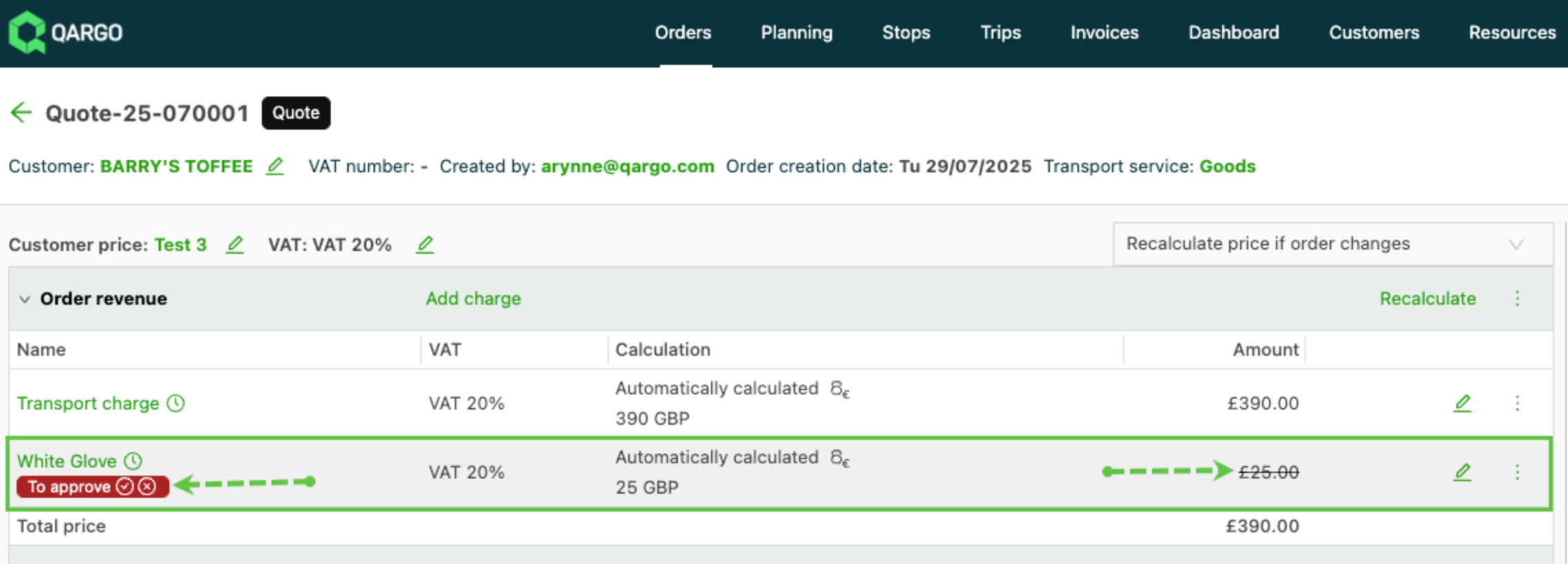
- If the customer approves the charge, it moves to the ‘To invoice’ status.
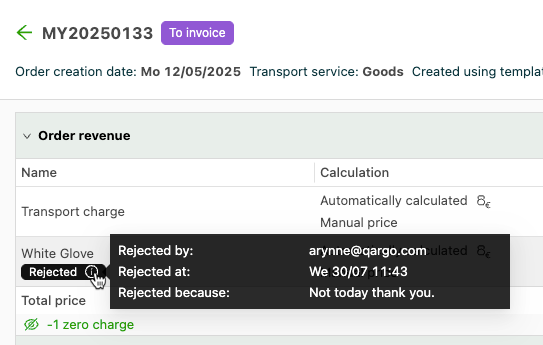
- If the customer rejects the charge, it moves to zero charges.
-
Click the info icon to see who rejected the charge and the reason they provided.
Learn more
-
The status flow is not automated. This means it is possible to go from almost any status to almost any other status.
- In the status flow chart, if the current status is ‘Request approval’, the intended next step is either ‘To approve’ or ‘Rejected internally’.
- It is also possible to change the status from ‘Request approval’ to ‘Approved’ immediately.
-
The price of a charge in the Invoiced externally status is not locked. This means that when something changes on the order, the price can still change.
Charge statuses table