
Intermodal: create an intermodal operator in Resources
Learn how to add intermodal operators in the Resources menu: search existing operators, add new ones, and save timetables.
Table of contents
Adding an intermodal operator
Intermodal operators are added in Resources.
-
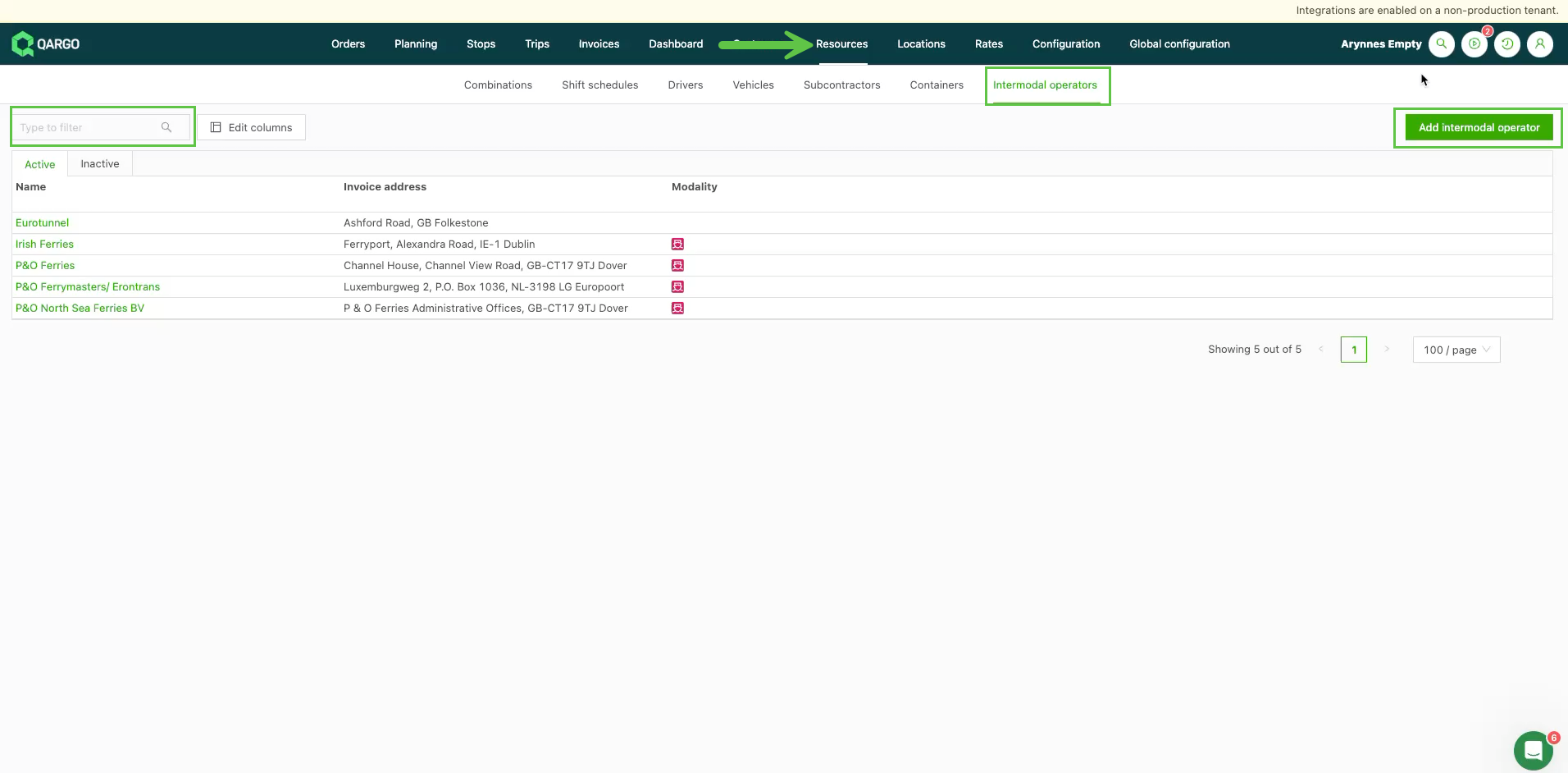
Go to Resources > Intermodal operators.
-
Use the search field, if needed, to find an existing operator.
-
Click Add intermodal operator if the operator is not on the list and needs to be added.
In the Operator field, start typing the name of the company to add. If it is available, it appears in the dropdown and can be selected. If no suggestions appear, click Search global operator table to search further.
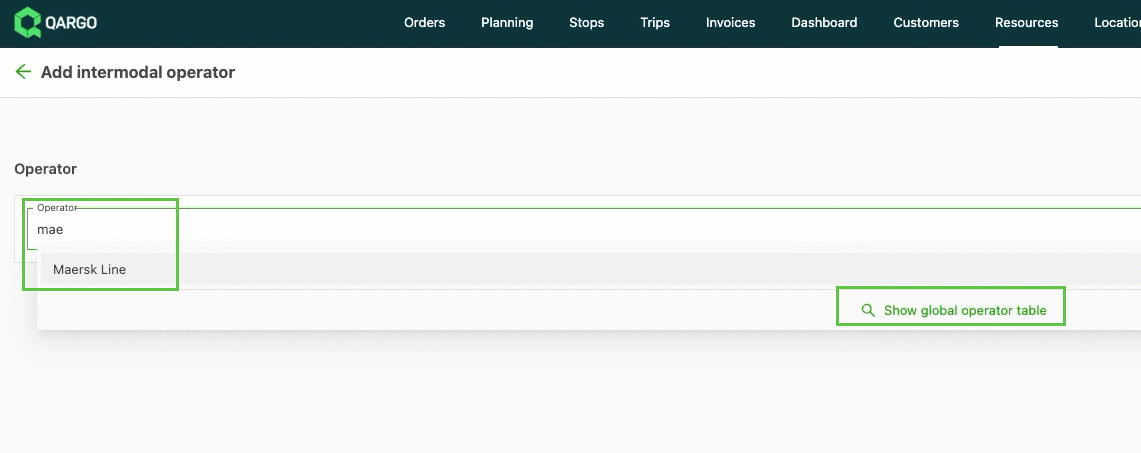
- If details such as the name and address are available, they are filled in automatically.
- Check the details that are filled in, and complete any additional fields, such as the tax number.
- Click Save.
The record now appears in the Intermodal operators list. To add more details, such as timetables, click the operator and complete any further information.