
Intermodal - View order with intermodal connection
View and edit intermodal orders, track ferry statuses, and update operators with synced schedules for seamless logistics management.
Viewing orders with intermodal connection
-
Navigate to the Planning board
-
Select Intermodal from the planning view options in the drop-down
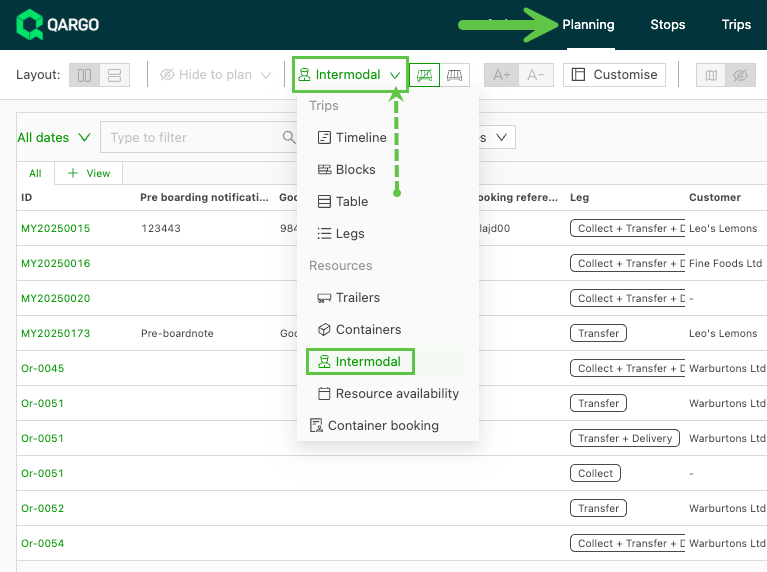
-
This view shows the orders that have been planned with an intermodal connection
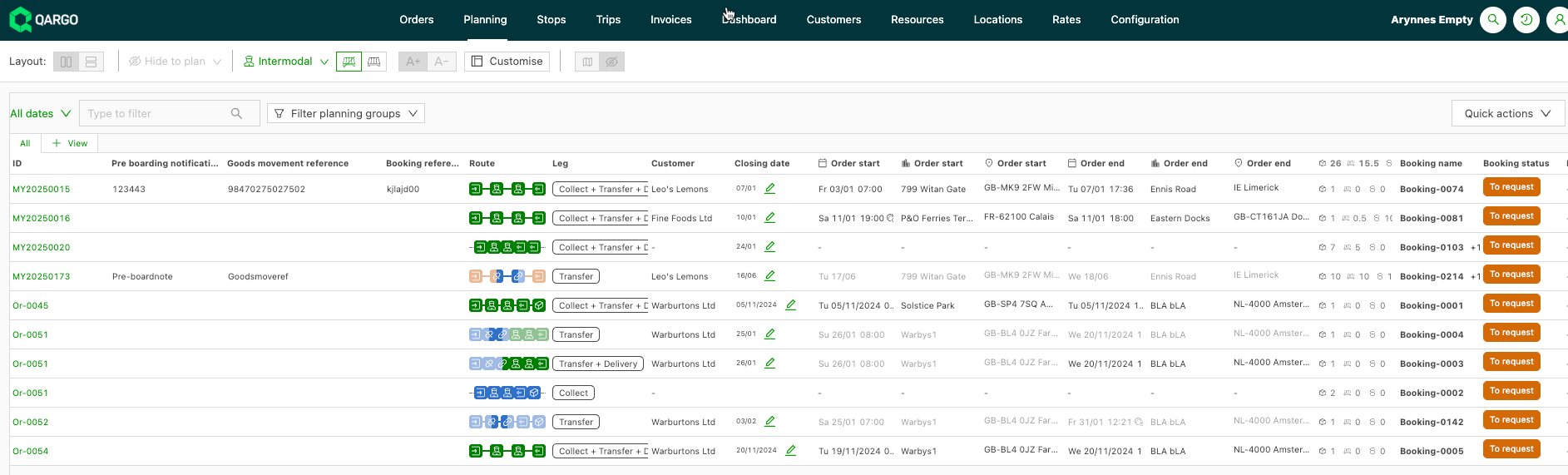
 = Accompanied load: the driver stays with the vehicle during the intermodal component of the load.
 = Unaccompanied load: freight is loaded for transport without the driver, i.e., a container at a terminal for transport.
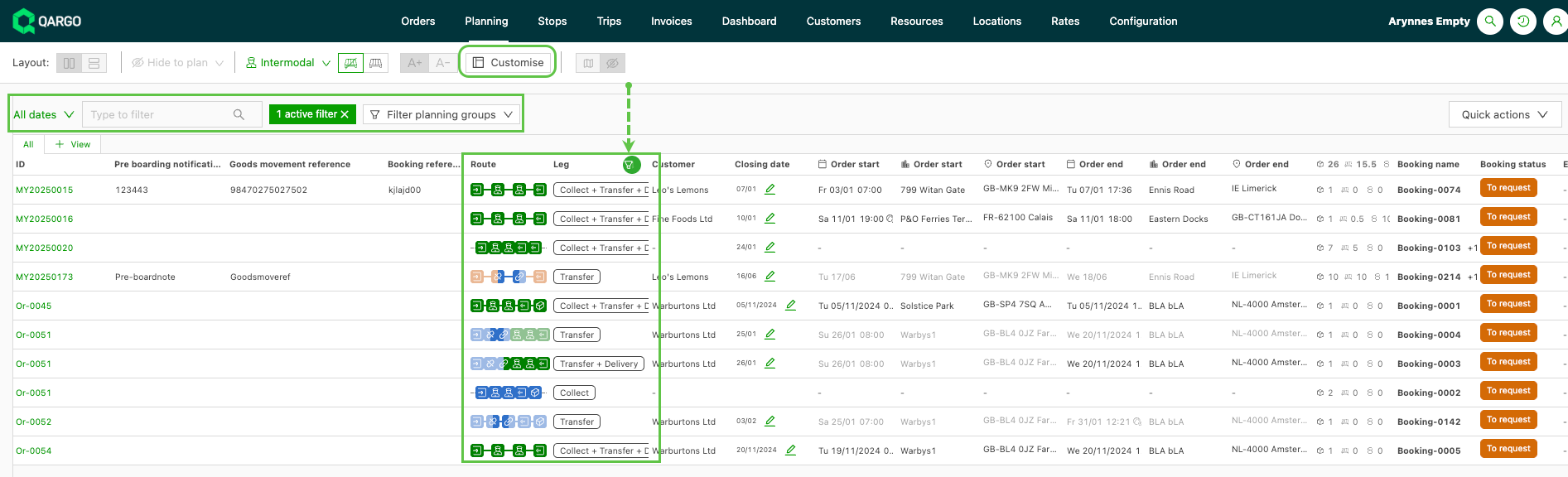
- The status and route can be tracked, and the view can be customized
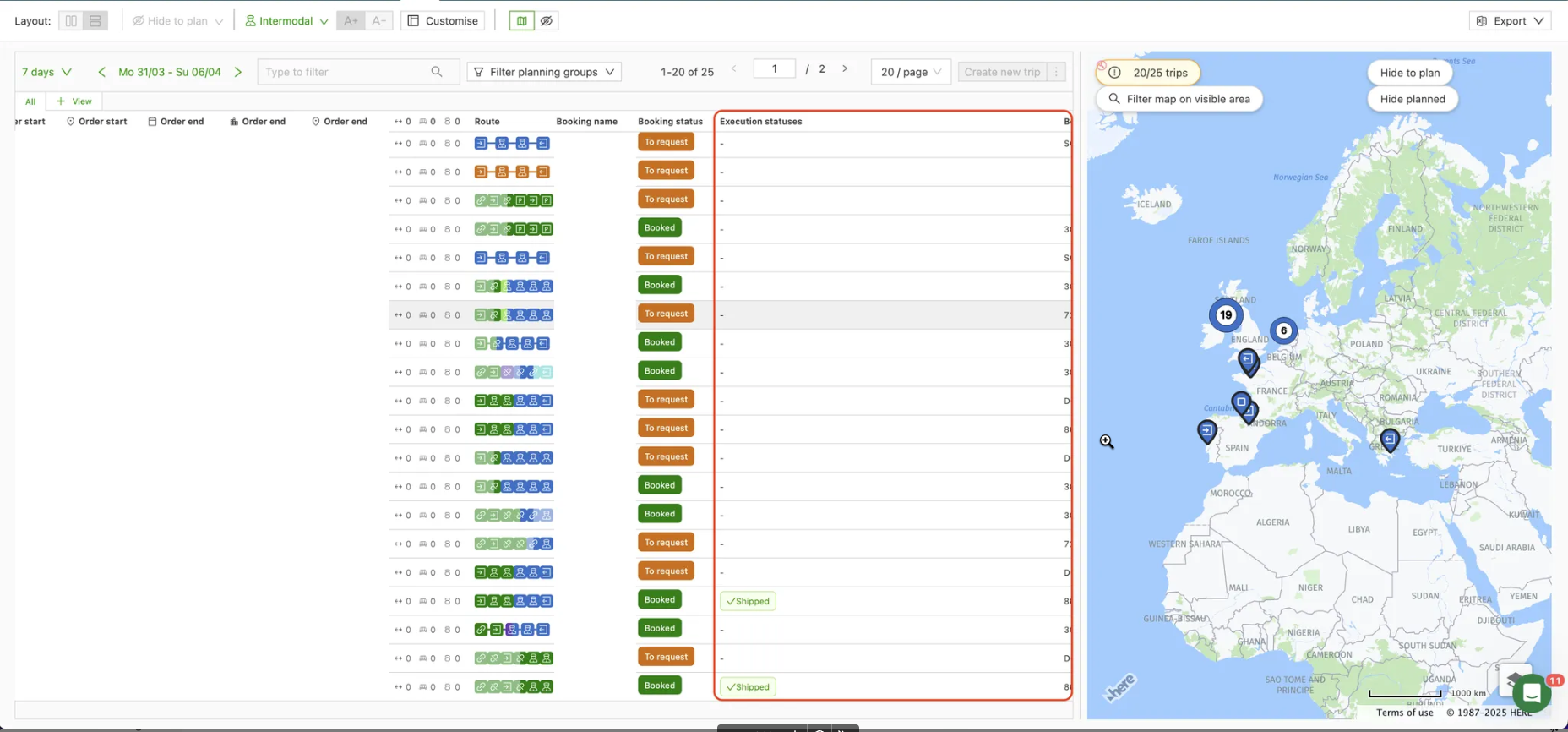
Operational statuses
The column showing the operations status on intermodal bookings gives improved clarity of status for this portion of a load. When using the Intermodal view on the Planning tab, the Operations statuses column can be moved by dragging to suit user preference. This feature offers improved visibility post-booking, detailing the ferry status from departure to arrival.
The status will also display in the order and load details, under the Booking panel.
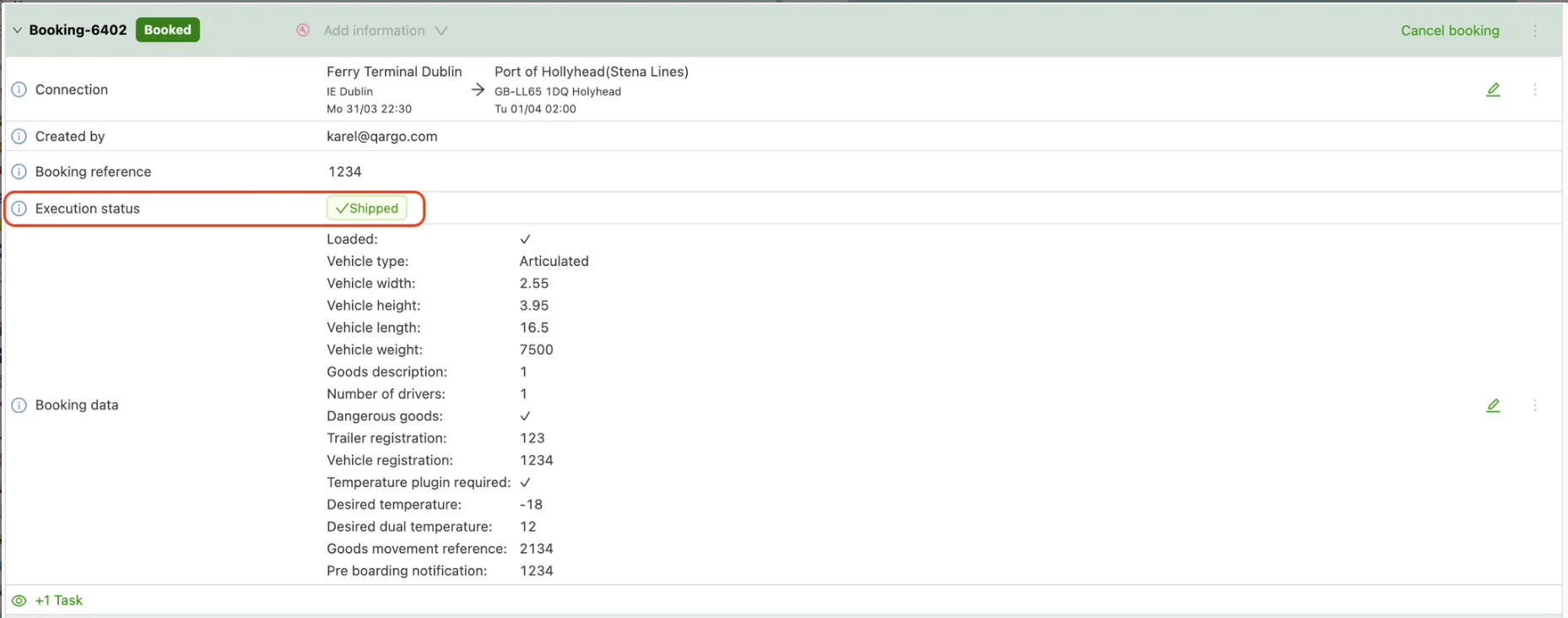
Status updates are synced back at 5-minute intervals from the intermodal operators Stena Line and Irish Ferries. Supported statuses include ‘Checkedin / Confirmed / Shipped’.
Editing connections
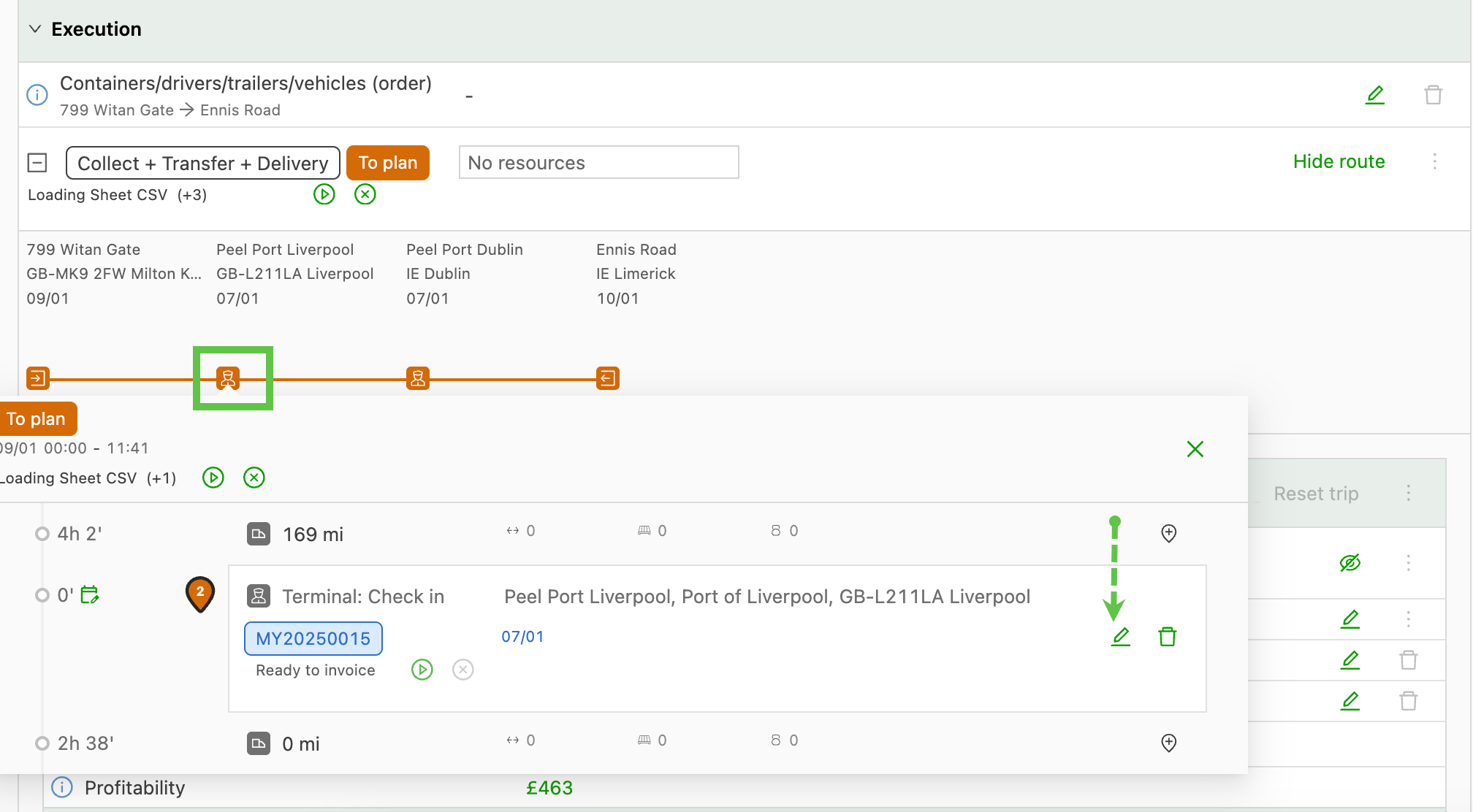
If the order has been built and the intermodal operator needs to be updated, click the icon to open the stop, or use Show route to show all stops and click the Edit icon on the first stop of the connection.
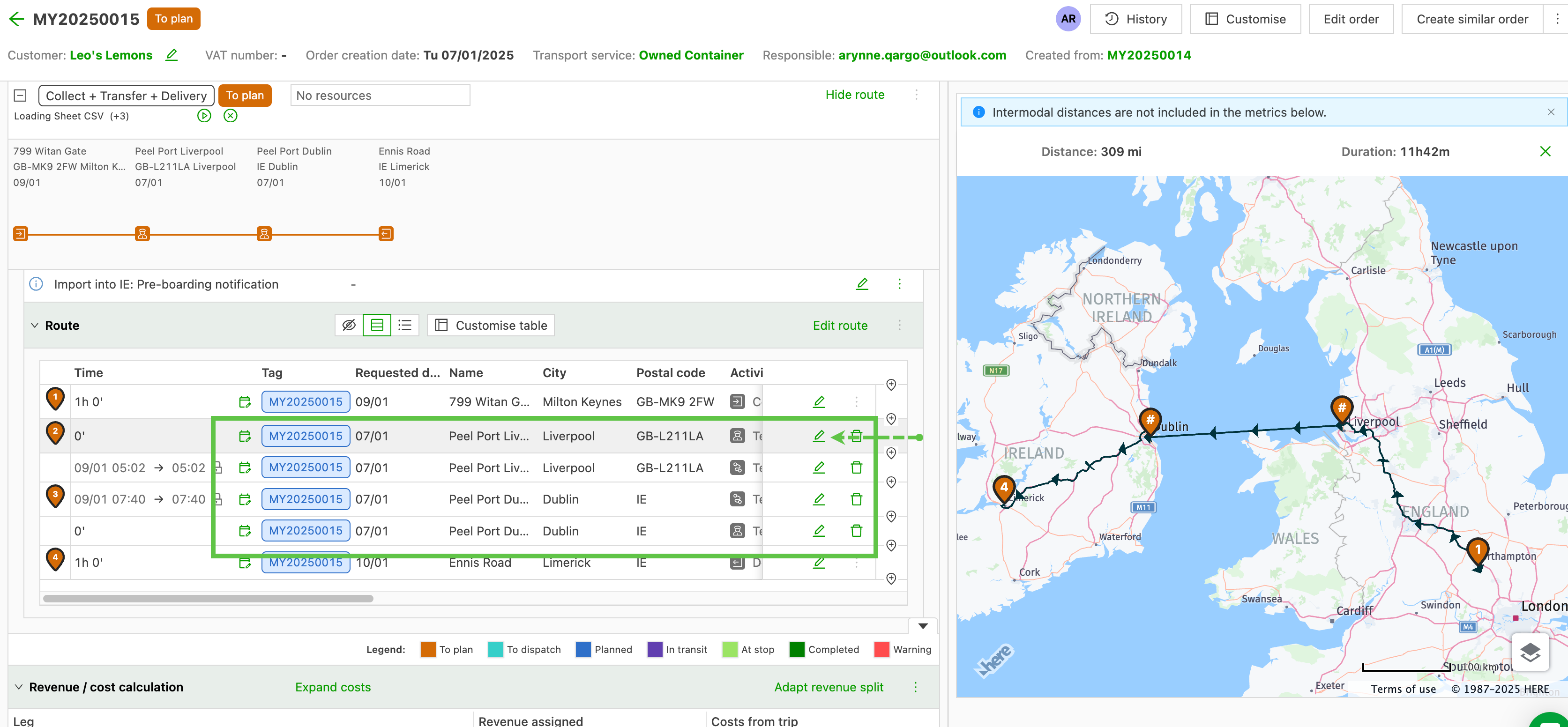
This will open the Edit connection screen. Click the Connection field and search for the new intermodal operator that needs to be added to the order.
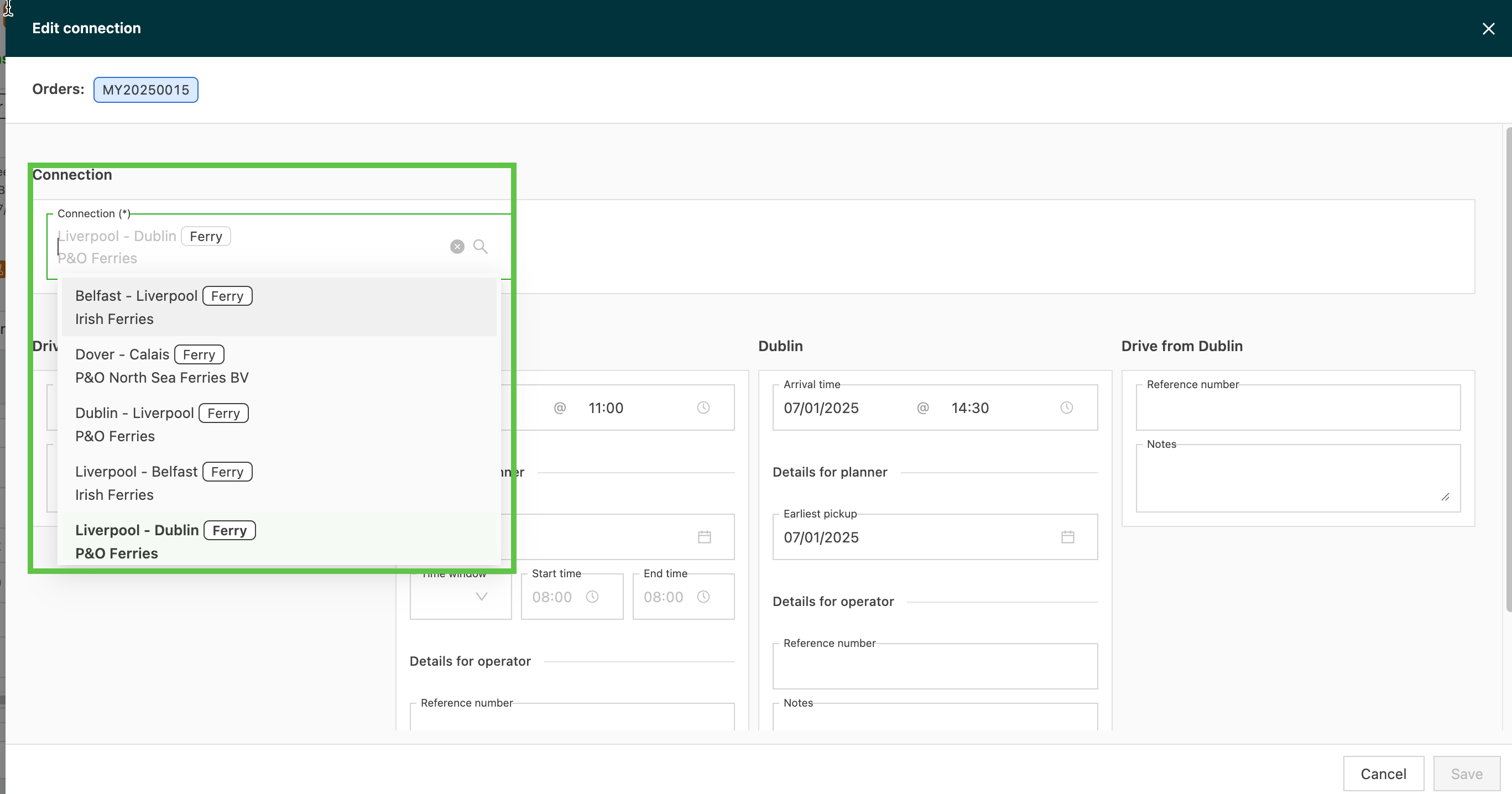
If the operator has been added with a schedule, the option to update the schedule will be shown. Select the new schedule and the booking date; the appointment times for the new departure and arrival stops will prefill automatically.