
Orders: display additional resources.
This article highlights the update to customize the order overview to show secondary resources allocated to an order or load.
It is now possible to see secondary resources that are allocated to either an order or a load directly from the order view.
- The Container/Trailer column has been adapted to show both Order (top row) and Load resource (bottom row) allocations.
- Secondary resources can be viewed and assigned from the overview.
To view these in the order or load views, toggle on the option via the Edit columns button.
- Secondary resources must be configured for these options to appear in Edit columns.
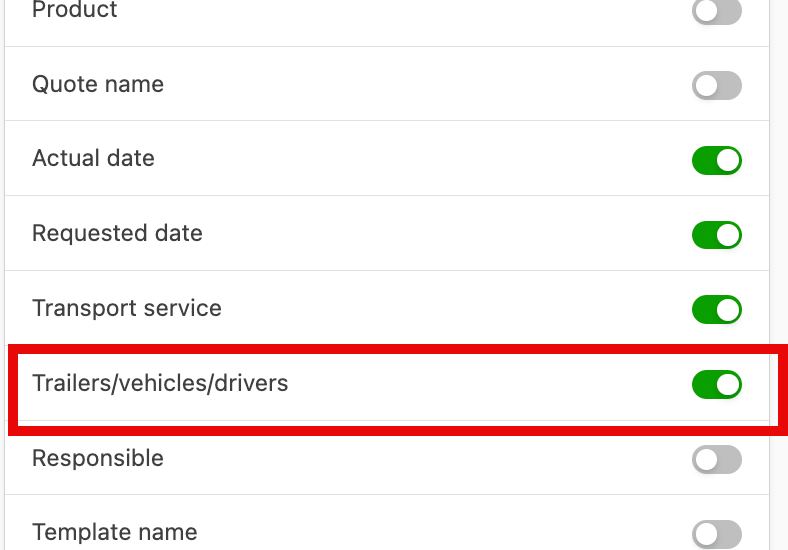
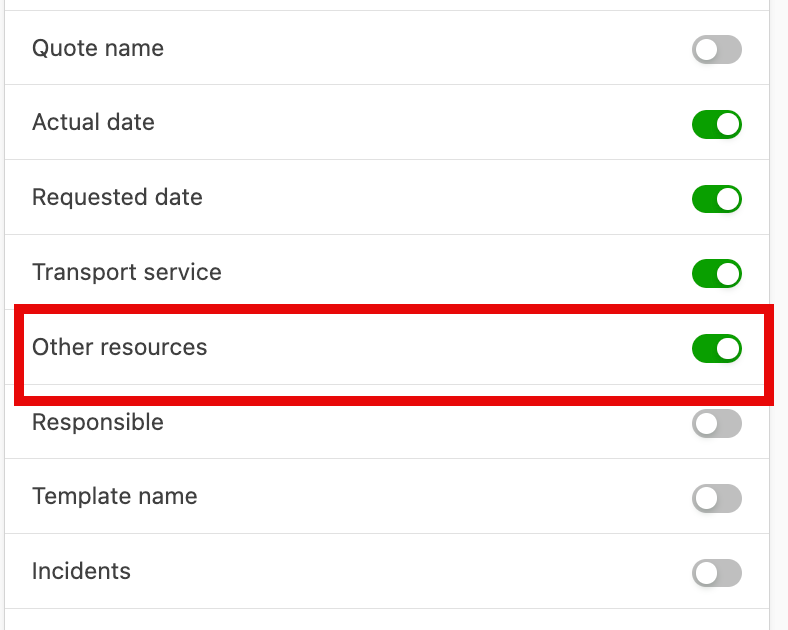
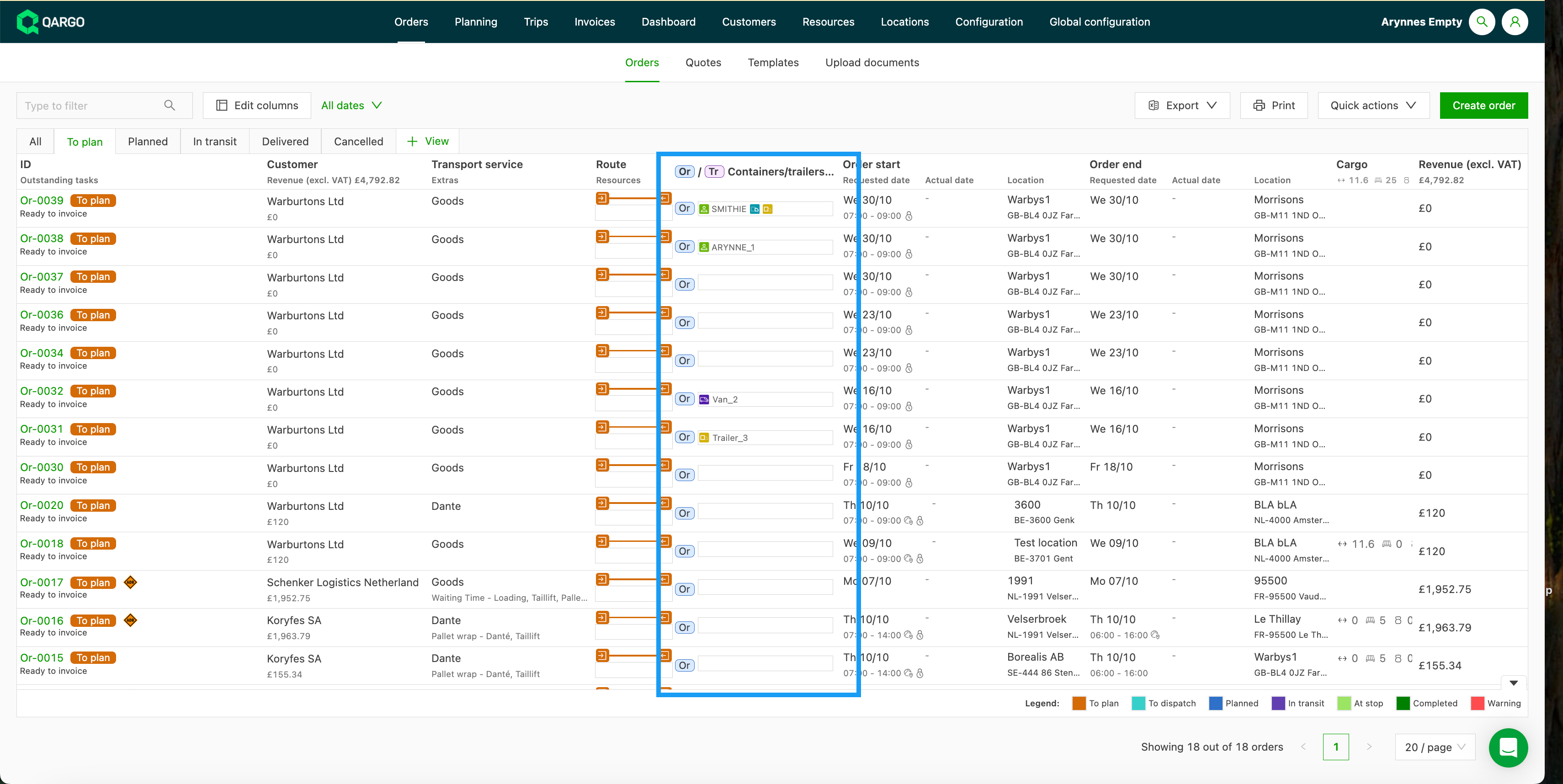
- Once the option is toggled on, a new column is displayed on the order overview screen.
-
Resources assigned at the order level show in the Or fields.
- It is possible to allocate a resource directly to the order from this field.
- If the resource is assigned on the order, it remains visible in the Or field once the order is planned.
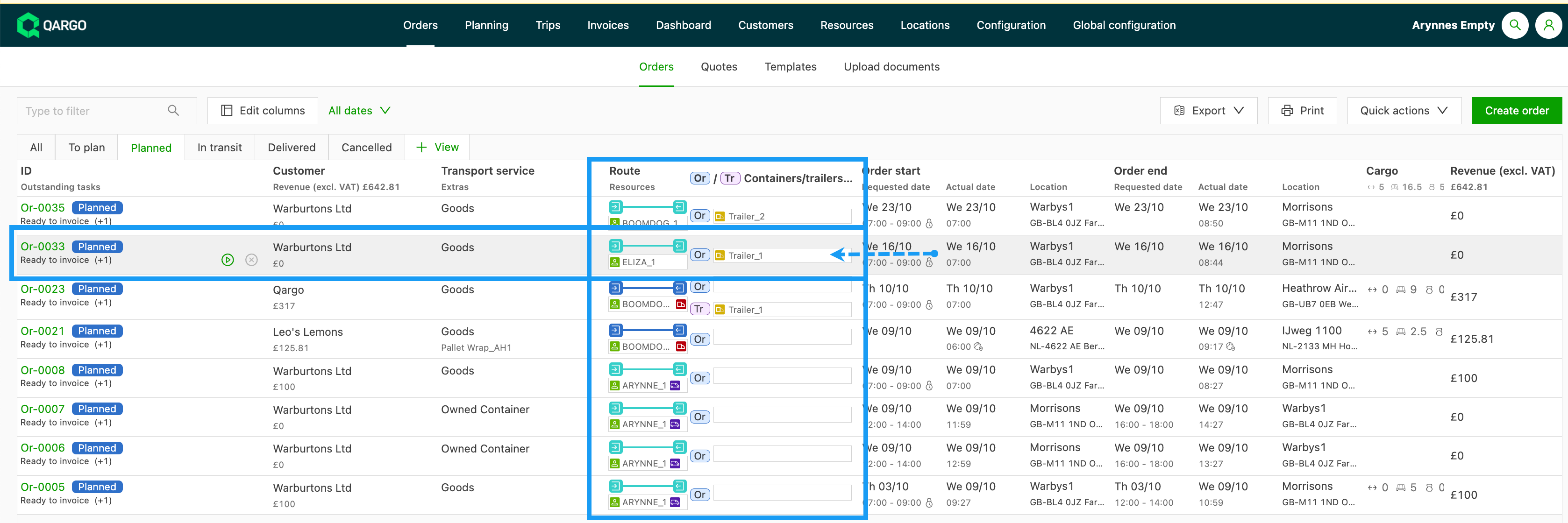
- If a resource has been assigned to a load, it shows in the Tr field. It is also possible to assign or update resources directly from this field.