Customer profiles: an overview.
This article gives a high-level overview of the customer profile, section by section.
Table of contents
When creating a new customer, the screen and required (*) information are the same, whether the customer is created on the fly during order capture or when onboarding a new client.
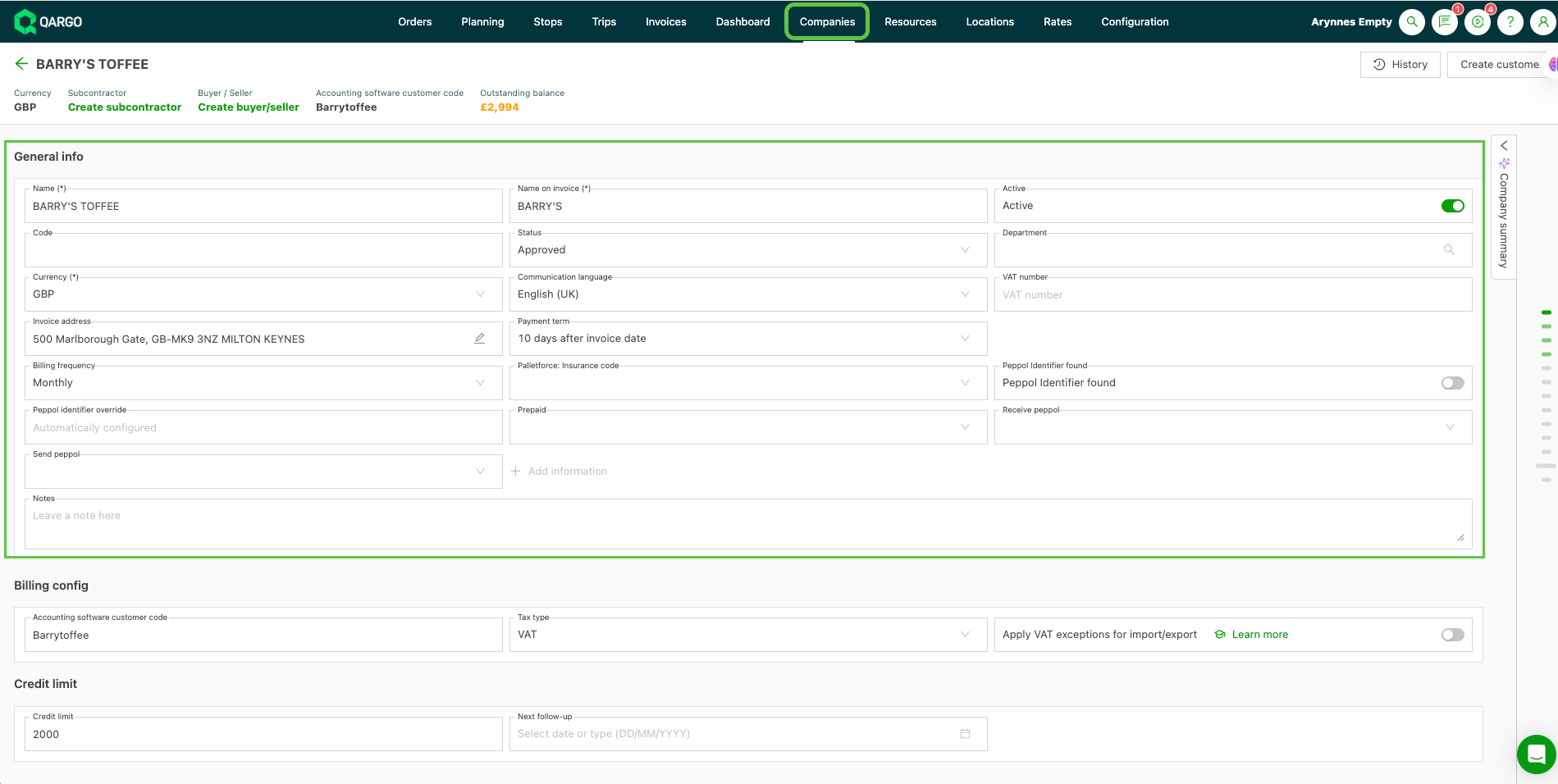
General information.
This is general information about the customer. Name(*) and Name on invoice (*) are both required. This makes it possible to enter a specific billing name if the customer needs to be invoiced differently.
Contacts / Order defaults / Customer-specific rate cards
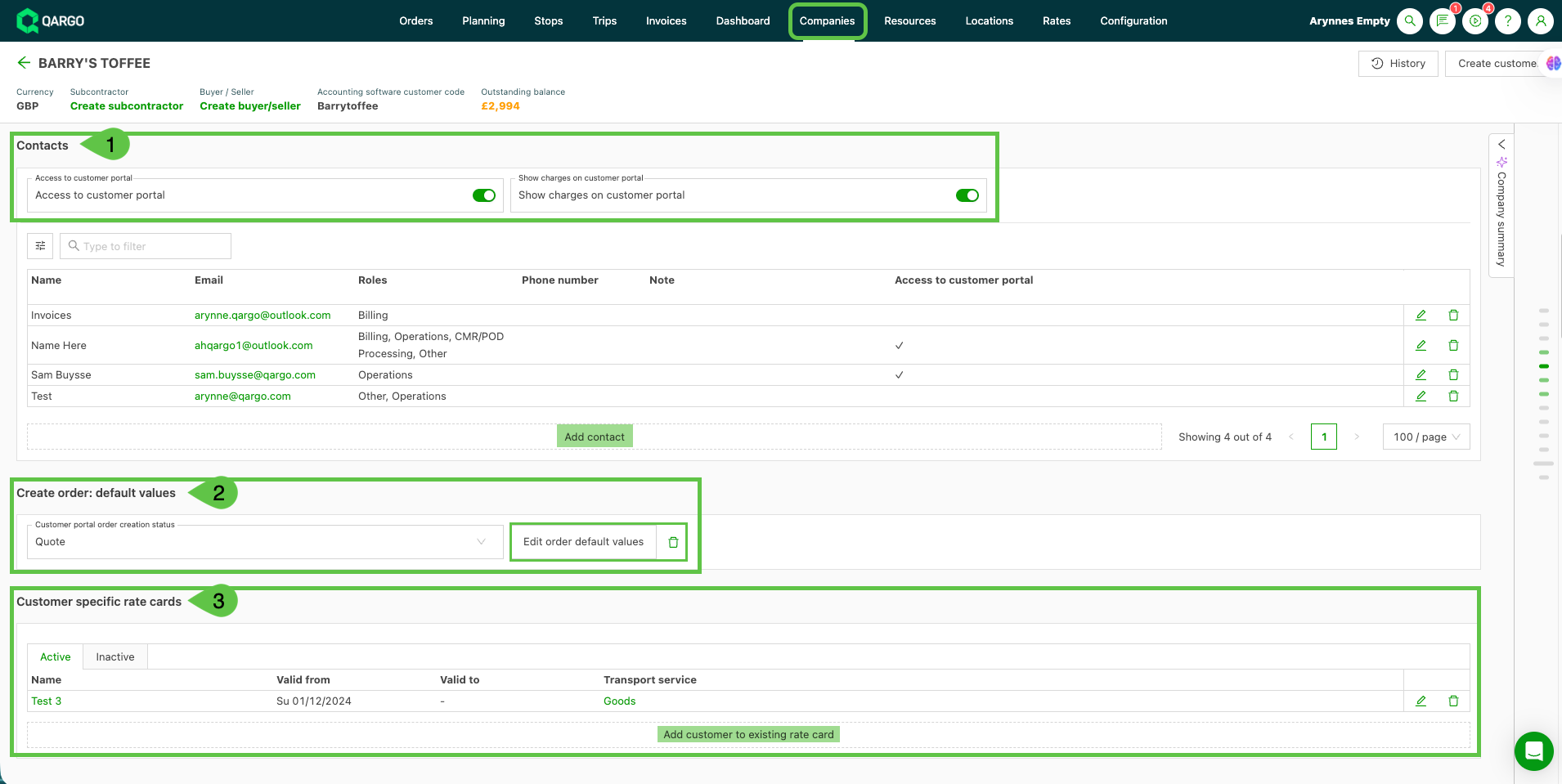
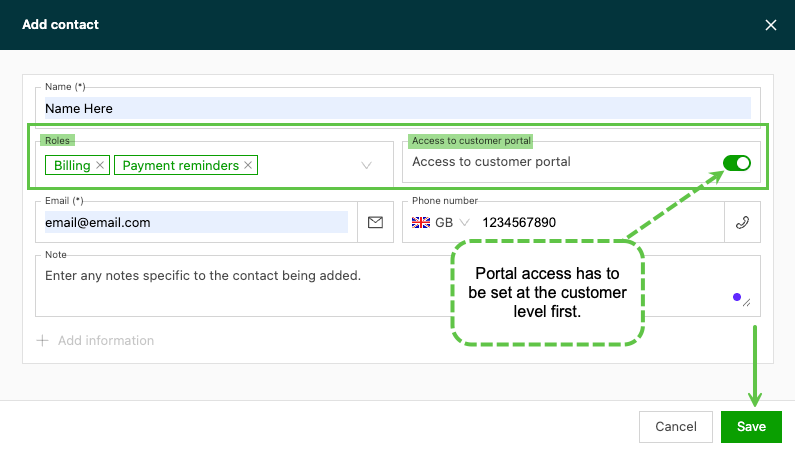
1. Contacts is where individuals within the customer’s organization are added. Each contact is assigned to a role. Once the contact’s email is added, it can be used on orders to send emails to that contact only, if required. This is useful when there are multiple contacts in the same role but only one contact is typically dealt with.
- Click Add a contact and add the contact’s details, including access to the customer portal if required.
2. Create order: default values can be used if the customer consistently has the same requirements on their orders (e.g., pickup / delivery locations / freight information / extras). The requirements can be set up as defaults, so they are added automatically each time an order is created for this customer.
Once the defaults have been saved to the customer record, they are pre-filled the next time an order is created for that customer.
3. Customer-specific rate cards make it possible to save agreed rates against the customer, so the agreed transport charges and any surcharges or extras are calculated automatically each time a new order is created.
Documents, tasks and orders.
Document is where copies of anything that should stay associated with the customer profile are added, e.g., permits, location details, etc.
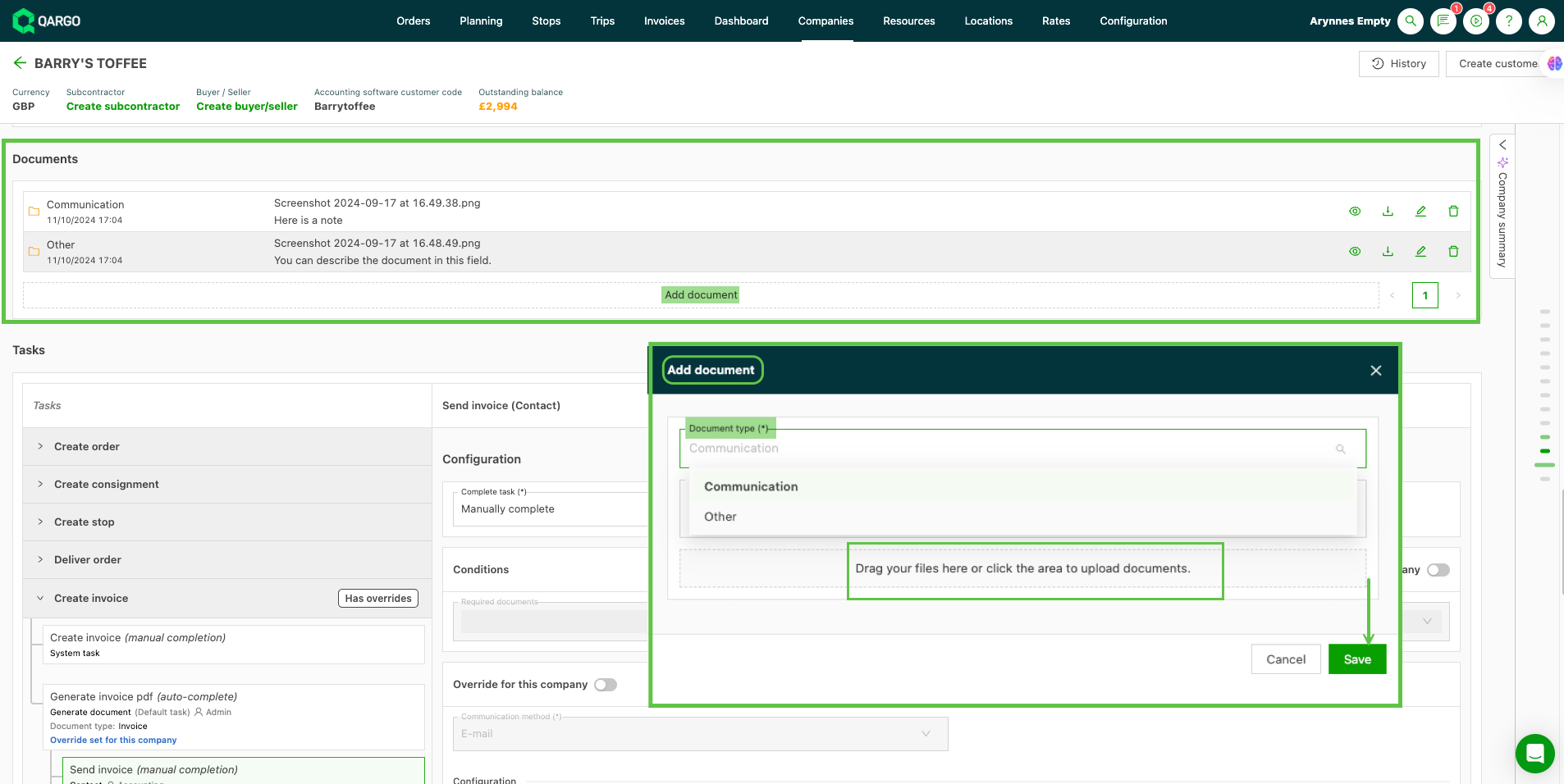
- Select the document type from the drop-down and provide any further details in the Description box. Uploading a copy of the document is required.
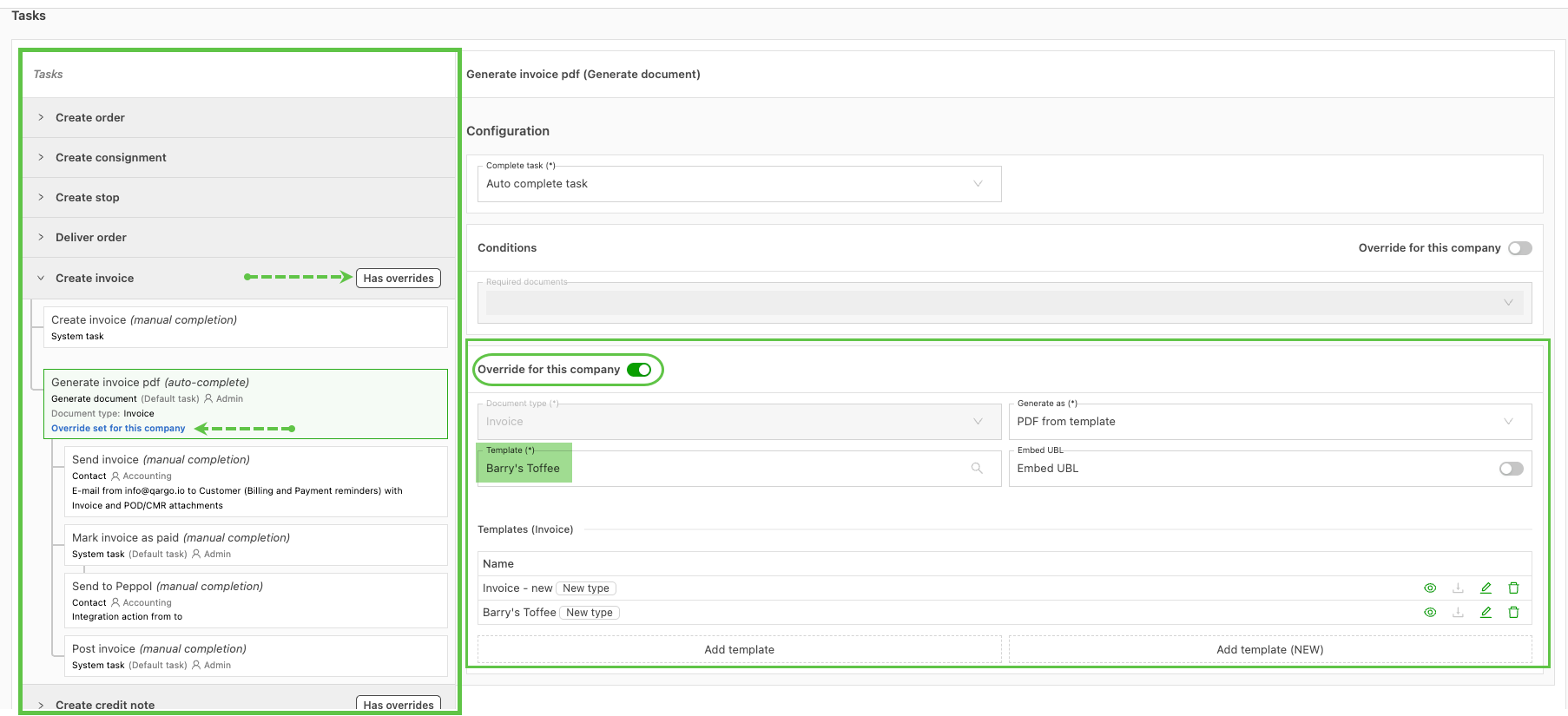
Tasks are the specific workflow for each step of the operating procedure. They cover each step of the process, from quote / order through to invoice.
- General standards are configured as part of the original tenant setup.
- Customers that need something different can use an override feature.
- Clicking > opens the configuration, showing the individual tasks associated with each stage.
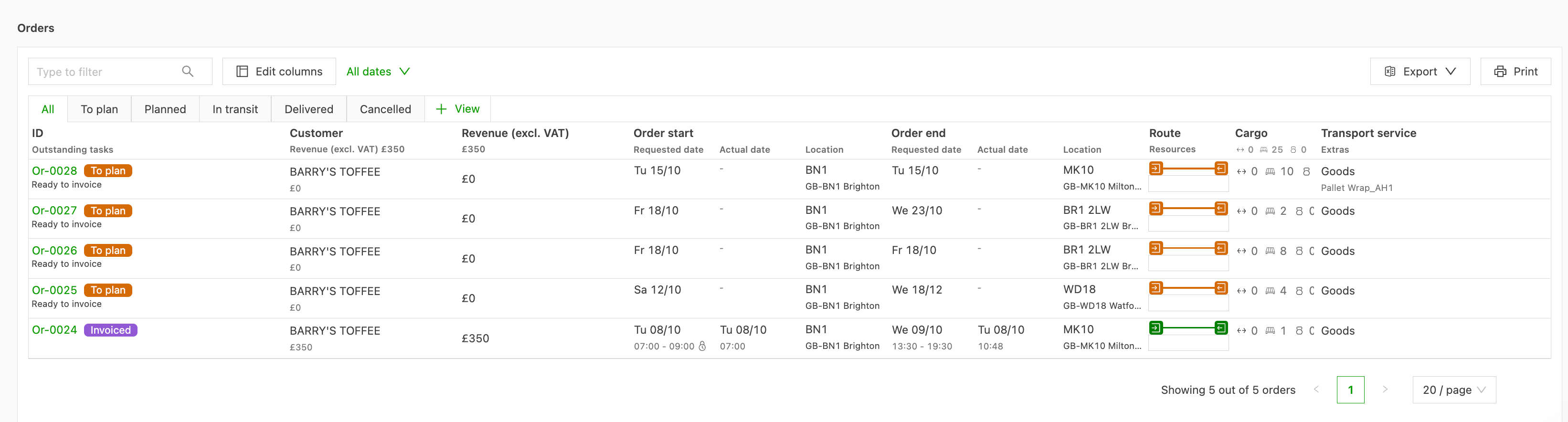
Orders are shown at the bottom of the profile. As the order progresses to invoiced, the status updates as well. The order / invoice can be opened as needed.