
New order field for contact emails
This article outlines a new order field that can be configured to allow a task to be emailed to a specific contact within a company.
Table of contents
Sometimes sending emails to a dedicated role in a company (e.g., Operations) is not suitable. In some cases, not every user in that department (role) handles every aspect of each order.
A new field on the order page lets the user enter a specific Order contact to be used for contact tasks on a related order, shipment or stop. With this new field, a specific contact at the customer can receive the email task directly.
To activate this option:
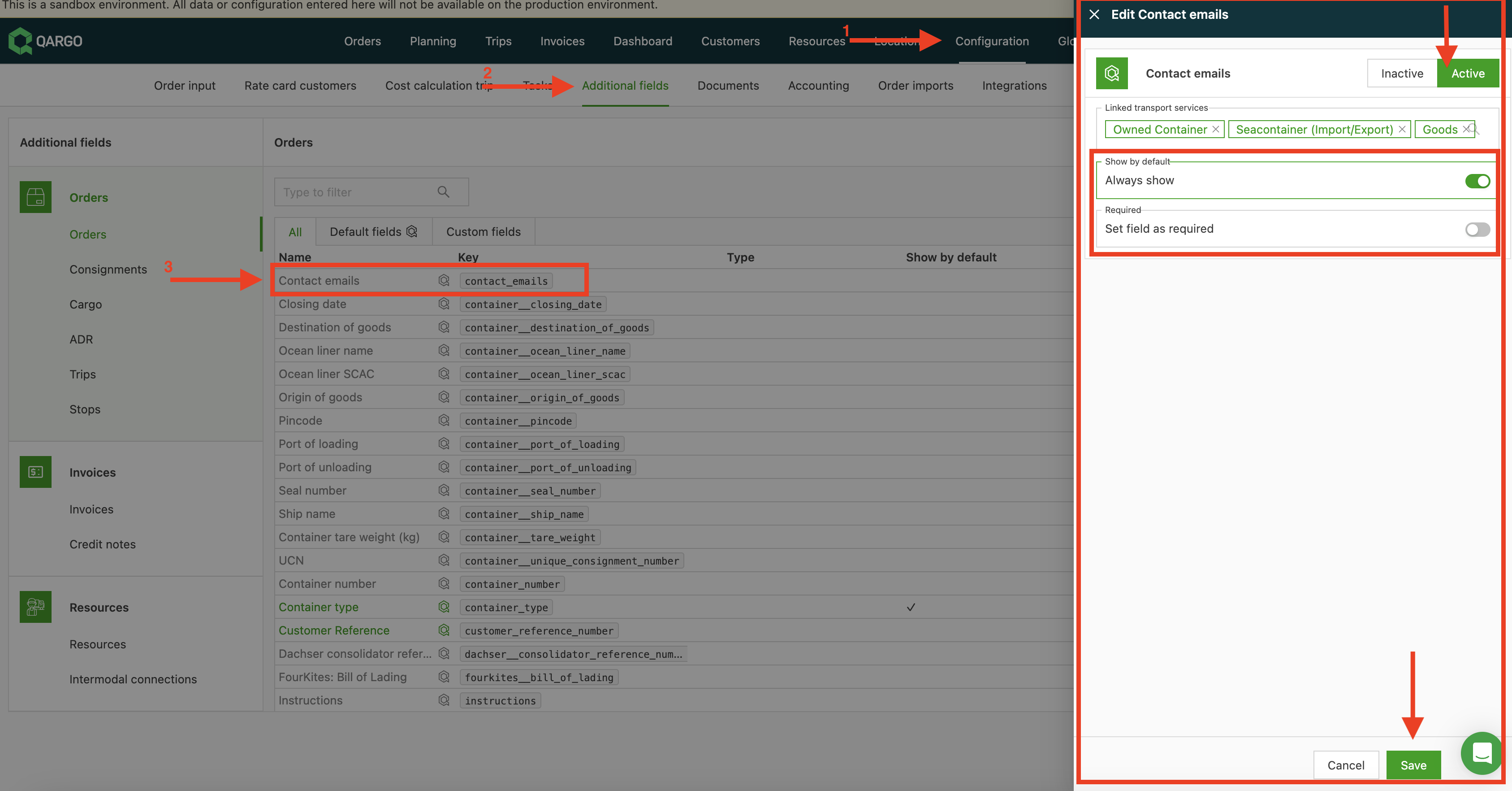
- Go to the Configuration tab.
- Select Additional fields > Orders.
- Select Contact emails. Click the pencil icon to edit the settings.
- This opens the Edit contact emails panel.
- Select Active to enable the field.
- Then choose whether this field is Always shown and/or Required.
- Use the toggle to set the preferences and click Save.
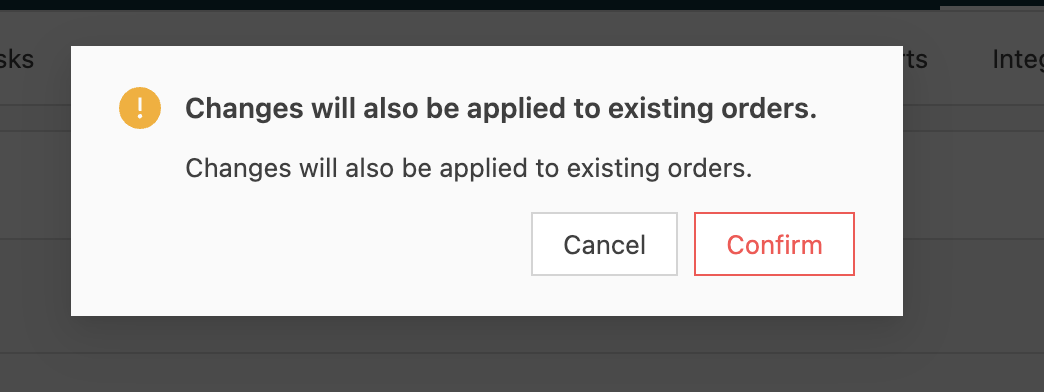
A confirmation window opens, showing that this field will be enabled on all existing orders.
Click Confirm.
Configure tasks
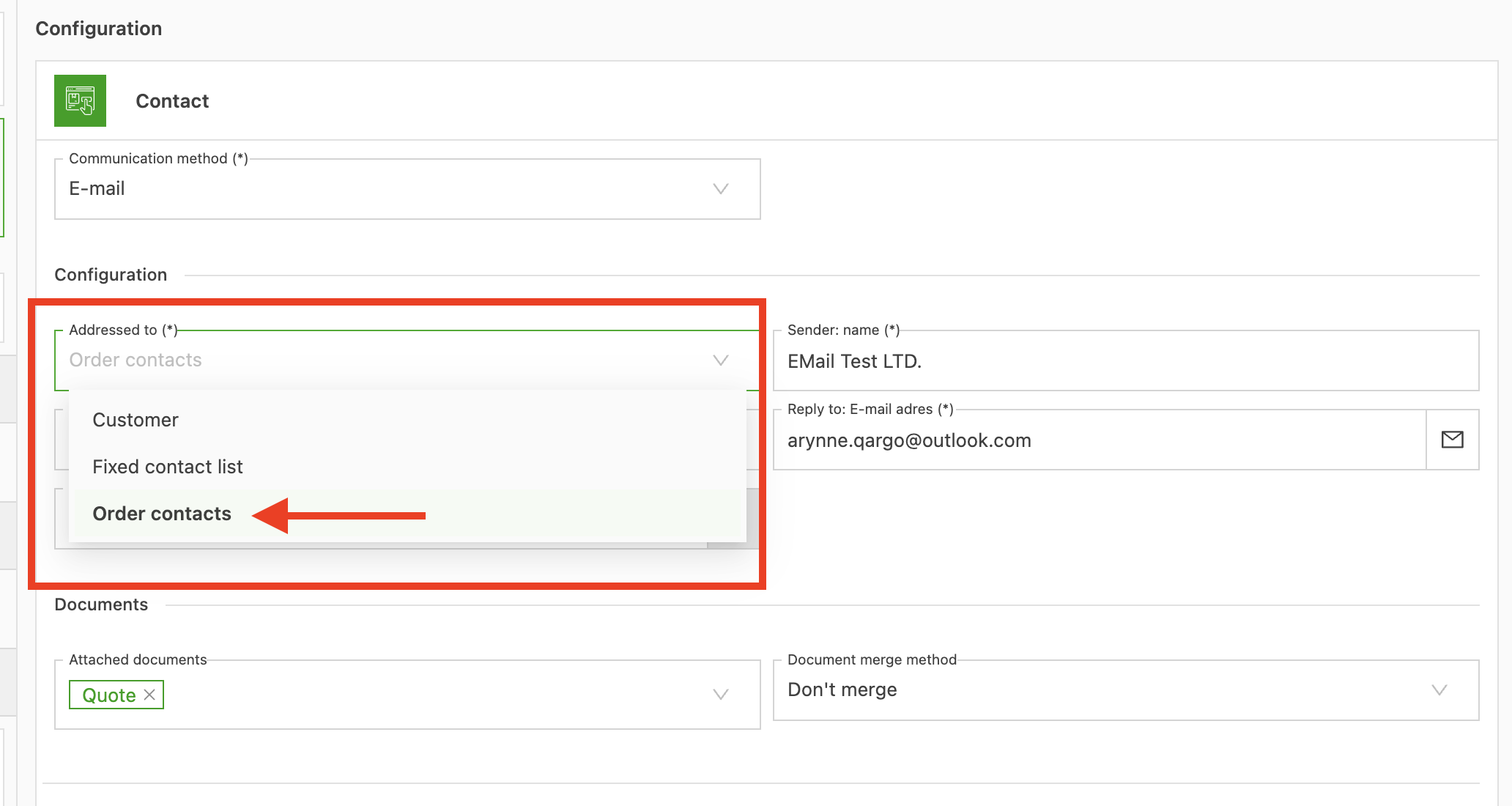
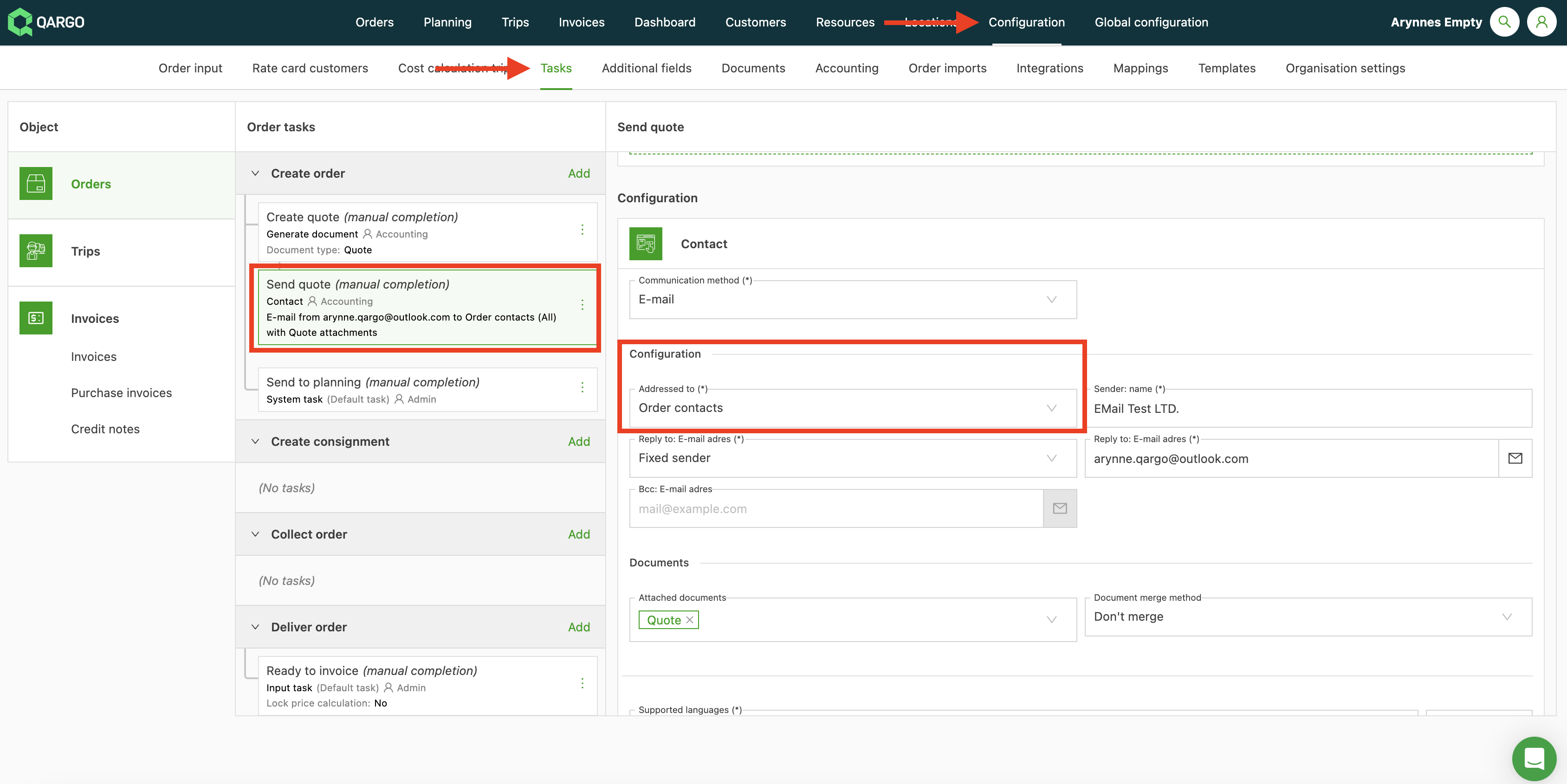
Update existing tasks, or create new ones, that should be sent directly to the order contact.
In the Addressed to field, select Order contacts.
Add configuration for sending email to multiple recipients.
A new option has been added to configure how emails to multiple recipients are sent. A separate email can be sent to each recipient (the previous behavior and also the default), or a single email can be sent to multiple recipients.
By default, a separate email is sent to each user. To send one email to multiple users instead, change this in Configuration > Task settings. All users are then included in the TO: address line.
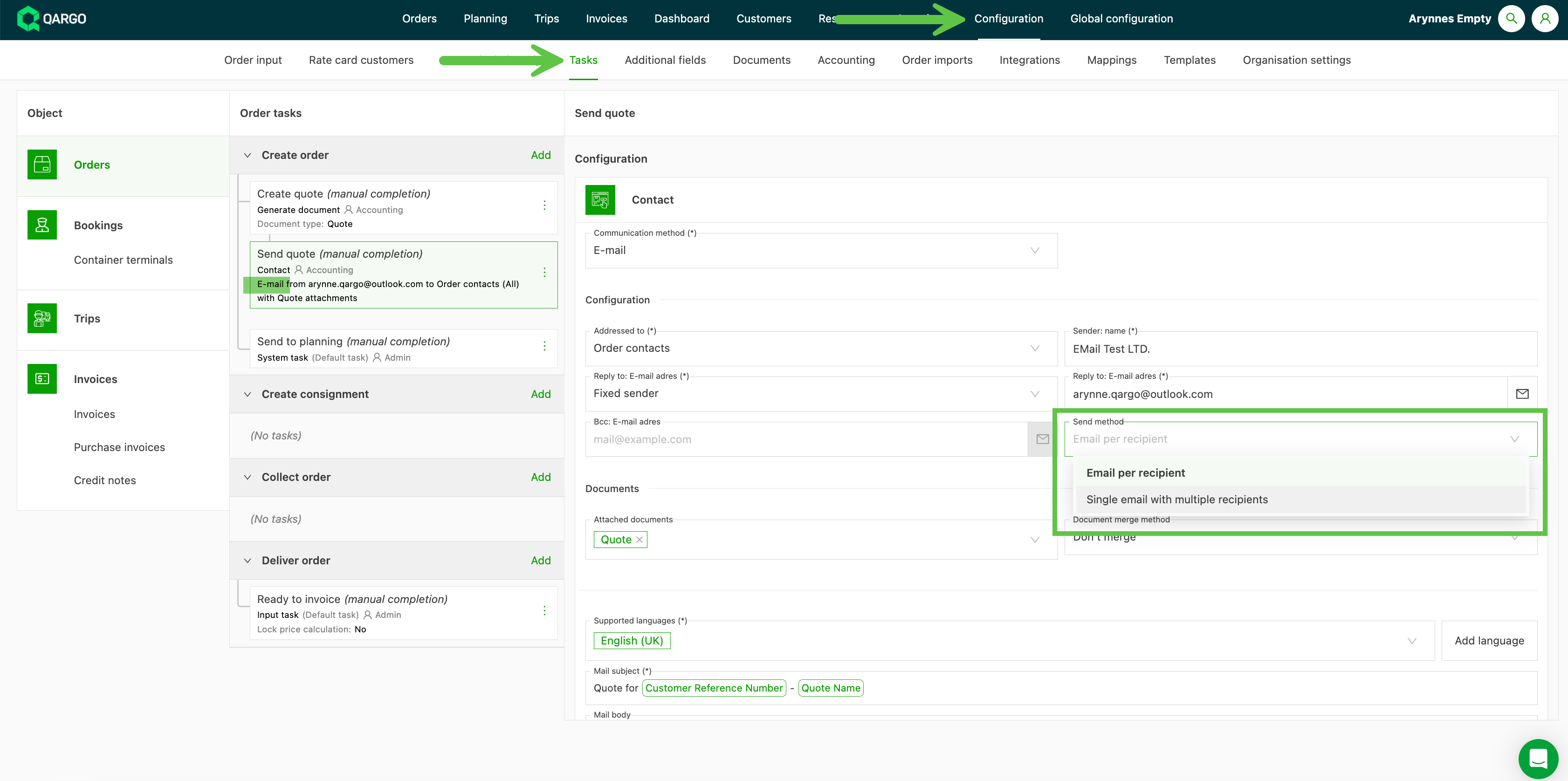
The task is completed and emailed based on the selected order contacts.
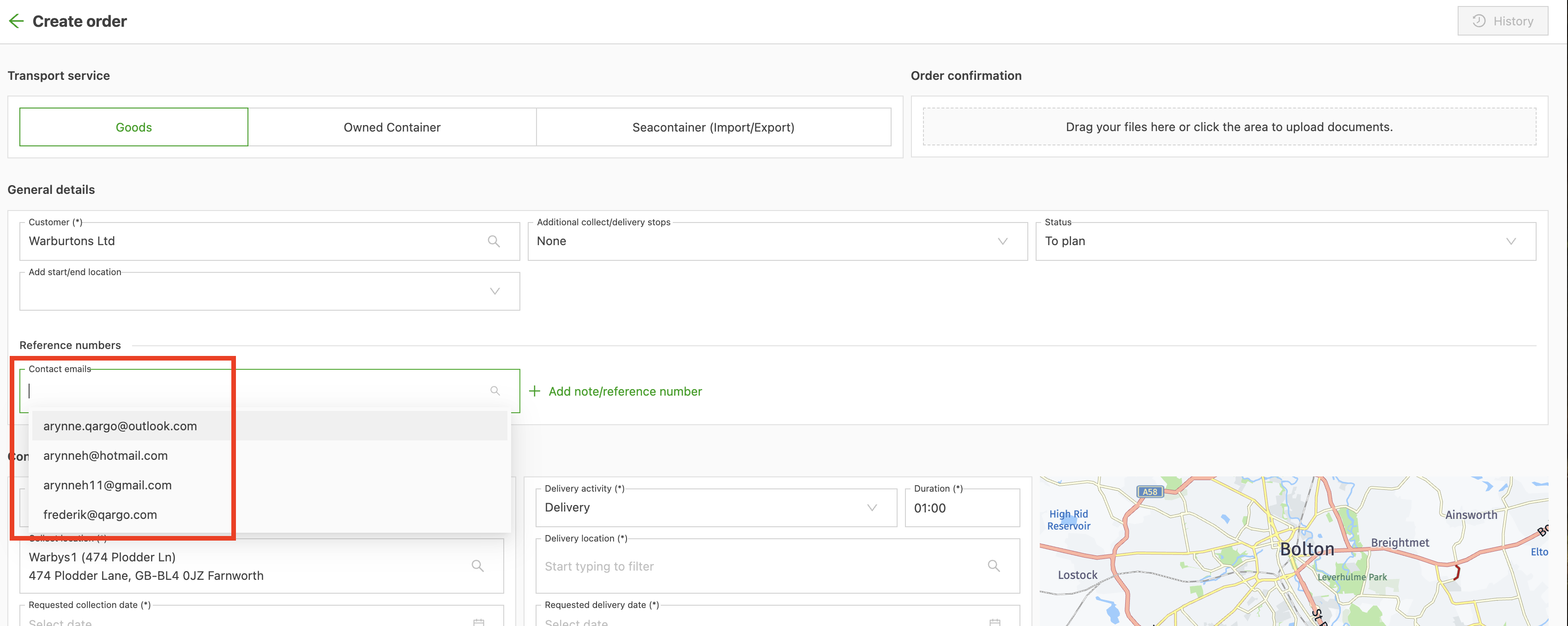
Adding users to the order.
Select from any contacts saved to the customer.
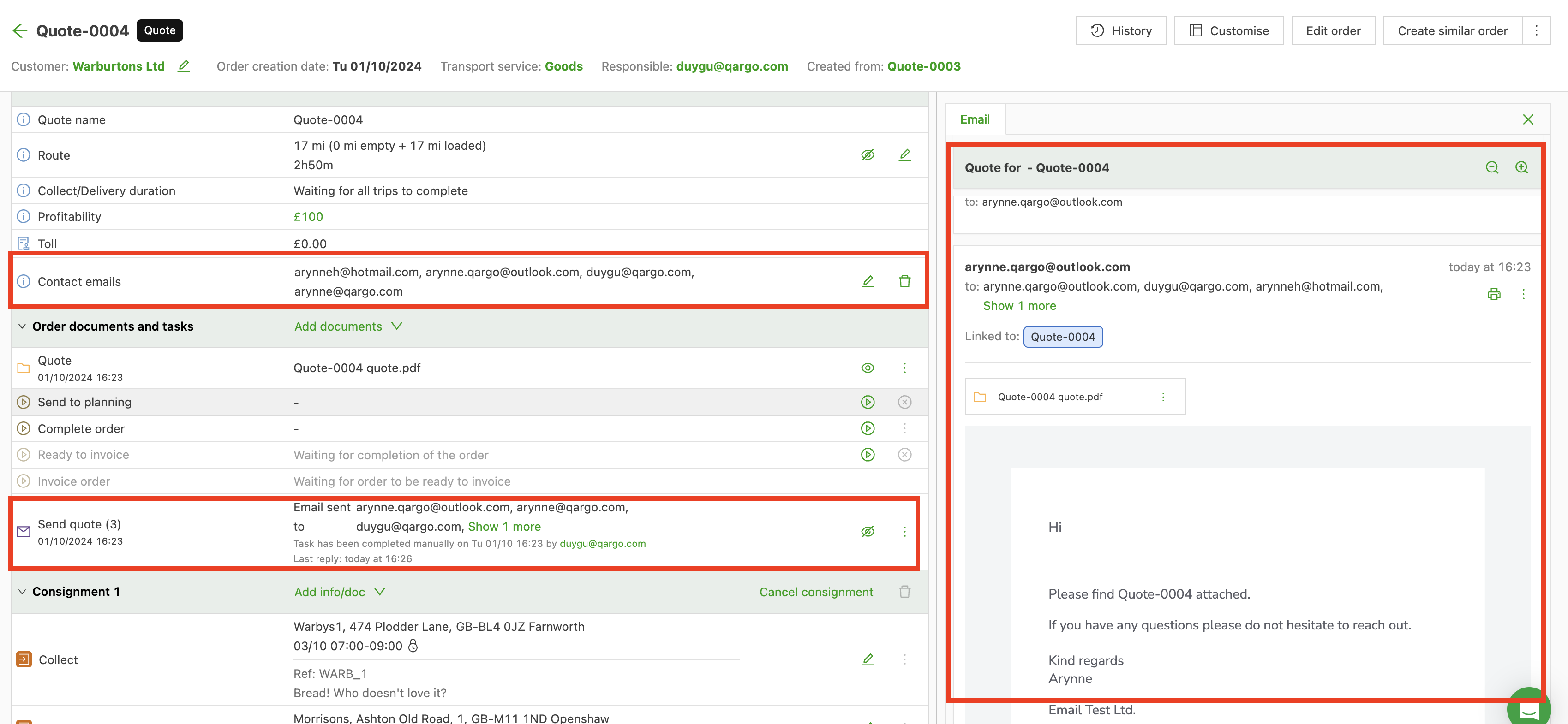
With the task configured, the individual contact emails are used to complete the tasks.
Tip:
Emails can be linked directly to quotes and orders using Qargo Email Intelligence.