
Carrier portal: document configuration
This article shows how the Qargo customer configures which documents are available to contract carriers in the portal.
Load sheet access: Every load on the carrier portal automatically has a load sheet. This gives contract carriers immediate access to crucial load details.
Qargo users can also customize which documents are visible for each stop. To manage this, go to Configurations > Documents > Driver mobile app/carrier portal: documents
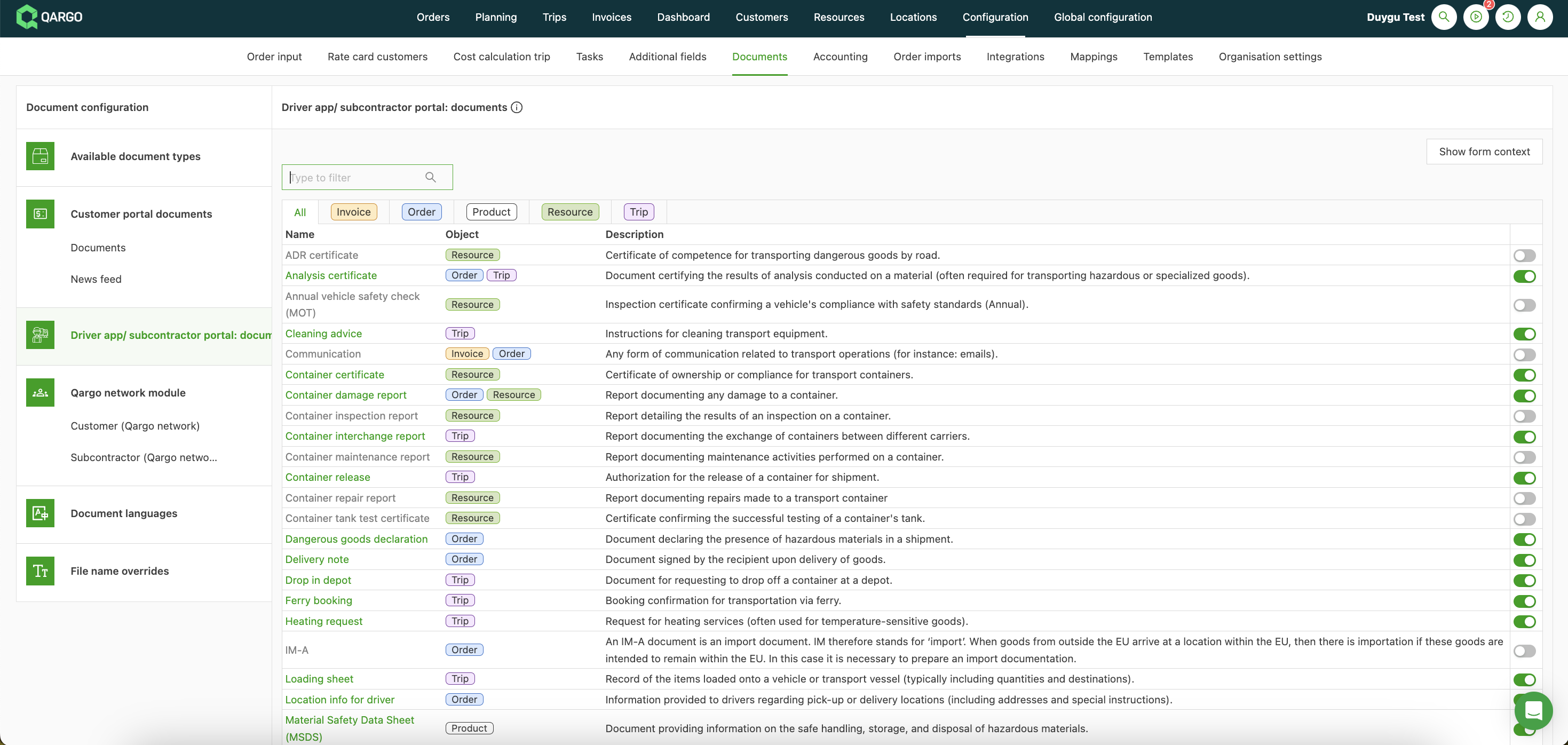
Turn the toggle on or off for each document to control whether contract carriers can see it or upload it.
- Save the changes.
Contract carriers can access the same essential documents as drivers do in the mobile app.
This includes important paperwork attached to orders/loads.
Contract carriers can view, download or print all activated documents within the portal.
This ensures that necessary paperwork is readily available when required.