Carrier portal – access and configuration
Enable seamless communication via the Qargo carrier portal: grant access, assign tasks, and manage loads from dispatch to documentation.
Table of contents
The Qargo carrier portal provides seamless communication between the company and its contract carriers. It supports task management through the life of the load, from dispatch to uploading documentation.
Giving access to contract carriers
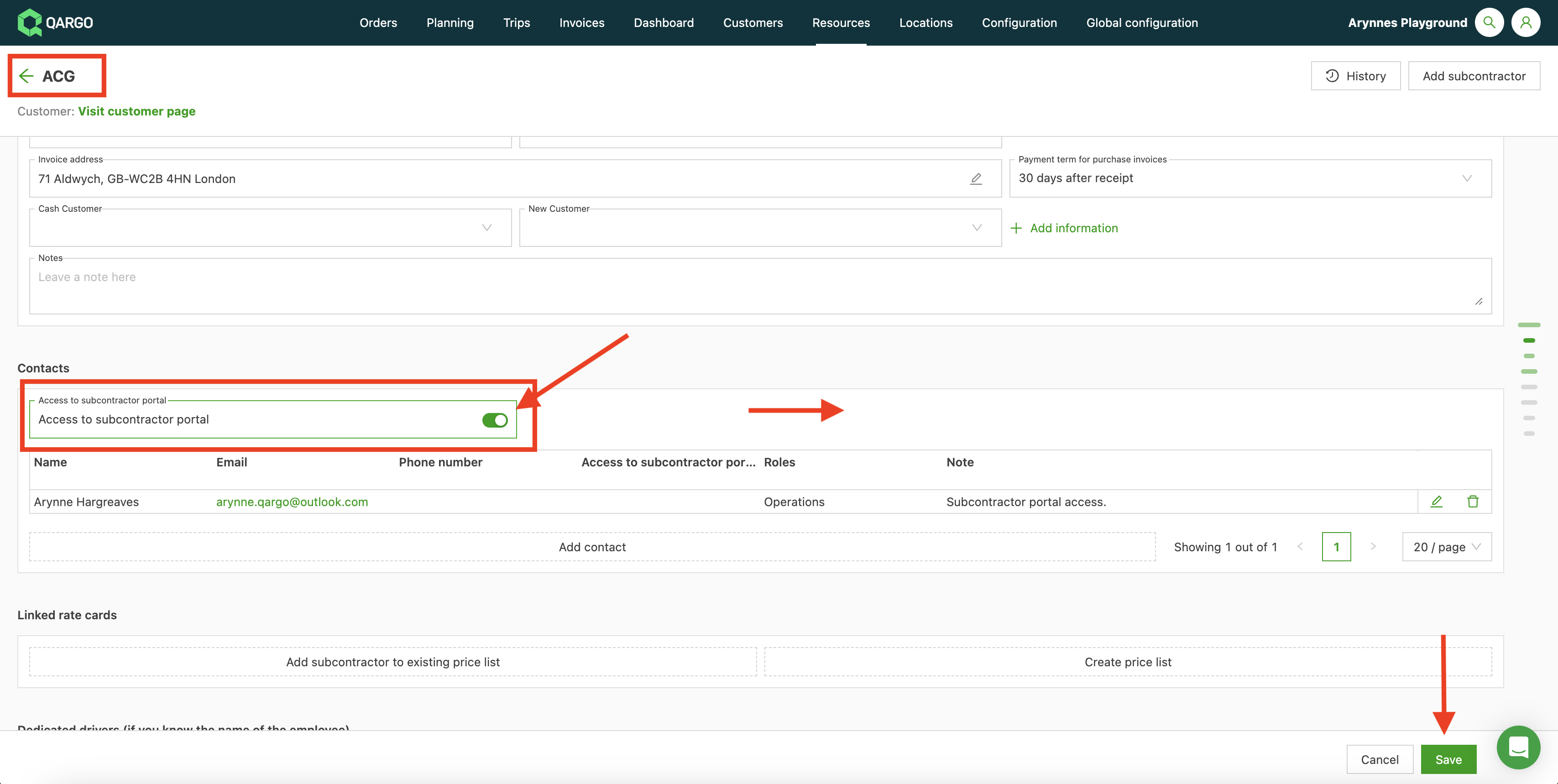
Select the contract carrier (Resources > Contract carriers) and enable carrier portal access on the contract carrier. Save the profile.
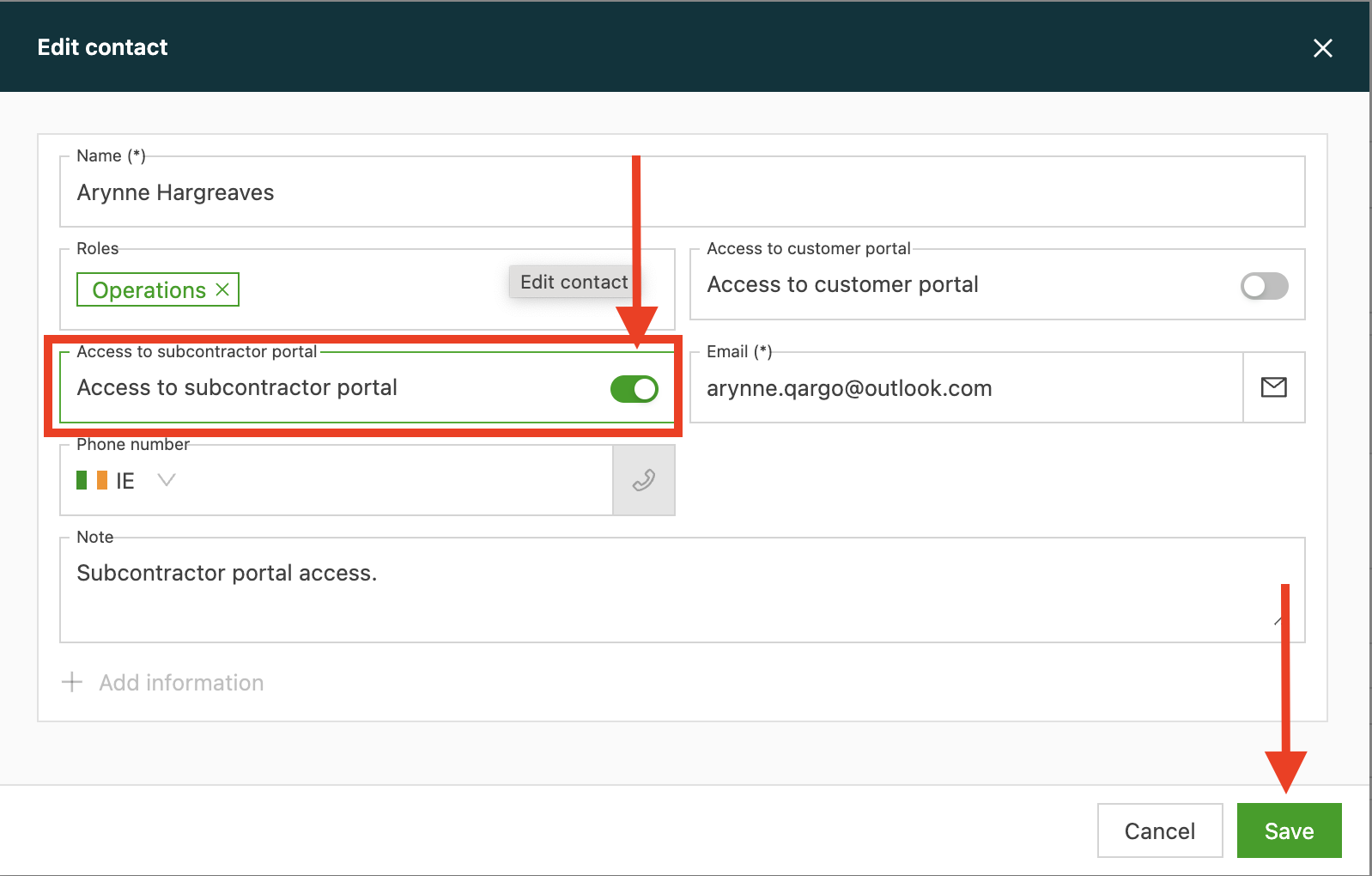
Add a contact or edit an existing contact, then switch the toggle on to enable carrier portal access. Save the contact.

Tasks
The Dispatch task must be created to make loads visible on the carrier portal.
This task can be created at the contract carrier level. If dedicated resources (drivers / vehicles) are used, these can also be added.
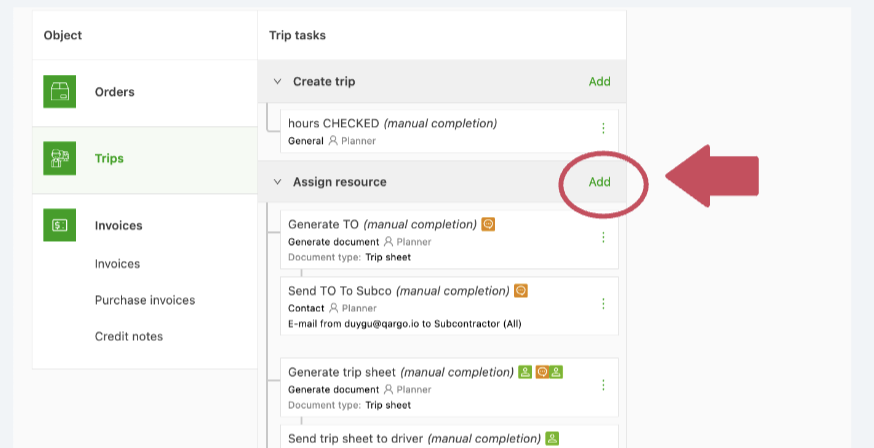
Navigate to Configuration > Tasks > Loads
Click the add button on the “Assign resource” line
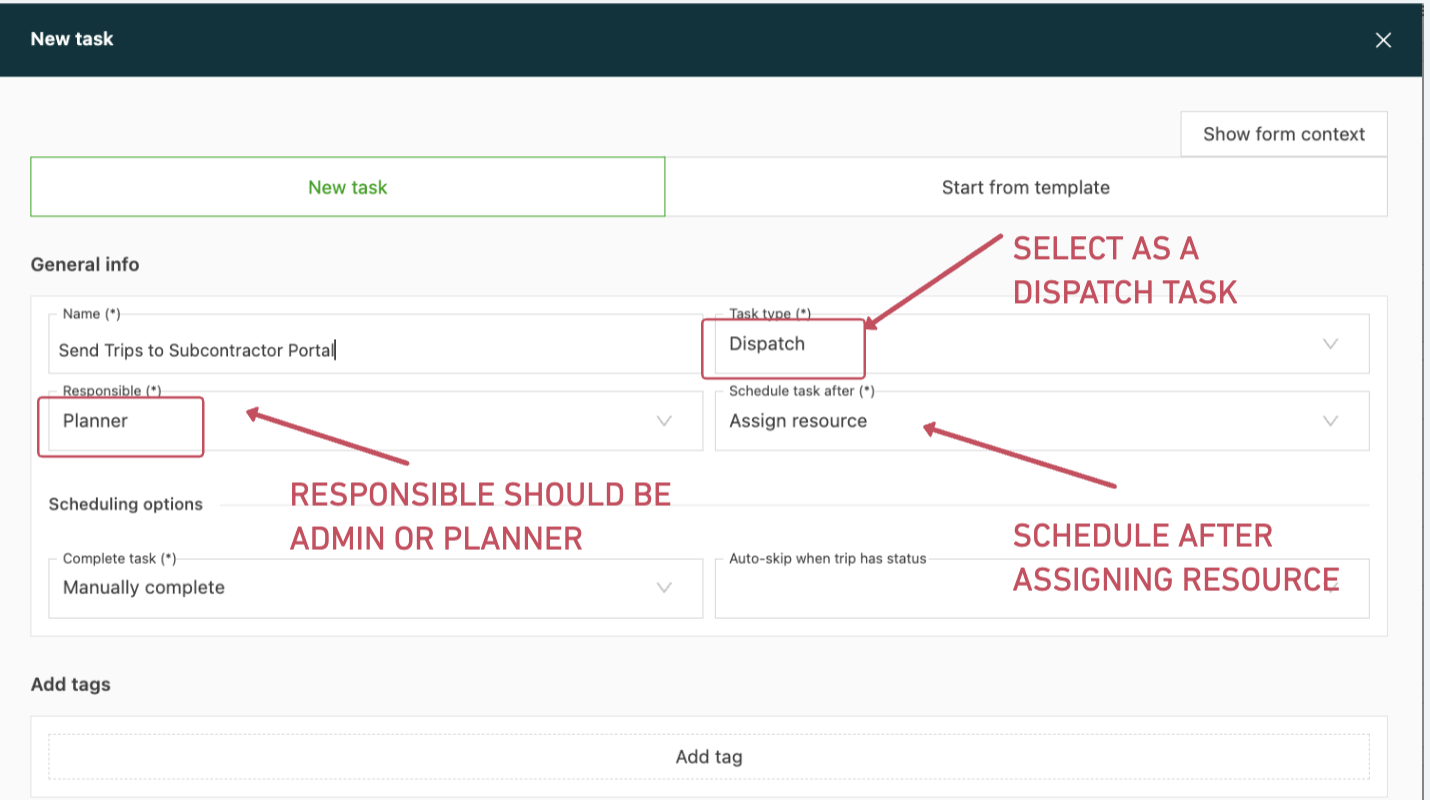
This task can be created at the contract carrier level. If dedicated resources (drivers / vehicles) are used, these can also be added.
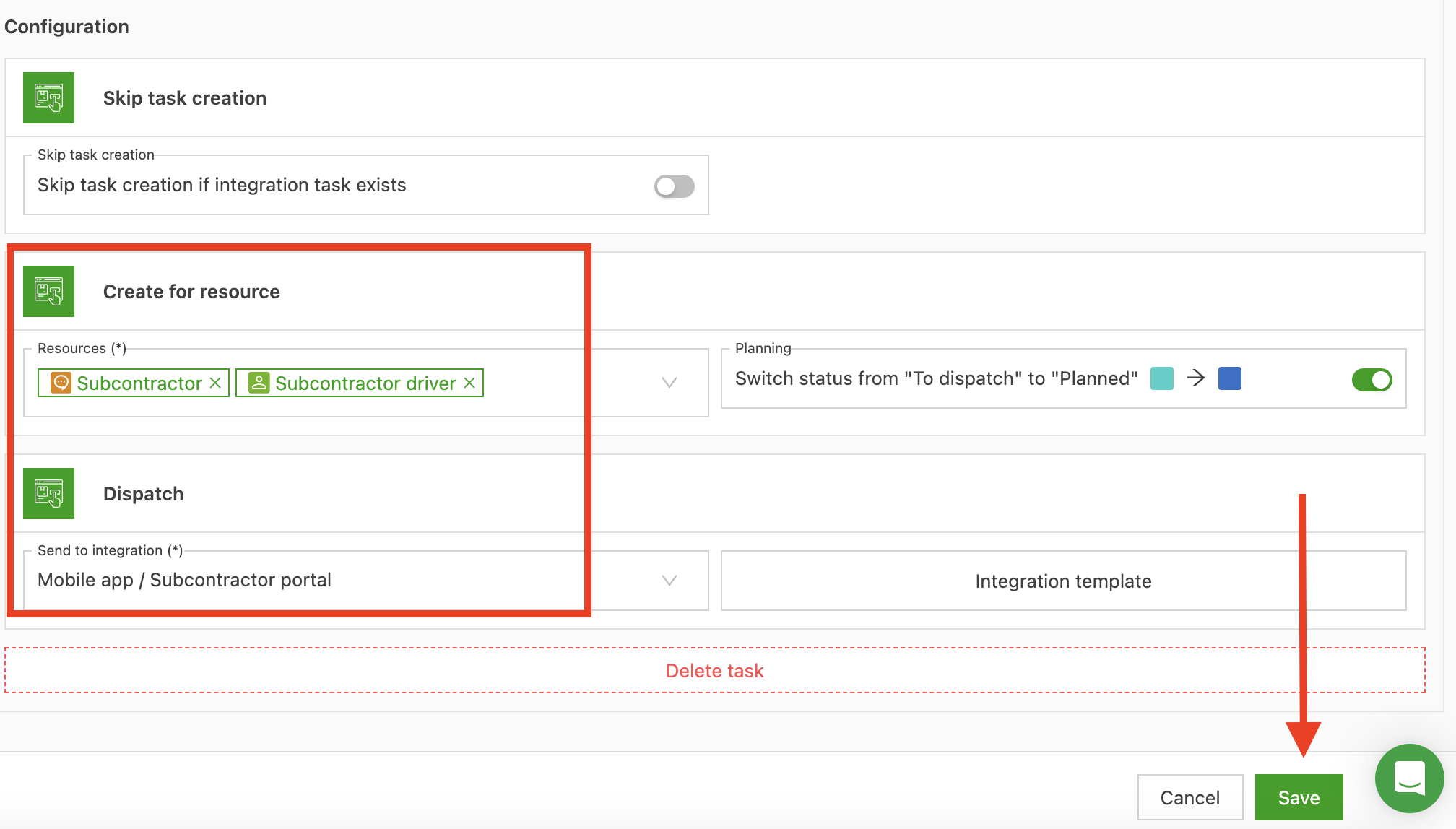
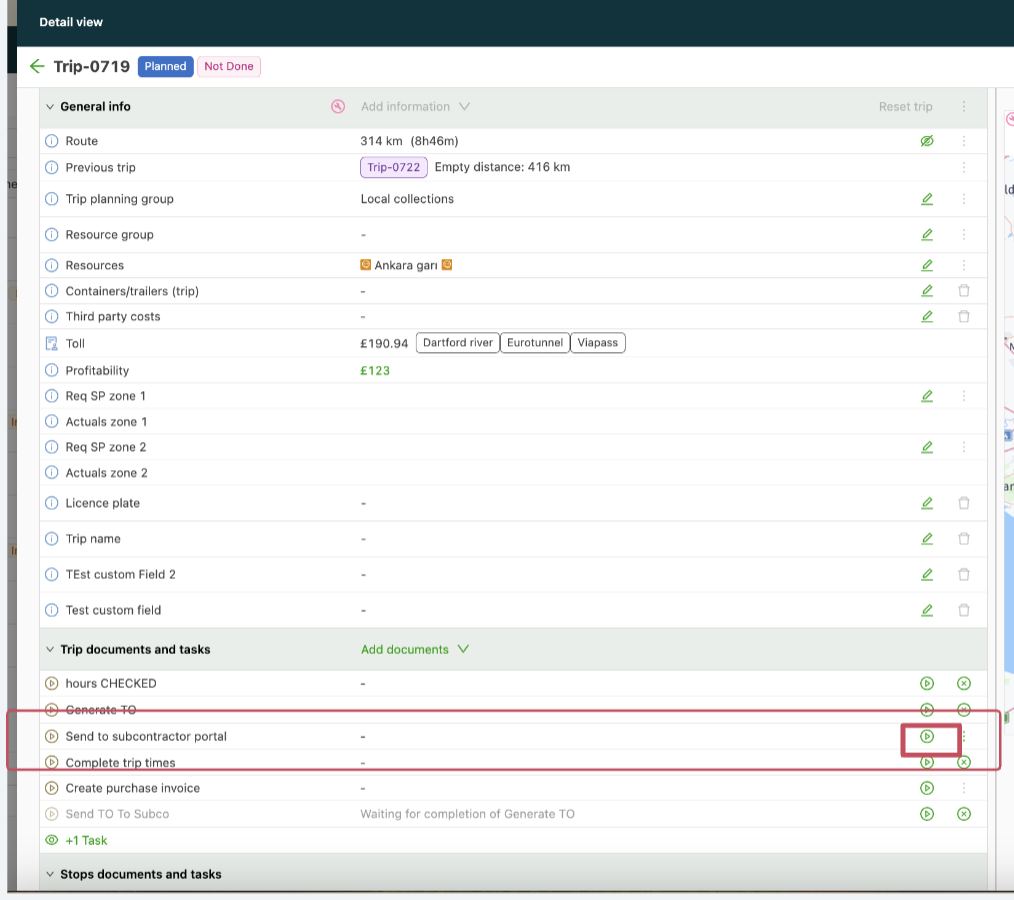
Once a contract carrier with carrier portal access is assigned to a load, this new task appears on the load page as shown below. After the dispatch task is executed, the load is visible on the carrier portal as described here