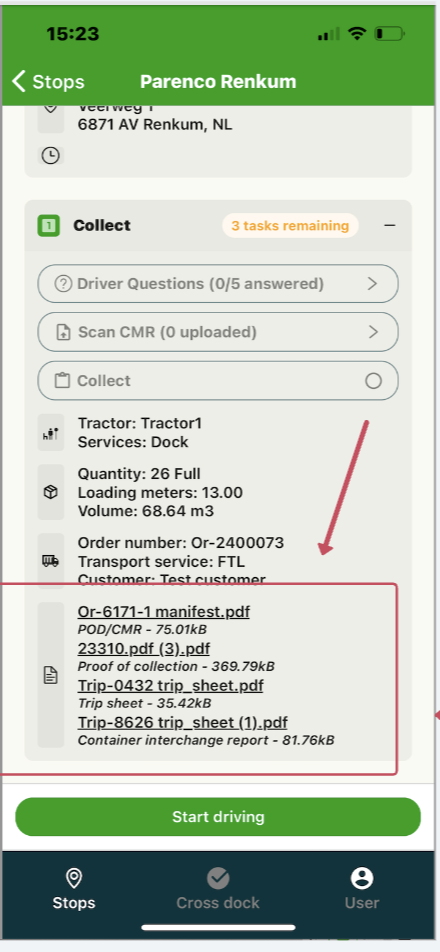
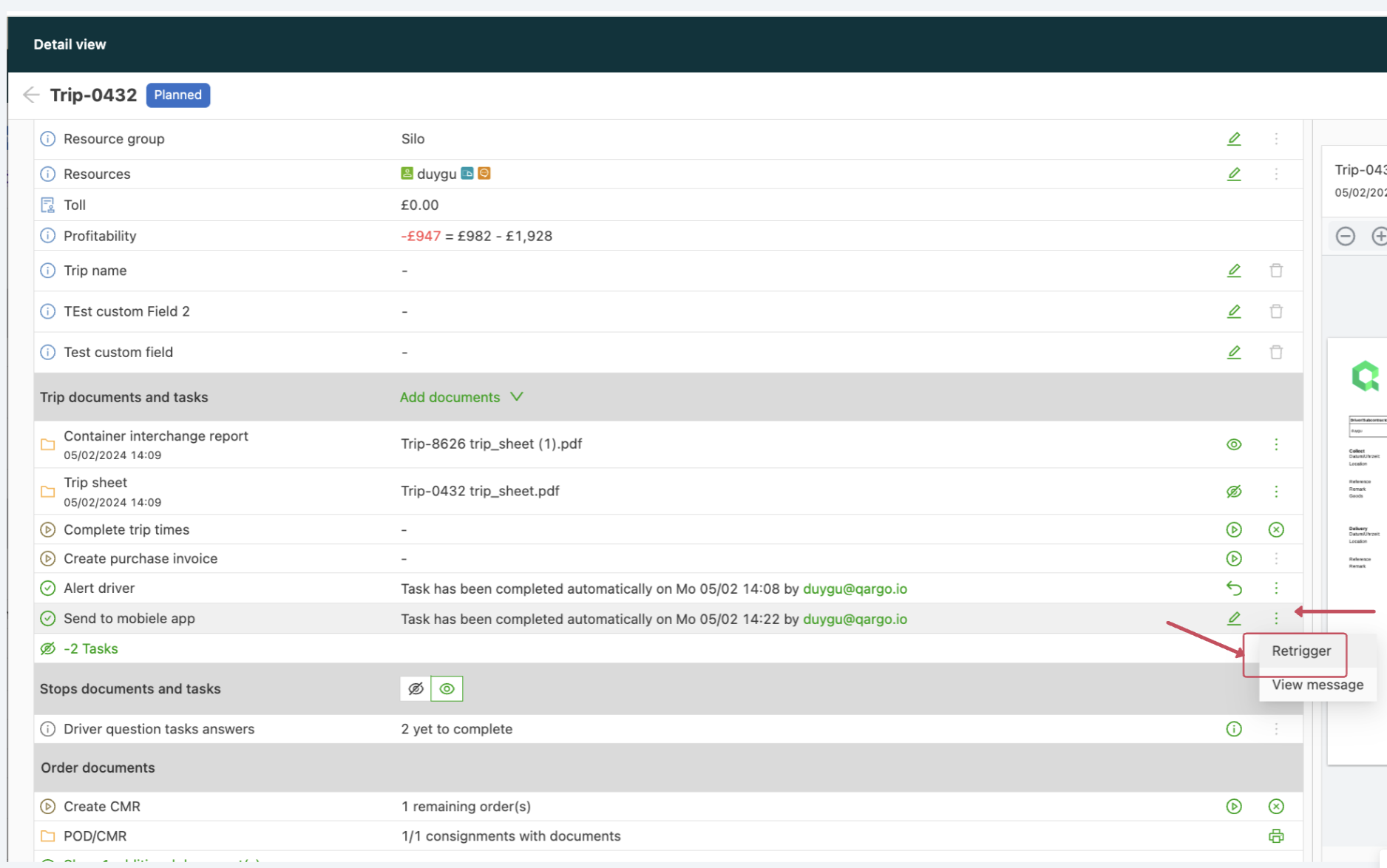
Document visibility on the mobile app
- Navigate to Configuration > Documents.
- Select the “Driver mobile app” option in the list view.
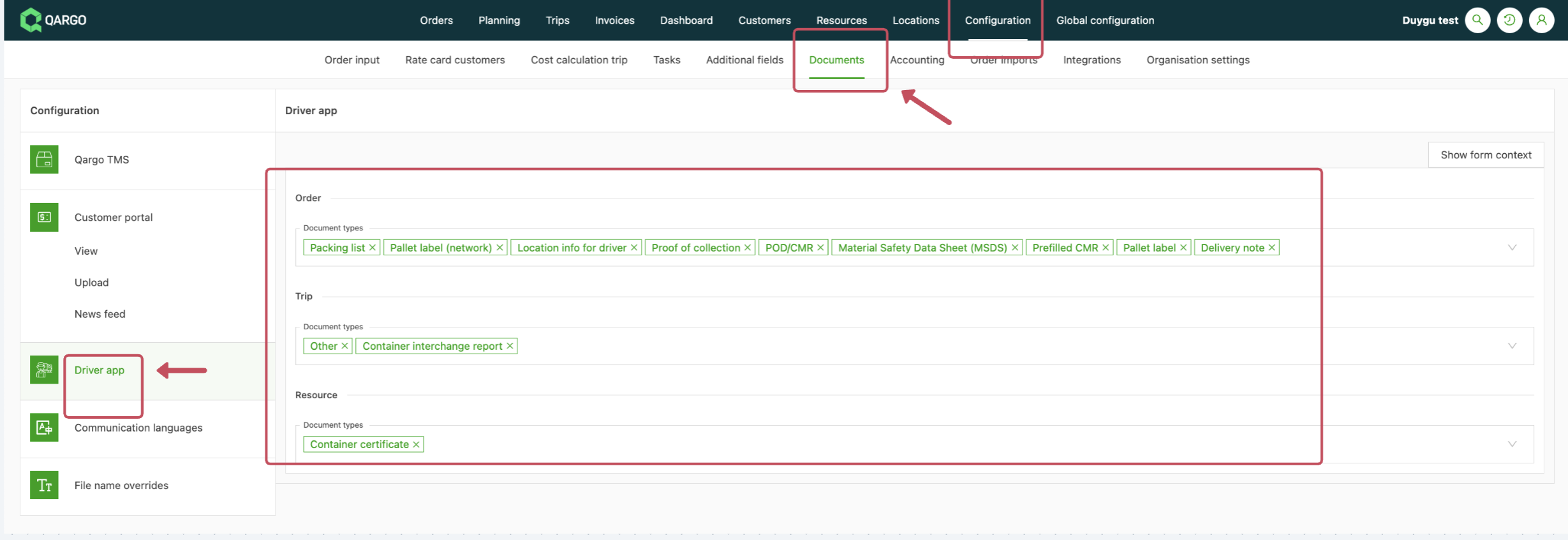
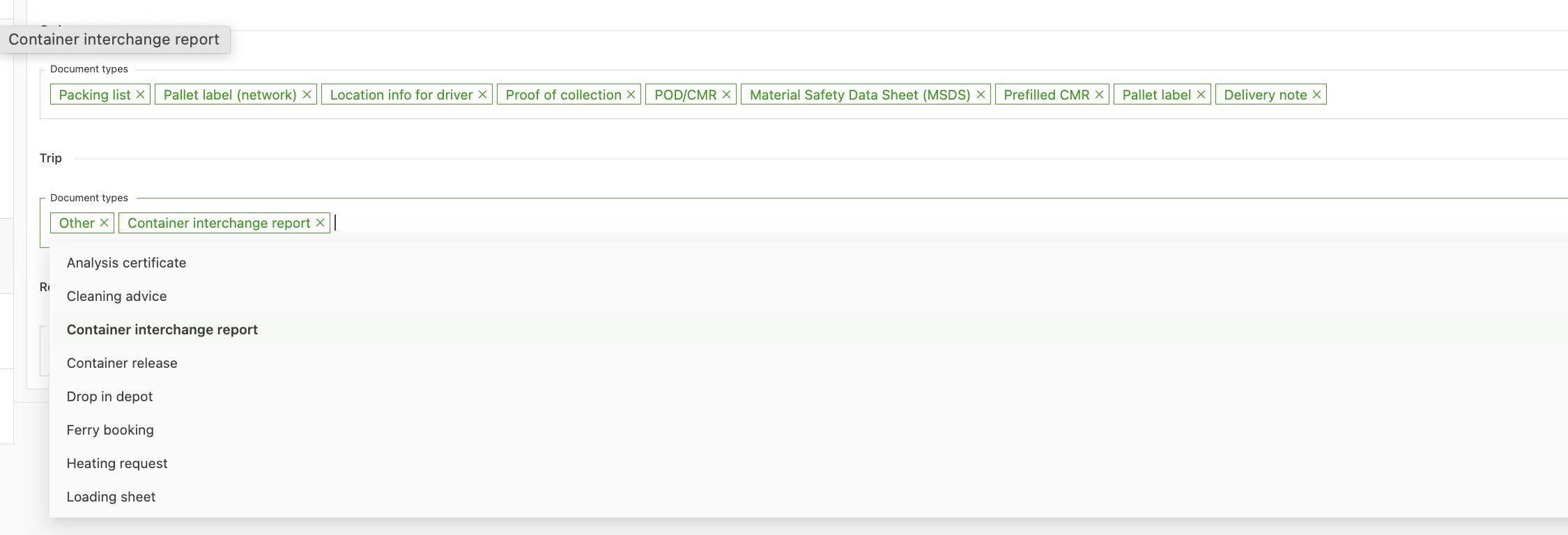
- Add the documents that should be visible to drivers in their apps.
- Save the changes.
-
Drivers can then view the related documents in their mobile apps if any have been uploaded to the order/load or the resource page.