
How to delete a draft invoice or cancel an existing invoice
Table of contents
Deleting a draft invoice
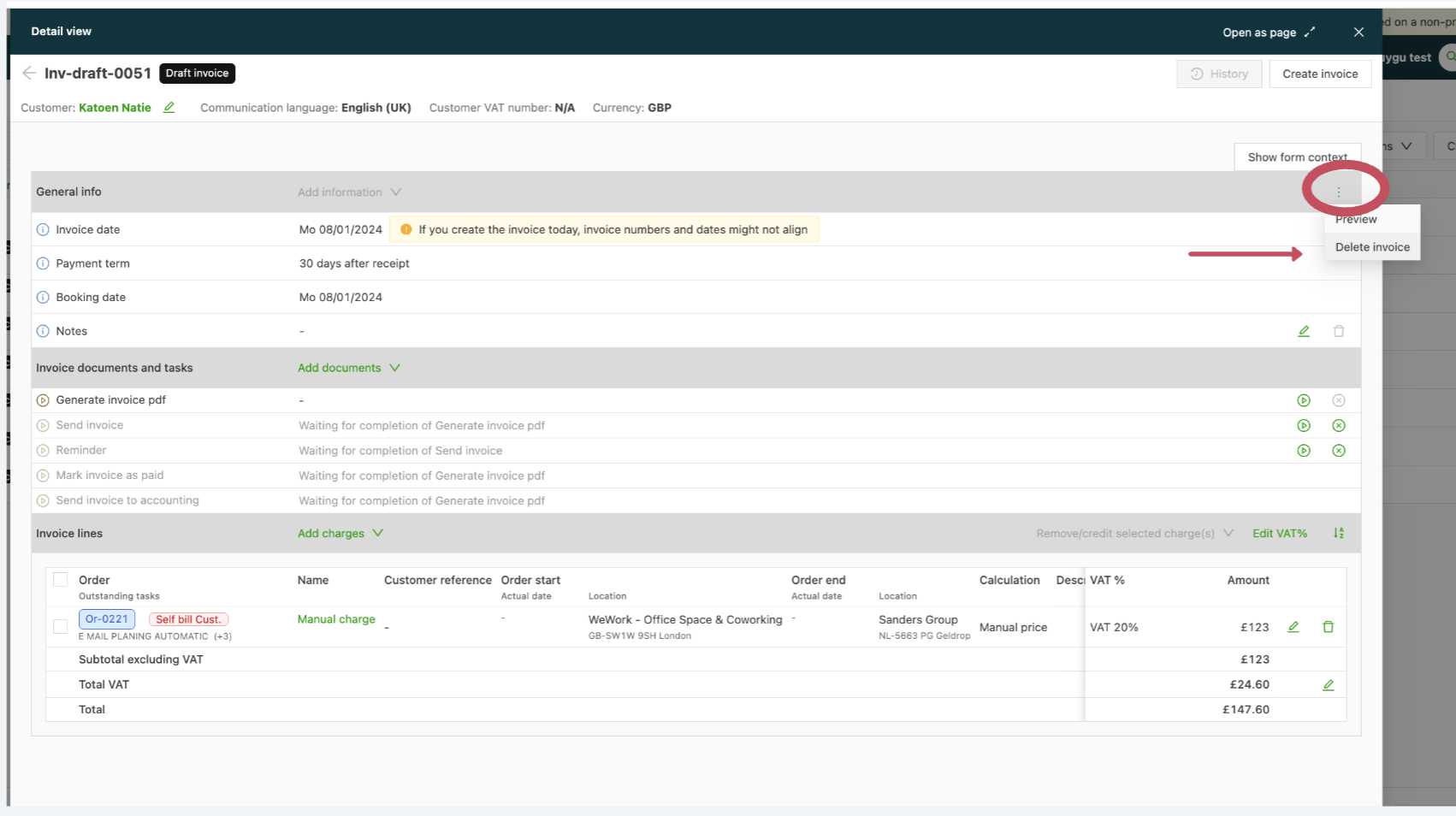
- Go to Invoices > Draft invoices.
- Open the invoice page and locate the 3 dots on the right side of the page.
- Click the 3 dots and select the Delete invoice option.
Any orders linked to the draft invoice are automatically removed from the invoice and get the status Ready to invoice.
\
Canceling an existing invoice {#h_fee2004c62}
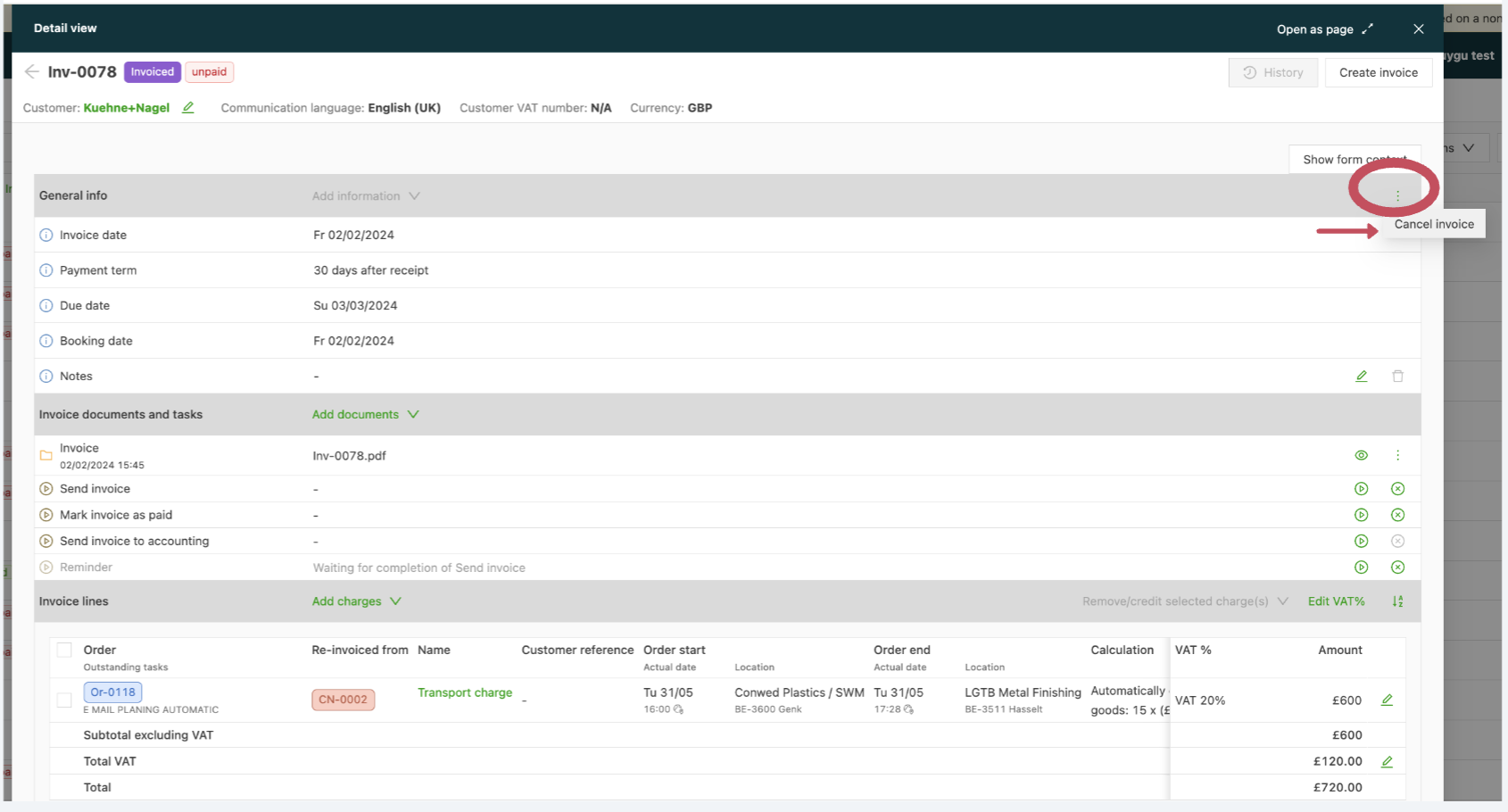
- Go to Invoices > Invoices and locate the invoice to cancel.
- Open the invoice page and locate the 3 dots on the right side of the page.
- Click the 3 dots and select the Cancel invoice option.
Any orders linked to the invoice are automatically removed from the invoice and get the status Ready to invoice.
Canceled invoices are listed under the Canceled column.
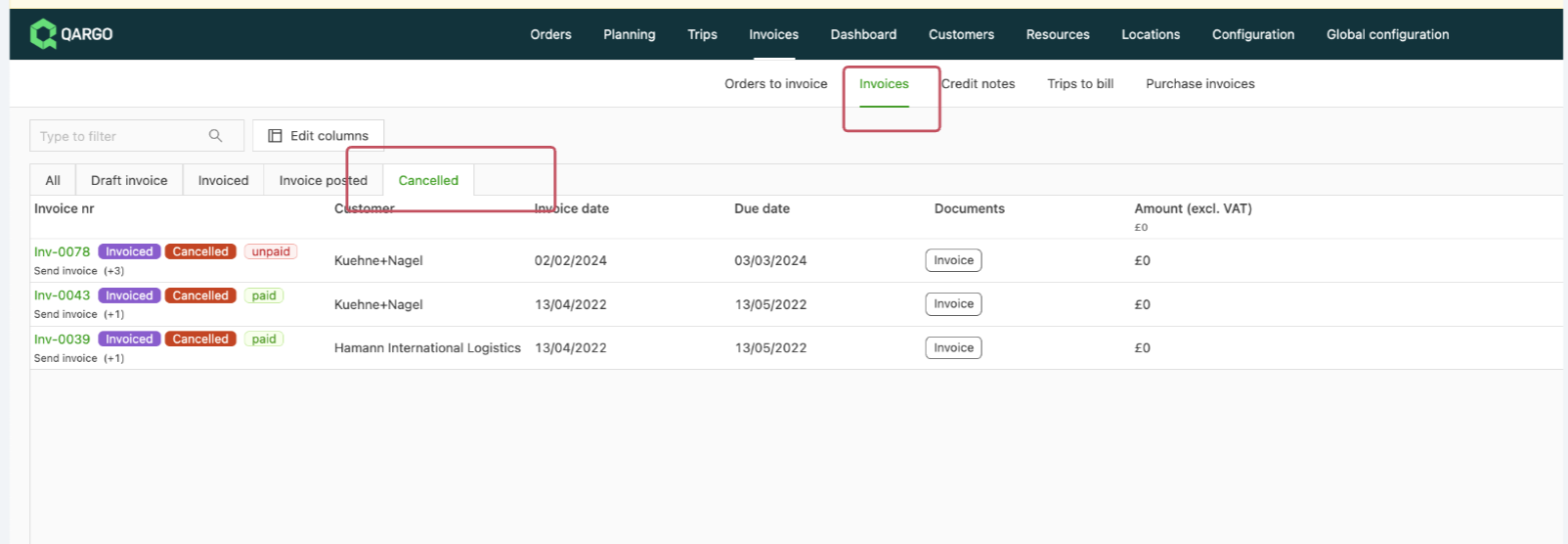
To reuse the invoice (number), undo the cancellation and continue the billing process.