FAQ - Why can't an order be canceled (the option is grayed out)?
This article explains how to cancel an invoice when the option is grayed out
Table of contents
Q. Why can’t an order be canceled? The cancel option is grayed out and can’t be clicked.
A. No need to worry: this usually happens for a good reason. Here are the two most common ones.
1. The order is set to “Ready to invoice”
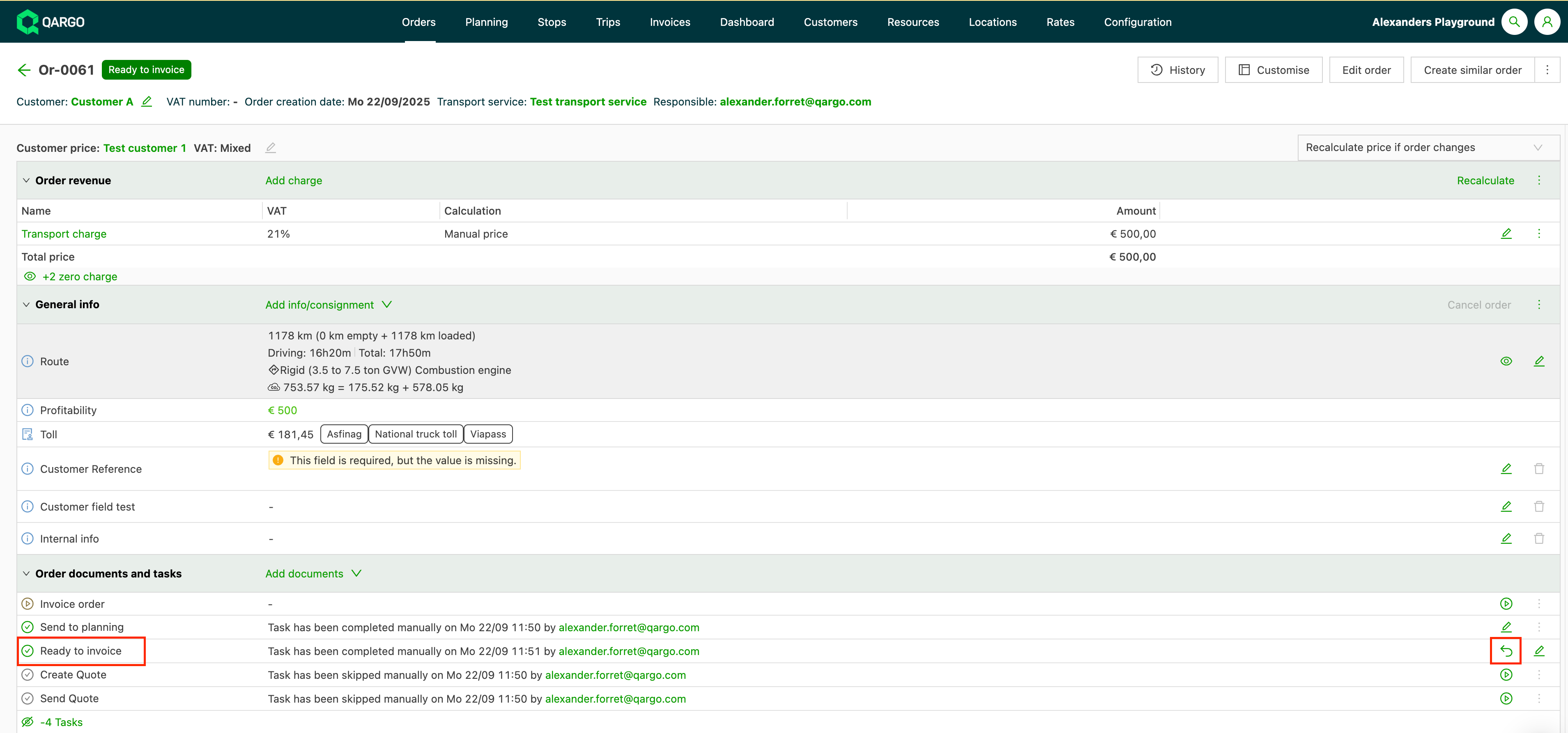
Once an order is flagged as Ready to invoice, cancellation is locked to avoid mistakes. The fix is simple: reset the Ready to invoice task and the Cancel order option becomes available again.
- Open the order details page.
- In the list of order tasks, find the Ready to invoice task.
- Reset this task.
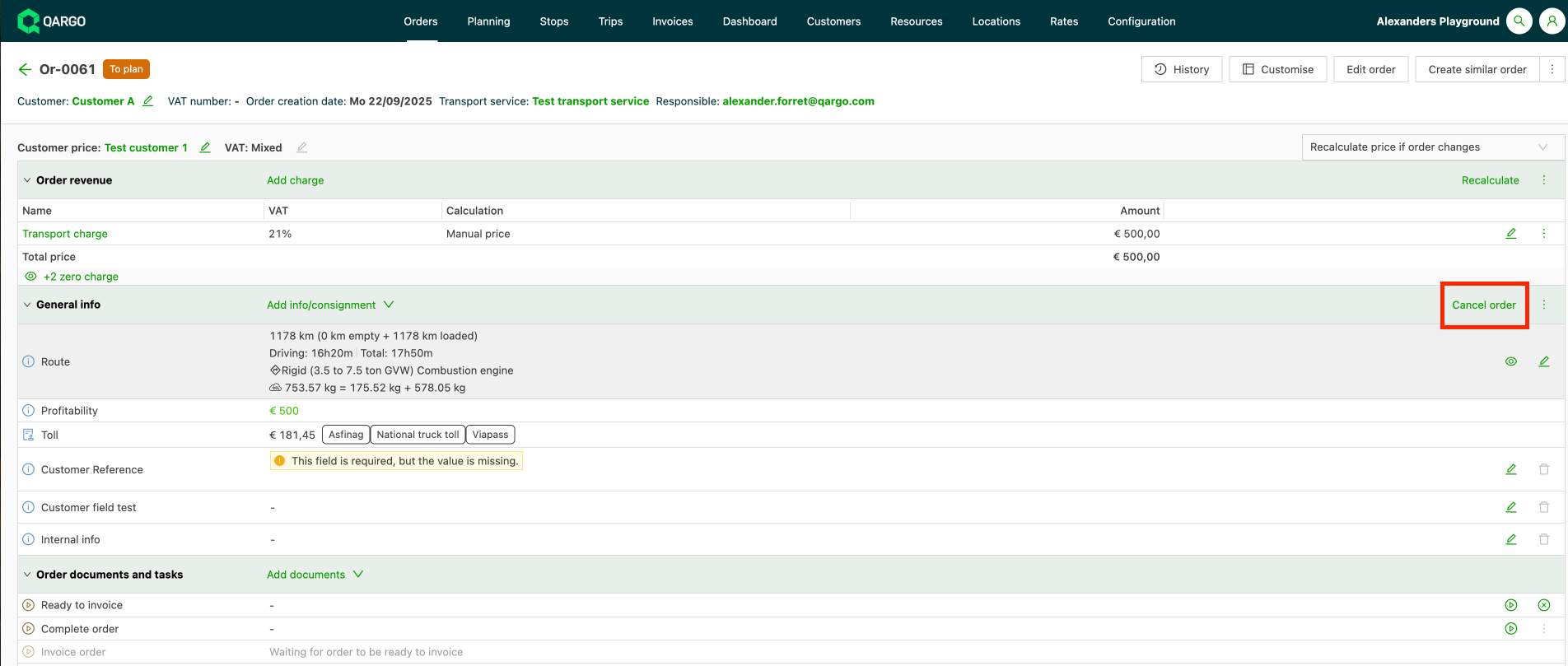
- Once the task is reset, the Cancel order button becomes available again.
2. The order was outsourced by another tenant
Orders outsourced by another tenant can’t be canceled on the receiving side. The tenant that submitted the order controls it.
- Contact the submitting (outsourcing) tenant.
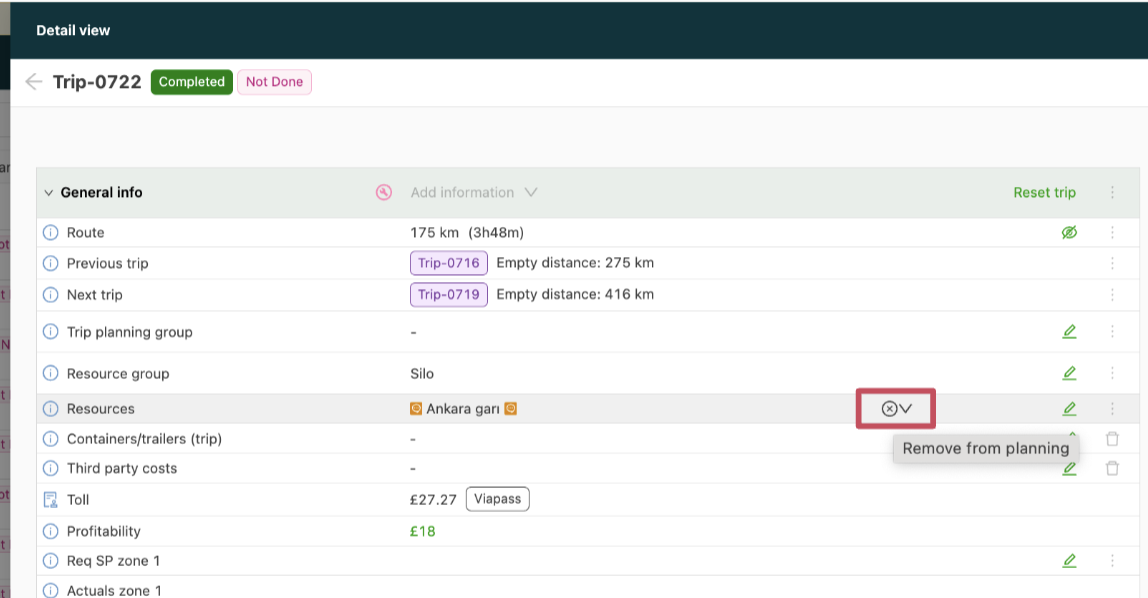
- Ask that tenant to remove the resource allocation from the load, or to delete the load.
- Once the allocation is removed, the order can be canceled.
Resource allocation on the load