Tasks – Make tasks unskippable/block drivers
Using tasks creates a consistent workflow, ensuring all the required actions are performed and the order is updated in line with customer expectations. Set question paths to be required, so the driver must complete them before moving to the next action.
Table of contents
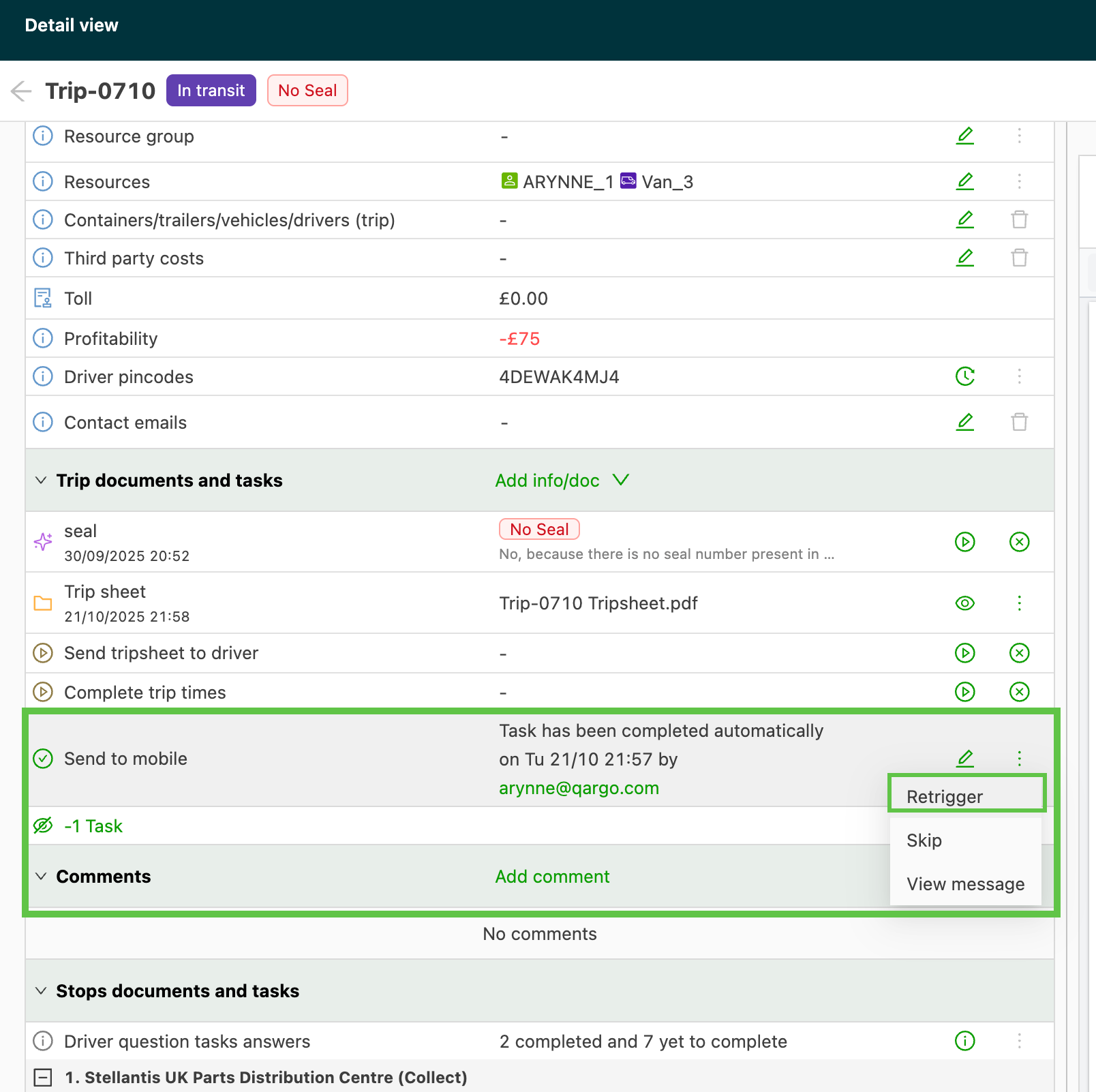
Tasks are used to create a consistent workflow in the Qargo platform. As part of the workflow, tasks can be sent to the Qargo driver mobile app for drivers to complete. These are referred to as “question paths.”
Configure task
- Navigate to Configuration > Tasks > Loads
- Locate the question path task to make required and unskippable
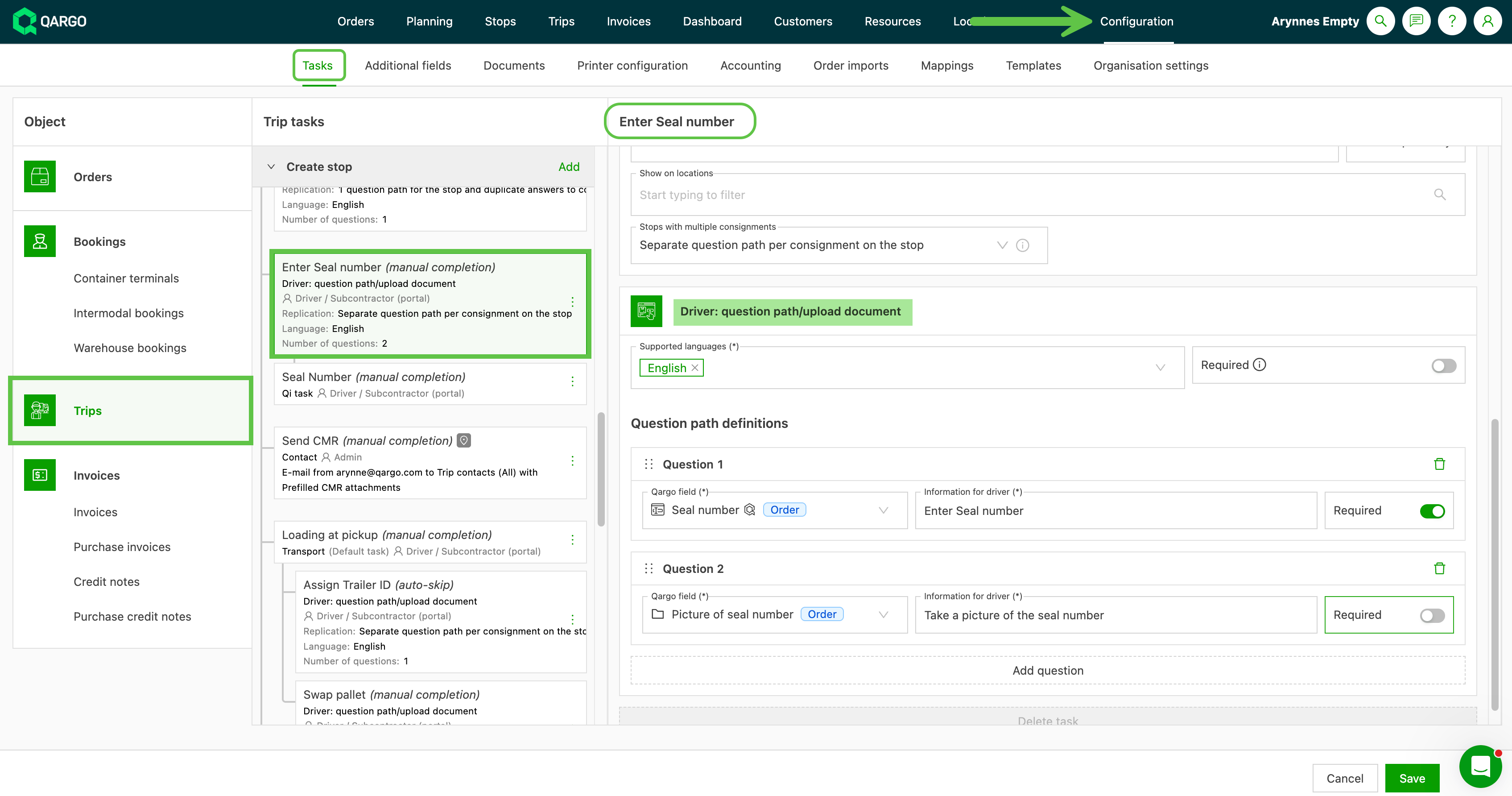
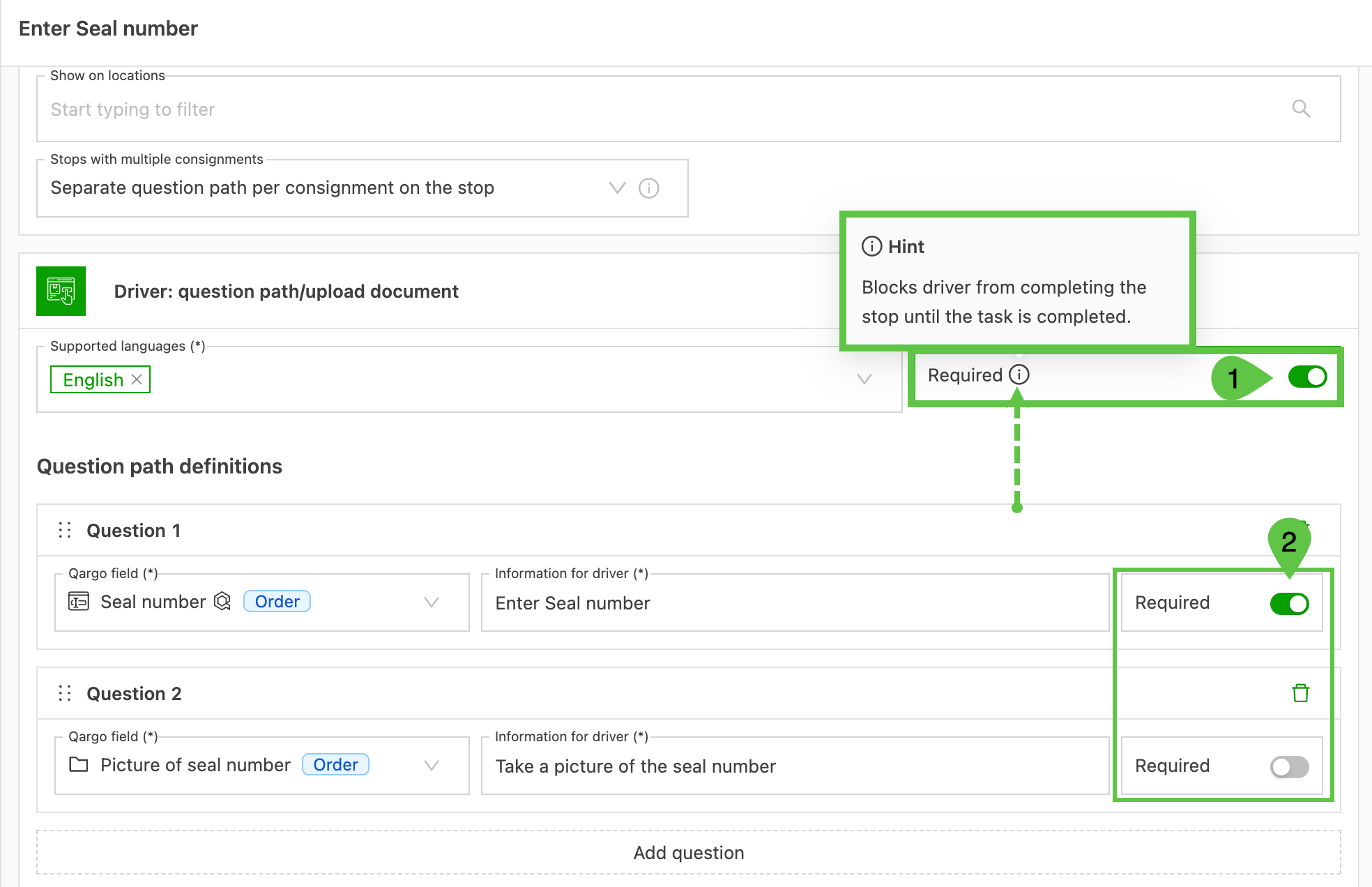
To make this specific set of questions required, so the driver cannot skip it:
-
Set the main “Required” toggle located in the top right corner of the “Driver: question path/upload document” section.
-
Toggle each question to make it mandatory for drivers to complete.
- When the task is set to “Required”
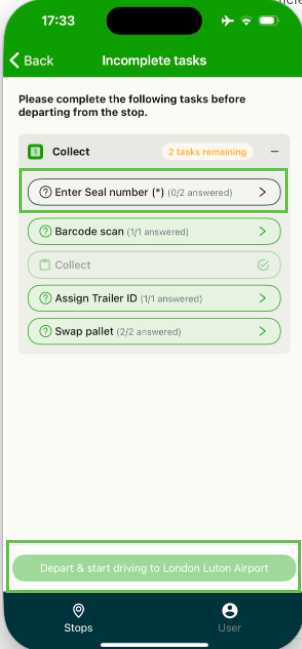
When the task is set to “Required,” the driver cannot move to the next part of the load until the required elements are completed. The next action remains grayed out, and the driver cannot select it.