
Loads – Unplan/reset load
Table of contents
- Resetting a load
- Unplanning a load
- Unplanning an entire load on the planning board
- Removing the resources from an order/load
Resetting a load
-
Purpose: Resetting a load does not mean deleting it.
This action changes the status or hours of loads that have already been partially or fully carried out in the system. For example, if a load is marked as completed and its status needs to change to in transit or planned, this action reverts the status to “planned” or “in transit”.
Q: A load was set to “delivered” by accident. How can it be reverted?
A: Use Reset load. A completed load can go back to planned or in transit. The steps are below.
__ -
Location: To access the Reset load function, open the load page and click the Reset load button to change the load’s status.
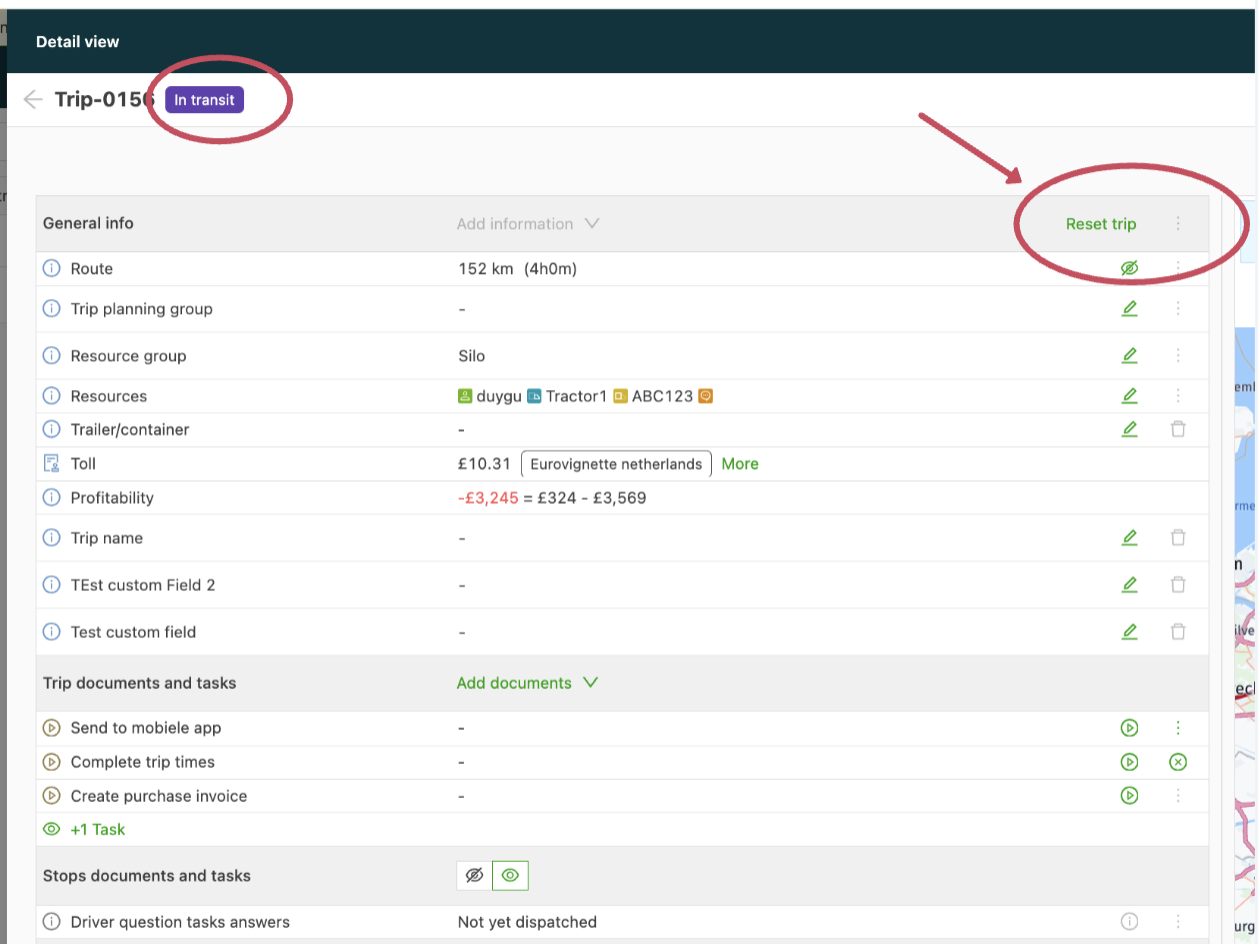
After clicking the reset load option, select the stop whose status should be reset and click Save: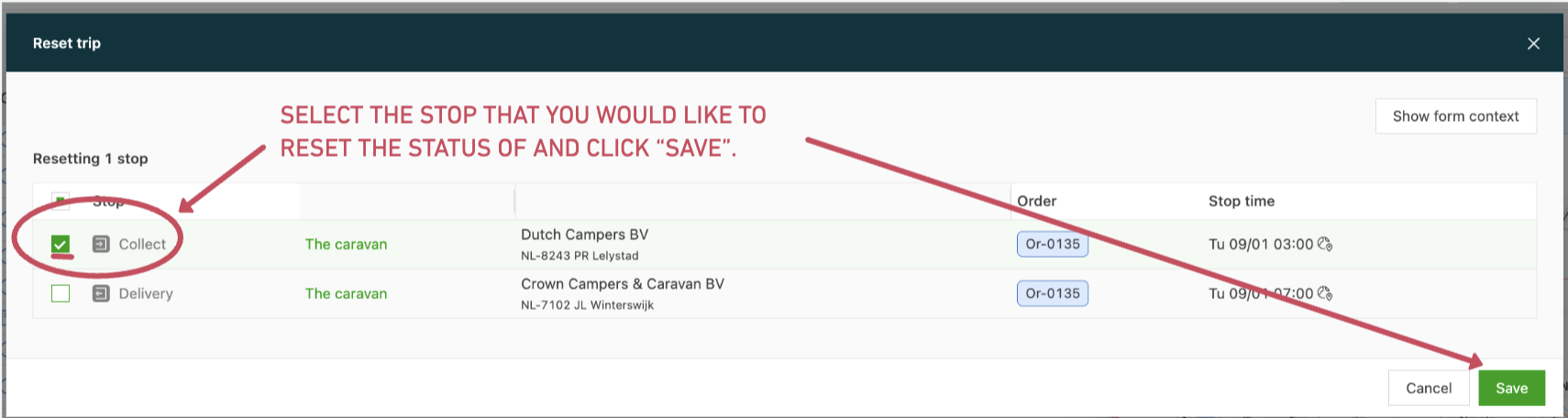
If the load is marked as in transit and the example above is carried out with all stops selected, the load reverts to a “planned” status.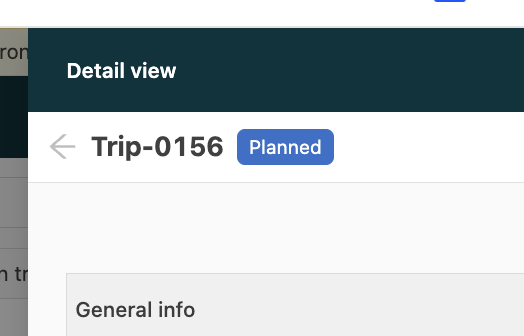
Unplanning a load
-
Definition: Unplanning a load removes it from the planning entirely.
This option can also remove a specific order from an existing load that contains multiple orders.
-
Verification: Check whether any orders have been planned for transportation, that is, whether any resources have been assigned to this load.
-
Execution:
➡️ Unlinking an order from a load that contains multiple orders (groupage):
To unplan a load or unlink a specific order from a load, go to the load page or the order page.
Removing via the load page: Open the load page, find the order(s) to remove from the load and click the Unplan order option:
Removing via the order page: Open the related order page and view the route details. Use the three dots at the top of the route details to unplan the load:➡️ Unplanning an entire load on the planning board:
-
To remove a load completely, drag the entire load to the Orders to plan list on the planning board. This starts the unplan action.
➡️ Removing the resources from an order/load
- Another way to remove or delete a load is to remove all resources/resource groups from the order or load:
-