
Configuration: generate documents
Documents can be generated based on tasks.
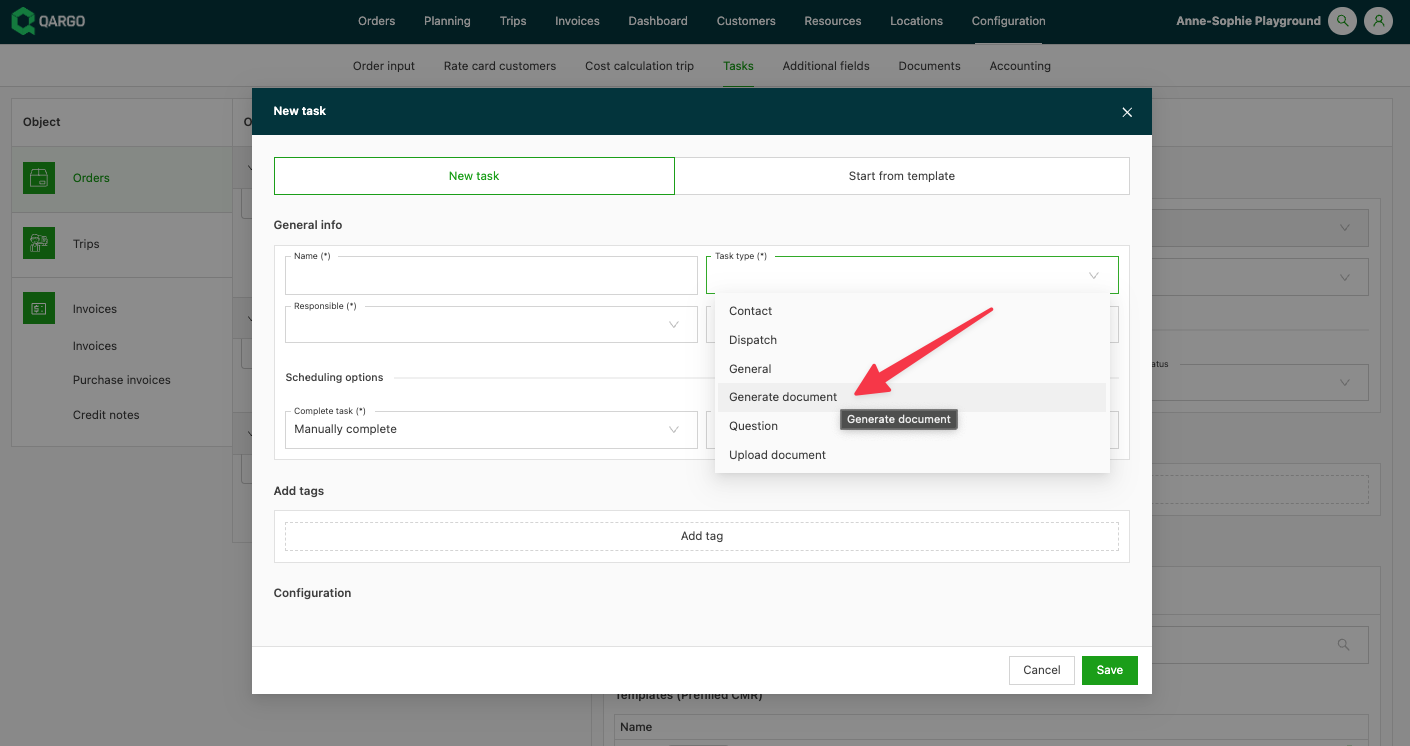
- Click one of the categories on the left side of the screen
- Click Add to add a new task
- Select Generate document as the task type when creating a new task
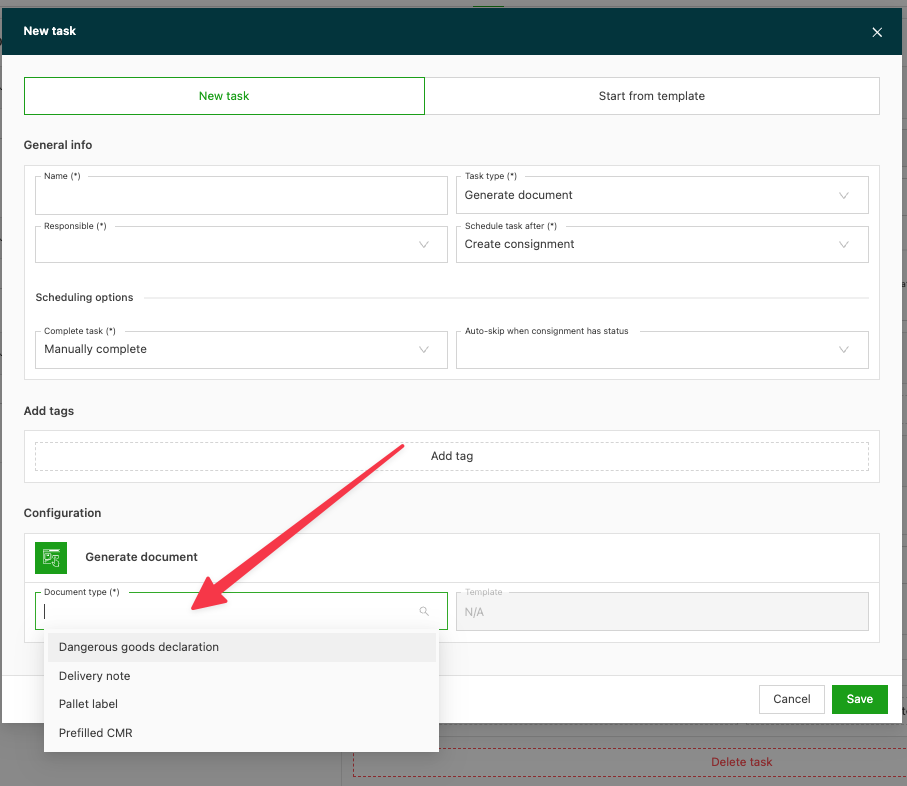
- Click Document type to choose which document to generate (e.g., CMR, delivery receipt…)
Choose the template to use. If the template does not exist, click Add template (new).
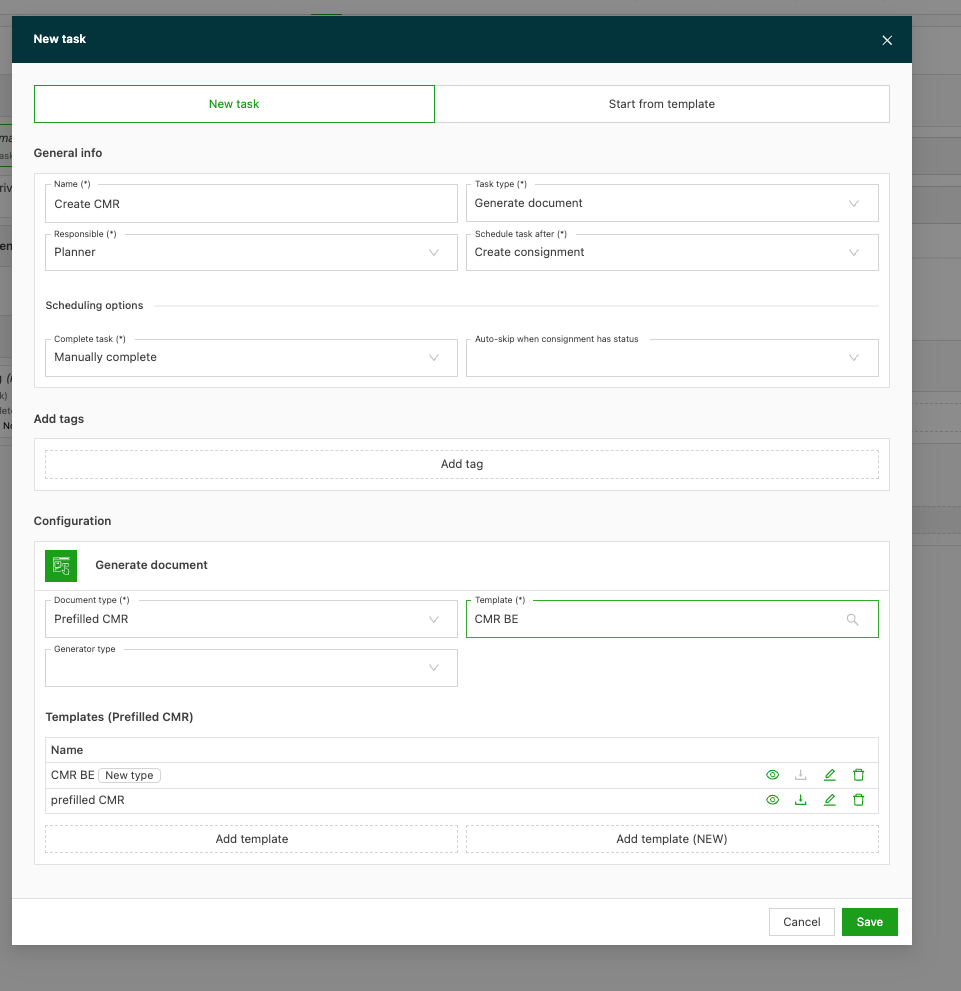
Once saved, the task can be triggered in the order.