How to: Generate invoice XLS/CSV export
How to: Generate invoice XLS/CSV export
-
Configure the Excel template and layout for the invoice:
-
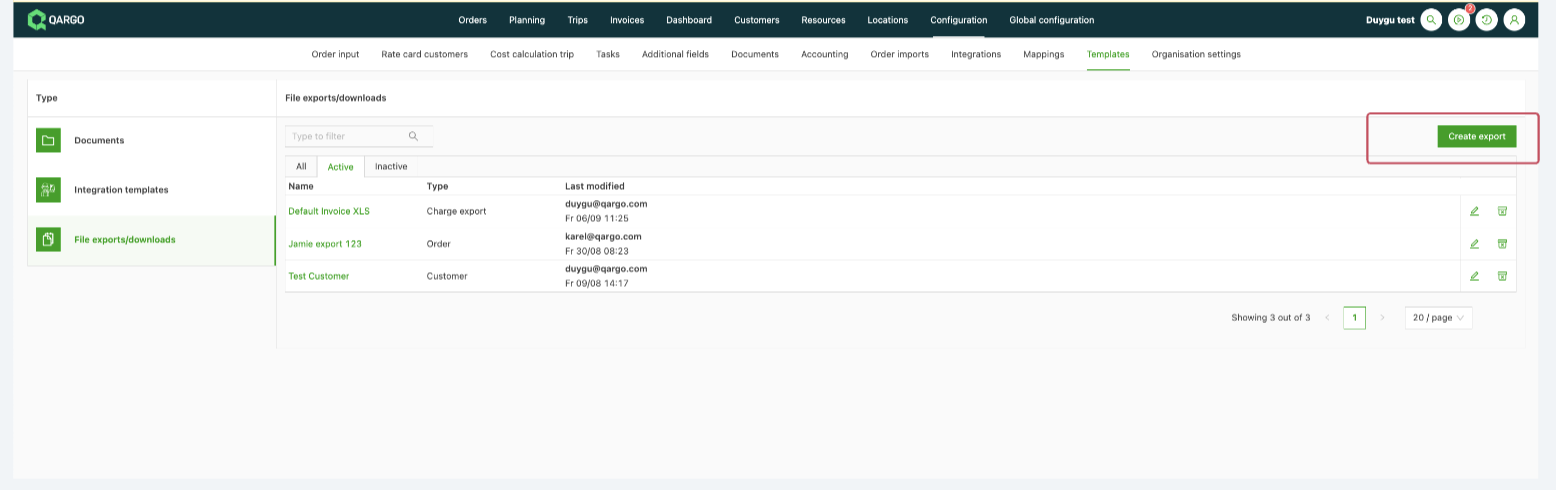
Navigate to Configuration > Templates > File exports and downloads.
-
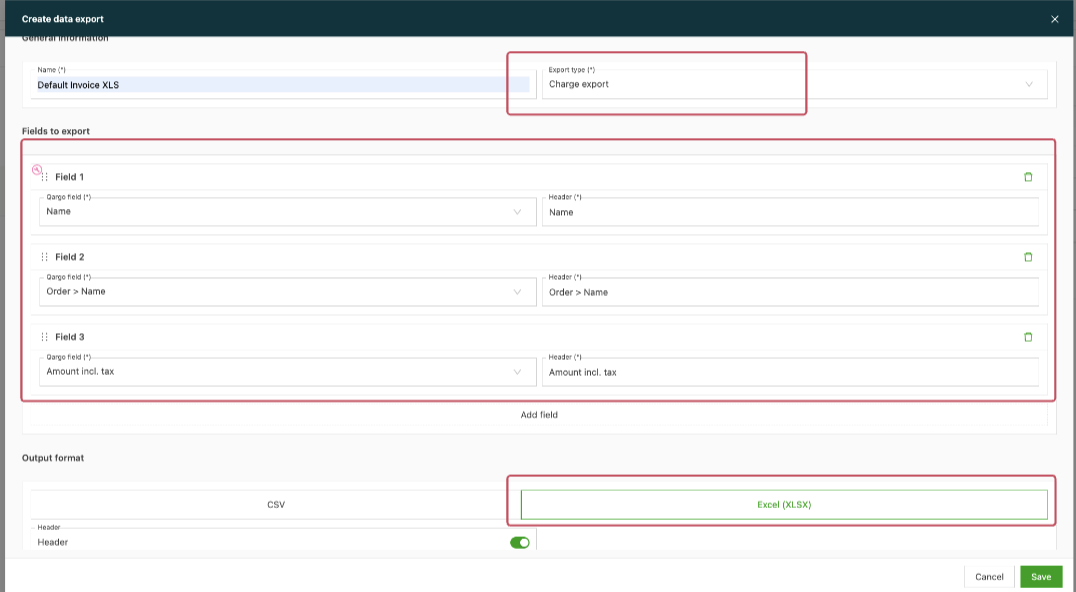
Create a default invoice XLS (charge export) and define the fields:
Define the columns to show in the export, e.g.:- First column: Invoice name
- Second column: Order name
- Additional columns: Charge description, amount excluding tax, amount including tax, and tax separately.
- Save the template.
-
-
Set up the task to generate the invoice XLS file:
-
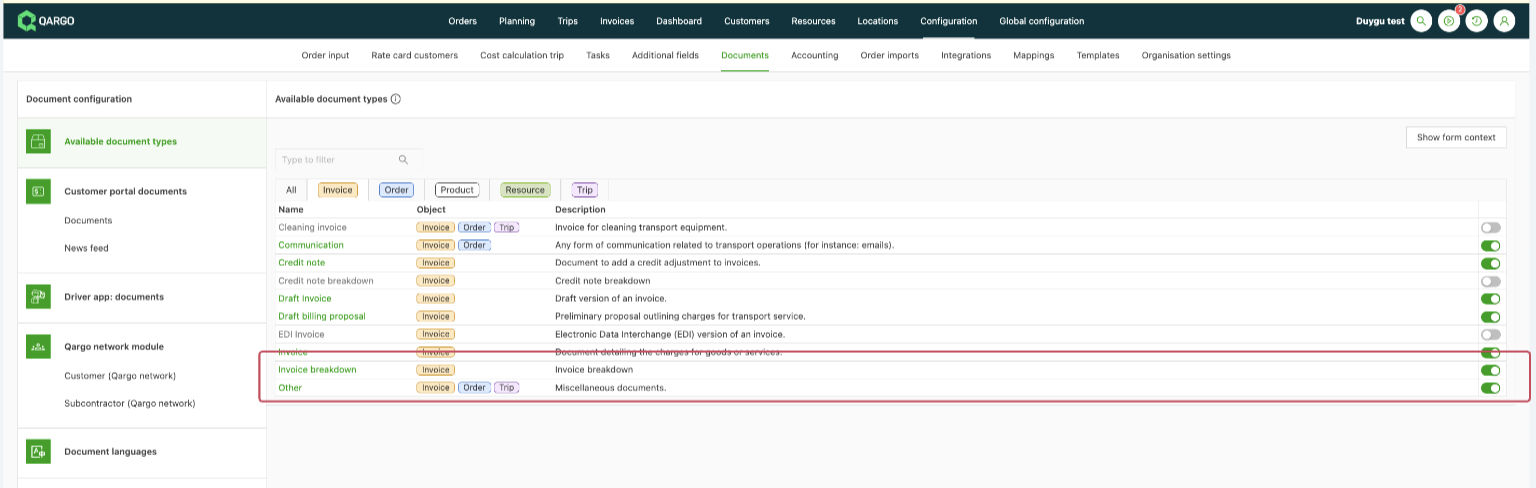
Make sure the invoice breakdown document type is activated under Configuration > Documents > Invoices
-
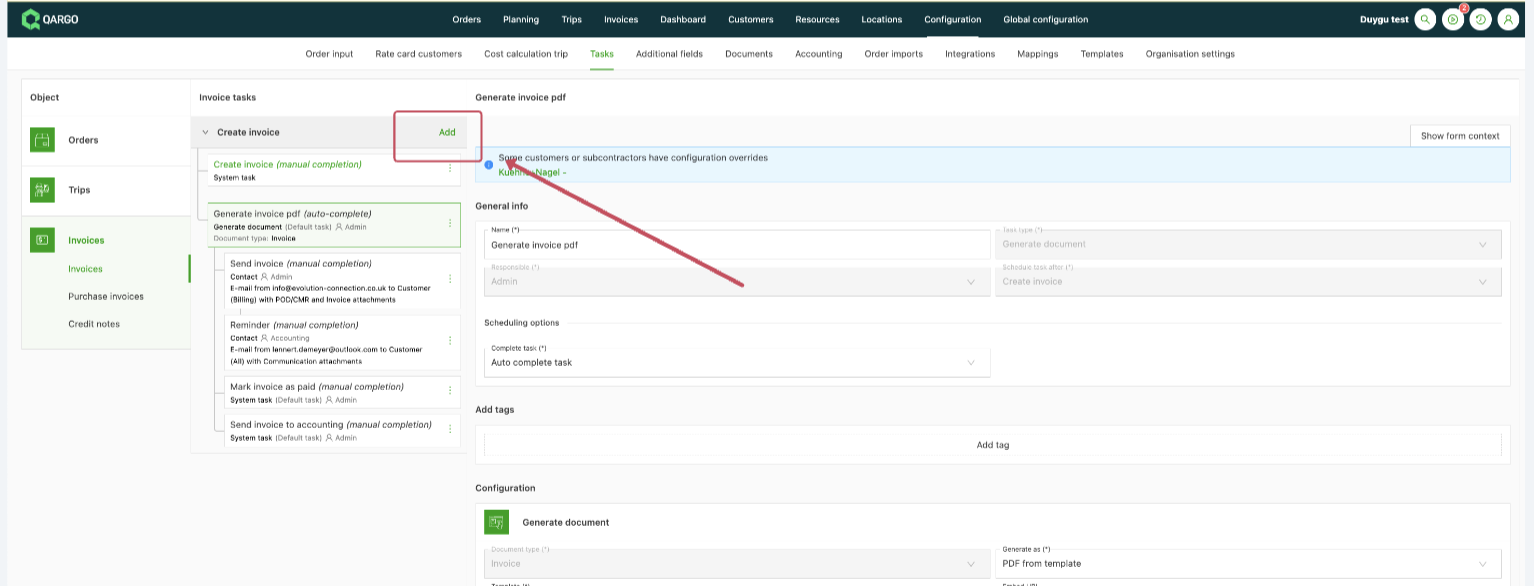
Go to Configuration > Tasks > Invoices.
-
Create a Generate invoice XLS task (generate document task).
-
-
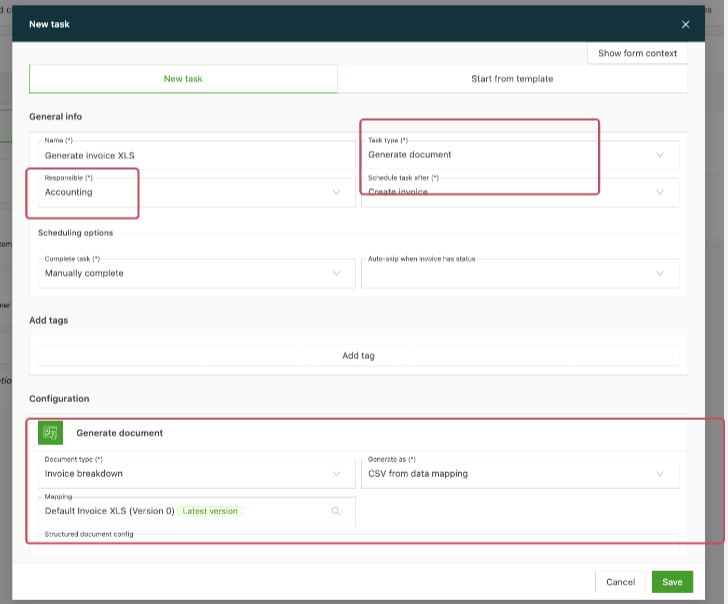
Configure the XLS task:
-
Select Invoice breakdown as the document type.
-
Choose Generate as CSV and select the default invoice template created earlier.
-
Save the task and test it by generating an invoice.
-
-
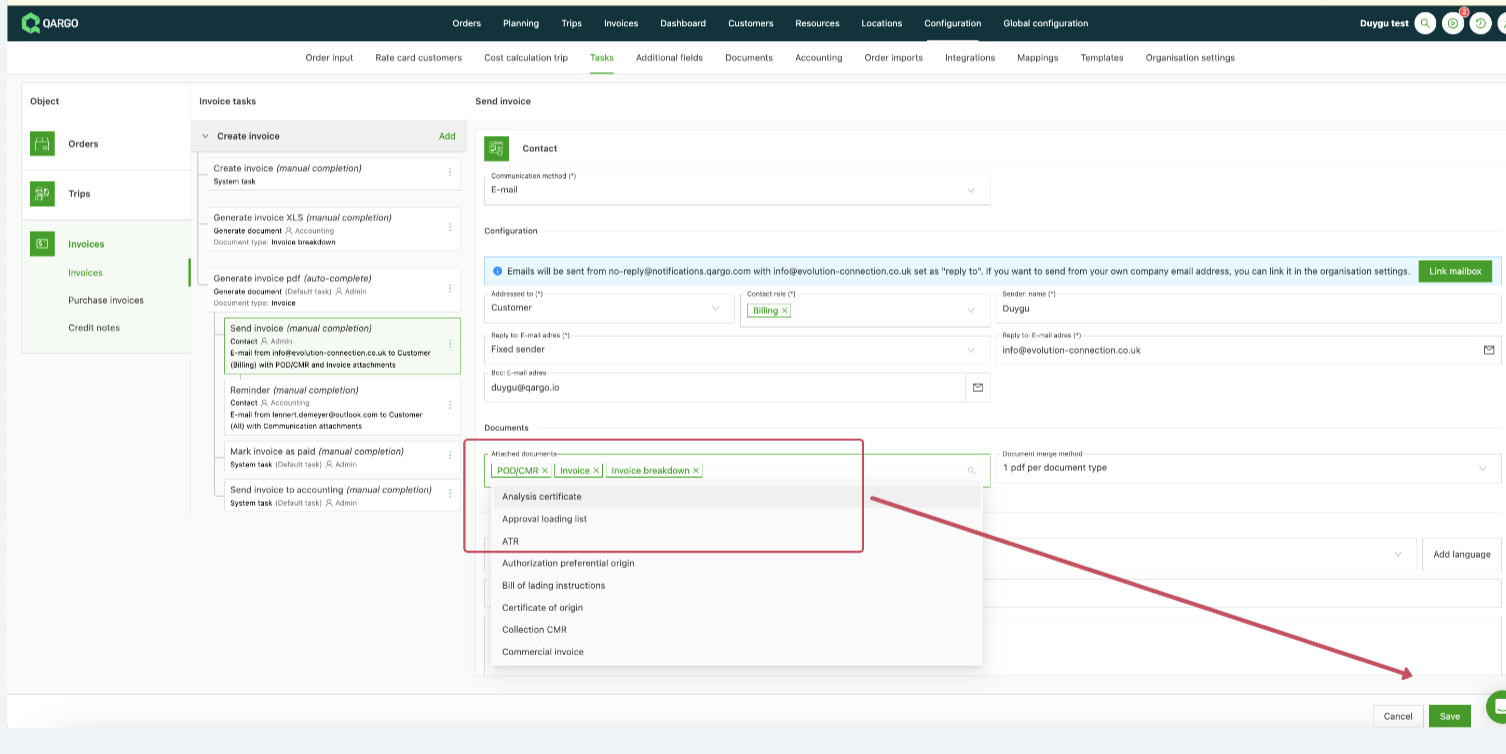
Attach the invoice XLS when sending the invoice:
- Go to Tasks > Send invoice.
- Replace or add the invoice PDF document type with the Invoice breakdown document type.
- Save and test sending the invoice with the attached Excel file.