
Resources – Shift schedule
This article provides a comprehensive guide to creating shift schedules for resources and assigning them, so their availability is automatically reflected across the platform.
Click the image below for a video tutorial on shift scheduling

The shift scheduling feature in Qargo helps organizations manage resource availability and prevent over-scheduling. It also helps ensure compliance with driver working regulations.
📖 Key terminology
- Resource: Any driver, vehicle or trailer scheduled for work.
- Shift schedule: The calendar of available working hours for a resource. Types include weekly and rotating schedules.
- Over-scheduling: Assigning a resource to overlapping or excessive shifts, which may breach regulations or operational guidelines.
- Planning board: The dashboard where operational schedules are reviewed and managed.
🛠️ Configuration
To configure shift scheduling in Qargo:
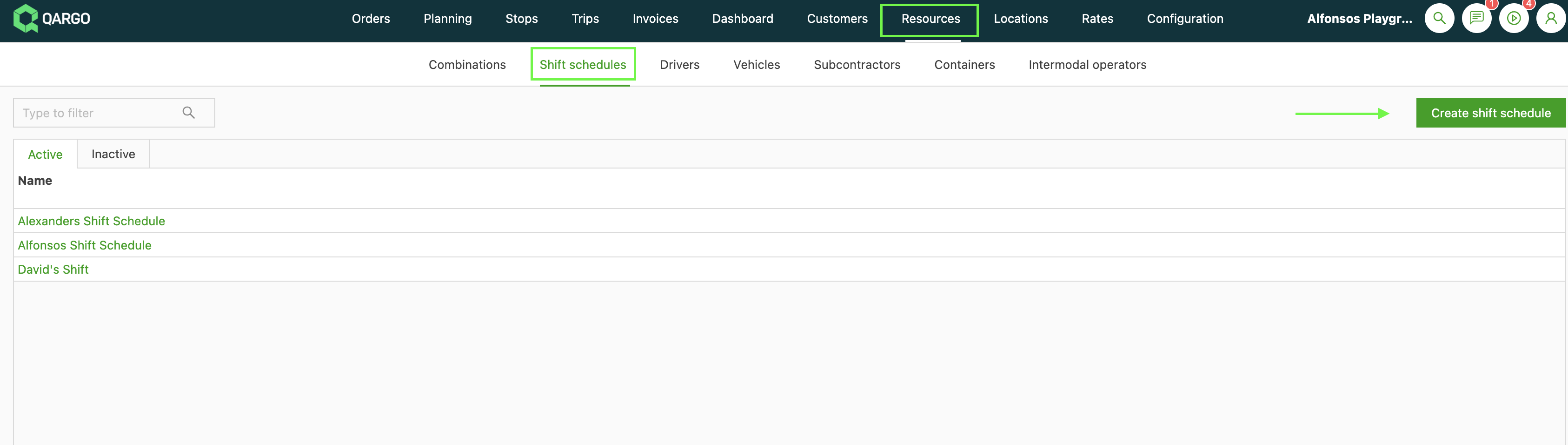
1. Go to the Resources module and select the Shift schedules tab. Then click Create shift schedule.
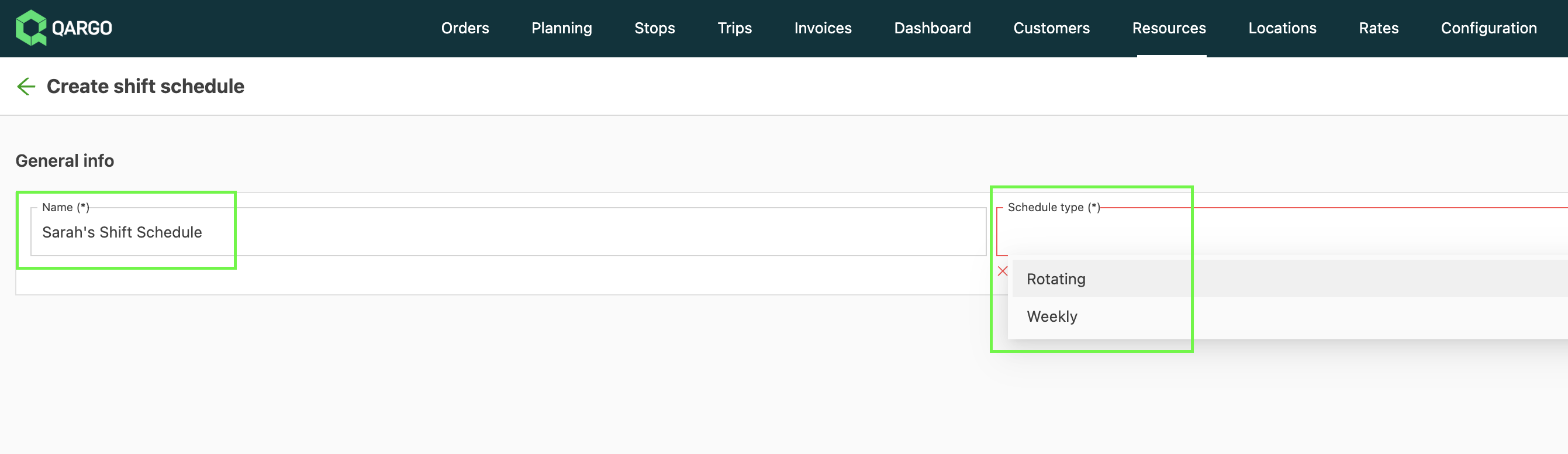
2. Name the shift schedule and choose a schedule type.
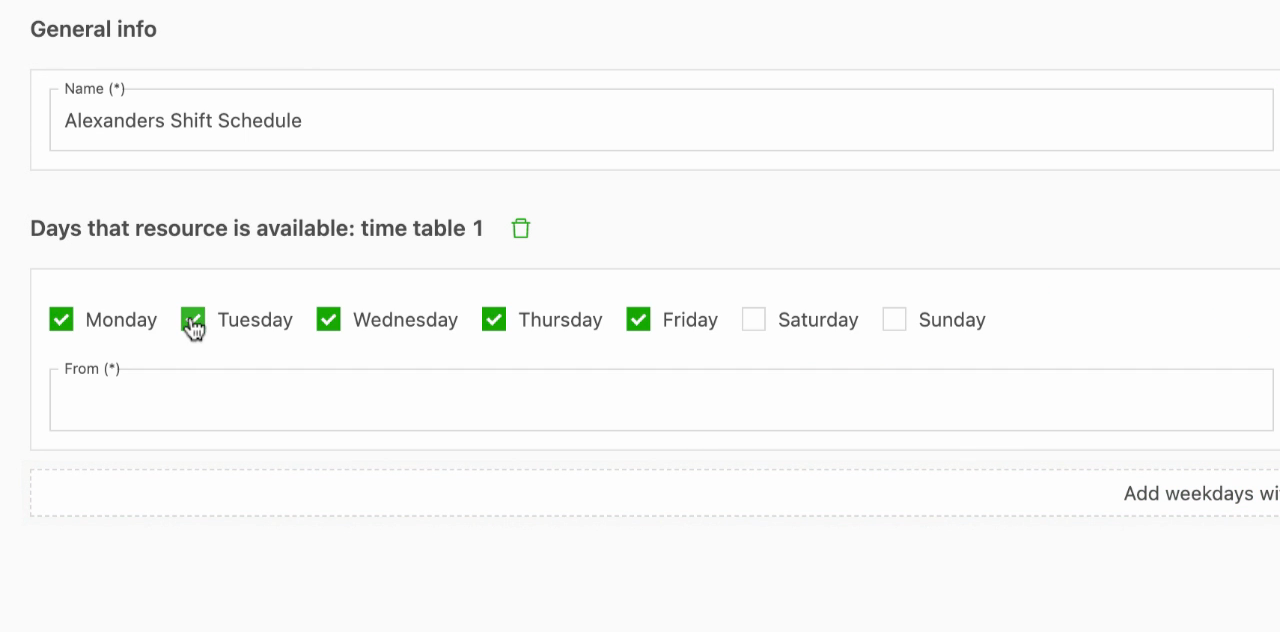
3. Click Add weekdays with different hours and select the days and times each resource is available. Then click Save.
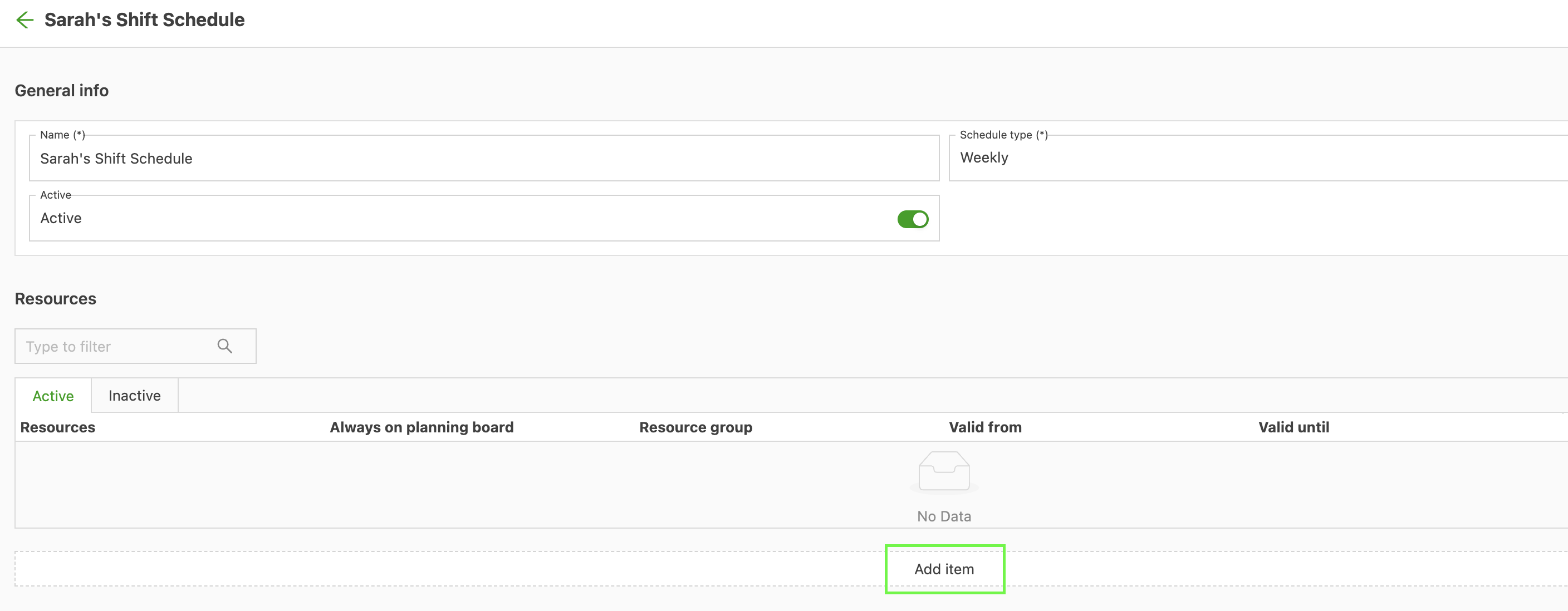
4. Assign this schedule to resources on the shift schedule detail page by adding an item.
5. A resource can also be added to a shift schedule from the Combinations tab in the Resources module. Select a combination.
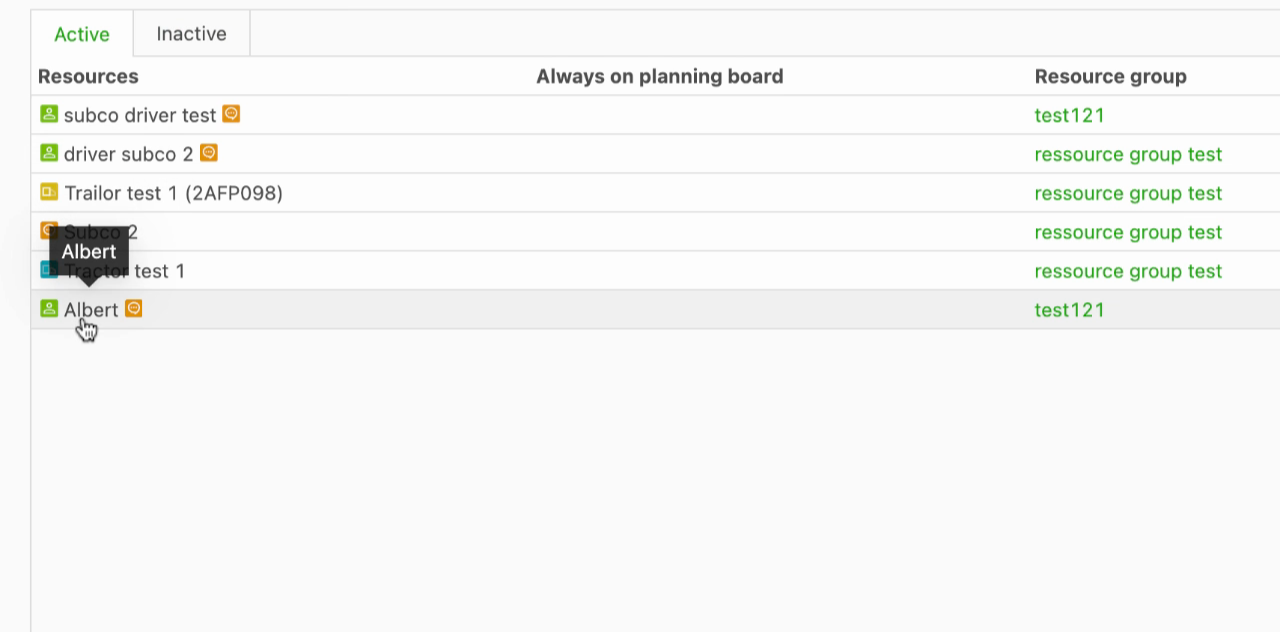
6. Locate the Shift schedule field and select the appropriate schedule.
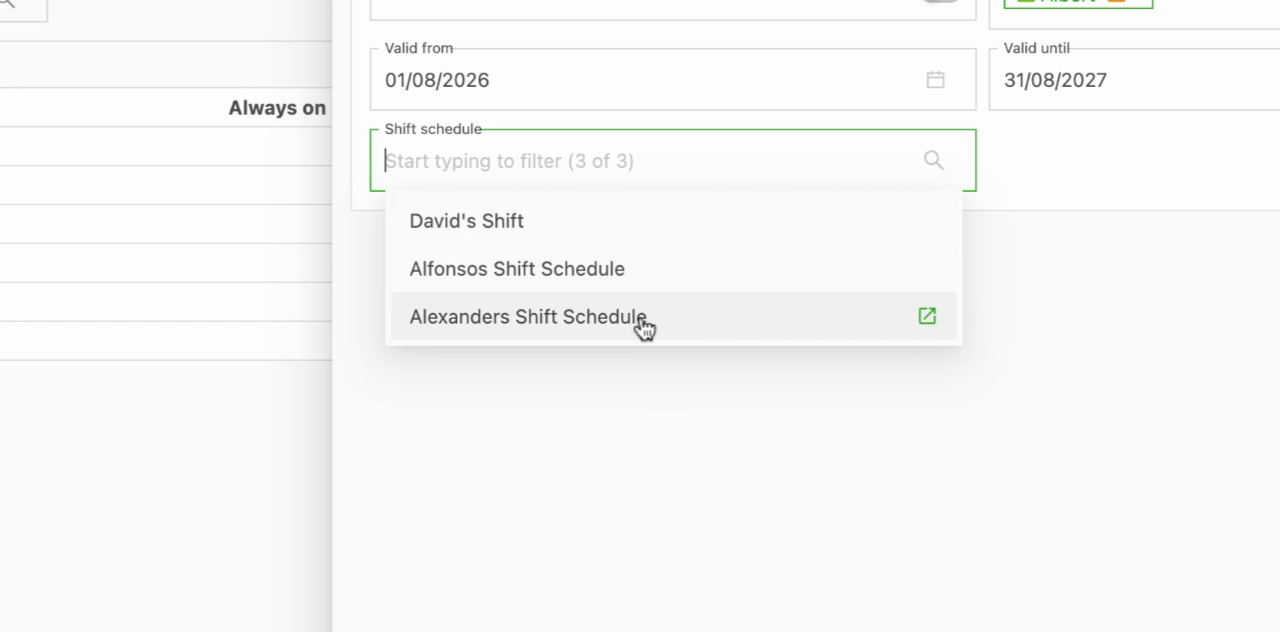
⏰ How it works
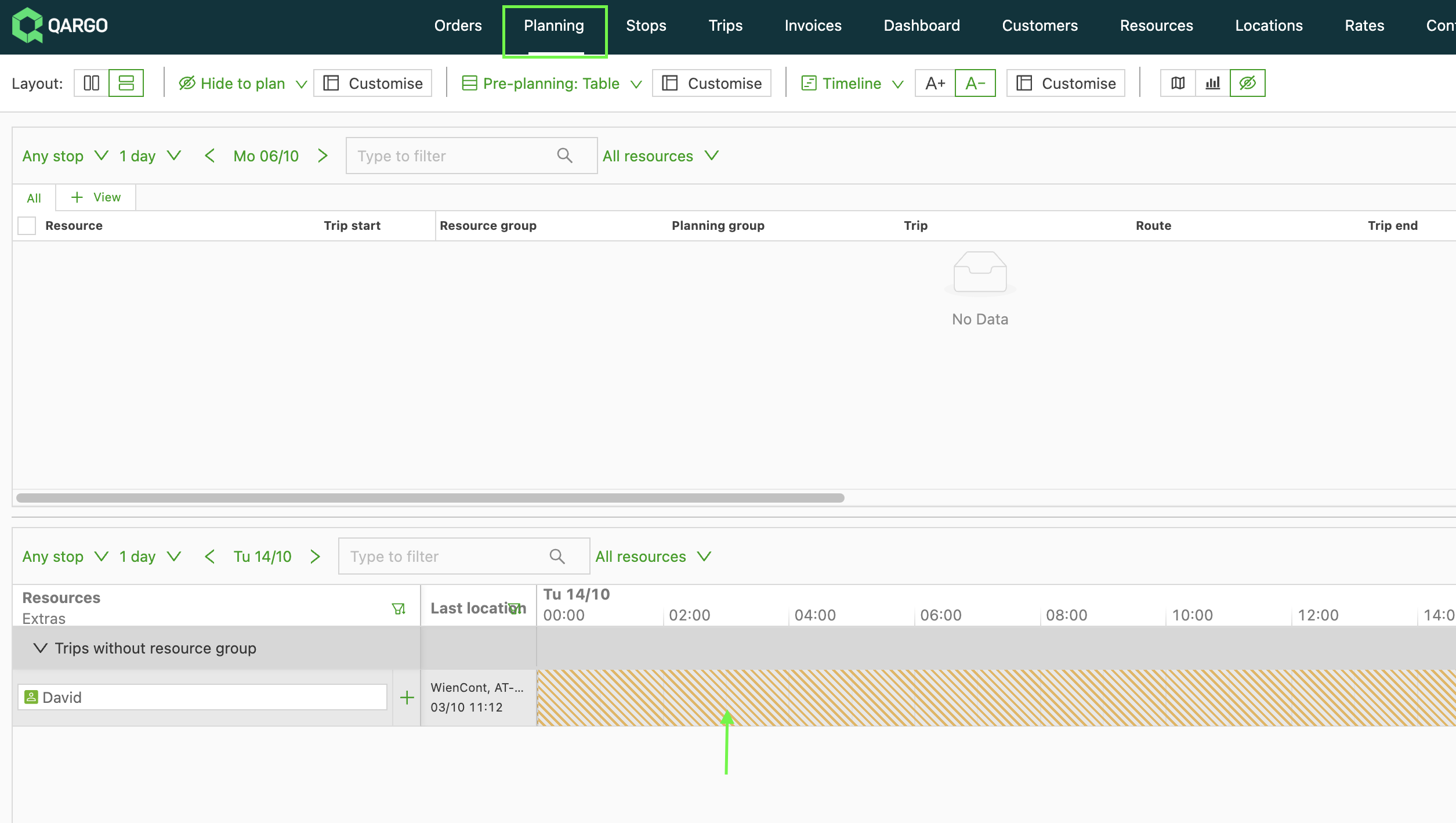
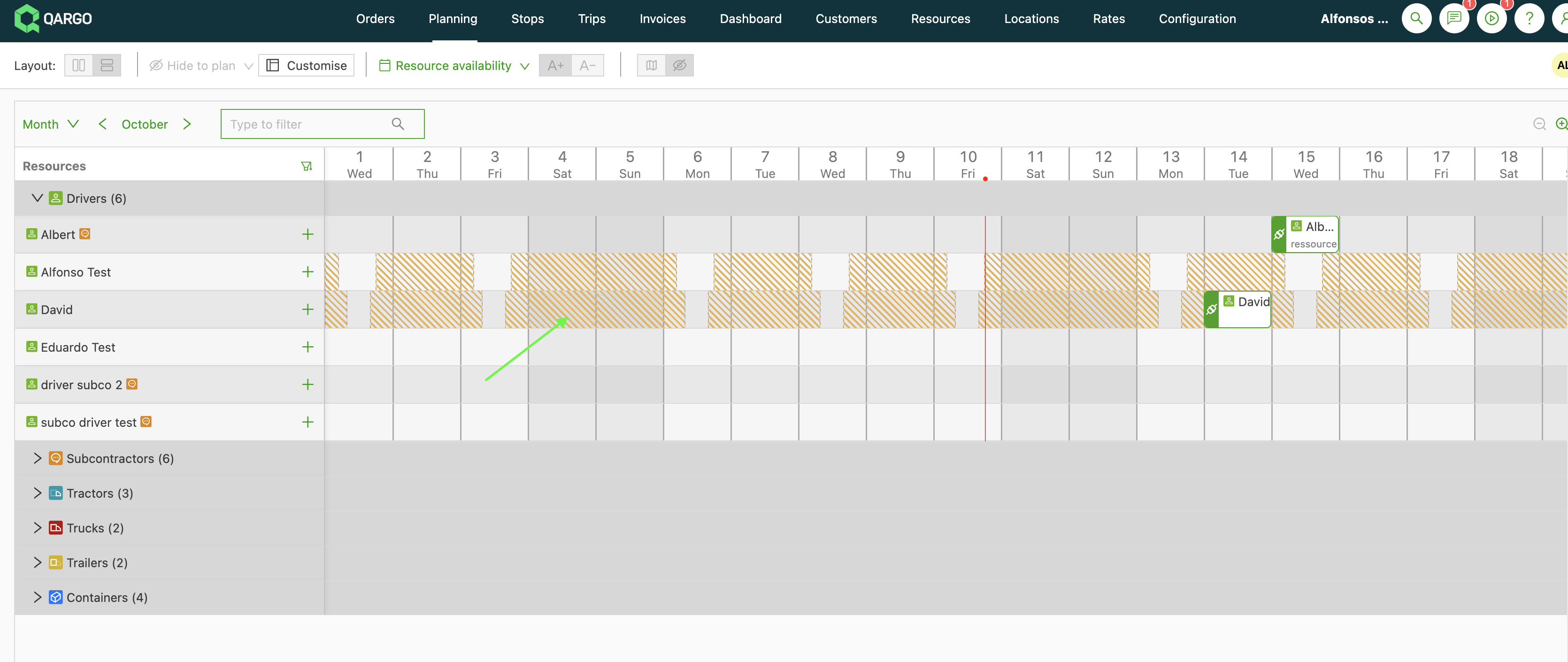
1. Go to the Planning module to see assigned schedules in context. Resource unavailability is marked in the resources calendar.
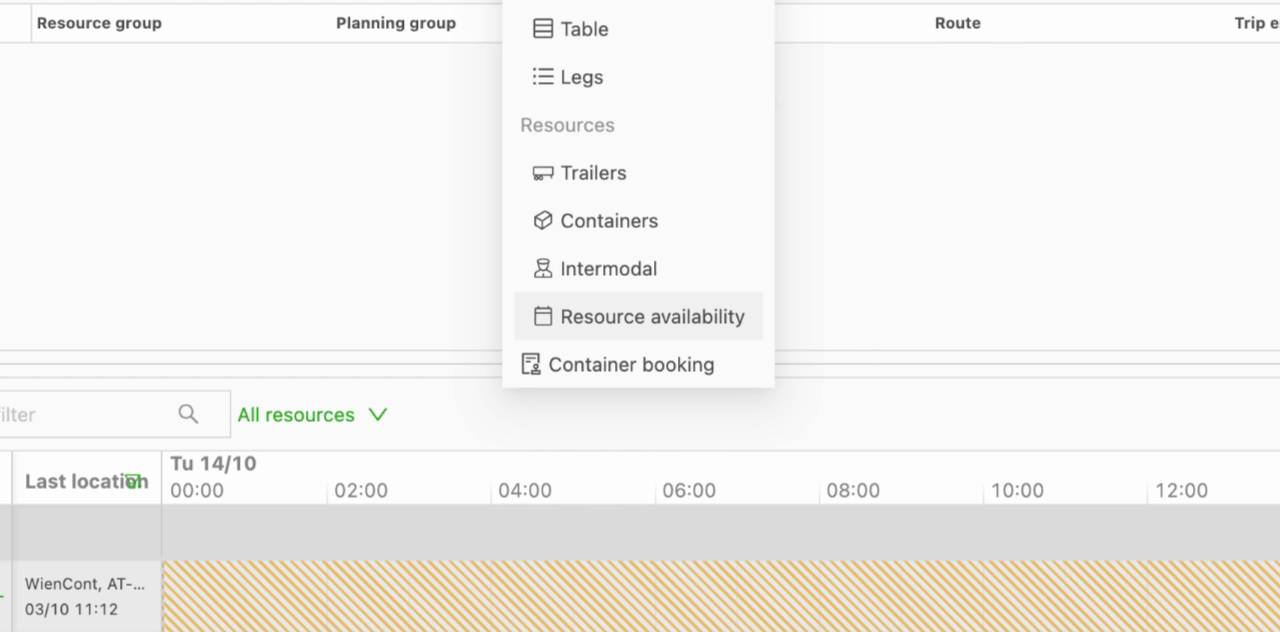
2. Use the Resource availability option for a fleet-wide calendar view.
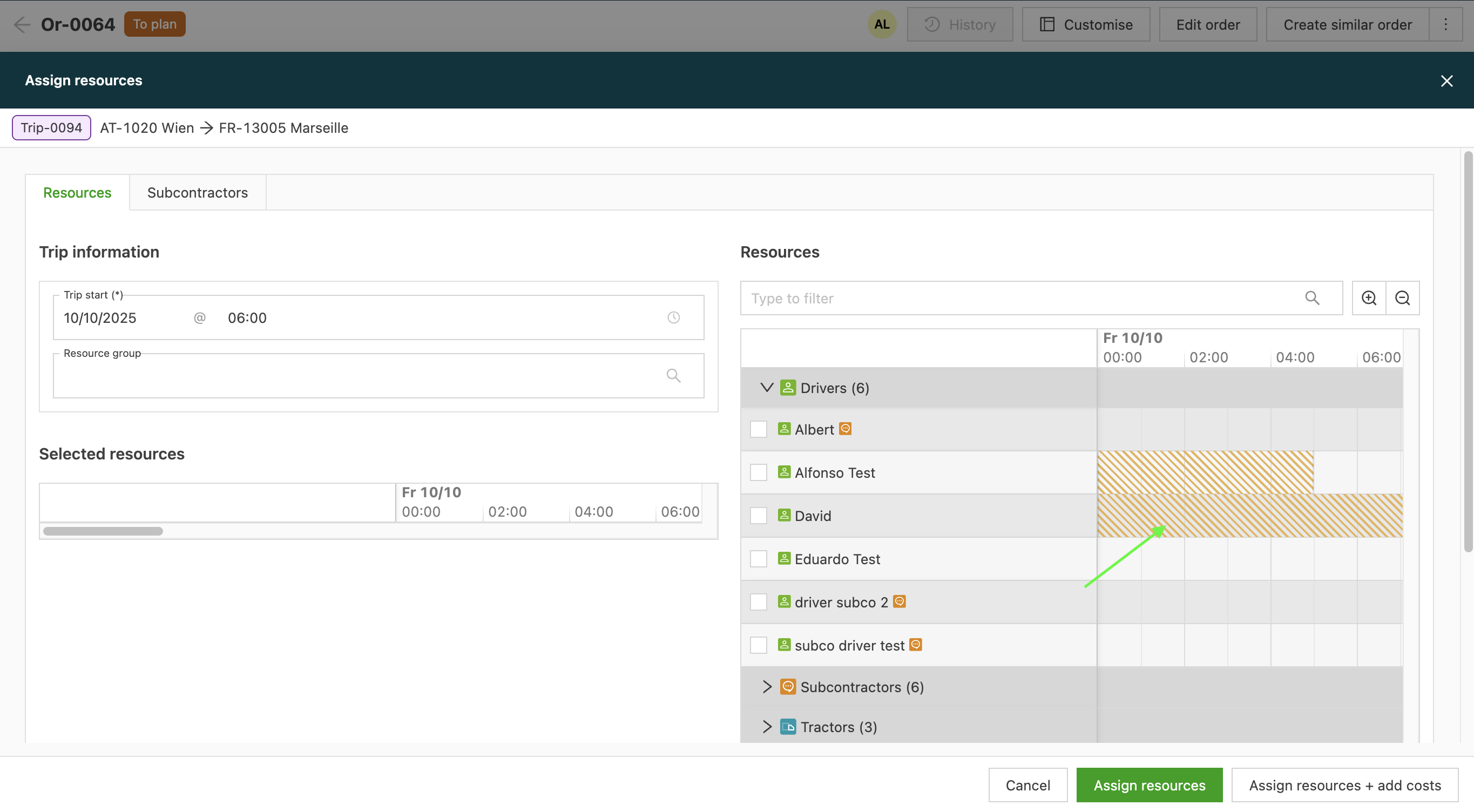
3. In the Orders module, select an order and view the detailed assignment screen in the Operations section. This ensures only available resources are assigned.
🚛 Additional use case examples
- Assign different rotating shift patterns to warehouse and driving staff to accommodate seasonal fluctuations in demand.
- Track driver hours when planning high-volume delivery days, so weekly or daily working limits are not exceeded.
- Check resource availability across the entire fleet before confirming large orders to avoid double-booking or overtime breaches.