
Customer portal - Portal logo: What, why & how
Upload the transport company's logo in Customer portal configuration to replace the Qargo logo in the customer portal header. A Powered by Qargo line shows on every portal page.
Introduction
What is the portal logo?
- An image that replaces the Qargo logo in the top-left corner of the customer portal header.
- One logo for the whole tenant, set in Customer portal configuration.
Why was it introduced?
- Portal users saw the Qargo logo on every page, so the portal looked like a Qargo tool instead of a service of their transport company.
How does it work?
- An admin uploads the logo once.
- Every customer portal user sees it in the header from the next page load.
- The tenant name stays visible on the right-hand side of the header, next to the user menu.
- A small Powered by Qargo line shows on every portal page, with or without an uploaded logo.
- Without an uploaded logo, the portal keeps the Qargo logo.
Terminology
| Term | Definition |
|---|---|
| Portal logo | The logo shown in the customer portal header. Set in Customer portal configuration. |
| Document logo | The logo on the billing entity, used on invoices and other documents. Separate from the portal logo. |
Upload the portal logo
How to configure
File requirements
- Size: up to 200 KB.
- Format: PNG or JPEG.
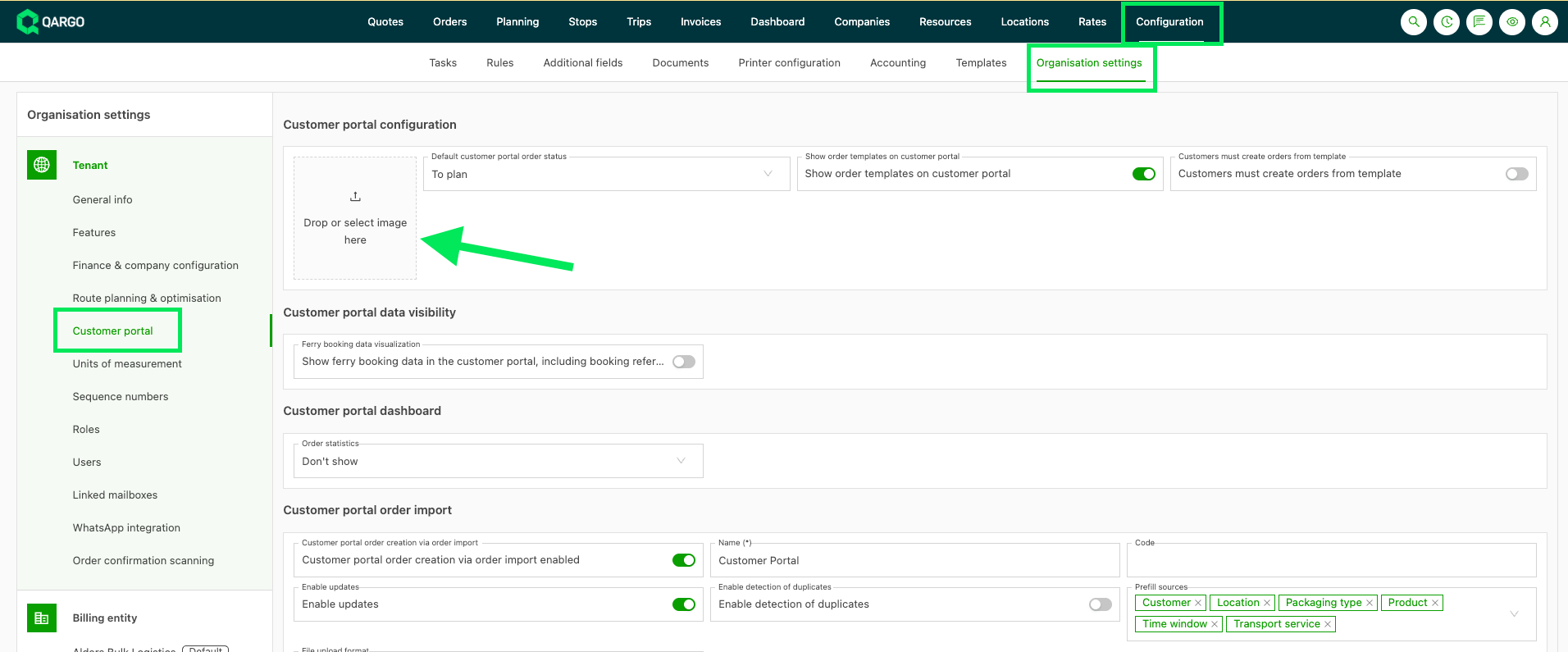
- Navigate to Configuration > Organization settings.
- Select Customer portal on the left side.
- Drop or select an image in the tile that reads Drop or select image here, in the Customer portal configuration section.
- Click Save.
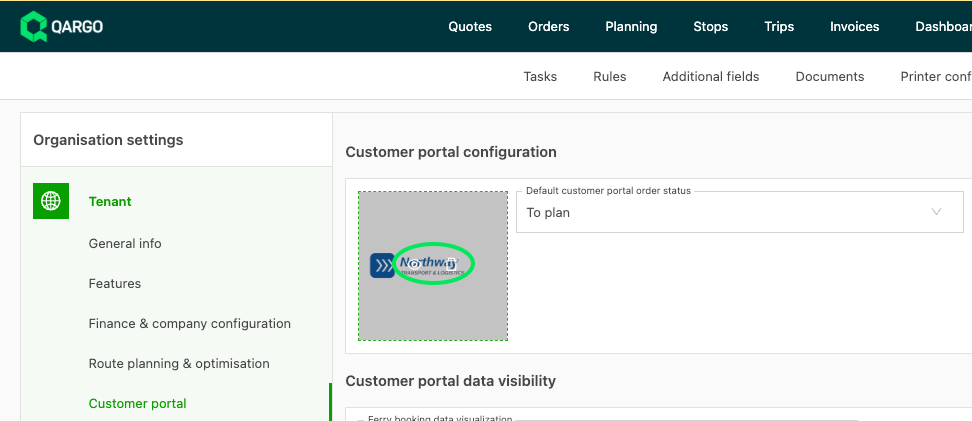
The image tile then shows a preview of the logo. The logo is shown to portal users from the next page load.
Replace or remove the logo
- Hover over the logo in the image tile.
A preview icon and a delete icon appear. - Click the delete icon to remove the logo, or
drop a new image to replace it. - Click Save.
After removal, the portal shows the Qargo logo again.
What portal users see
Header logo
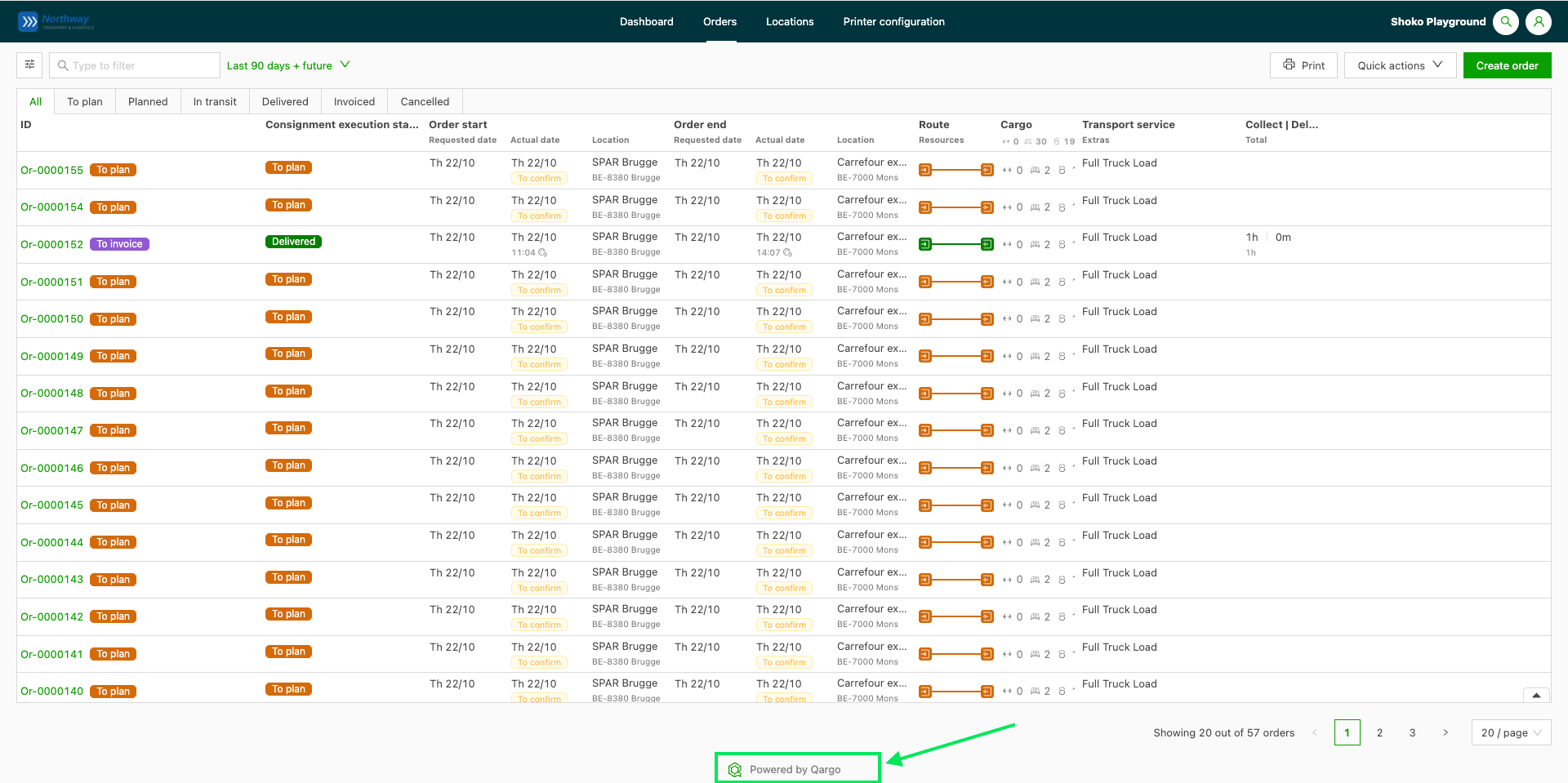
The uploaded logo appears in the top-left corner of the portal header on every portal page, for example Dashboard and Orders.
-
The logo scales to the header height and keeps its proportions.
-
A wide logo is limited in width.
-
The tenant name stays on the right-hand side of the header, next to the user menu.

Powered by Qargo
A small Powered by Qargo line with the Qargo icon shows on every portal page.
Troubleshooting
| Issue | Resolution |
|---|---|
| Size of file … is too large: … kB (max: 200 kB) | The image is larger than 200 KB. Compress or resize the image and upload it again. |
| The portal still shows the Qargo logo | Confirm the logo was saved in Customer portal configuration, then reload the portal page. |
| The logo does not show on invoices or other documents | The portal logo is only used in the customer portal. The document logo is set on the billing entity. |
| The logo does not show on the login page | The login page keeps the Qargo logo for all tenants. |
| The logo does not show in the carrier portal or in emails | These keep the Qargo logo. The portal logo applies to the customer portal only. |