
Invoices FAQ: How does tax work for contract carriers in Qargo?
Overview of tax configuration and automatic calculation for contract carrier invoices (carrier invoices) in Qargo. Covers contract carrier profiles, cost rate cards, and tax rules by country.
Table of contents
- Summary
- Prerequisites
- Terminology
- Tax configuration defaults
- Tax configuration on the contract carrier
- Tax exceptions toggle
- Tax configuration on cost price list and surcharges/extras
- Tax calculations for contract carrier invoices
- Tax priority logic
- Stand-alone charges on carrier invoices
- Automatically determine tax on contract carrier invoices
- Calculating total tax amount on carrier invoices
- Summary guide for tax rules: contract carrier (carrier invoice)
- BE tenant
- EU tenant
- UK tenant
- Troubleshooting
Summary
- What: Tax logic for carrier invoices received from contract carriers in Qargo.
- Why: Correct tax configuration on contract carrier profiles ensures accurate cost accounting and tax compliance when processing invoices from carriers.
- How: Tax is configured on the contract carrier profile, inherited by cost rate cards, and automatically calculated based on the contract carrier’s country, the tenant’s country, and the transport route.
Prerequisites
- Contract carrier profiles must be set up in Qargo.
- Tax rates must be configured under Configuration > Accounting > Tax rates and tax configuration (typically completed during initial onboarding).
- For automatic tax determination, contract carrier tax numbers must include the country code.
Terminology
| Term | Definition |
|---|---|
| Contract carrier | A third-party carrier engaged to perform transport on behalf of the Qargo tenant |
| Carrier invoice | An invoice received from a contract carrier for transportation services rendered |
| Reverse charge | A tax mechanism where the buyer (tenant) accounts for tax rather than the supplier (contract carrier). Within the EU, reverse charge applies when the tenant and contract carrier are in different EU member states (Intra EU). In the UK, reverse charge exists as 20% and 0% variants; Qargo’s UK reverse charge is planned but not yet implemented |
| Intra EU | Transport between two EU member states |
| Tenant | The transport company operating Qargo |
| Transit (Art 41) | A tax exemption that applies to transportation services where goods cross an EU border |
| No tax | No tax applies to the transaction |
Tax configuration defaults
Default tax rates are configured when the tenant account is created, and any modifications are typically made as part of initial onboarding. Note: EU tenants and UK tenants have separate tax rate configurations.
To view available tax types:
- Navigate to Configuration > Accounting > Tax rates and tax configuration.
- Go down to the Tax rates panel, where all available tax rates are listed.
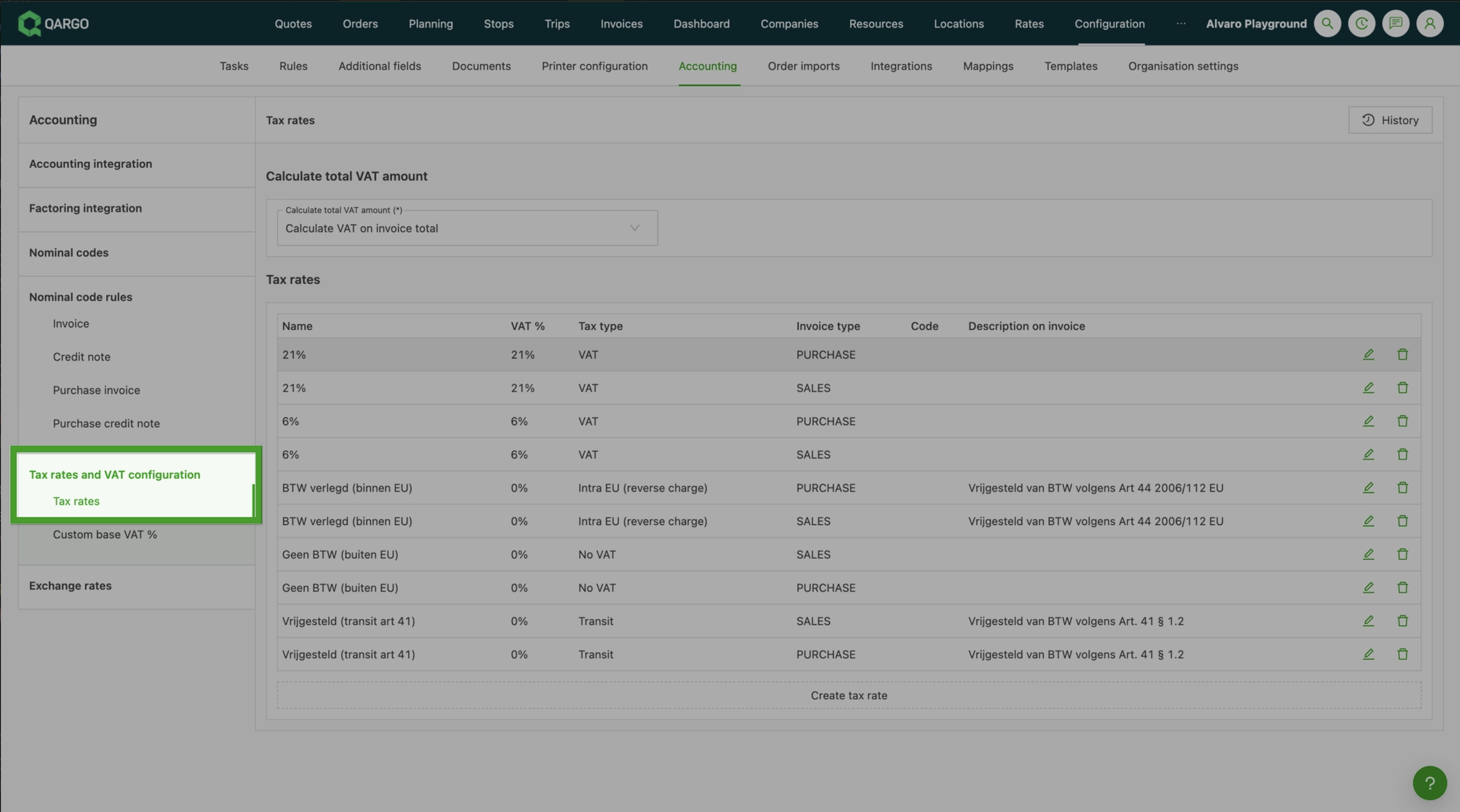
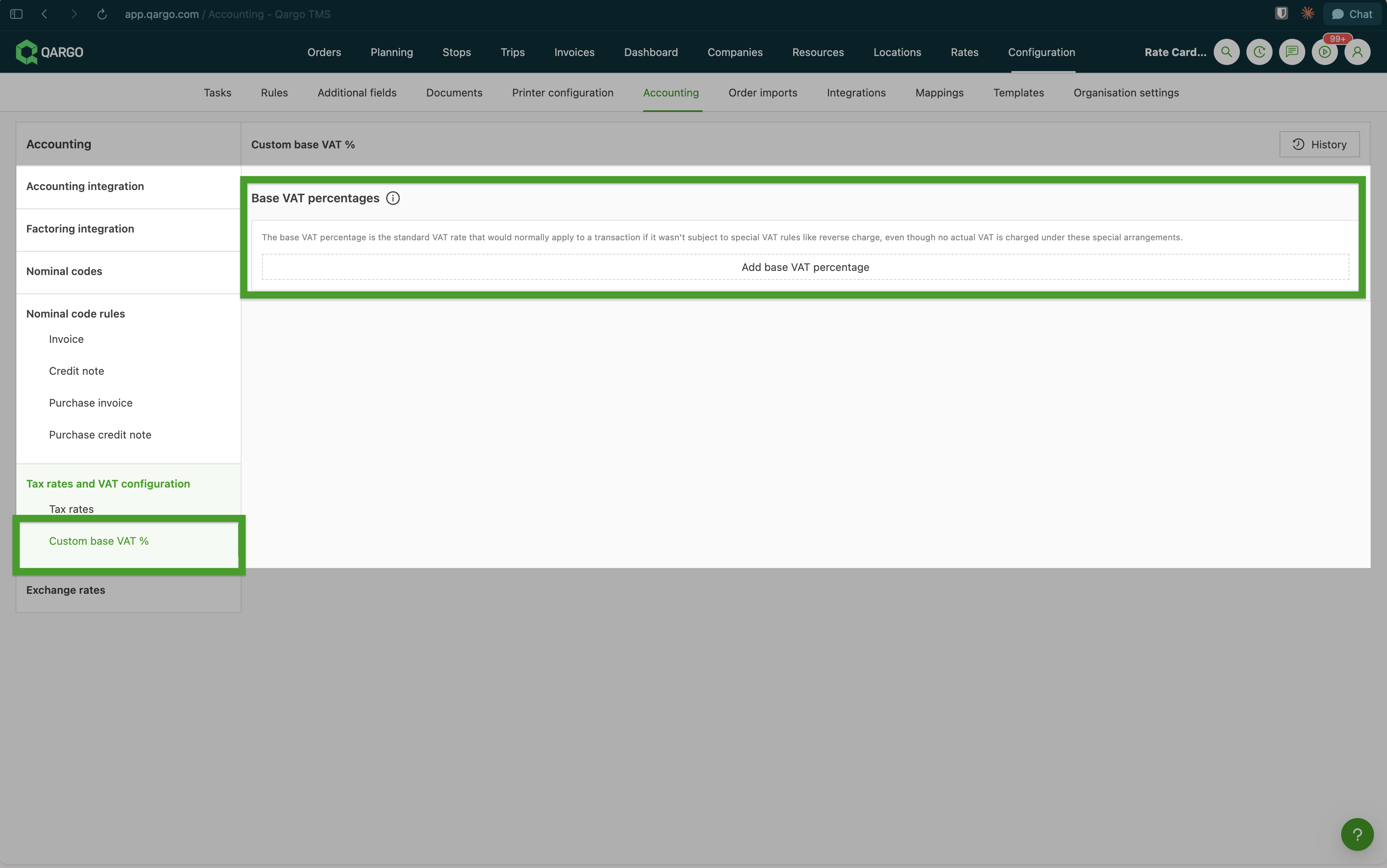
In addition to the tax rates, a Base tax rate can be set. The base rate is used for the Reverse charge tax rate: a reverse charge invoice carries €0 tax, but in accounting the tax is booked both up and down at the original rate (for example, on a €100 invoice at 21%, €21 is booked up and €21 booked down; net €0, but registered on the correct tax codes). The base rate communicates to the accounting package what the tax would have been without reverse charge. Tax codes can also be added to each tax rate, which are passed through to the connected accounting software.
Tax configuration on the contract carrier
Completing the Tax section in the contract carrier profile enables Qargo to automate tax calculation when a contract carrier price is added to a load. Tax is determined at that point, before the carrier invoice is created.
- Path: Resources > Contract carriers, then select the contract carrier
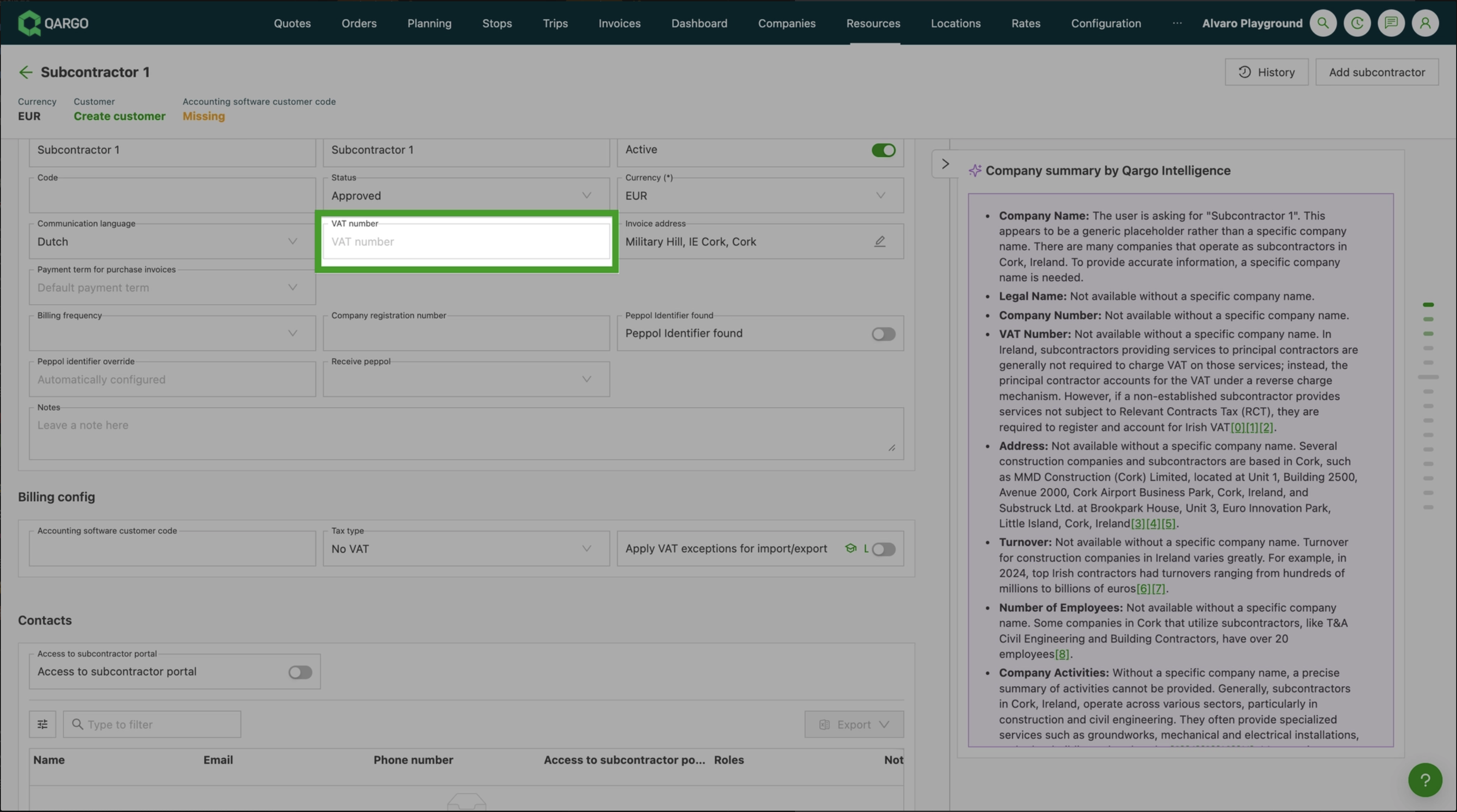
Tax number
A tax registration number uniquely identifies a taxable business registered for tax. Tax numbers added to the contract carrier profile must include the country code (for example, BE0123456789 or GB123456789).
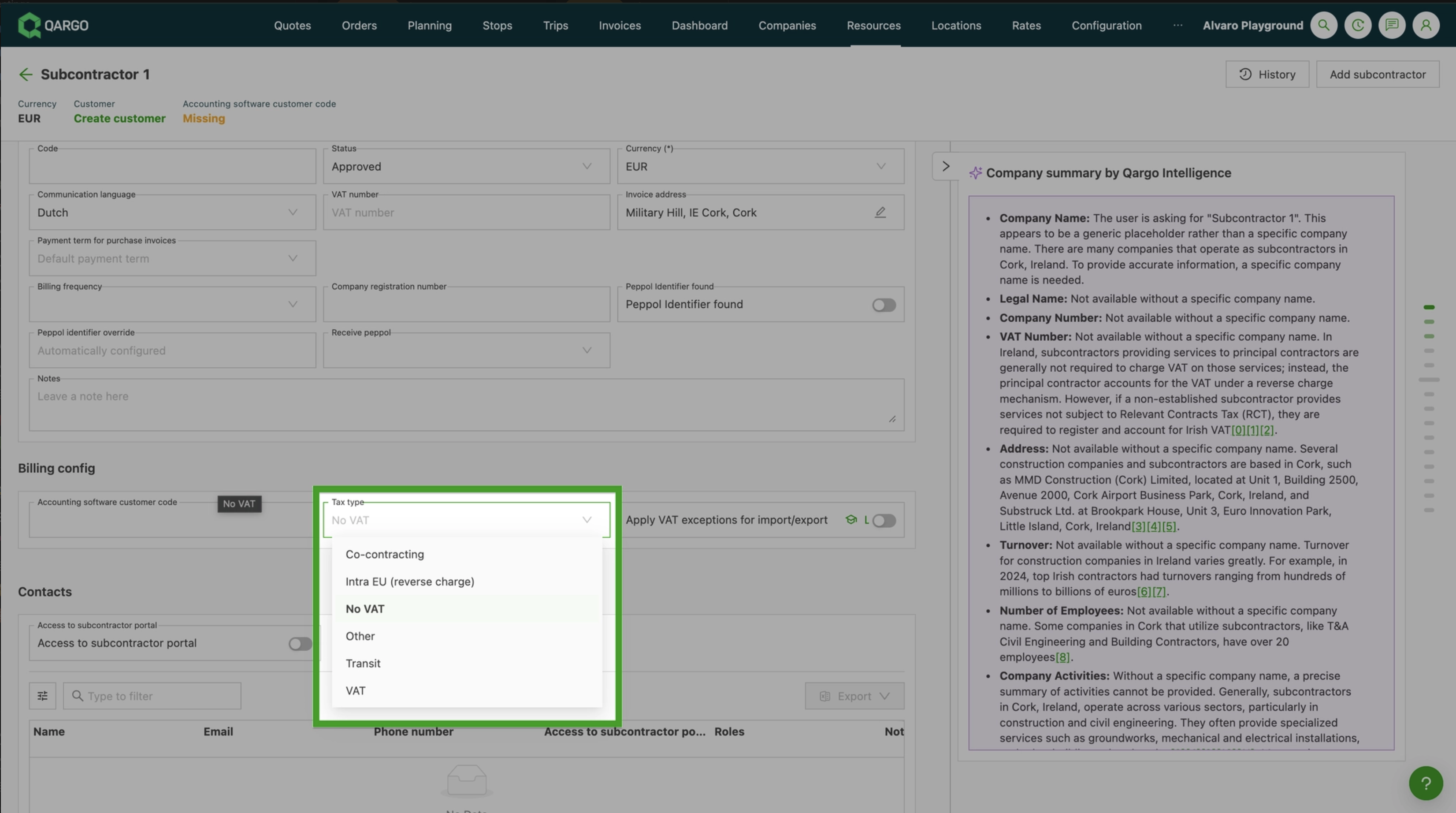
Tax type
-
Co-contracting: used when the contract carrier is operating under a co-contracting arrangement.
-
Intra EU (reverse charge): use when both the tenant and the contract carrier are inside the EU but in different countries. The reverse charge mechanism shifts the tax accounting obligation to the tenant (buyer). Reverse tax will appear as the description on the carrier invoice.
-
No tax:
- Use when the tenant is based in the EU and the contract carrier is based outside the EU.
- Use when the tenant is based in the UK and the contract carrier is based outside the UK.
-
Other: use for transactions that do not fall under any of the standard categories listed above.
-
Transit: use if the pickup or delivery is outside the EU.
-
Tax: use if the contract carrier is based in the same country as the tenant.
Tax exceptions toggle
When set to On, Qargo automatically applies the appropriate tax exceptions for import/export orders involving that contract carrier.
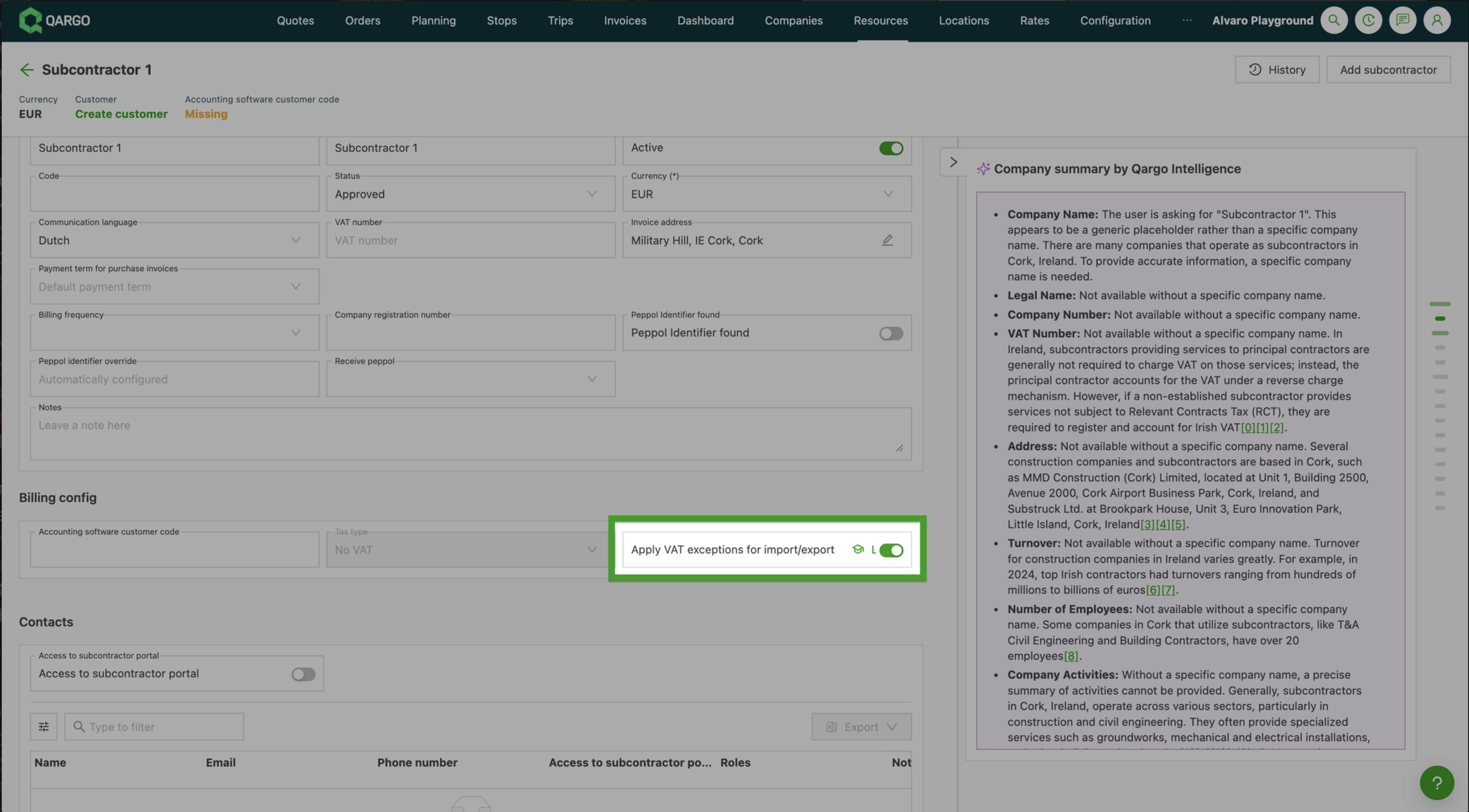
When the toggle is set to On, the Tax type field is grayed out and cannot be modified manually.
Tax configuration on cost price list and surcharges/extras
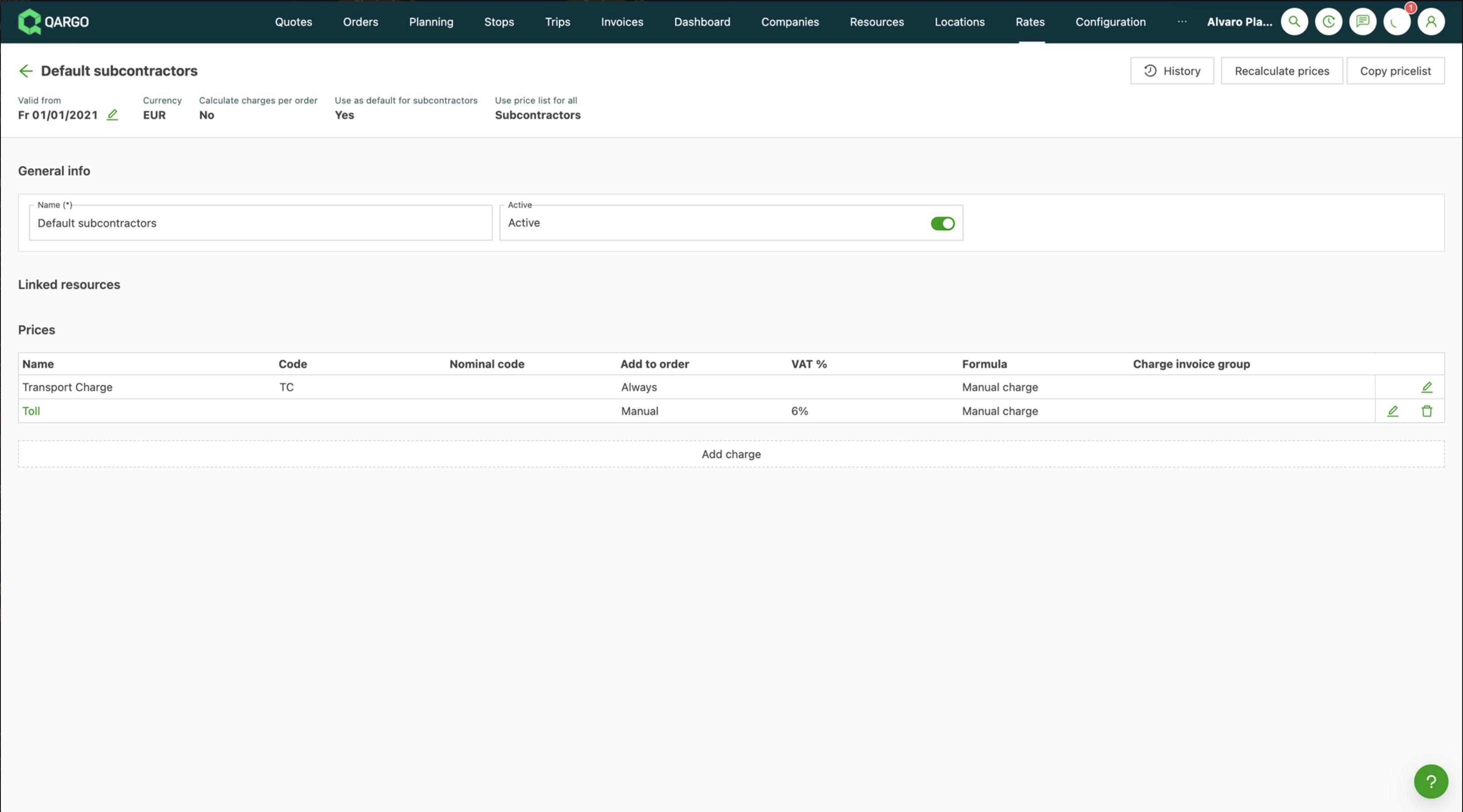
- Path: Rates > Cost calculation load, then select Default contract carrier
When configuring contract carrier cost services and surcharges/extras, the tax for the carrier invoice is mandatory.
- Cost price lists that use saved charges include the tax assigned to that charge.
- This avoids having to configure the tax % separately for each cost rate card.
- Applies to both transport charges and any surcharges or extras.
Tax calculations for contract carrier invoices
Tax priority logic
- Contract carrier tax type configuration takes precedence if set to Intra EU or No tax: this overrides everything else.
- Cost calculation load tax %: applied when no tax type is set on the contract carrier profile (e.g., domestic contract carriers).
Qargo applies the following logic based on the contract carrier’s configuration:
- Contract carrier is Intra EU: Tax on the carrier invoice is set to reverse charge. Configuration on the cost rate card is ignored.
- Contract carrier is No tax: Tax on the carrier invoice is set to No tax. Configuration on the cost rate card is ignored.
- No tax type set: Qargo uses the tax % configured on the cost rate card directly. This is the typical path for domestic contract carriers in the same country as the tenant.
Stand-alone charges on carrier invoices
Stand-alone charges added directly to a carrier invoice (i.e., not generated from a load) always follow the tax type configured on the contract carrier profile.
Automatically determine tax on contract carrier invoices
When the Apply tax exceptions for import/export toggle is set to On on the contract carrier profile, Qargo automatically determines the tax type on each carrier invoice.
Tax type is determined based on:
- The country of the contract carrier, derived from the tax number and billing address.
- The load pickup and delivery locations.
For import/export orders (containers), the tax type is based on the country of origin or country of destination of the goods rather than the pickup and delivery locations. These values are recorded under the shipment information on the order, and are additional fields that must be enabled in the account configuration before they appear.
Country of origin and country of destination are set in one of two ways:
- If the user enters these values on the shipment, those values are used.
- If they are left blank, Qargo determines them automatically from the locations of the first and last stop of the shipment.
Calculating total tax amount on carrier invoices
Two tax calculation methods are available, configured in Configurations > Accounting. This is typically set during initial account configuration and applies account-wide, affecting all invoices for both sales and purchase.
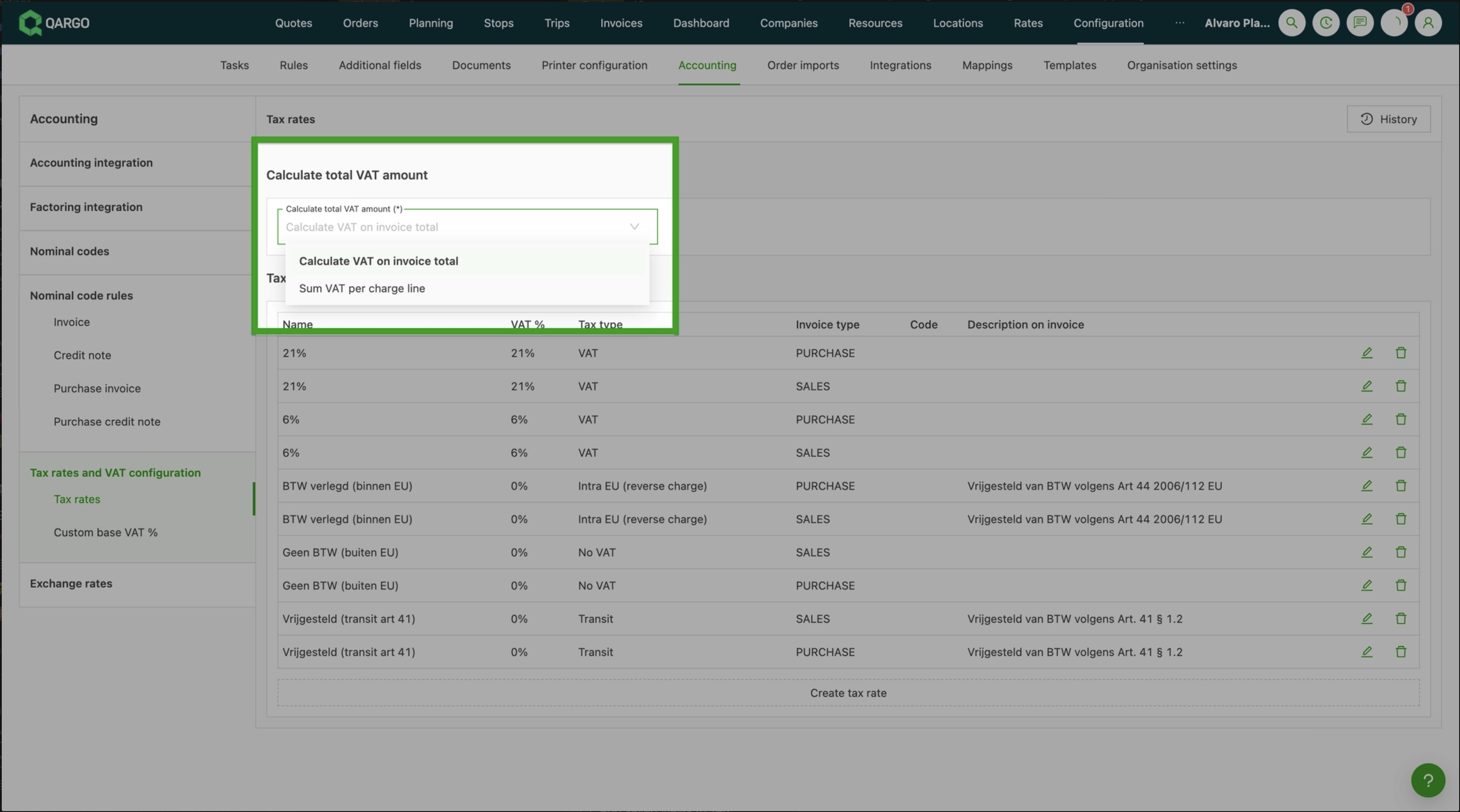
The two options are:
- Calculate tax on invoice total: all charge lines are summed and tax is applied to the total.
- Sum tax per charge line: tax is calculated and rounded to 2 decimal places on each individual charge line.
Summary guide for tax rules: contract carrier (carrier invoice)
BE tenant
| Transportation | BE contract carrier | EU contract carrier | Contract carrier outside EU |
|---|---|---|---|
| Domestic (e.g., Antwerp - Ghent) | Tax | Reverse charge (Art 44) | No tax |
| Within EU, one stop in BE (e.g., Paris - Ghent) | Tax | Reverse charge (Art 44) | No tax |
| Within EU, no stop in BE (e.g., Paris - Berlin) | Tax | Reverse charge (Art 44) | No tax |
| Pickup outside EU, delivery inside EU (e.g., UK - Ghent) | Transit Art 41 / No tax | Transit Art 41 / No tax | Transit Art 41 / No tax |
| Pickup inside EU, delivery outside EU (e.g., Ghent - UK) | No tax / Export (Transit Art 41) | Transit Art 41 / No tax | Transit Art 41 / No tax |
| Transport outside EU (e.g., Switzerland - UK) | No tax | Reverse charge (Art 44) | No tax |
EU tenant
| Transportation | Contract carrier in same country as tenant | EU contract carrier | Contract carrier outside EU |
|---|---|---|---|
| Domestic | Tax | Reverse charge (Art 44) | No tax |
| Within EU | Tax | Reverse charge (Art 44) | No tax |
| Pickup outside EU, delivery inside EU | Transit / No tax | Reverse charge (Art 44) | No tax |
| Pickup inside EU, delivery outside EU | Transit / No tax | Reverse charge (Art 44) | No tax |
| Transport outside EU | No tax | Reverse charge (Art 44) | No tax |
UK tenant
| Transportation | UK contract carrier | Contract carrier outside UK |
|---|---|---|
| Domestic (e.g., London - Manchester) | Tax | No tax |
| Pickup outside UK, delivery inside UK (e.g., Antwerp - London) | No tax (Transit) | No tax |
| Pickup inside UK, delivery outside UK (e.g., London - Antwerp) | No tax (Transit) | No tax |
| Transport outside UK (e.g., Ghent - Amsterdam) | No tax | No tax |
Troubleshooting
| Issue | Solution |
|---|---|
| Domestic routes still showing full tax despite import/export toggle being on | Tax exceptions only apply to cross-border routes. Domestic routes (pickup and delivery in the same country) always use the domestic tax rate. |
| Tax-exempt lines on cost rate cards despite exceptions being disabled | Check and update default tax rates in contract carrier cost rate cards. Misconfigured rate cards can result in tax-exempt line items. |
| Reverse charge not applying correctly for EU contract carriers | Enable the Apply tax exceptions for import/export toggle on the contract carrier profile and ensure reverse charge settings are configured correctly. |
| Tax 0% showing on carrier invoice instead of tax exempt | This can occur due to how No tax is mapped in the account configuration settings, or when automatic tax rules override manual setups. Adjusting tax mappings and toggling the relevant settings can address this. |