
Qargo mobile app: customizing cross dock pallet response templates
When warehouse operators scan pallets in the Qargo Cross Dock mobile app, the information displayed on screen can now be customized per tenant. This makes it possible to show the most relevant shipment and routing information for each specific operation.
Table of contents
Overview
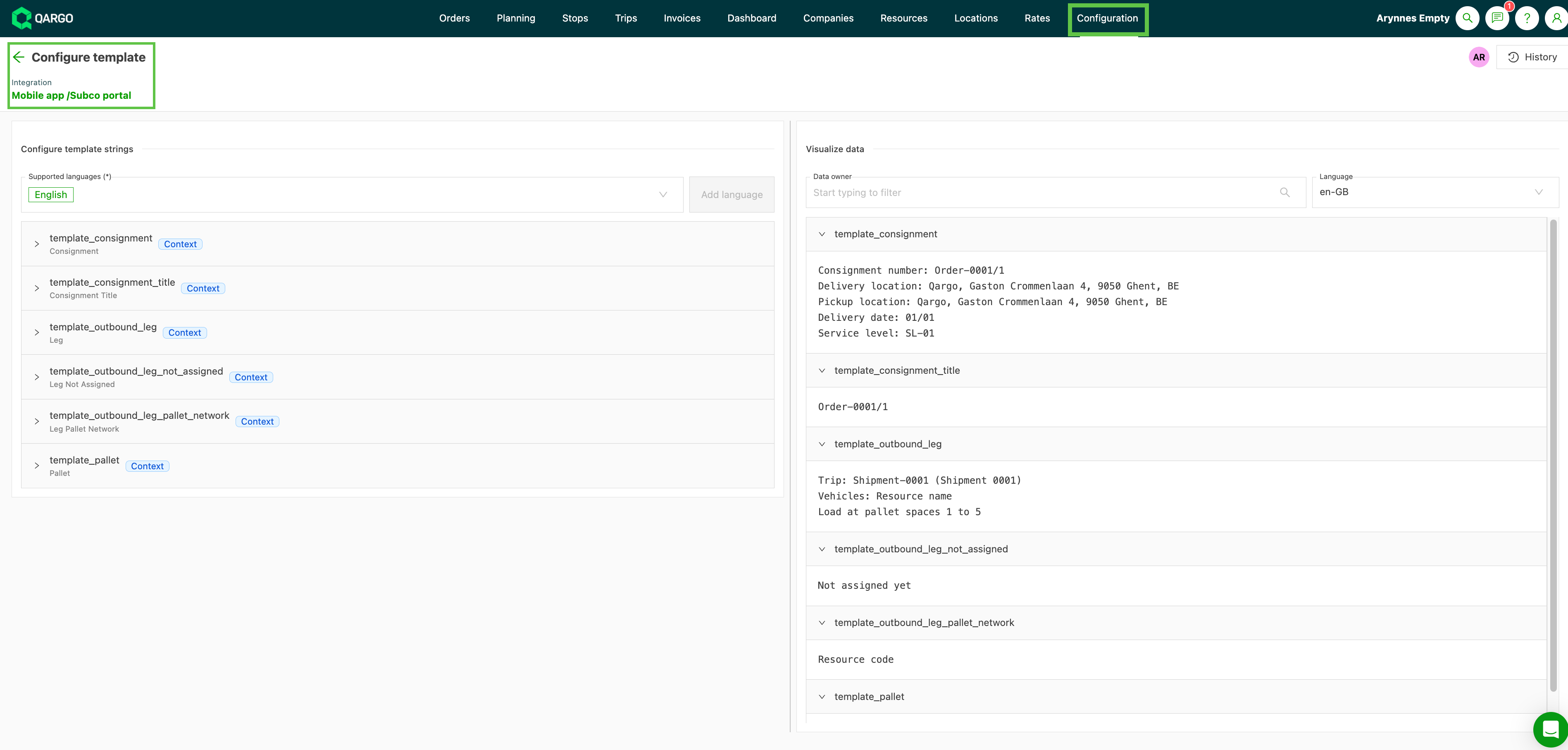
Pallet response templates are configurable text templates that control what information appears on screen during cross dock scanning. Six template types are available, each corresponding to a different part of the scanning UI:
| Template | Where it appears |
|---|---|
| 1️⃣ template_consignment | General information about the shipment shown after scanning a pallet |
| 2️⃣ template_consignment_title | The title/header shown in the general overview list of pallets to load |
| 3️⃣ template_pallet | Detailed information about the specific pallet being scanned |
| 4️⃣ template_outbound_leg | Information about the outbound load when a load is assigned and the destination is a standard route |
The template_outbound_leg template has two additional variants that are used in specific situations:
- template_outbound_leg_not_assigned is shown when the outbound load has not yet been assigned to the pallet.
- template_outbound_leg_pallet_network is shown when the outbound leg is routed via a pallet network.
The correct variant is selected automatically based on the planning status at the time of scanning.
Configuration
- Go to Configuration > Templates > Integration templates
- Select Cross dock templates

Templates use a placeholder-based format that can reference order and shipment fields.
When templates apply
Templates affect the information shown during all cross dock scanning flows:
- Unloading (inbound vehicle scan)
- Loading (outbound vehicle scan)
- Free scanning (warehouse pallet moves)
The correct template_outbound_leg variant is selected automatically based on the pallet’s routing status at the time of scanning.
Limitations
- Template configuration is tenant-wide. It is not possible to set different templates for different customer groups or terminal locations.
- This feature requires mobile app version 1.18.7 or later.