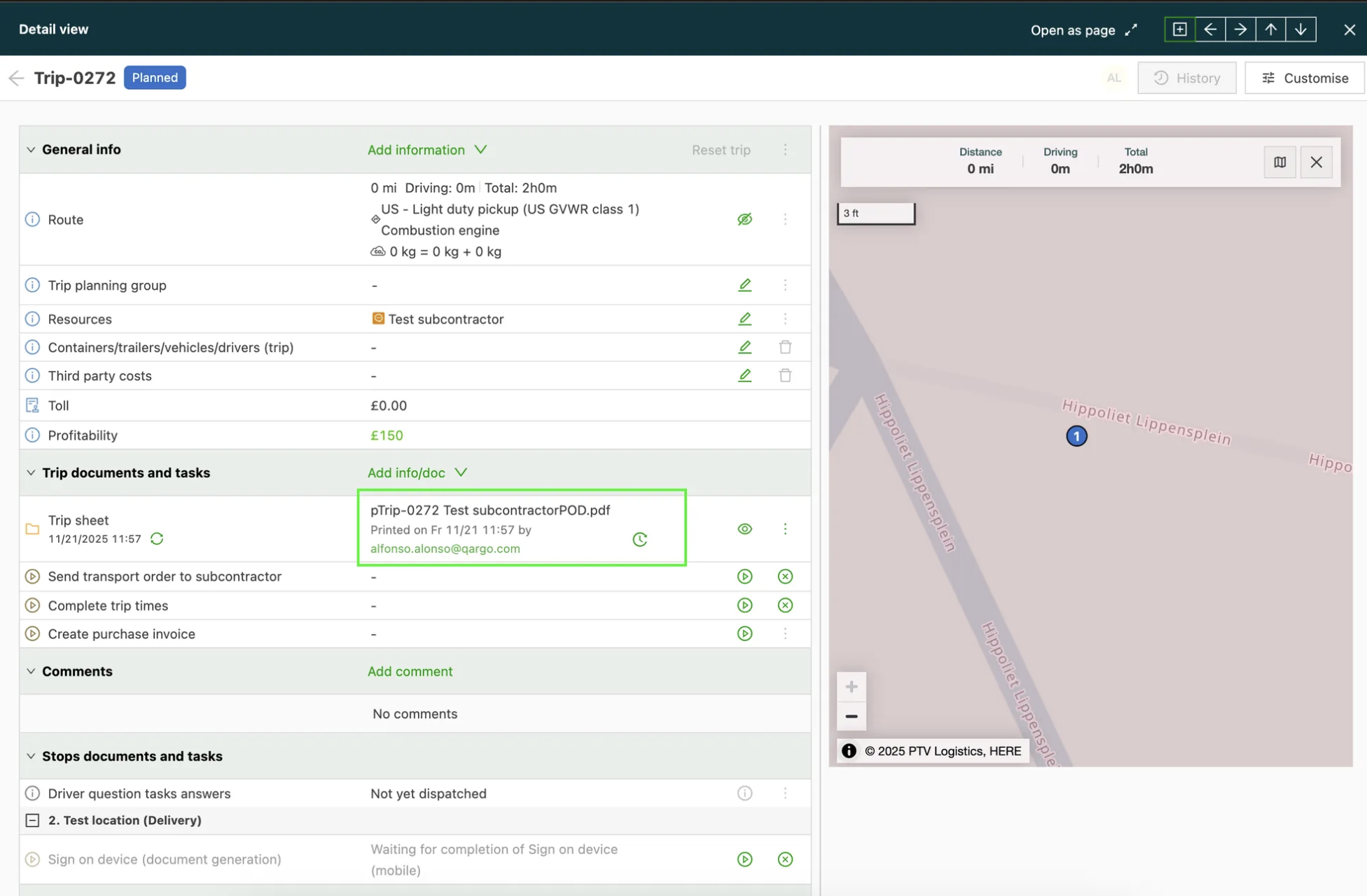
FAQ - Resource name in filename overrides for load sheet documents
Q: How can the contract carrier’s company name be included in load sheet filenames when downloading documents?
A: To include the contract carrier’s name in the filename, an administrator or a user with the right permissions needs to configure the File name override settings.
- Go to the relevant File name override configuration settings.
- Make sure Load sheets is selected as an available document type for the override.
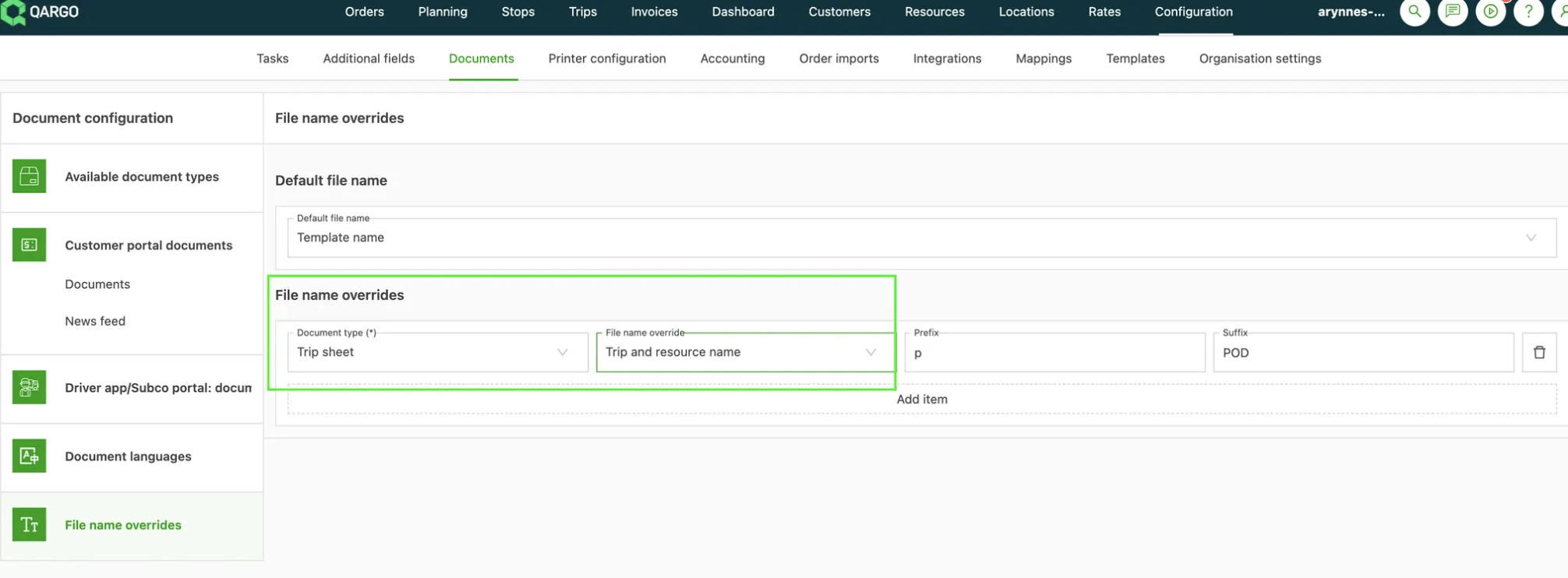
3. When configuring the filename format, select the new option “Load and resource name” from the list of available fields.
After this is configured, the system automatically uses the company name linked to the specific contract carrier (resource) to fill in that part of the filename whenever a load sheet is generated. This makes it much easier to distinguish and organize documents when downloading multiple load sheets for a single multi-stop load.