
Invoices - multiple billing entities
A quick guide to multiple billing entities in Qargo: what they are, when to use them, and step-by-step instructions to configure and use them for clear, per-entity accounting within a single tenant.
Table of contents
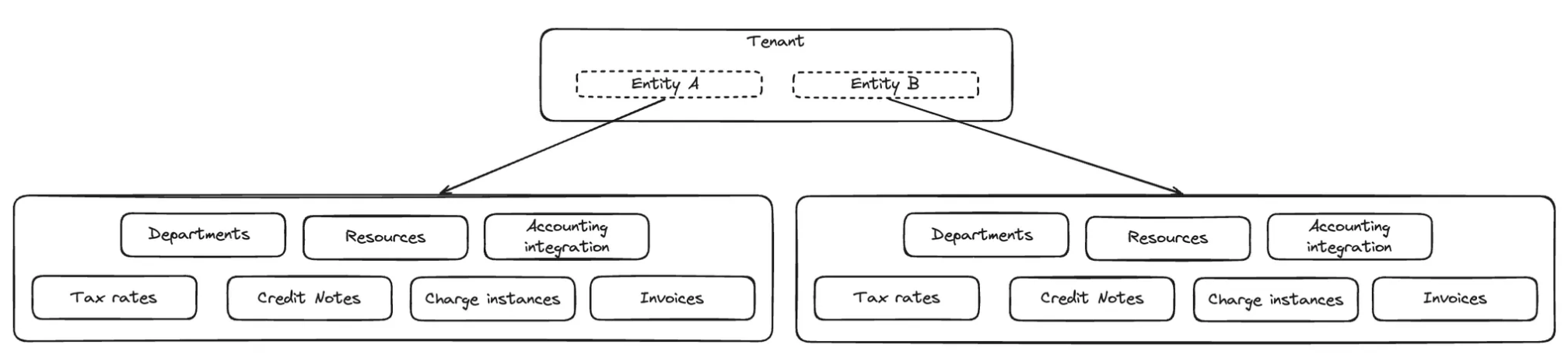
Multiple billing entities let larger organizations run multiple legal or fiscal entities inside a single Qargo tenant. Operationally, teams can plan together, share resources, and maintain one set of master data.
Financially, each entity keeps its accounting separate: invoices, credit memos, tax rates, sequences, integrations, and reports remain entity-specific. This feature is ideal for an operational environment with clear per-entity billing and accounting separation.
📖 Terminology
For clarity throughout this guide, the following terms are defined.
| Term | Definition |
|---|---|
| Billing entity | A distinct legal or fiscal entity within one Qargo tenant, used to separate billing, tax, accounting codes, and integrations. |
| Accounting & ERP integration | The external accounting system configuration set per billing entity. Invoices and credit memos are posted to the integration defined for that entity. |
| Department | The link between an order and a billing entity. Assigning a department on the order determines which billing entity the charges belong to. |
| Invoice sequence | Numbering rules maintained per billing entity, so each entity has its own invoice and credit memo sequence. |
| Tax rate / Tax type | Tax configuration scoped per billing entity and used to calculate taxes on charges based on customer settings and price list configuration. |
| Accounting code | The per-entity code used to match customers or contract carriers to records in the accounting package. |
| Self-bill scanning (sales) / Carrier invoice scanning | Document scanning flows that detect the intended billing entity (for example, via tax number). |
⚙️ How to set it up
Creating the billing entity
The option to create a new billing entity is available in the Organization settings.
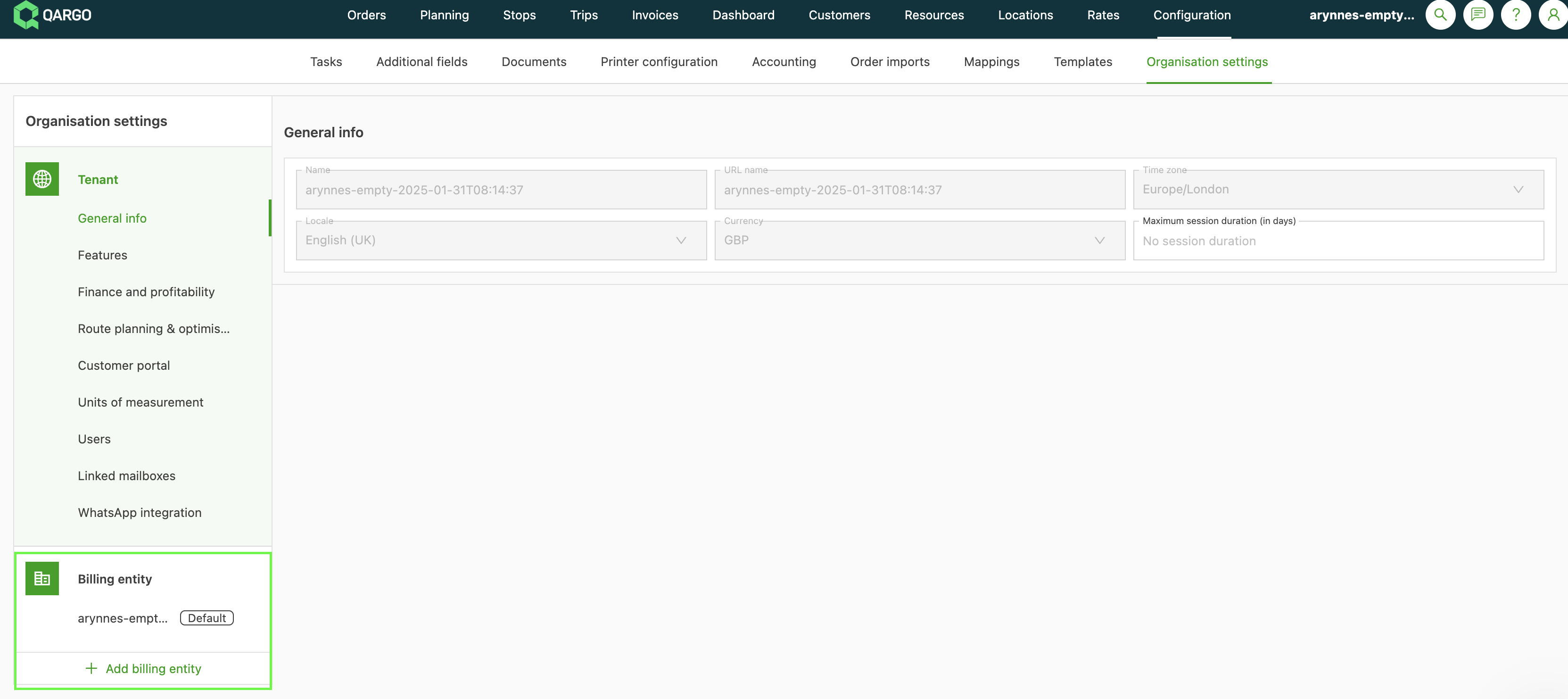
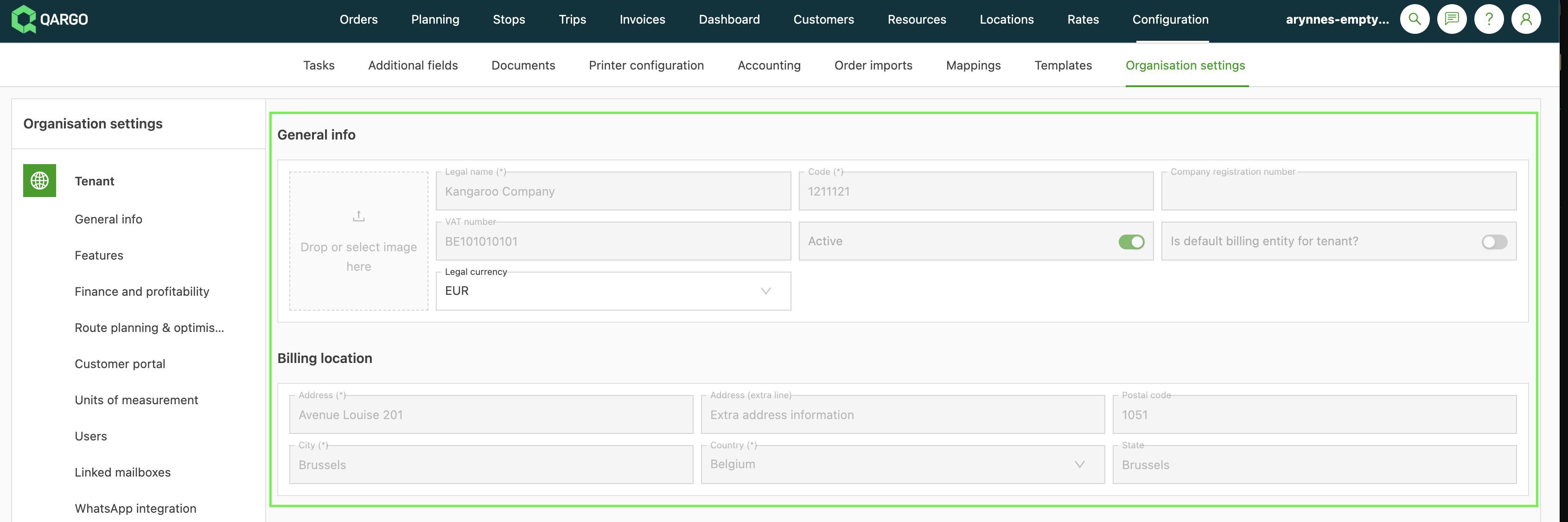
The following mandatory and optional details are required for completion:
- The legal name
- The tax number
- The billing location
- The logo (required for document generation, so the correct logo appears at the invoice level)
- A code (see the Master Data Import/Export and API sections for more detail)
- After saving the initial details, the fields for entering the invoice and credit memo sequence information become available.
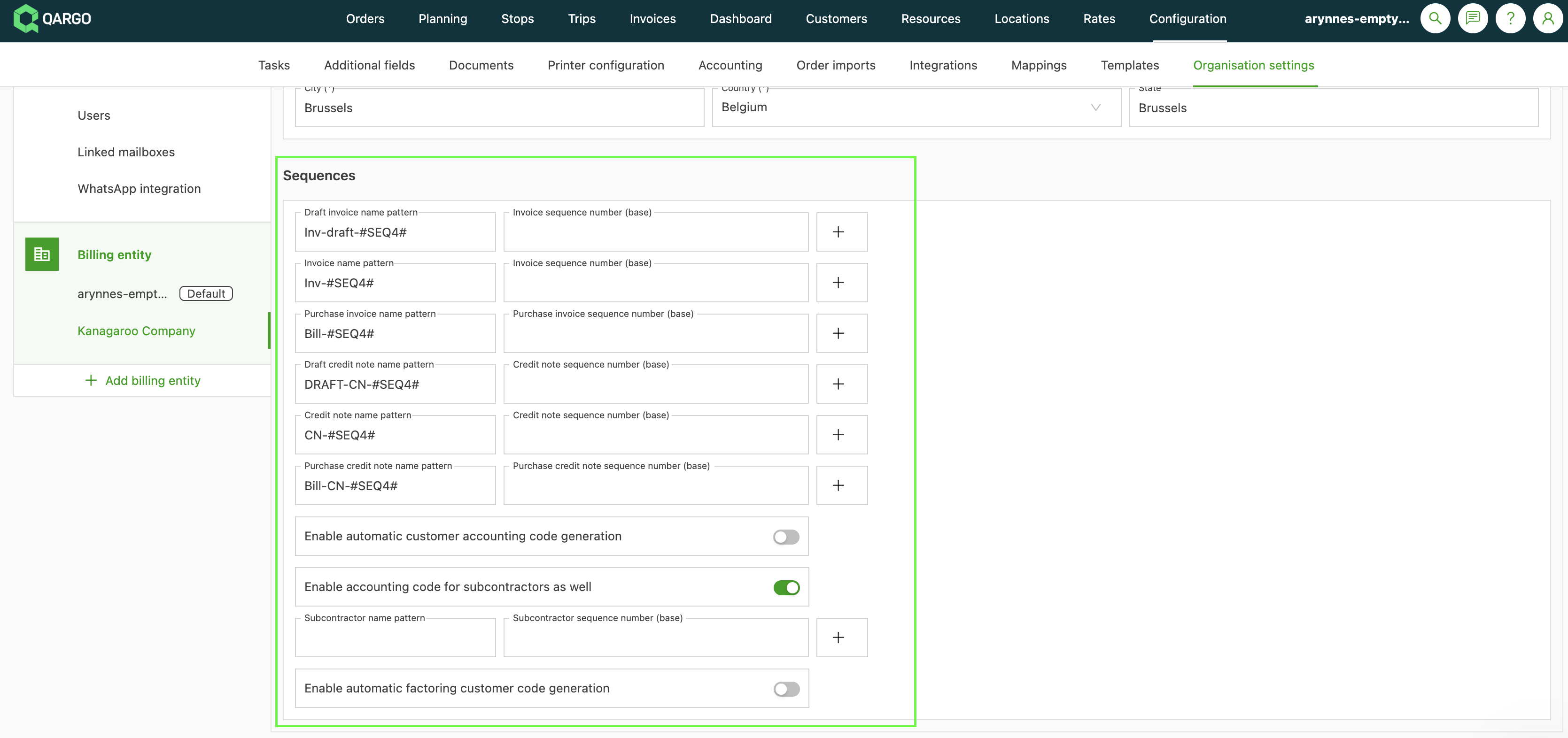
- Each billing entity is assigned its own distinct invoice and credit memo sequences.
Setting up the accounting configuration
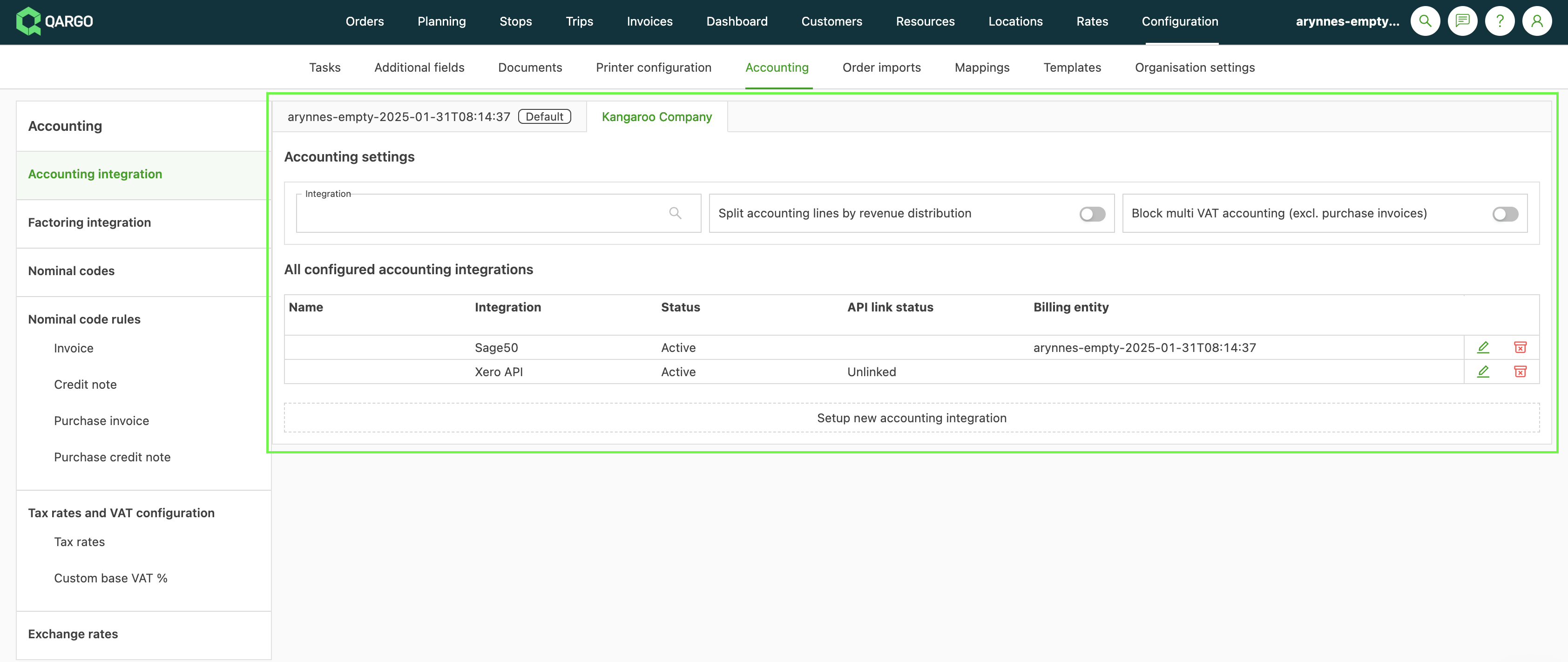
The Accounting configuration page allows an accounting & ERP integration to be set per billing entity (one integration can be shared across multiple entities).
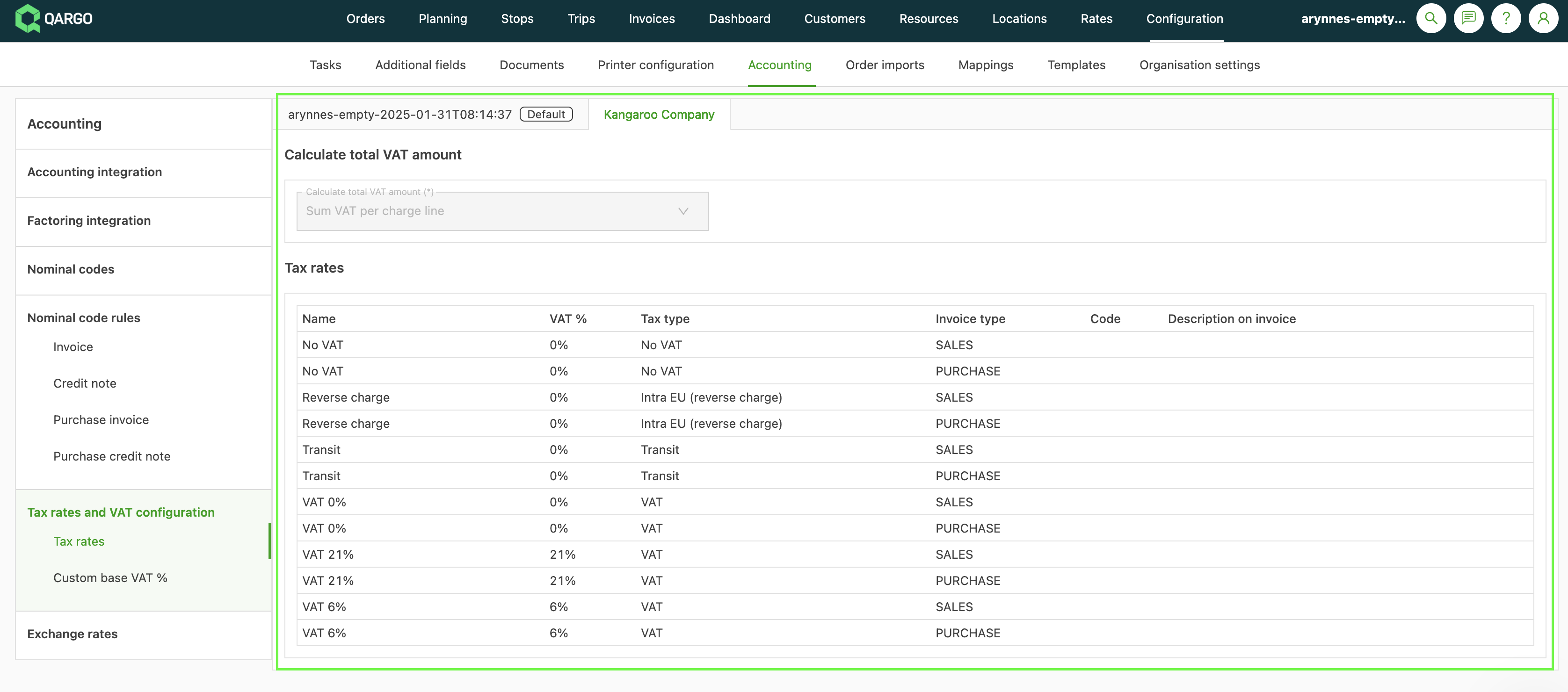
- Tax rates and accounting/GL codes must be configured for each billing entity.
- Default tax rates are generated based on the entity’s billing location.
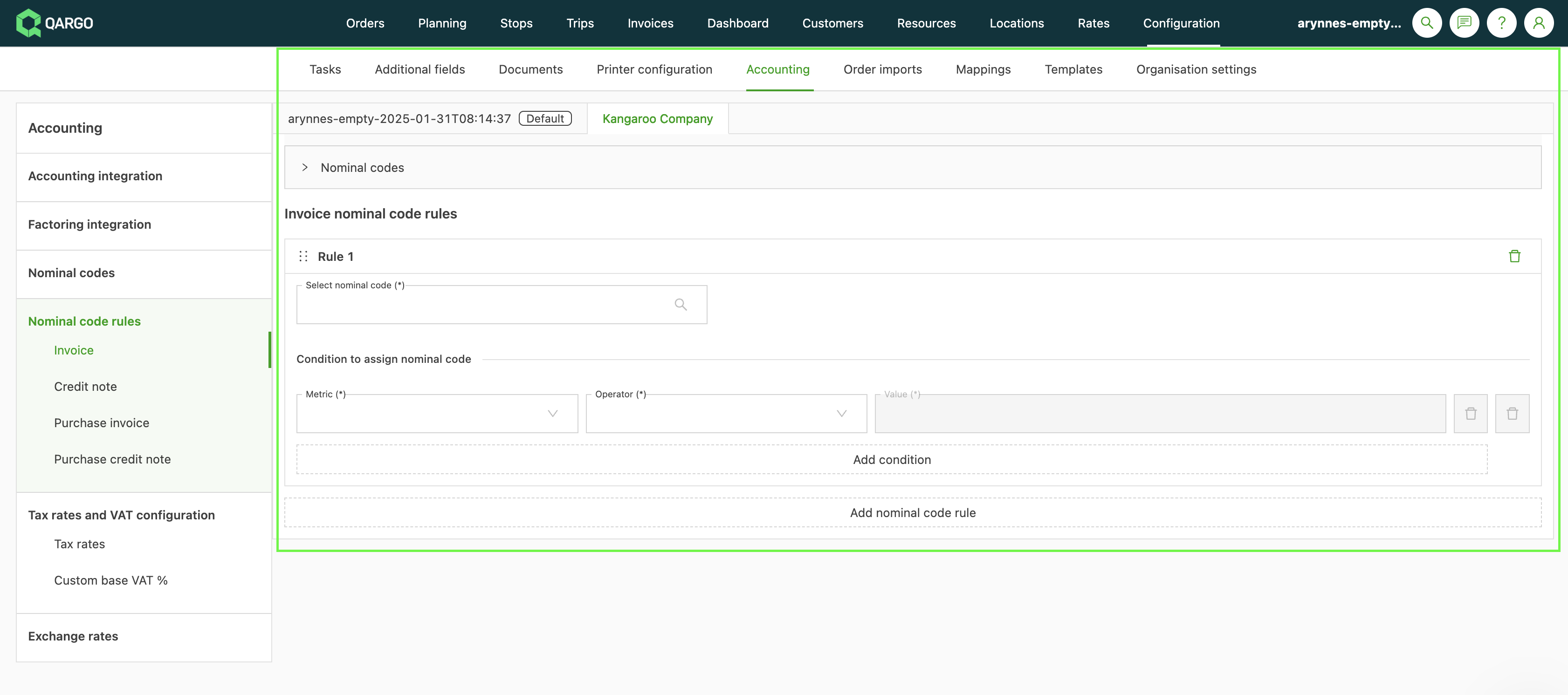
GL code rules (and dimension mappings via the Onboarding Manager, Account Executive, or Support) can also be set up per billing entity.
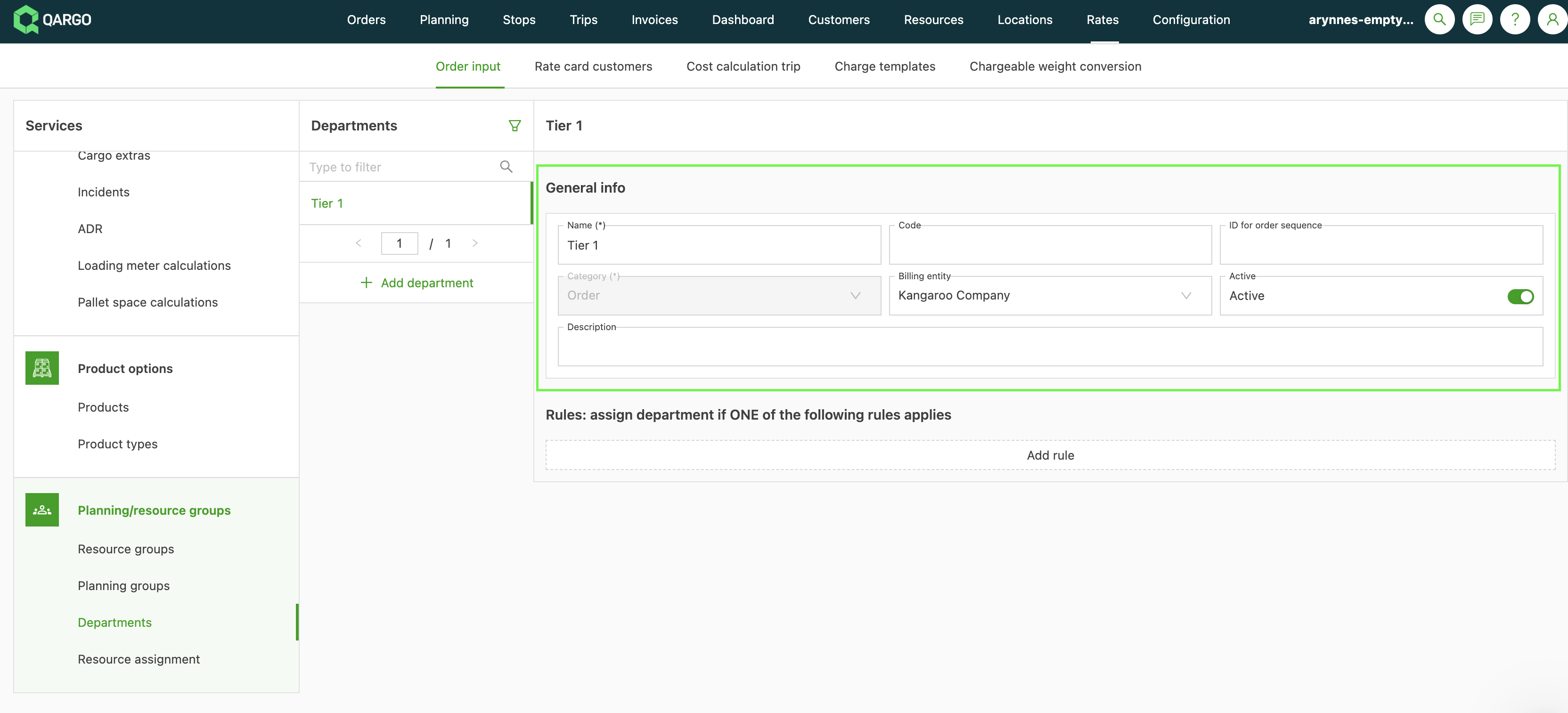
Creating departments per billing entity
-
Orders are not linked directly to billing entities.
-
Orders must be assigned a department that is, in turn, linked to a specific billing entity.
- The order’s charges are allocated to the appropriate billing entity only when a department with the correct associated billing entity is assigned.
Linking resources to the correct billing entity
- To track resource usage across different billing entities, the system supports linking specific resources to the entities that own them.
- This allows accurate cost tracking; for example, when Entity A uses trailers belonging to Entity B.
Configuration
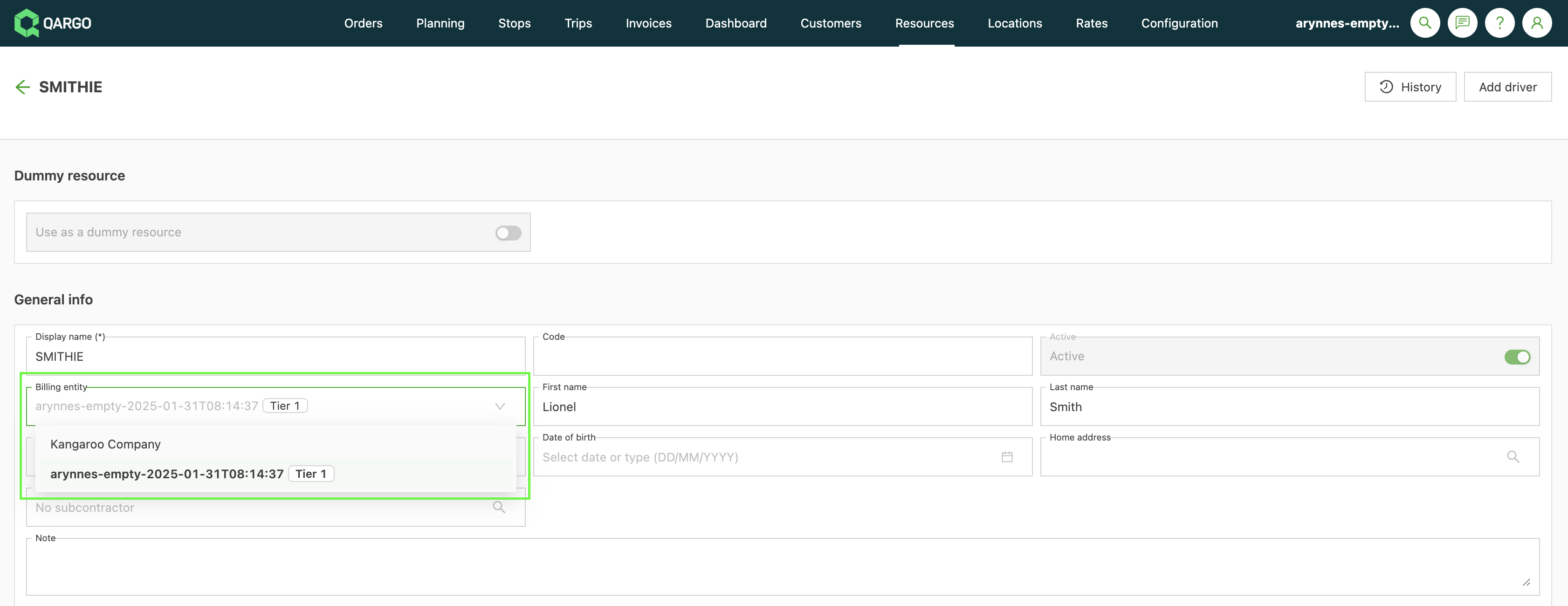
- Go to the Resources page
- Select the specific resource to configure
- Set the correct Billing entity (the entity that owns the resource).
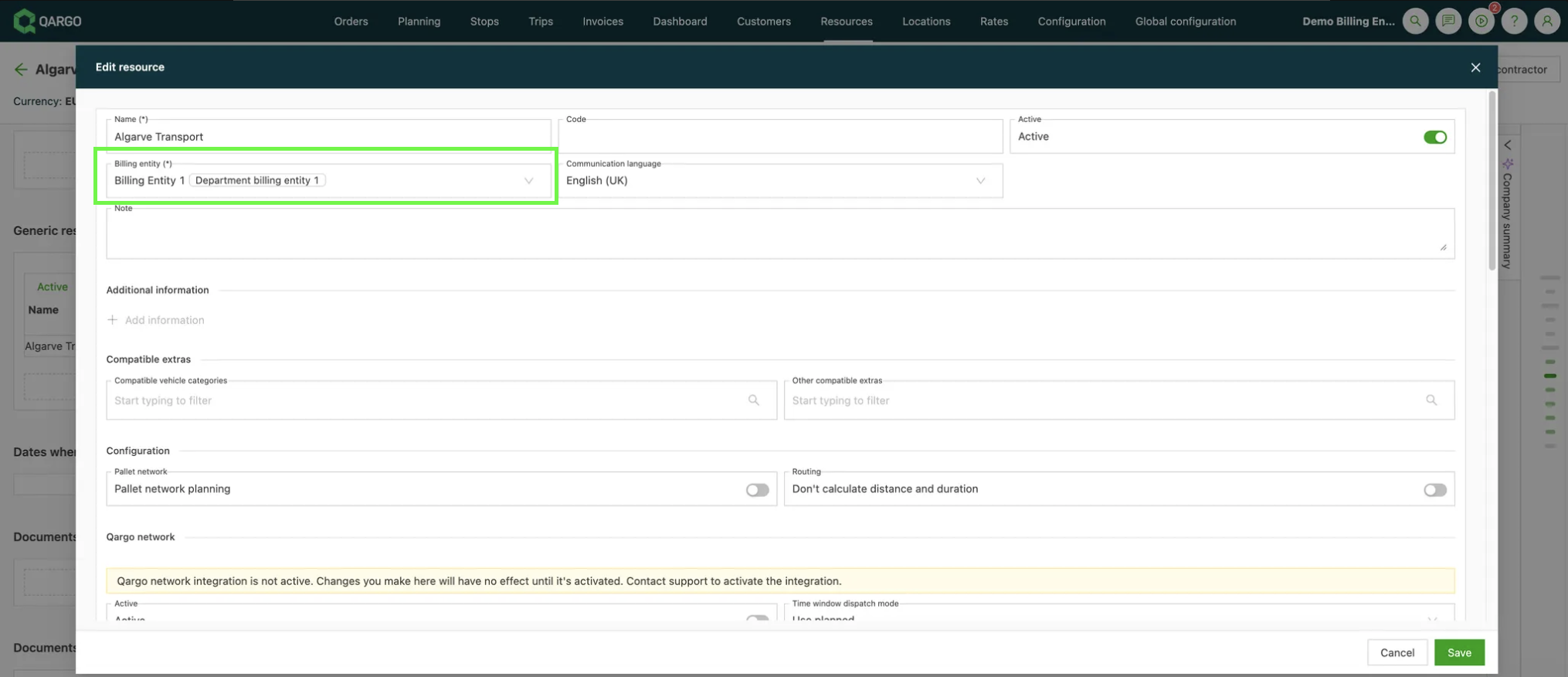
- The same process applies to configuring contract carrier resources.
Linking the transportation services and add-on masters to the billing entities
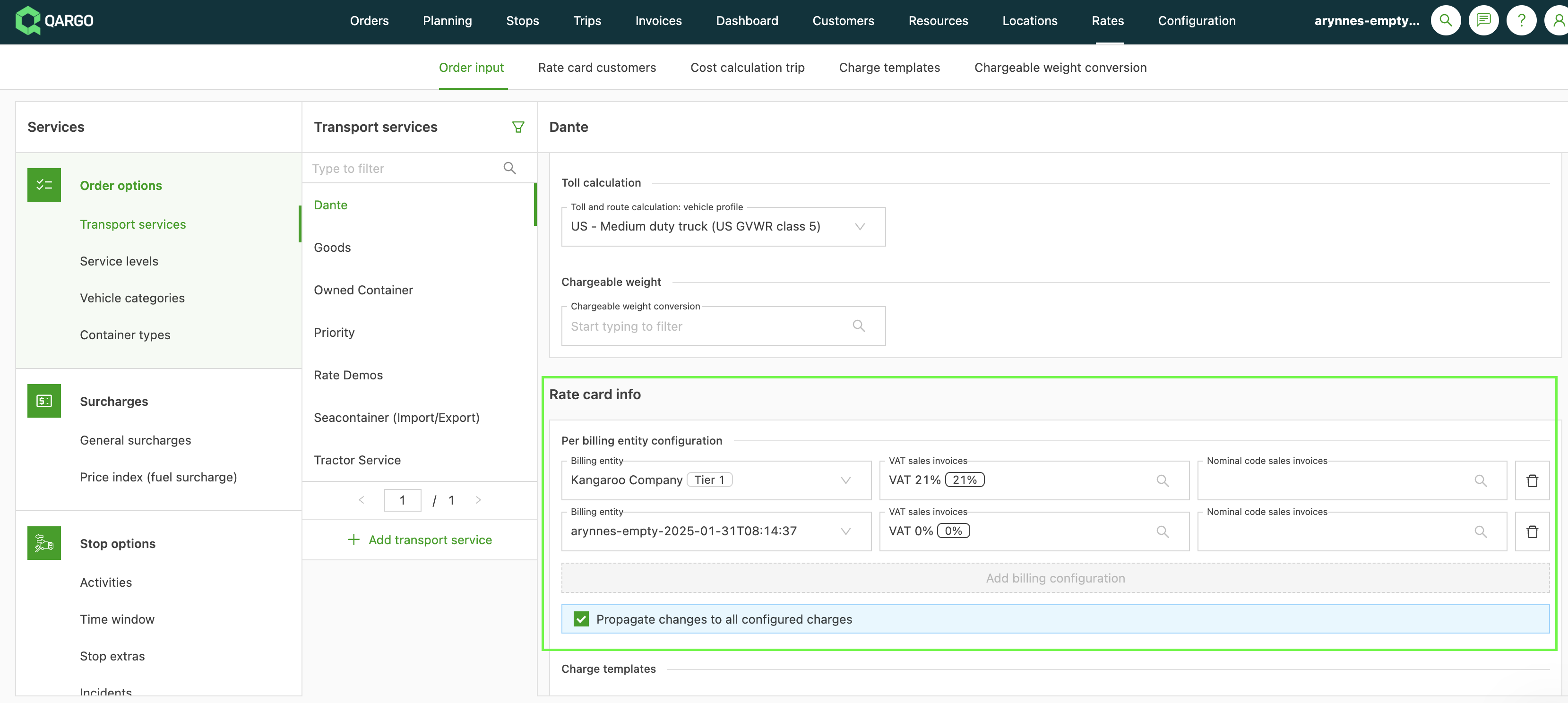
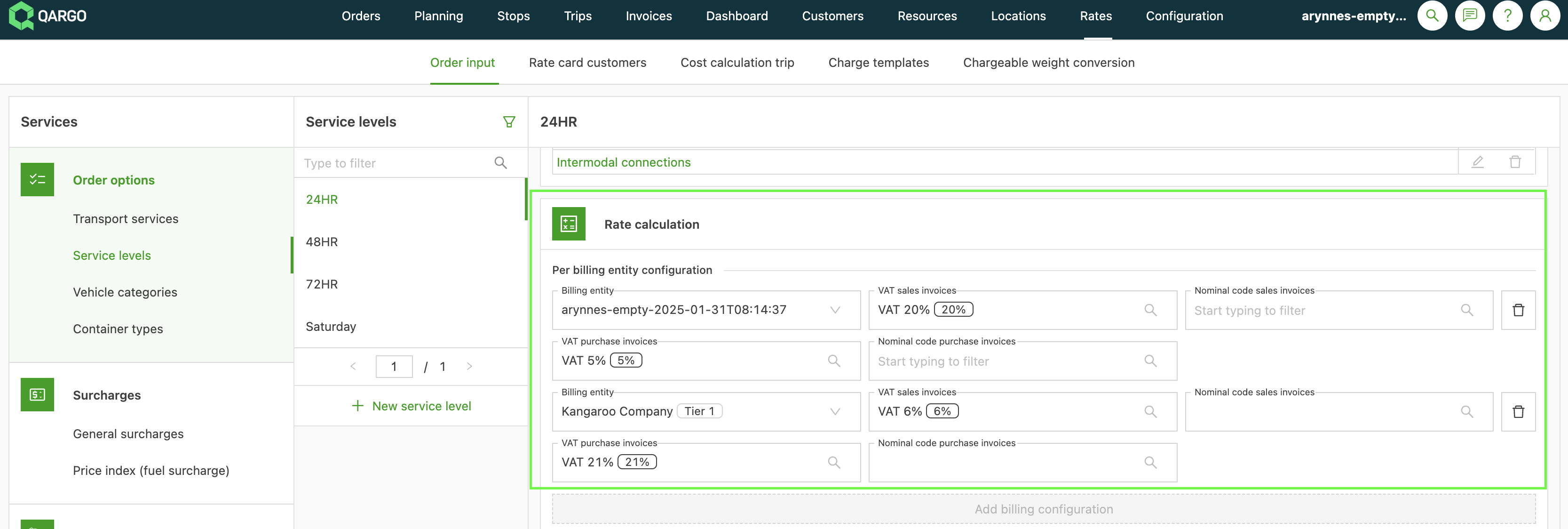
The configuration for Transportation services and Add-ons includes the ability to set the tax rate and accounting code for the linked charges per billing entity.
This functionality is useful for two main reasons:
- Default settings: It sets a default tax rate and accounting code when creating new rate cards or adding new charges to an existing rate card.
- Updates: When a new billing entity is added, this feature allows all relevant charges to be updated efficiently with the appropriate tax rate or accounting code.
Creating and updating the relevant rate cards
Once the transportation services and other add-ons have been configured, the rate card setup process can start.
- When creating a new rate card, select the billing entities that should use it.
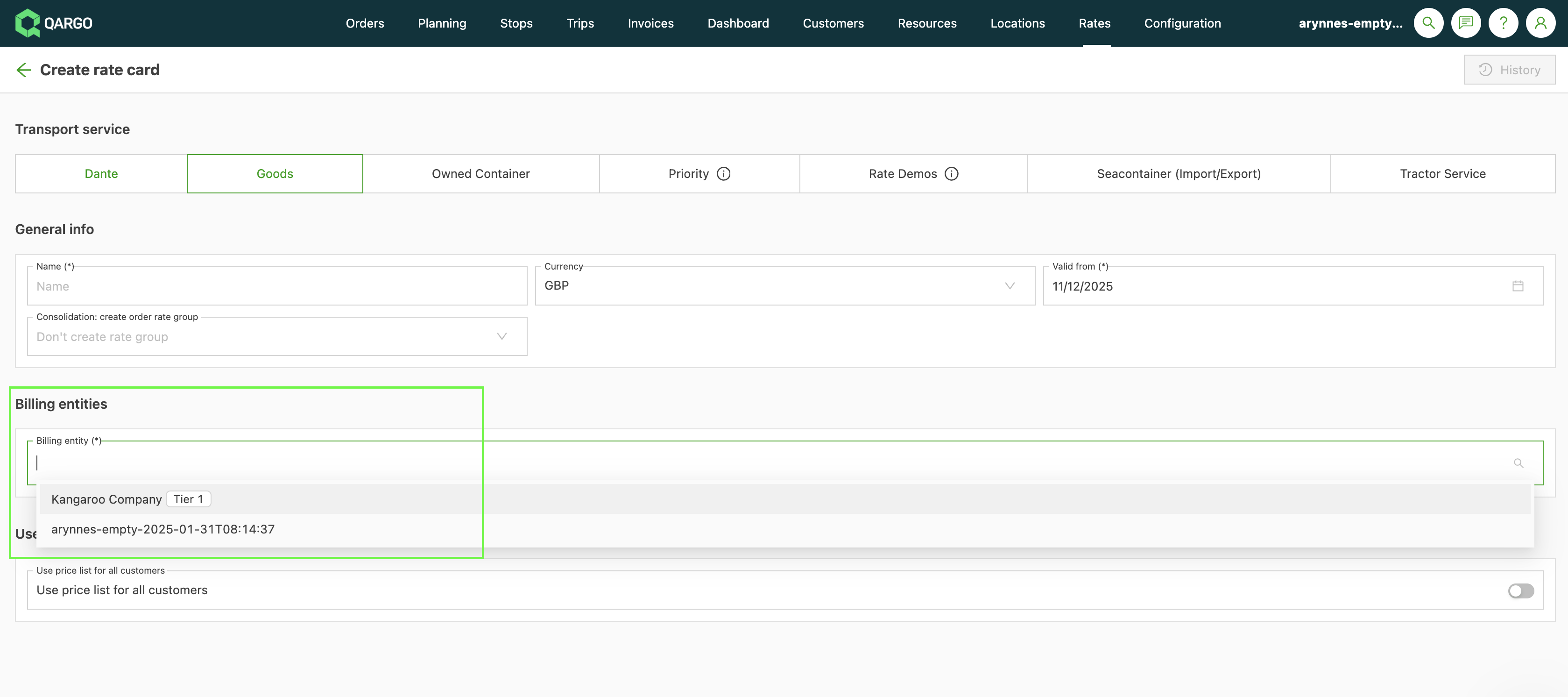
- Multiple entities can be selected to reuse the rate cards across several billing entities.
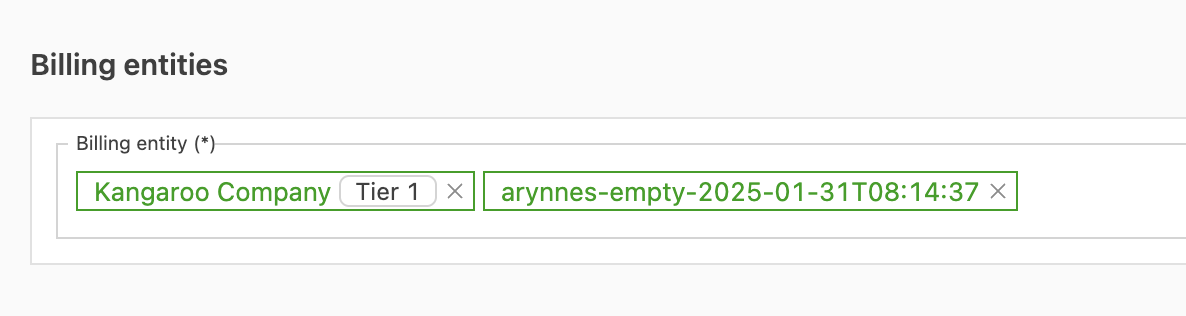
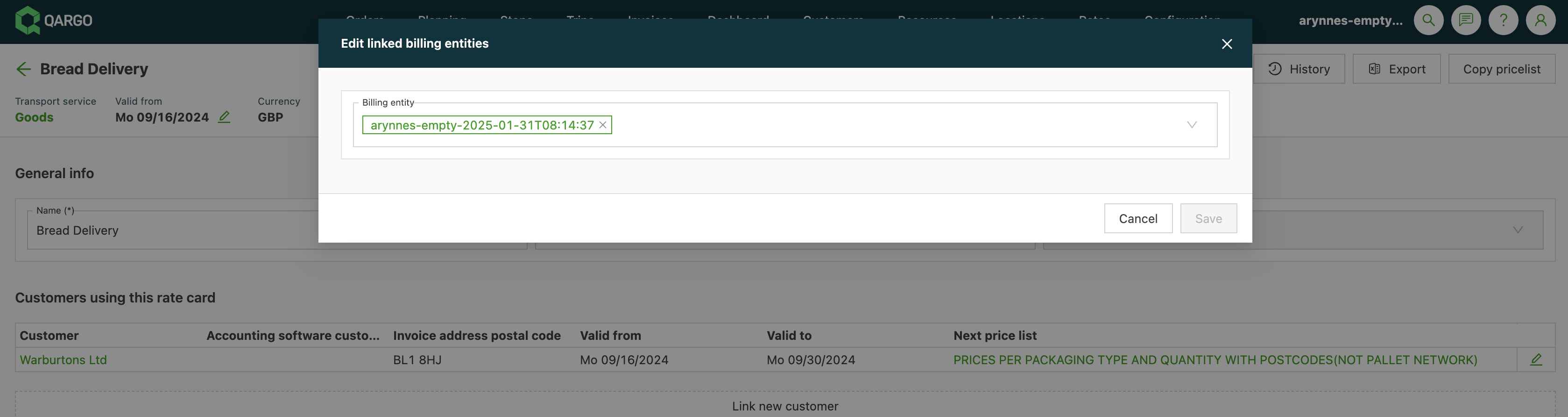
- On an existing rate card, the billing entities that can use it can be adjusted:
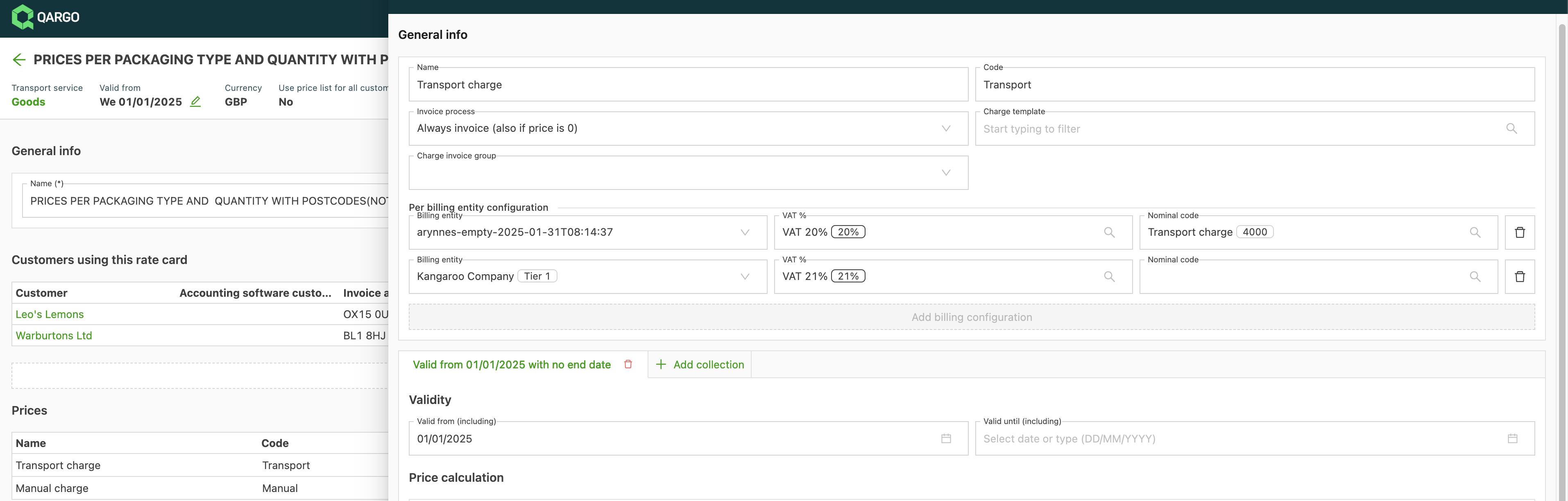
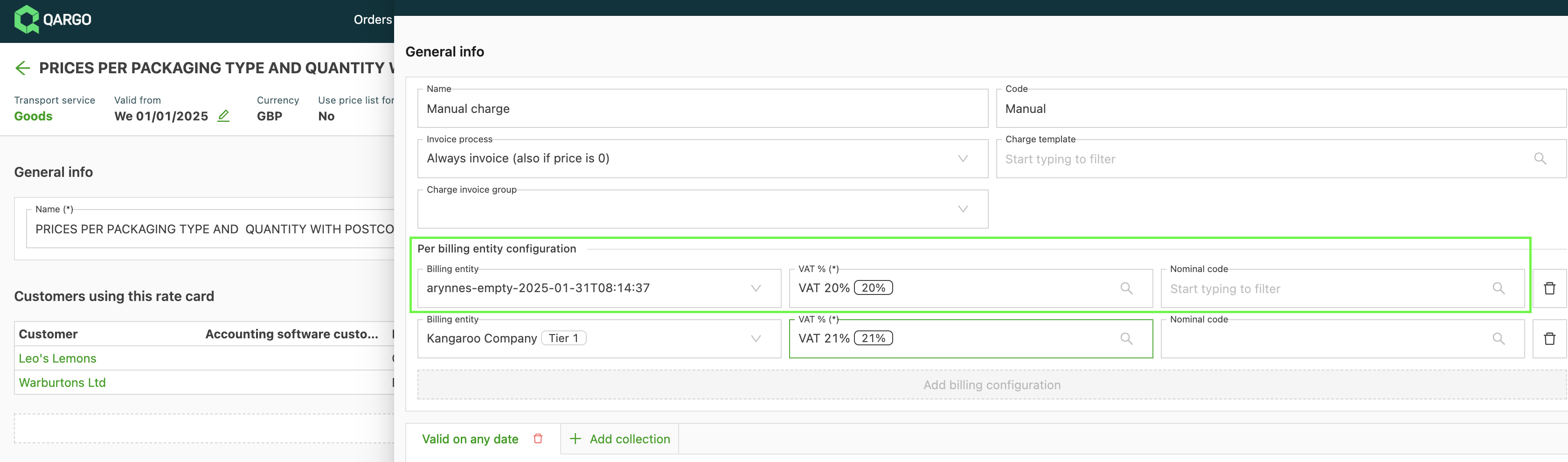
- After the rate card is linked, the charges must be configured with the correct tax rate and accounting codes for each billing entity:
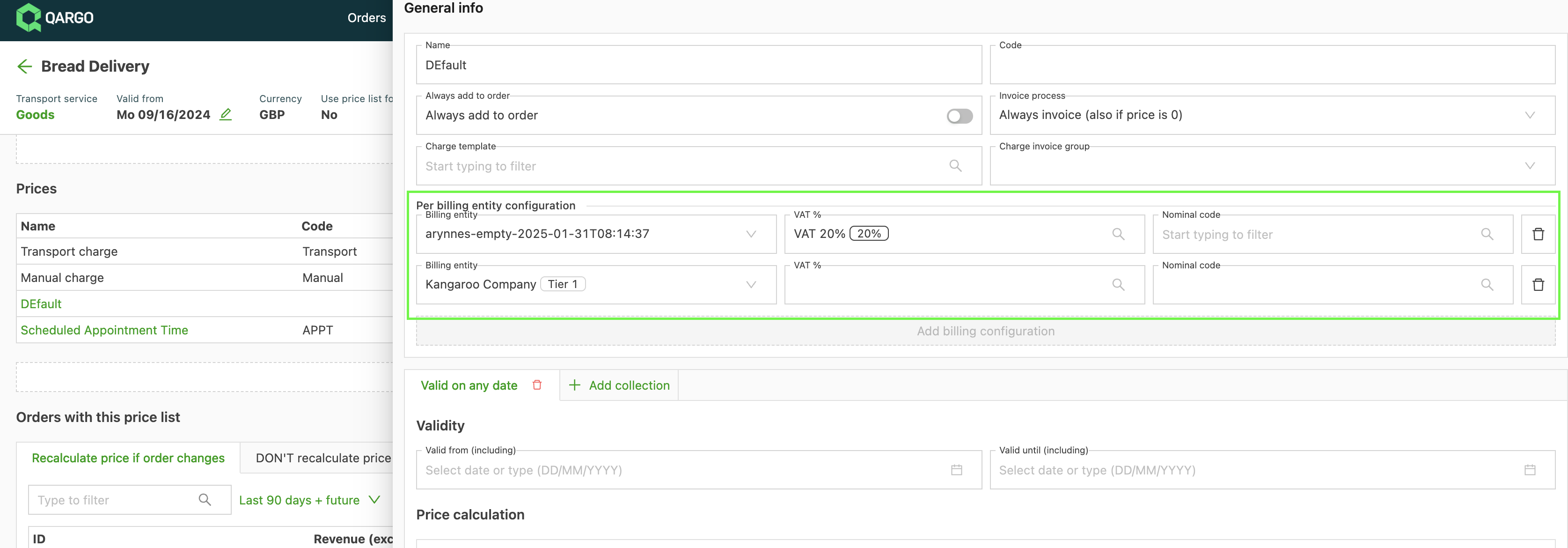
- If these parameters have already been configured on the transportation service (or the add-on associated with the charge), the values are inherited automatically.
Configuring the customers and contract carriers
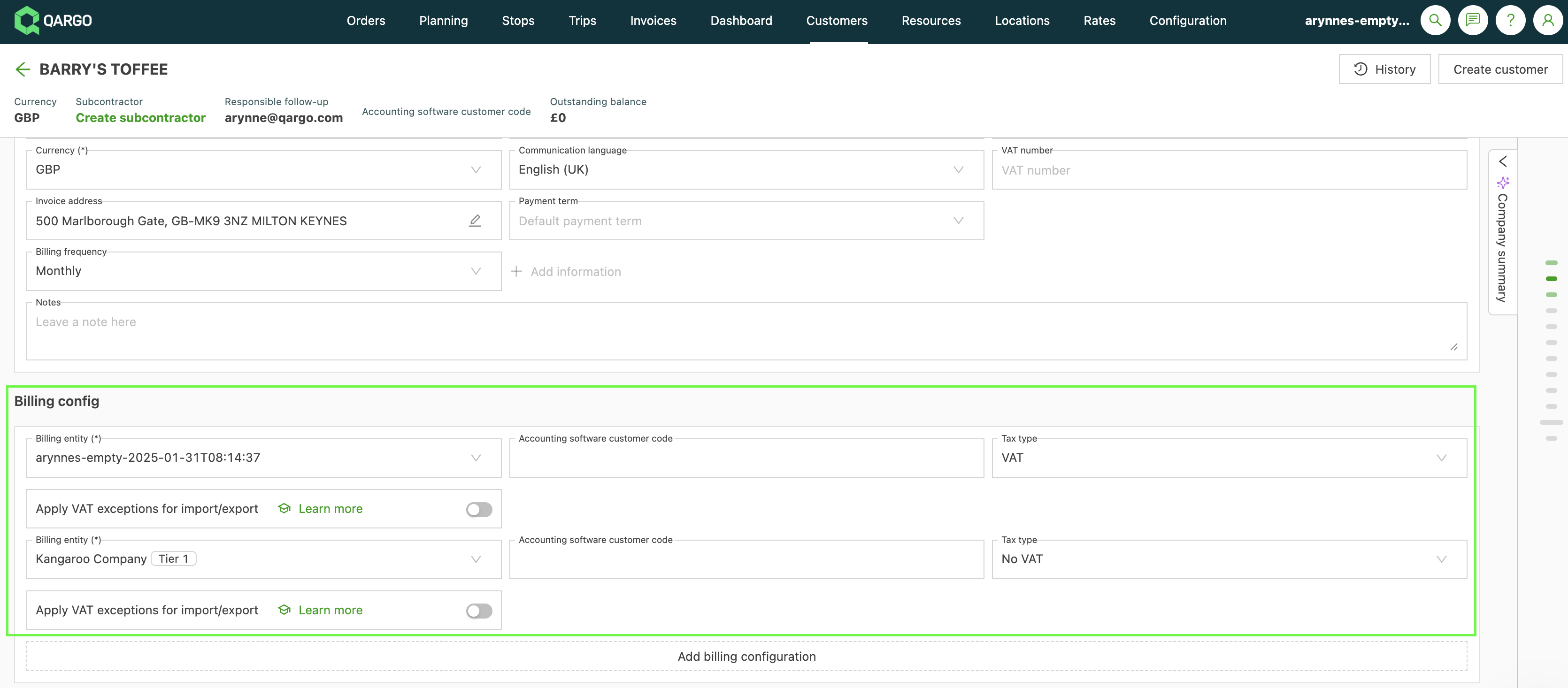
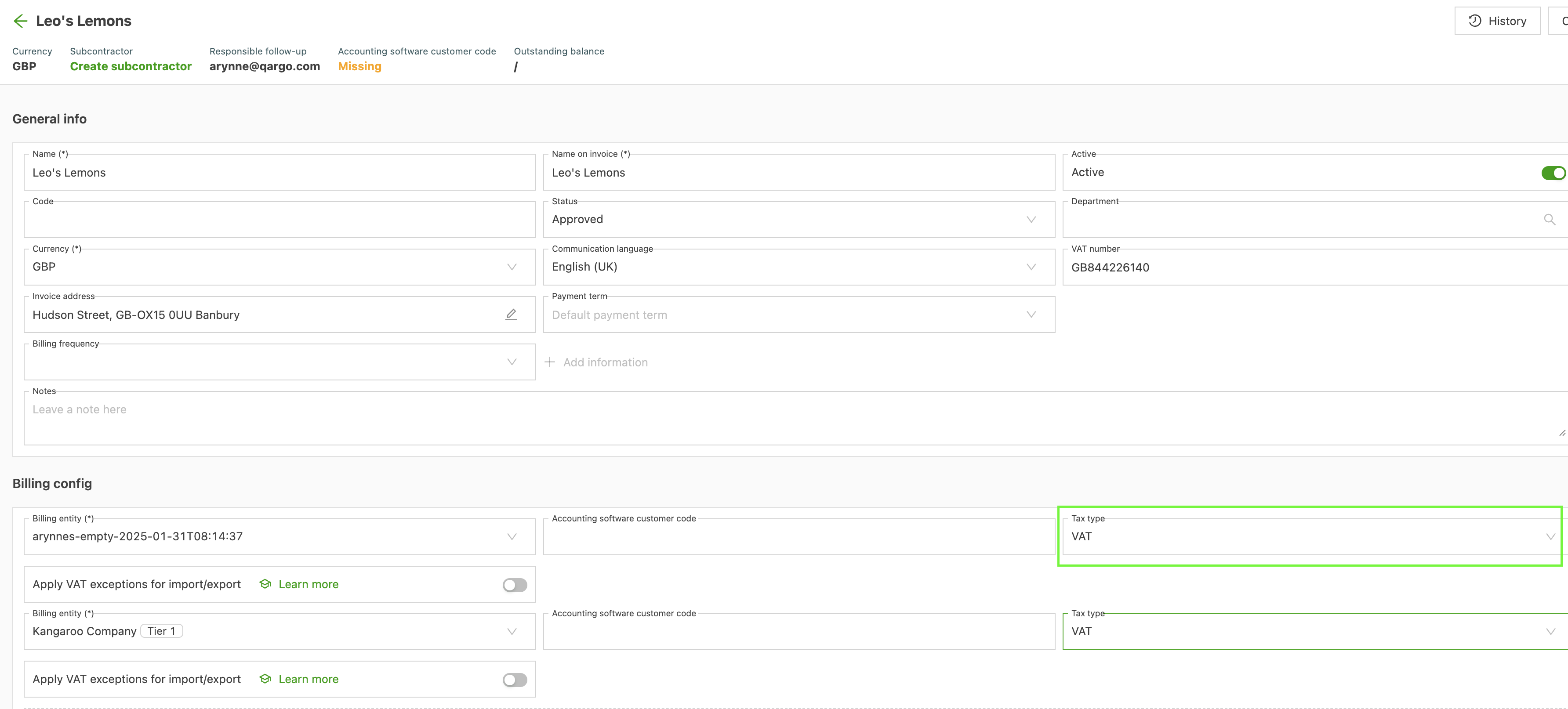
On the Customer and Contract carrier pages, the accounting code and tax type can be configured per billing entity.
➡️ How to use it
Order/revenue flow
Once the accounting & ERP integration, departments, and rate cards have been configured, orders can be created and billed for the new billing entity.
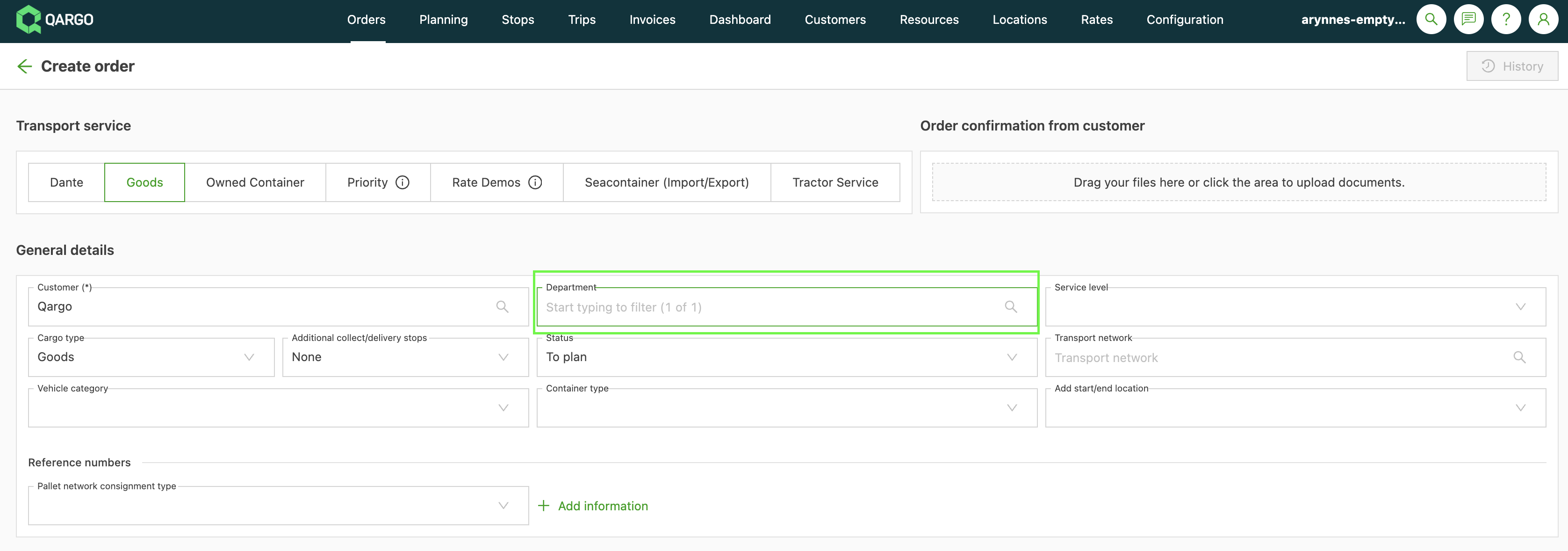
- When creating an order, the correct department for that billing entity must be selected:
- The rate card selection process takes the billing entity of the order into account. If no rate card is configured for the specific billing entity, order creation fails.
- Once the order is created and the rate card is selected, charges are generated using the configuration specific to that billing entity.
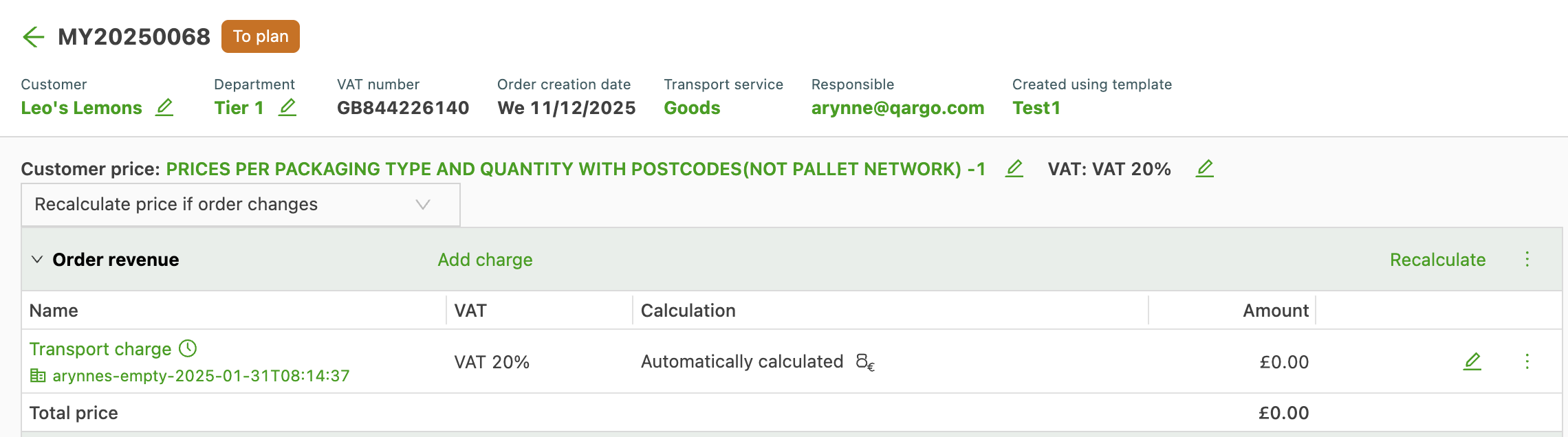
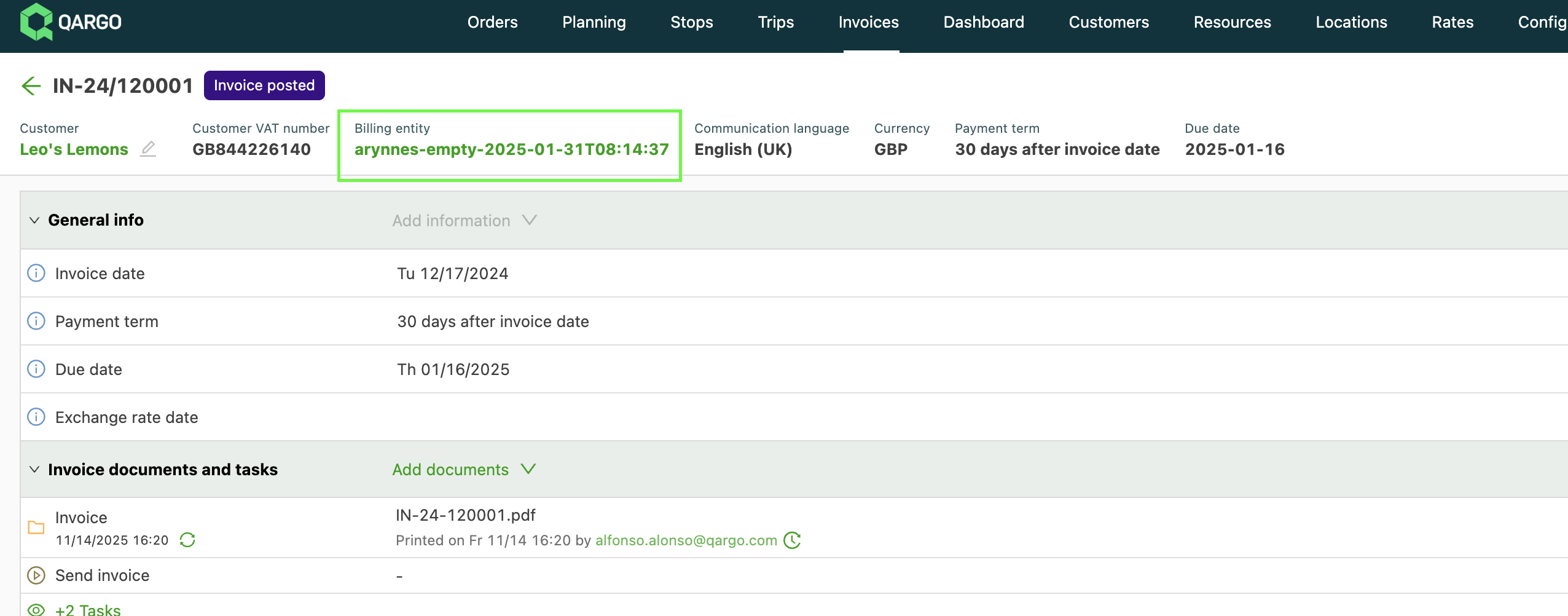
- When the order is invoiced, the billing entity of the invoice follows that of the order:
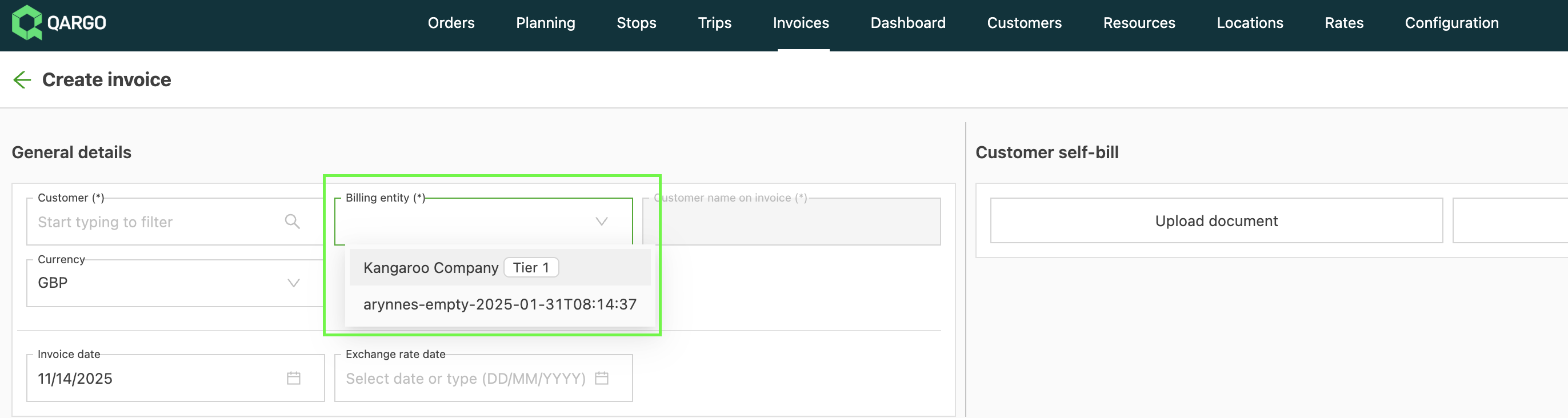
- When creating a new invoice, the required billing entity can be selected:
- The invoice document reflects the billing entity on the invoice (the logo, legal name, billing location, and tax number of the billing entity are used):
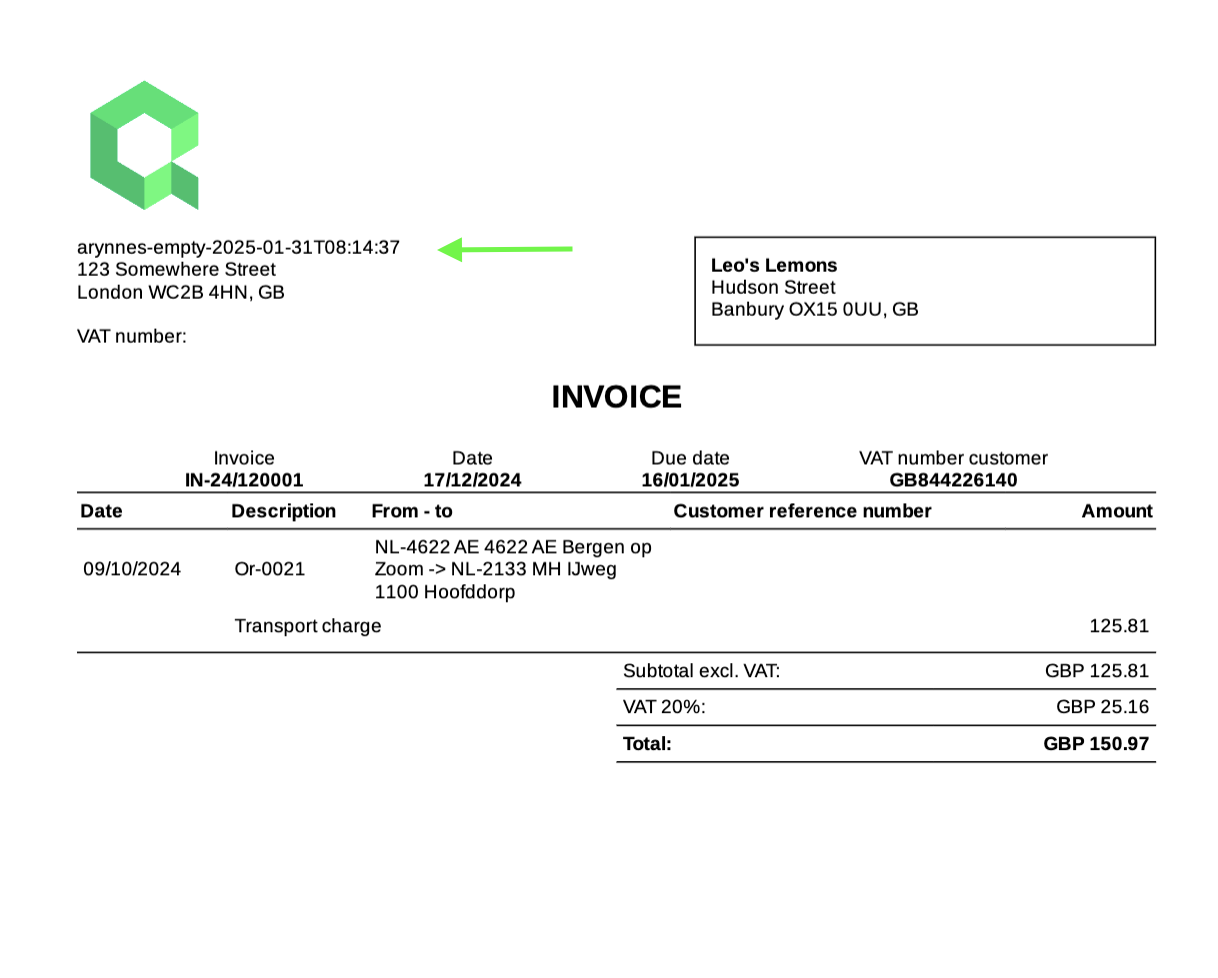
- When the invoice is posted, it is routed to the correct accounting & ERP integration configured for that billing entity.
Invoice self-bill scanning
- Invoice generation using the customer self-bill functionality includes automatic detection of the billing entity.
- This detection is based on the tax number in the invoice document.
- Detected charges that match the document’s billing entity are selected automatically.
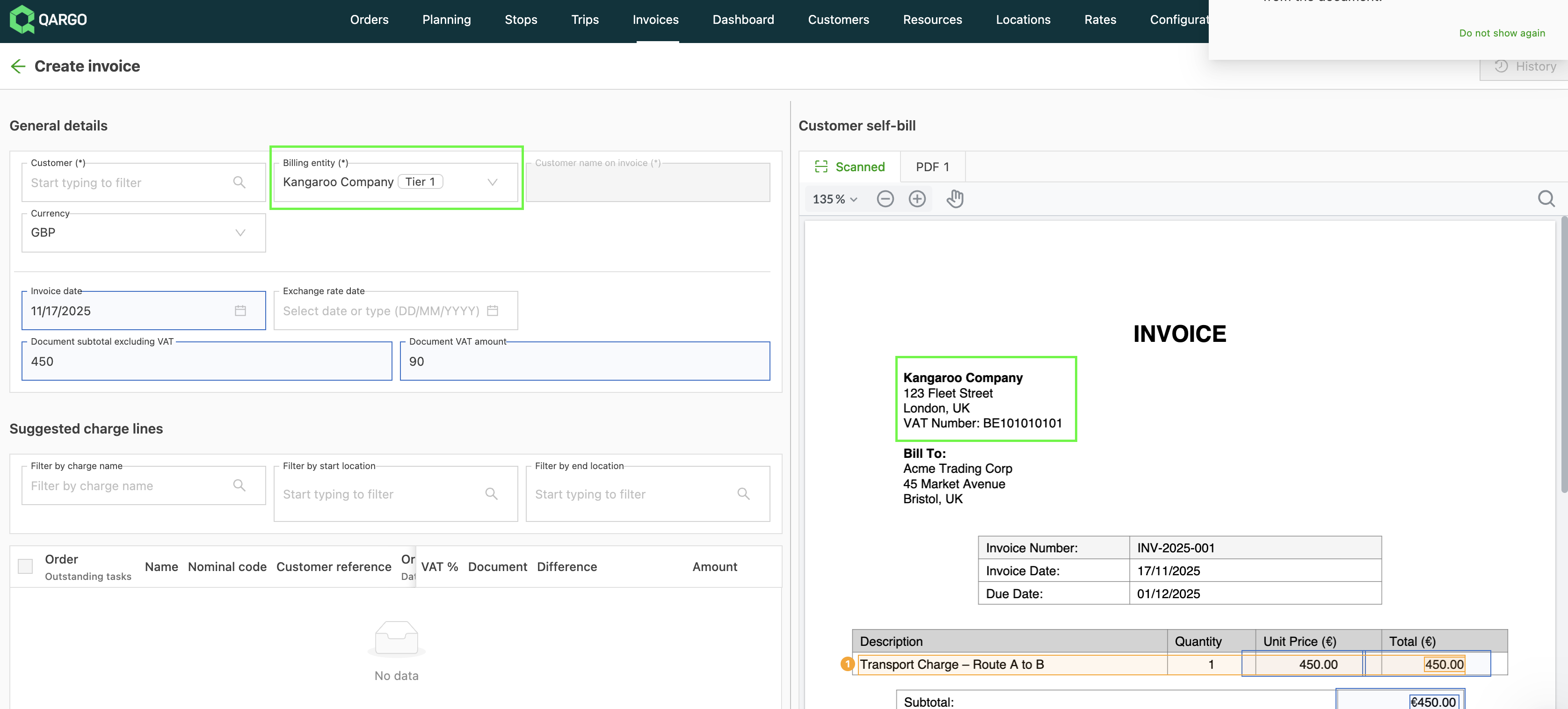
- All charges detected on the document are always displayed.
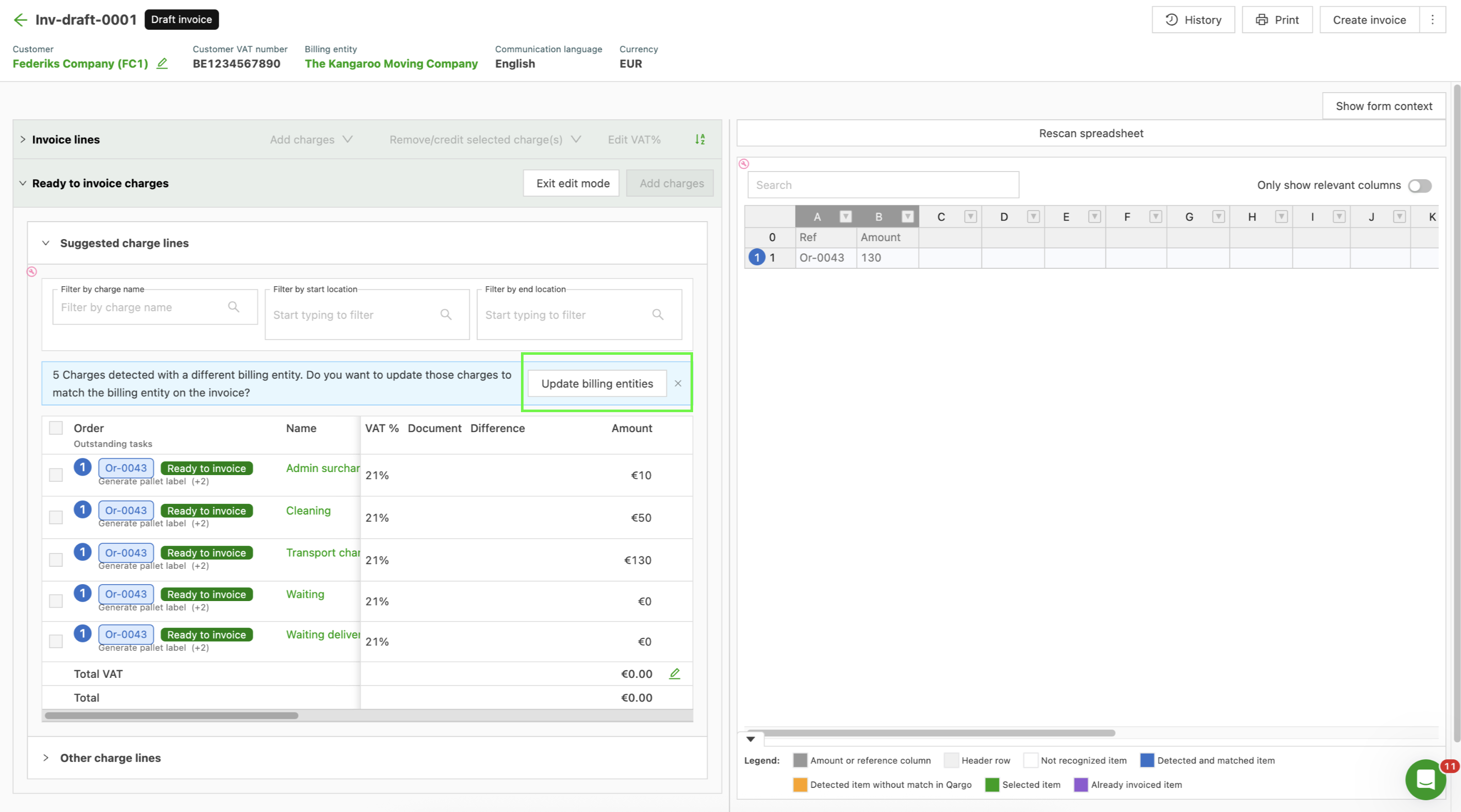
- If a charge is configured against the wrong billing entity, its selection box is disabled.
- An option is provided to resolve this configuration mismatch at the same time. This action updates the billing entity on the relevant charges to match the entity selected for the invoice.
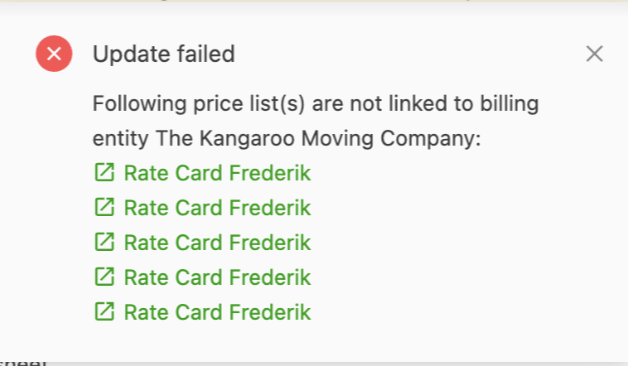
Prerequisites for this update:
- The price list associated with the charges must be linked to the new billing entity.
- The charge must have a billing configuration entry for the new billing entity.
An associated error message provides guidance to resolve the issue independently.
Billing entity on standalone credit charges
When a standalone credit charge is added to a credit memo, the charge now automatically inherits the billing entity of that credit memo. This mirrors the existing behavior on the invoice side, where a standalone charge already follows the billing entity of its invoice.
Previously, standalone credit charges were assigned the default billing entity regardless of the credit memo they belonged to. On tenants that use multiple billing entities, this caused a mismatch whenever the credit memo belonged to a non-default billing entity: the charge and the credit memo ended up on different entities.
What users will notice
- Adding a standalone credit charge to a credit memo requires no billing entity selection. The assignment happens automatically in the background, so the Add charge flow is unchanged.
- Credit memos raised for a non-default billing entity now keep the correct billing entity across all of their standalone charges.
- Creating standalone credit memos for a non-default billing entity through the external accounting API is now supported as well.
Load/cost flow
-
After the correct billing entities have been assigned to resources (the process of linking resources to the appropriate billing entity) and both contract carrier and internal cost price lists have been configured for that entity, resource assignment can start.
-
The billing entity of the resource determines which price list is selected. Only price lists linked to the resource’s billing entity are considered.
- The billing procedure mirrors the one for orders. When creating a carrier invoice, the appropriate billing entity can be selected.
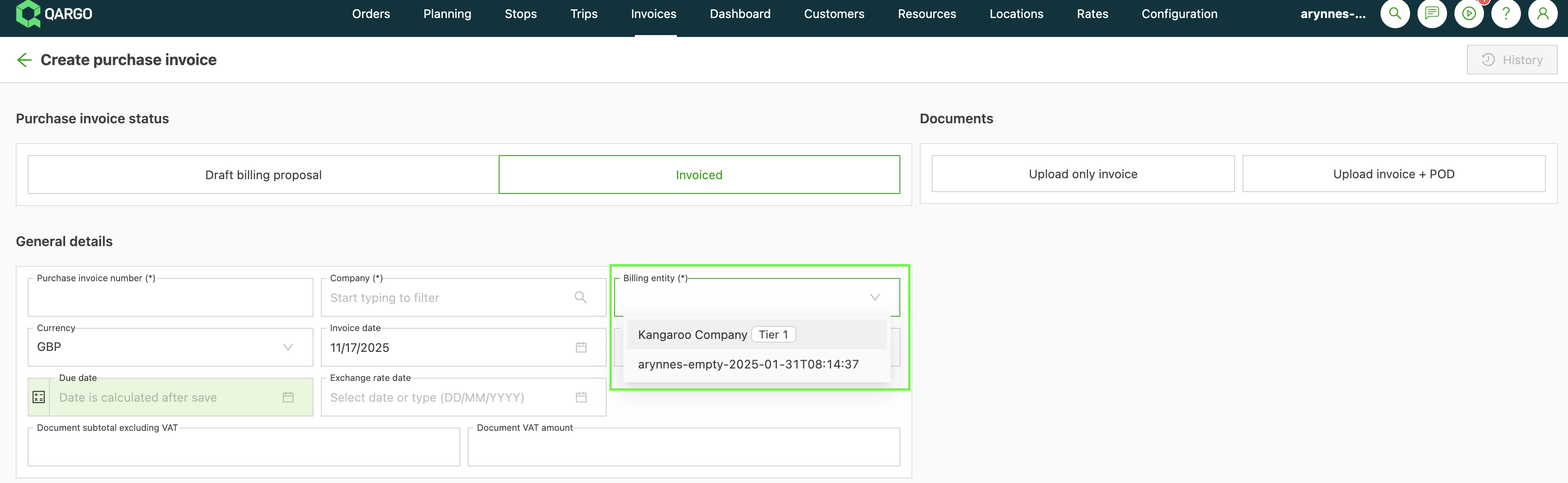
- When a carrier invoice is generated from existing charges, the billing entity associated with those charges is carried over to the invoice document.
Carrier invoice scanning
- Support for billing entities has been extended to the carrier invoice scanning flows.
- When a carrier invoice is created, the billing entity can be selected manually.
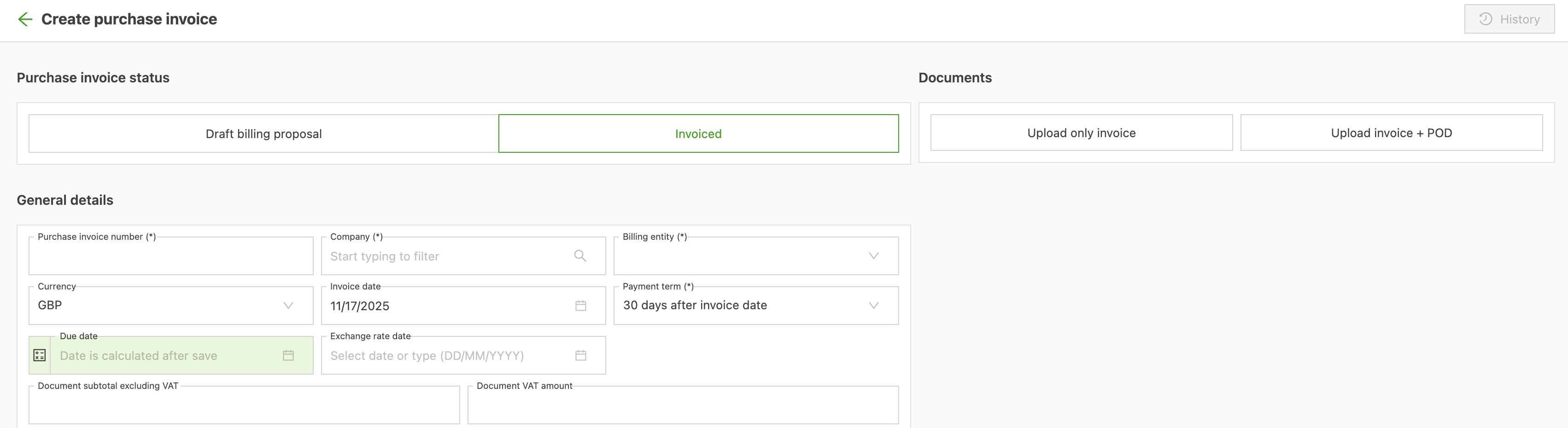
- Several scanning flows include functionality to automatically detect the appropriate billing entity.
Creating a new carrier invoice and uploading a document
- When a new carrier invoice is created and a document is uploaded, the system attempts to automatically detect and fill in the billing entity field.
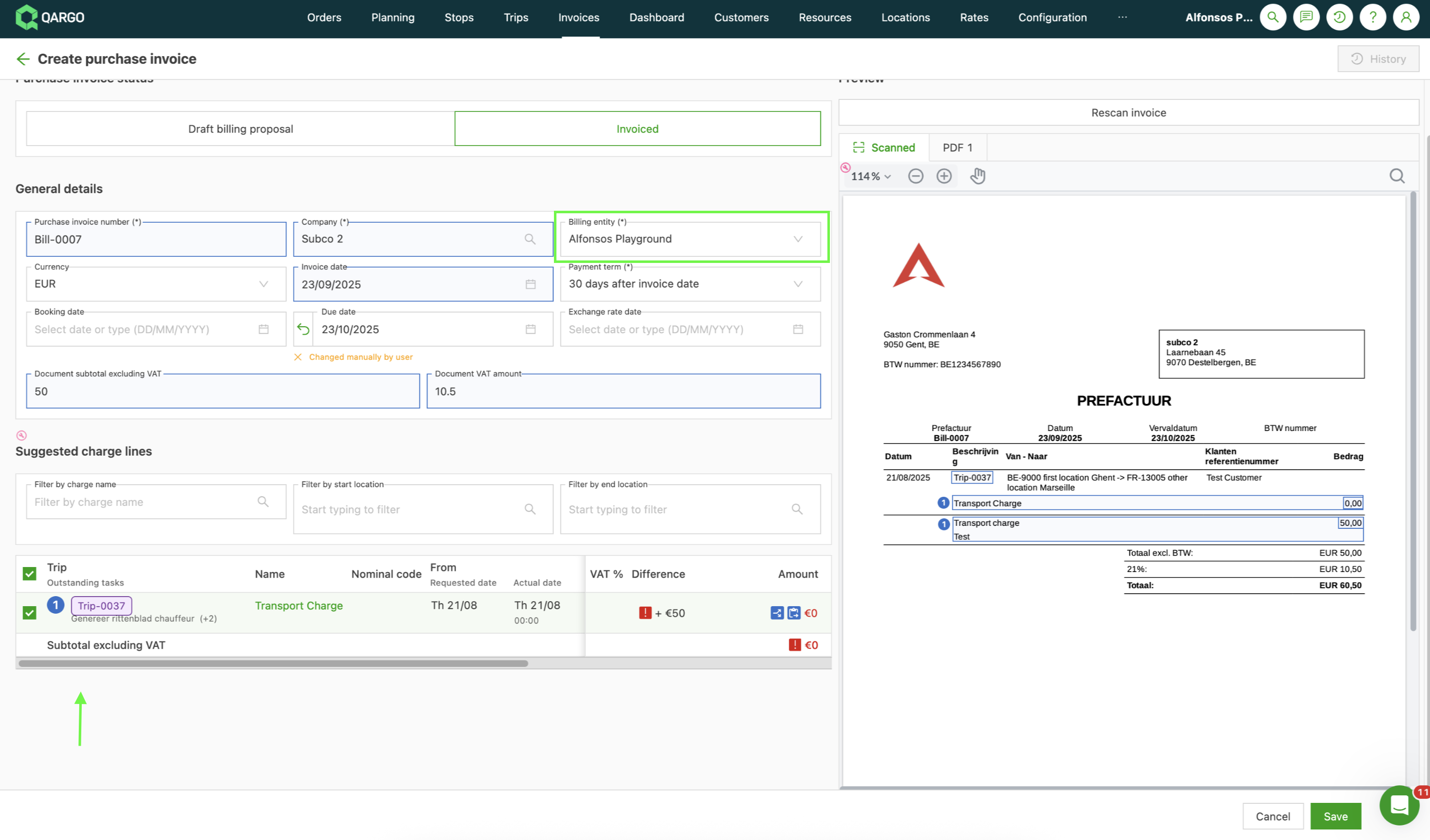
- Matched charges are displayed across all billing entities, but charges can only be added for the currently selected billing entity.
- An option remains available to move charges configured with the wrong billing entity to the correct one.
Automatic scanning flow (Invoices > Upload carrier invoices)
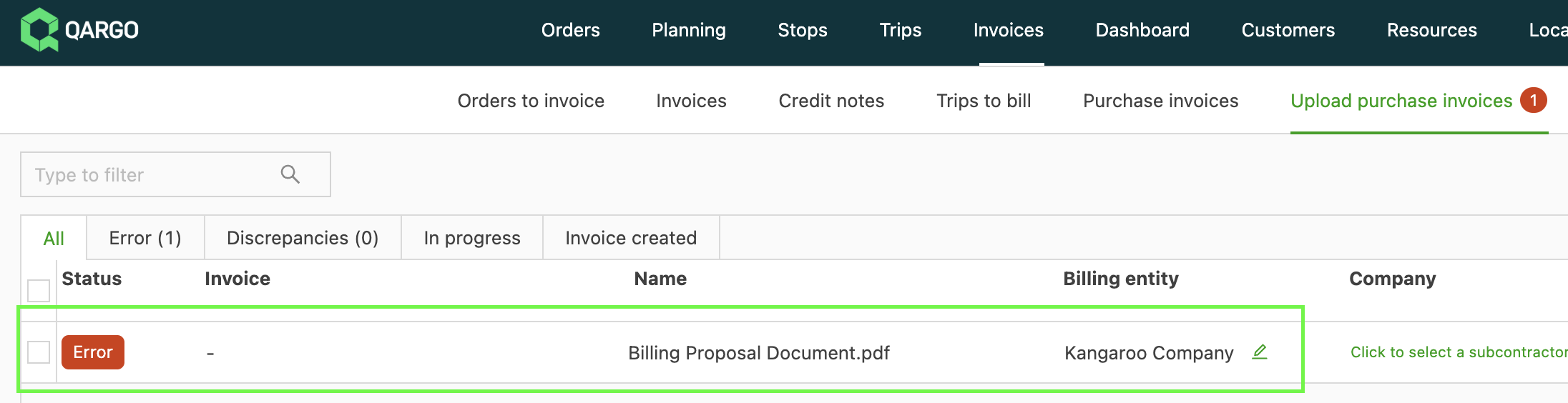
- The system attempts to automatically identify the billing entity in this flow.
-
If no billing entity can be found, the scan instance changes to an error status, and the billing entity must be selected manually.
- The process then tries again to match the relevant charges using the newly selected billing entity.
- Once both the billing entity and the contract carrier are identified, a carrier invoice is created automatically. This invoice is limited to charges associated with the identified billing entity and contract carrier.

Changing the billing entity of a charge
Changing the billing entity of a charge is allowed, provided the applicable price list supports it.
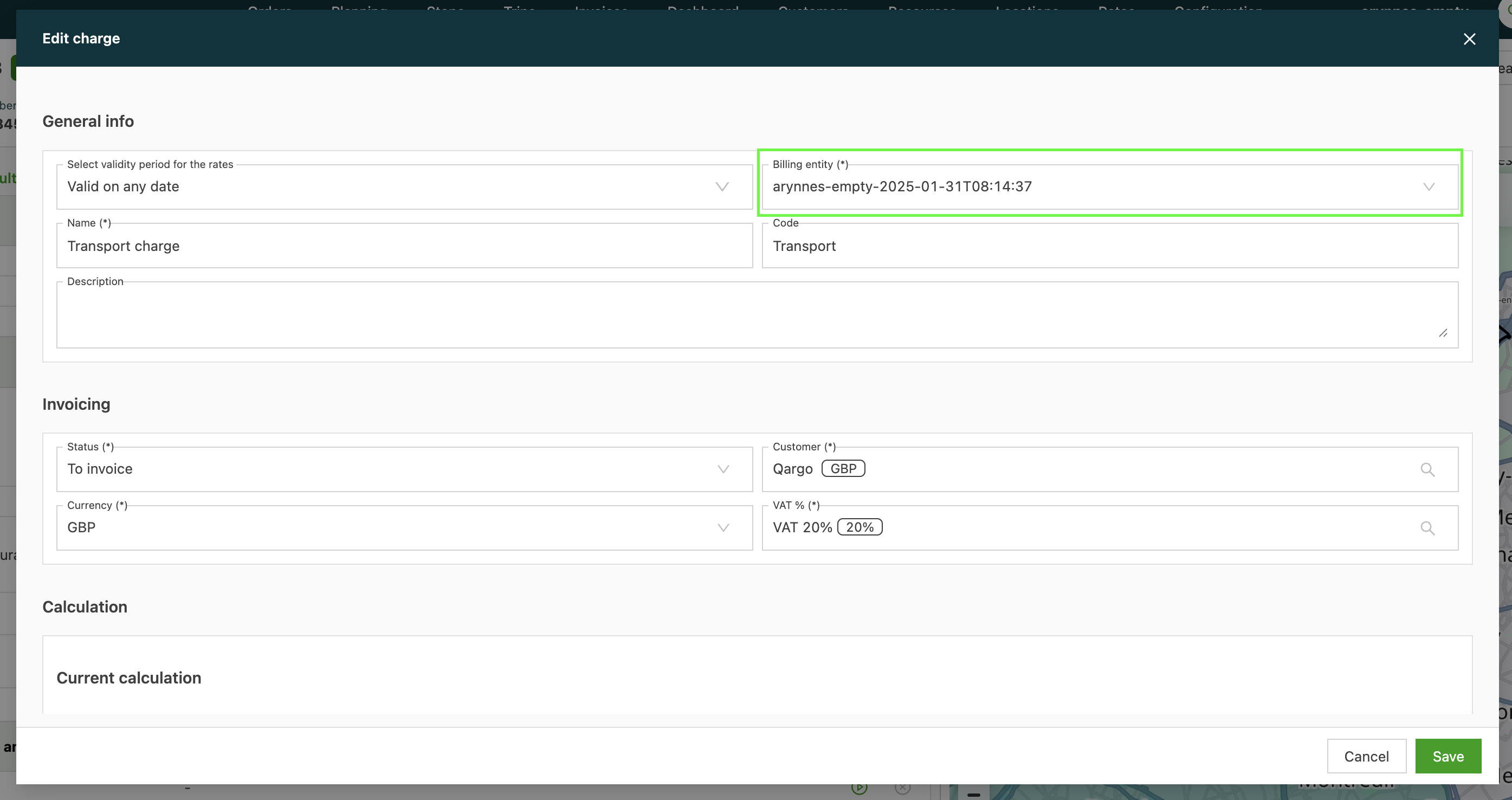
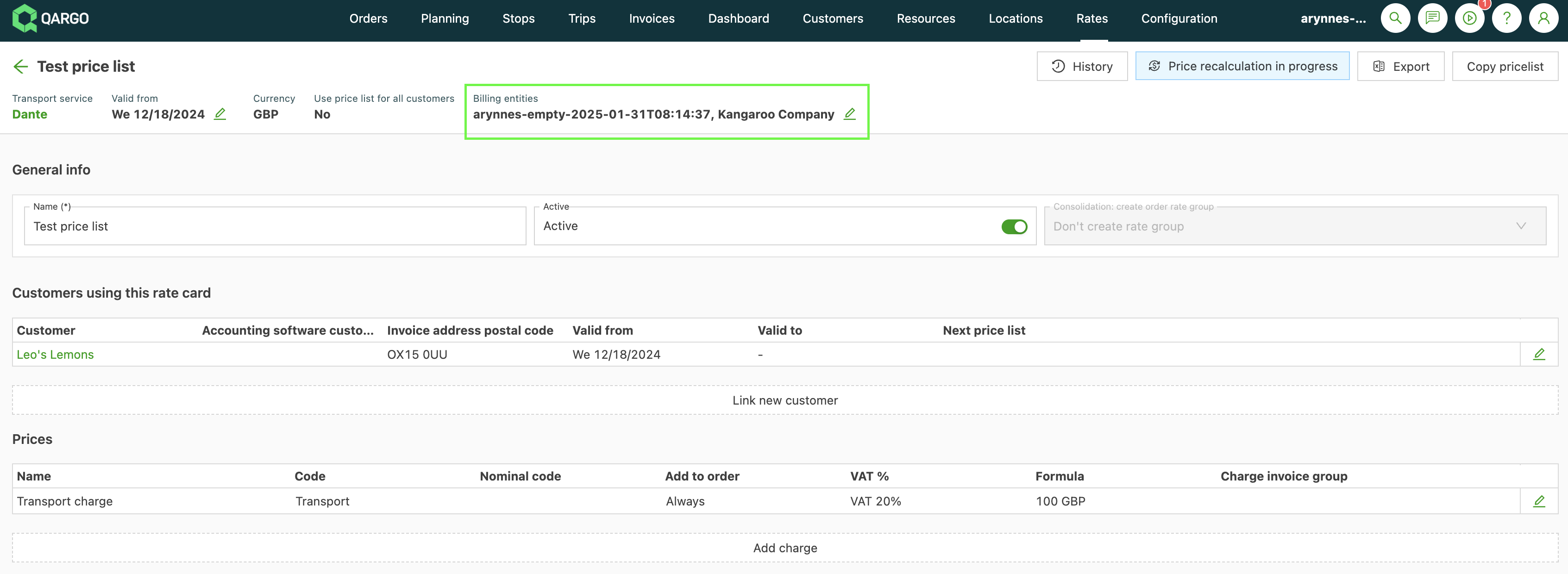
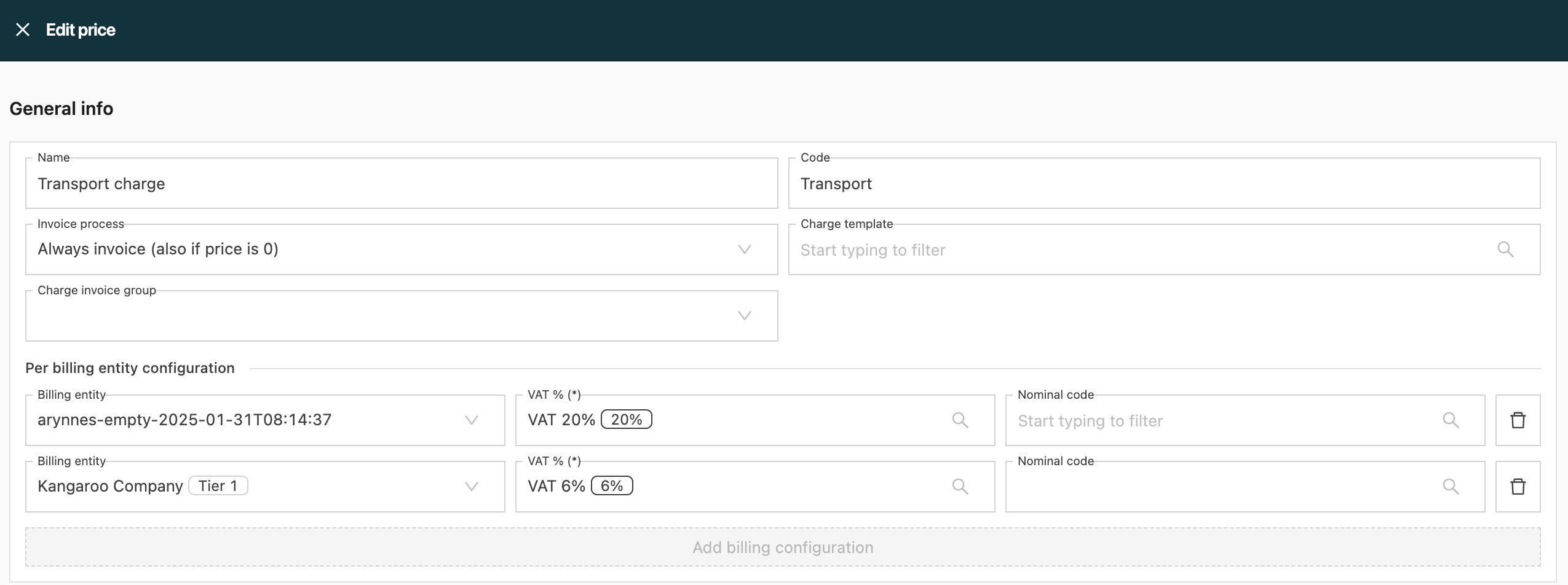
- Once all configuration requirements have been met, the billing entity can be updated, and the tax rate is updated at the same time.
- Billing entity changes are not supported for credited charges.
Credit memos
- Credit memos generated from credited charges on an invoice are automatically associated with the charges’ existing billing entity.
- A credit memo cannot contain charges belonging to different billing entities.
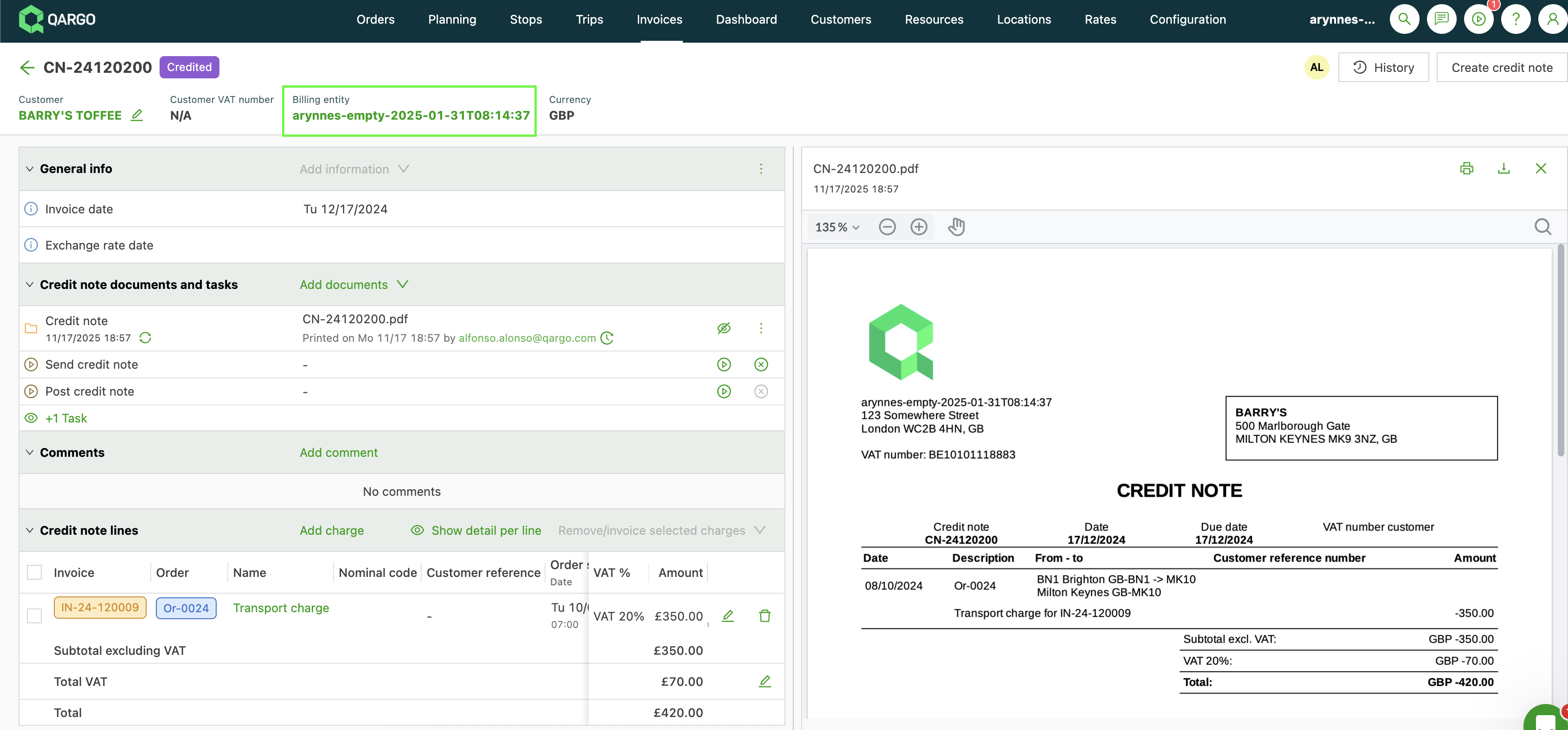
- The credit memo document automatically reflects the billing entity details.
Rebilling
- During the rebilling of credited charges, a new billing entity can be selected, provided the associated price list for the charges is linked to that entity.
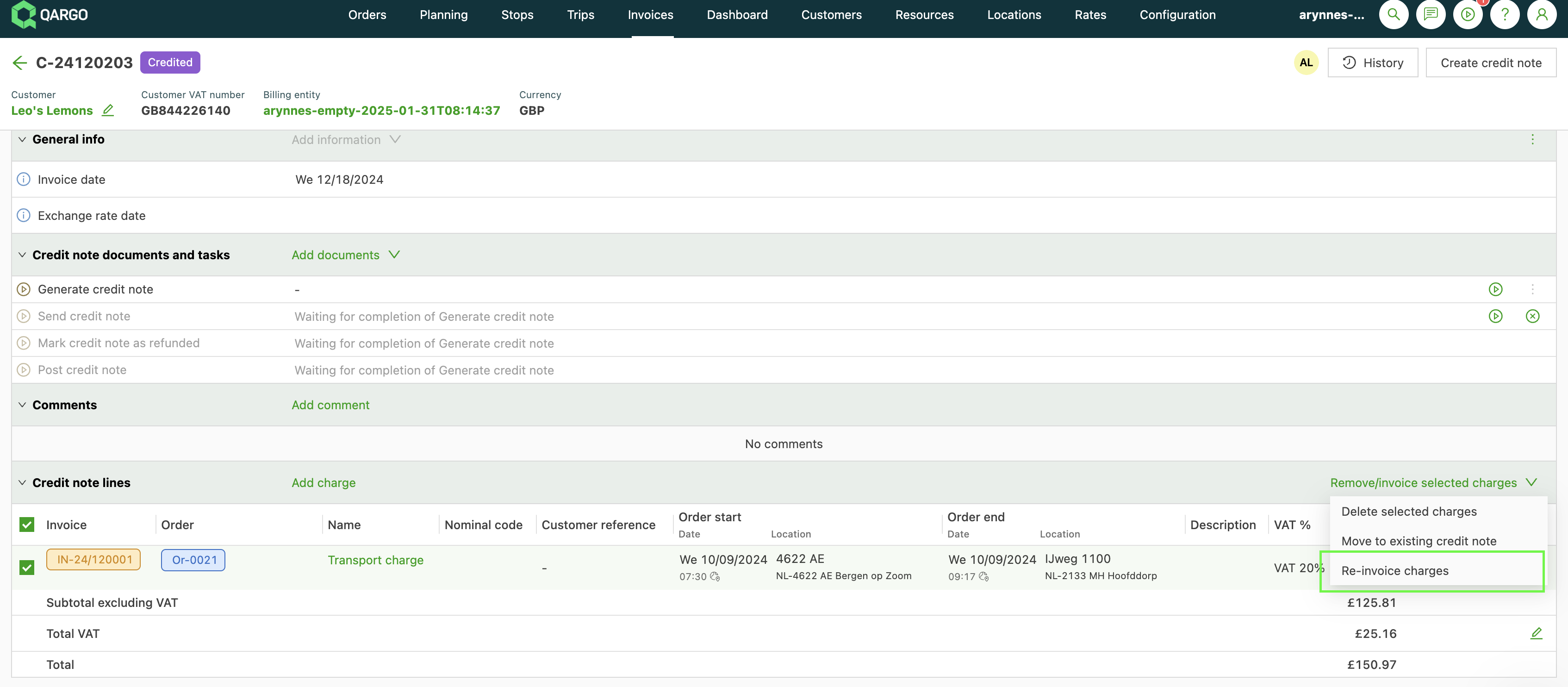
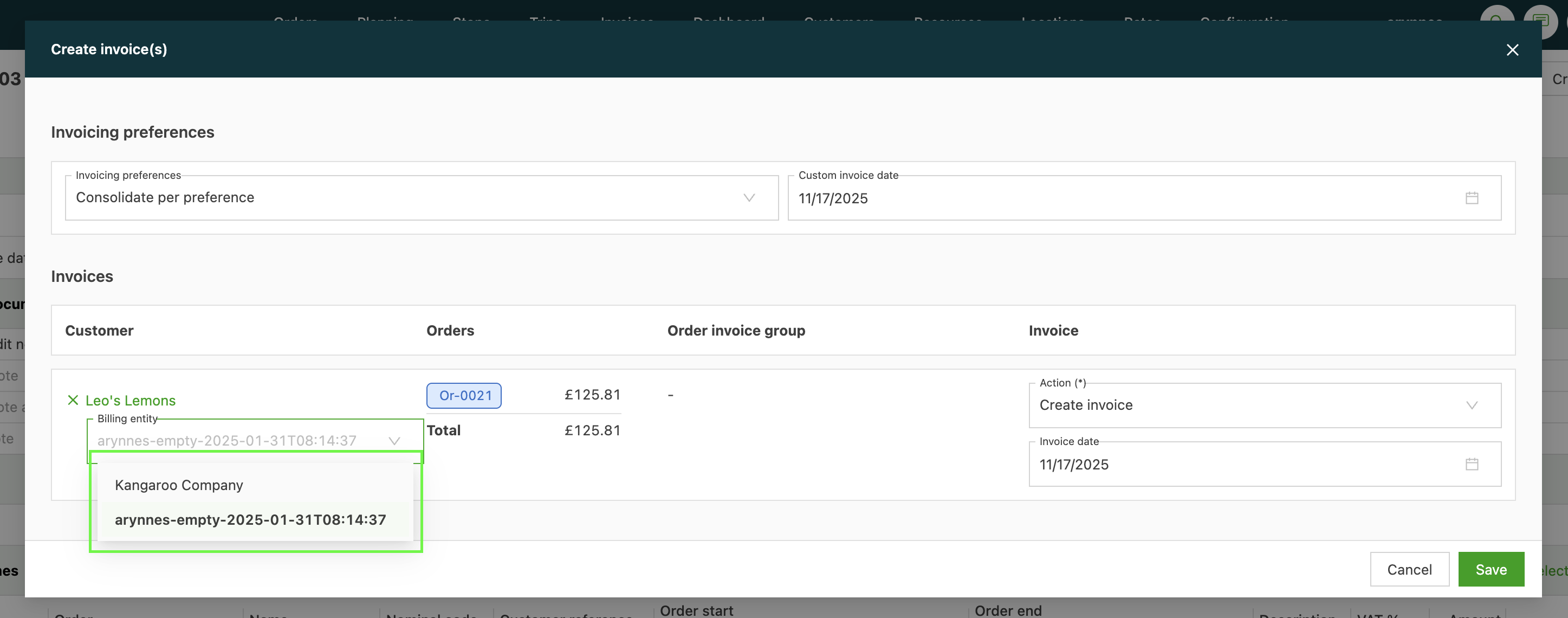
- The option to switch to another billing entity is only shown where the price list configuration allows the change.
- This functionality is mainly used when charges were originally invoiced from the wrong billing entity and need to be corrected to the appropriate entity.