
FAQ: Why are document changes not visible?
This article describes how to update PDF documents after editing information
Table of contents
Q. When a change is made to the details of a document (invoice, order, etc.), the updates don’t show on the PDF. How can the document be regenerated?
A. If the details of a document have been updated and the changes are not visible, the document must be regenerated for the updates to appear. The system does not automatically detect changes or regenerate the PDF, so manual regeneration is required to reflect any modifications.
Steps to regenerate the document:
-
Open the page for the document that was changed.
-
Look for the option to Retrigger the document.
- Use the Retrigger icon next to the document type to regenerate and download the document.
- Use the Retrigger function in the menu to retrigger and download the document.
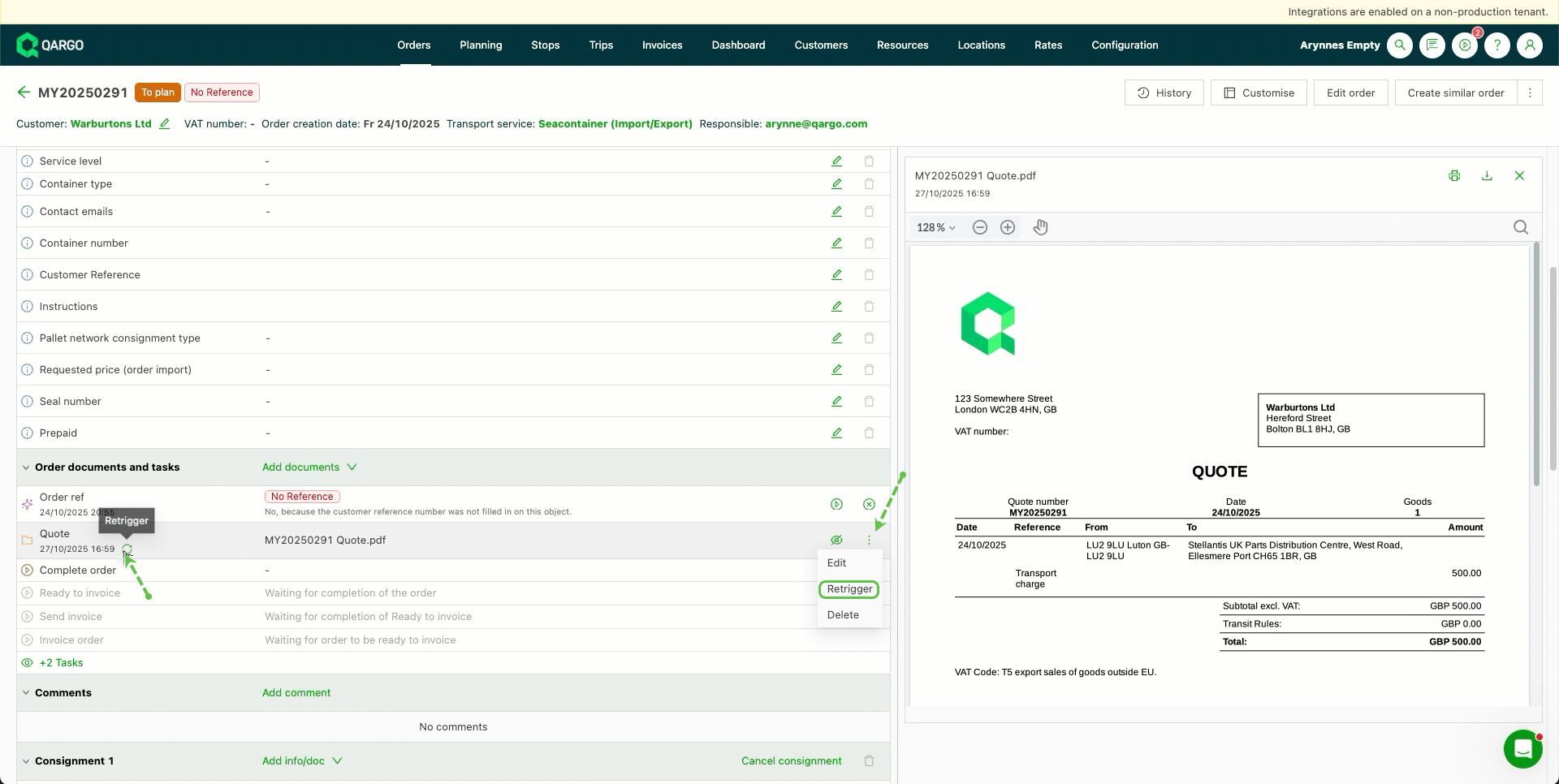
- Click the preferred option and wait for the system to process the changes.
- Once complete, download or preview the regenerated document to confirm that all updates are applied.