
Qi: validation tasks
Qargo Intelligence uses AI to spot errors or issues through simple questions and clear tags, saving time and improving accuracy.
Table of contents
Introduction
In trucking and logistics, small mistakes can create big problems. An unchecked invoice or a shipment routed incorrectly to a contract carrier can delay payments, upset customers or even create compliance risks. These are often routine checks that take up valuable time for planners, dispatchers and finance teams.
Qargo Intelligence helps reduce these errors. The idea is simple: the system automatically checks the data using plain-language questions, then highlights issues with clear tags so teams can act quickly.
Terminology
- Qargo Intelligence (Qi): A function in Qargo that uses AI to provide smarter insights and automation.
- Validation task: A configurable check set up in plain language, such as “Is the customer reference missing for this order?”
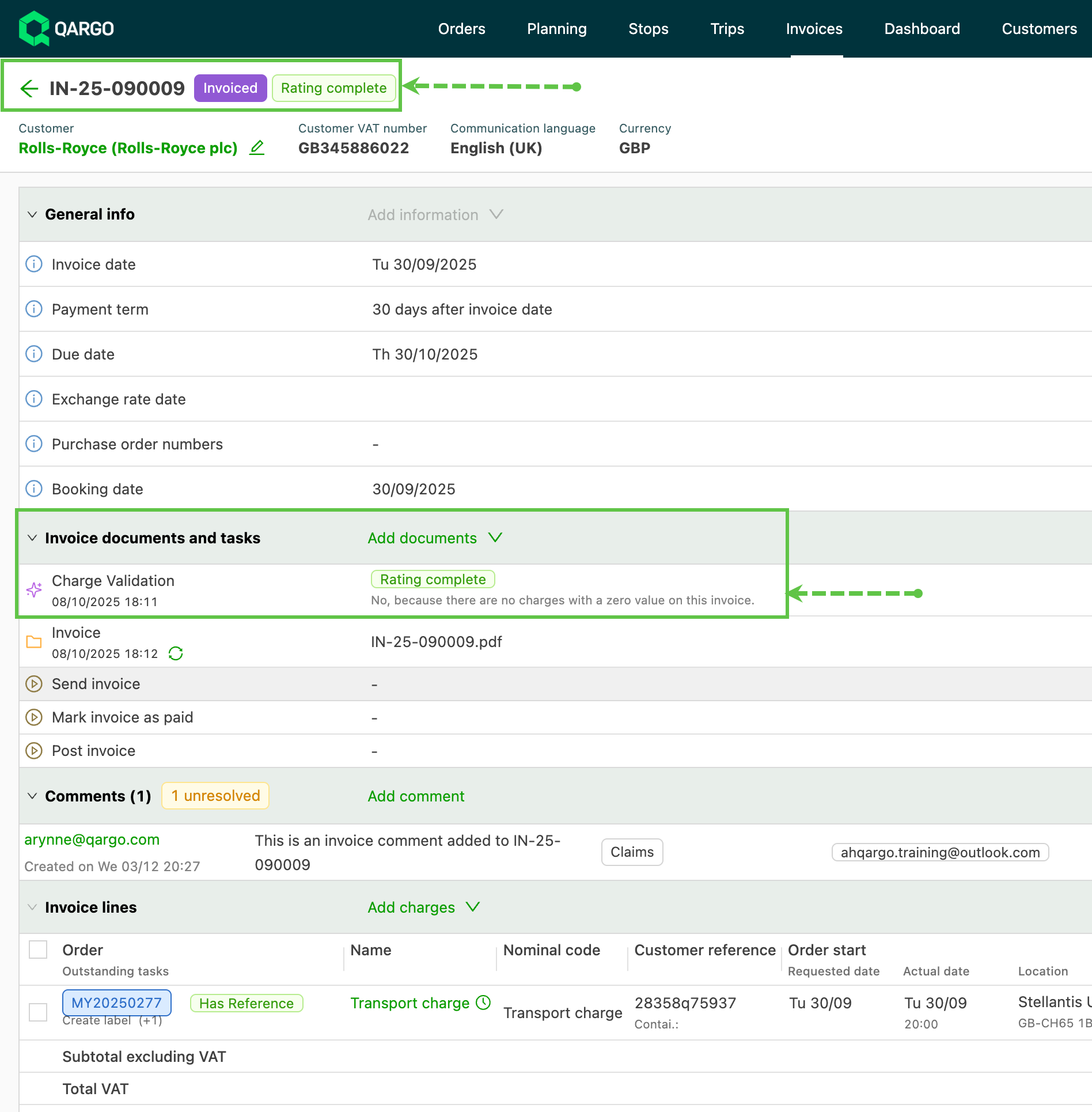
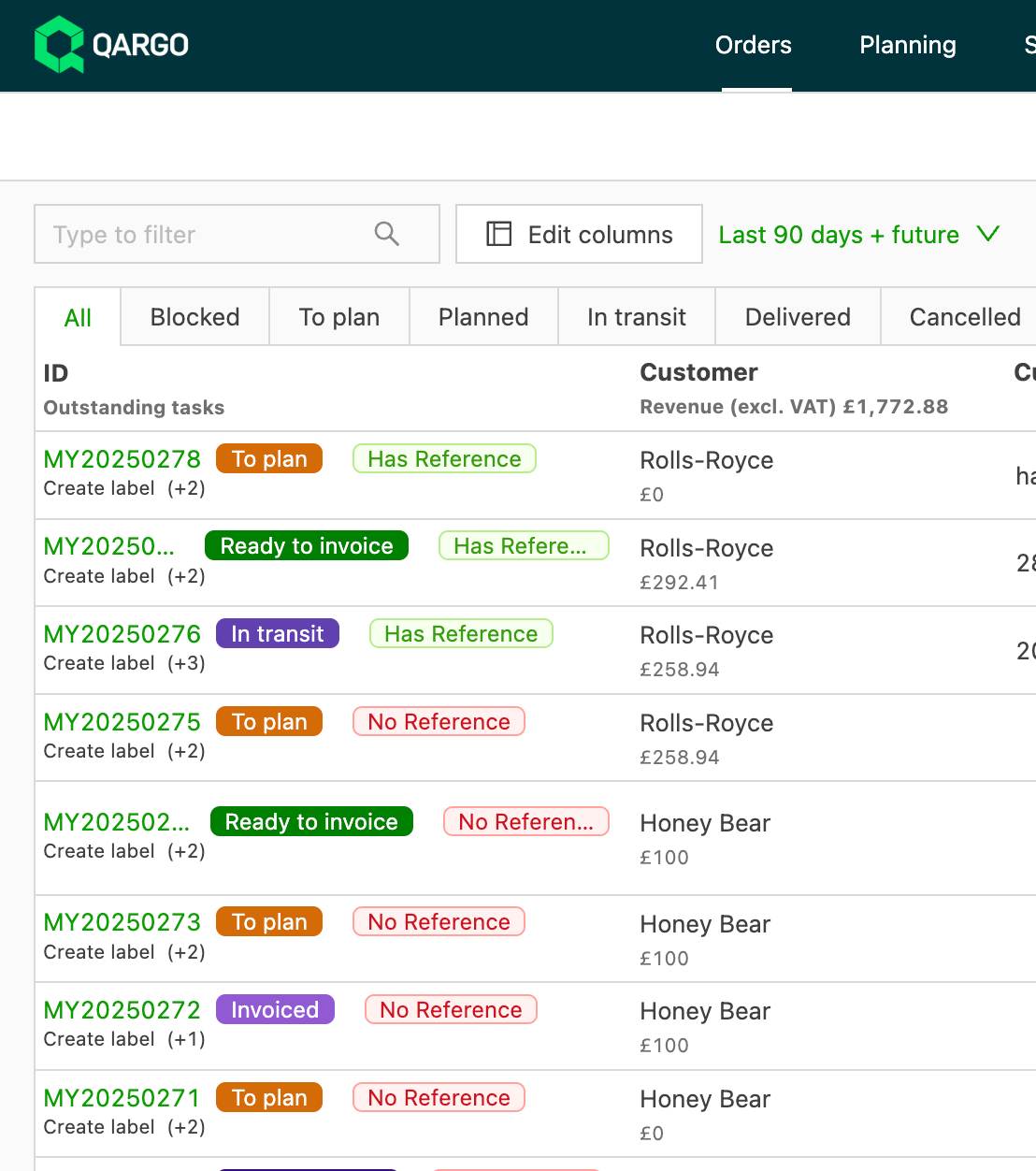
- Tags: Visual indicators (e.g., red or green labels) added to orders, shipments or invoices depending on the AI task outcome.
Key features
- Plain-language checks
Instead of writing complex rules, users can simply ask a yes/no question such as:
_“Is there a zero price on this invoice?”_ or “Is the customer reference number present?” - Flexible testing and setup
The question can be tested on real examples before it is rolled out. This helps ensure the AI understands the intent and gives the right results. - Automatic or manual triggers
AI tasks can run automatically in the background or be launched manually to double-check something important.
Configuration
-
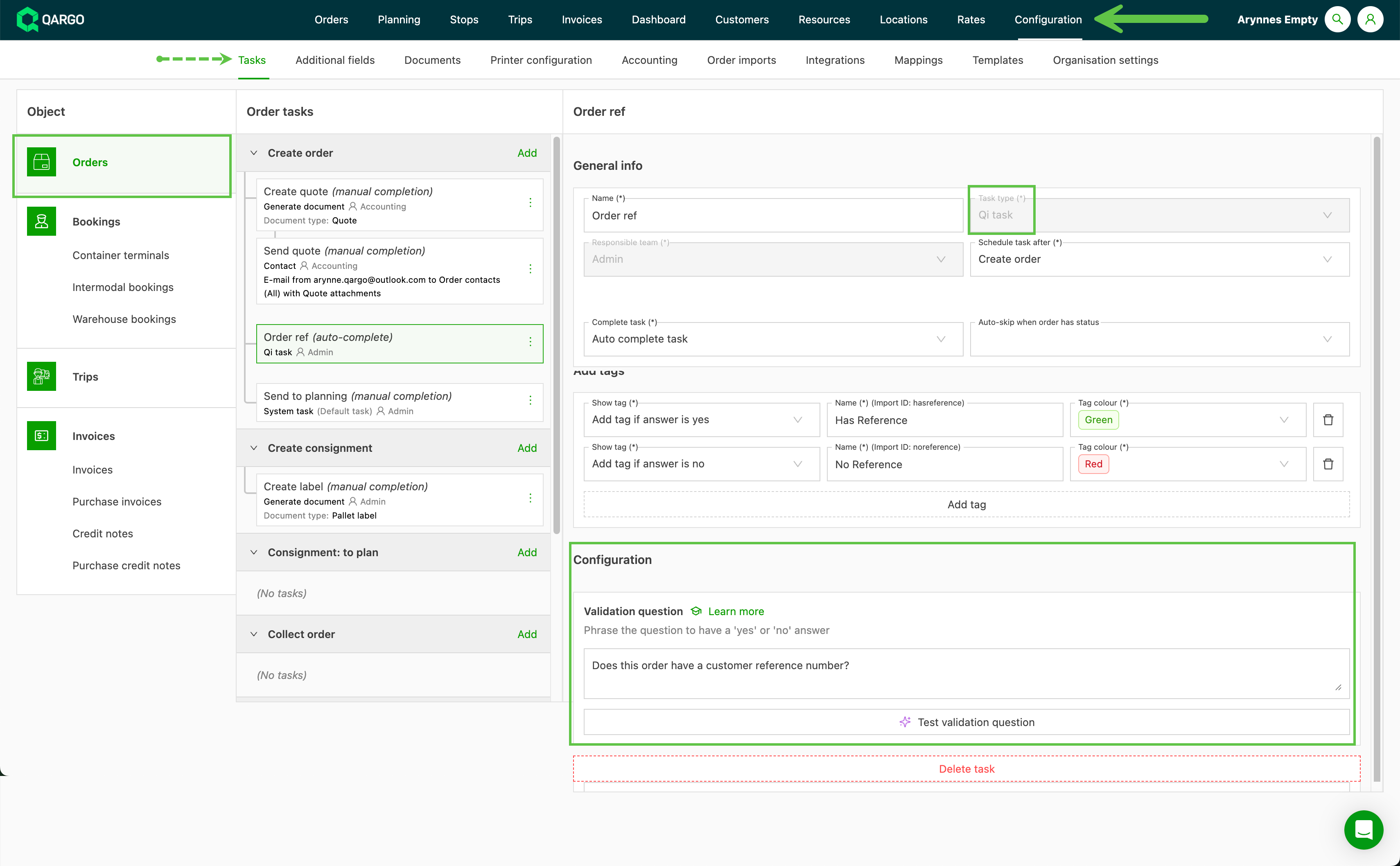
Go to Configuration > Tasks
-
Select the object the task applies to, for example orders, loads or invoices
-
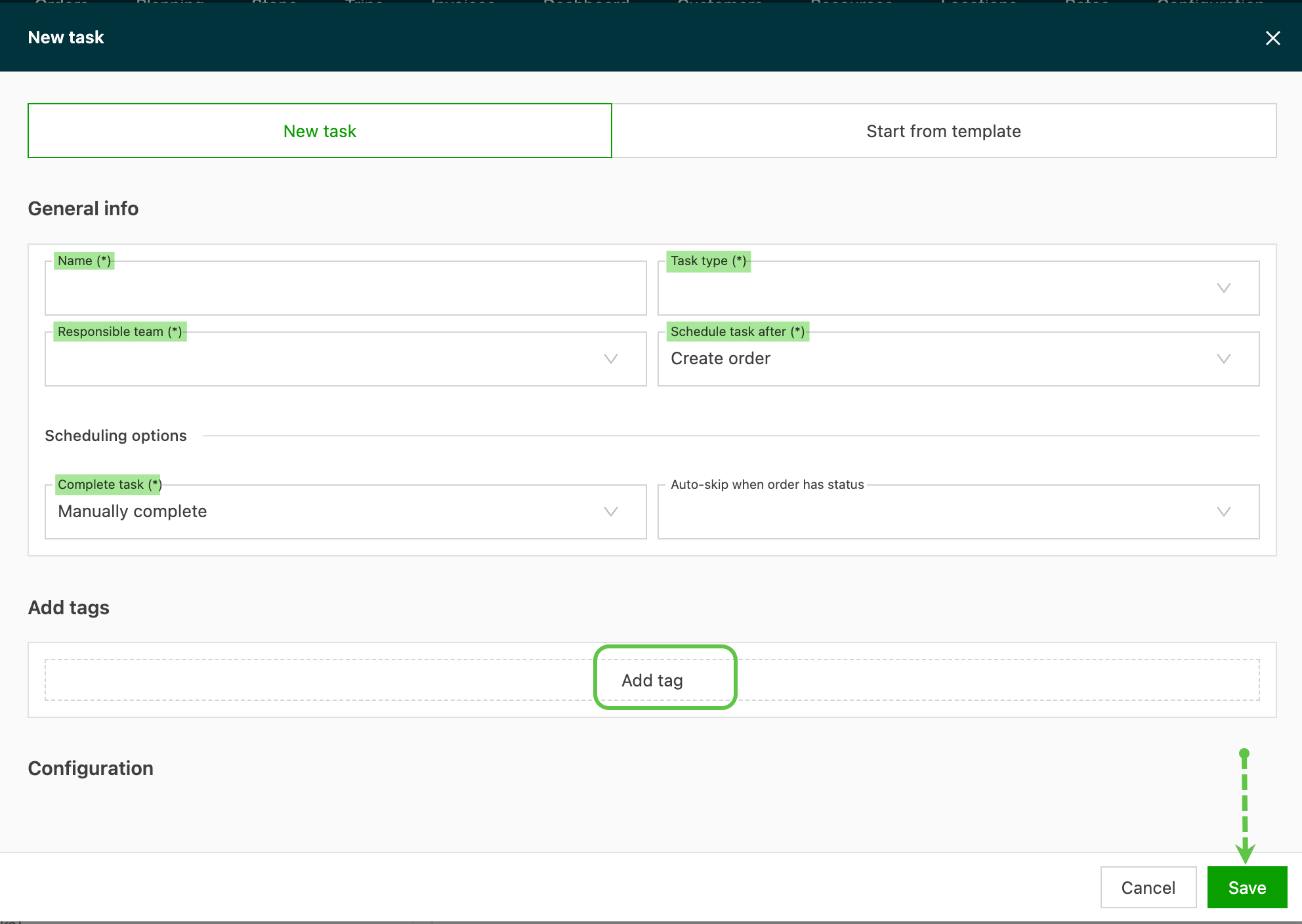
Click ‘Add’ to start entering the new task
-
Complete the required fields:
- Name – make it easy to identify
- Task type – select Qi task
- Responsible team – who in the organization is responsible for completing the task
- Schedule task – where in the workflow this validation check should be performed
- Complete task – select whether the task should complete automatically or whether a user needs to do a final review and complete it.
- Select the tags to display
- Click Save
Validation questions
-
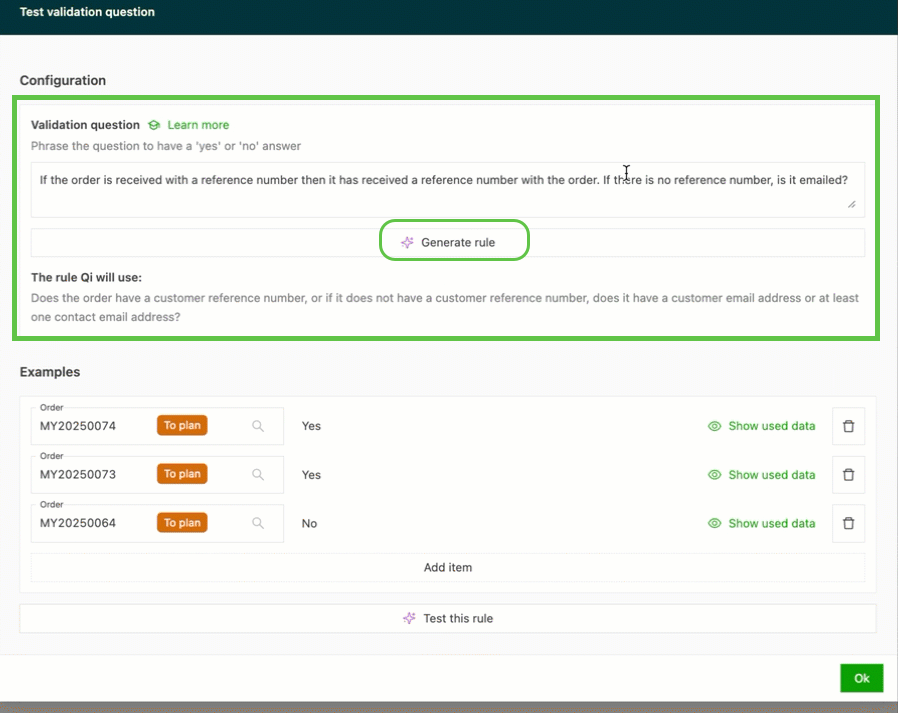
Once the validation question is added, click ‘Generate rule’
-
The system ‘reads’ the question and shows the ‘Rule Qi will use’ to the user. Where complex language is used, the system rephrases the question.
- Add example data to test the rule
- Click ‘Test this rule’ to validate the data
- Confirm that the rule returns the expected data, and make any necessary changes if it does not.
Set a field instead of a tag
Qi tasks can also fill in fields, not only add tags. The Assign fields Qi task type checks a condition and writes a value, such as a container no. or a booking instruction, into a field on the order, load or stop.
Limitations
- AI can make mistakes: Human oversight remains important. If something looks wrong, the AI task result can be dismissed.
- Document checks not supported: The AI task cannot read attached documents such as PDFs, so it cannot verify details inside a POD file itself.
Troubleshooting tips
- Phrase questions clearly: Use simple yes/no wording such as “Is the customer reference missing?”
- Test before rollout: Always test the AI task on several examples to confirm accuracy.
- Refine over time: If the AI result does not look right, try rephrasing the question.
- Use tags wisely: Configure tags so they are easy to spot (red for errors, green for OK), so planners and finance teams know what to focus on.
By introducing AI tasks into Qargo Intelligence, trucking companies can save time, reduce errors and create smoother operations. While the feature is still experimental, it is already proving useful for everything from checking PODs to identifying risky shipments.