
Customer CRM
This article introduces the customer CRM action 'Follow up' for a customer.
Use the CRM functionality in the company list and on the customer detail page. Users can now add a follow-up date to a customer and are automatically set as the person responsible for the follow-up.
- Both the follow-up date and the follow-up responsible are available as columns in the customer list through the Edit columns menu.
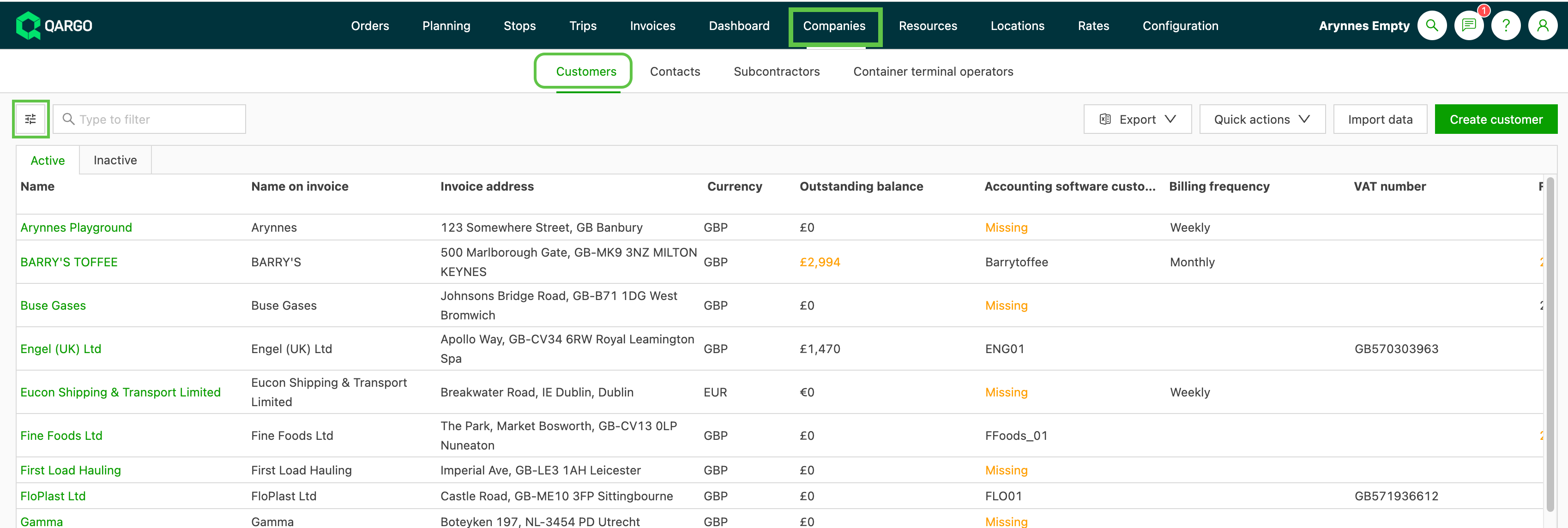
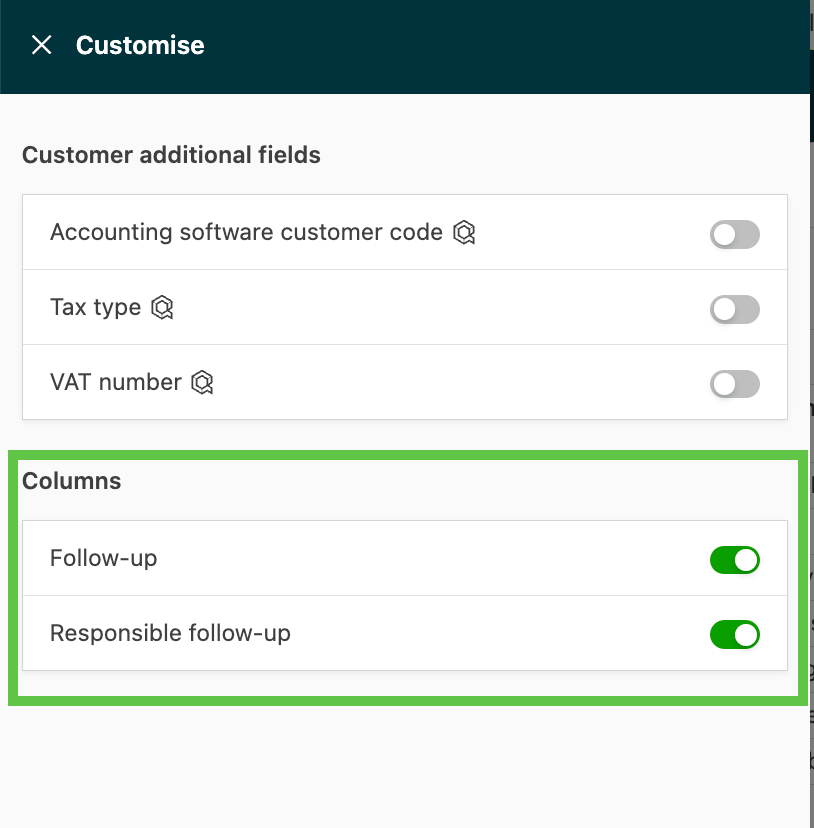
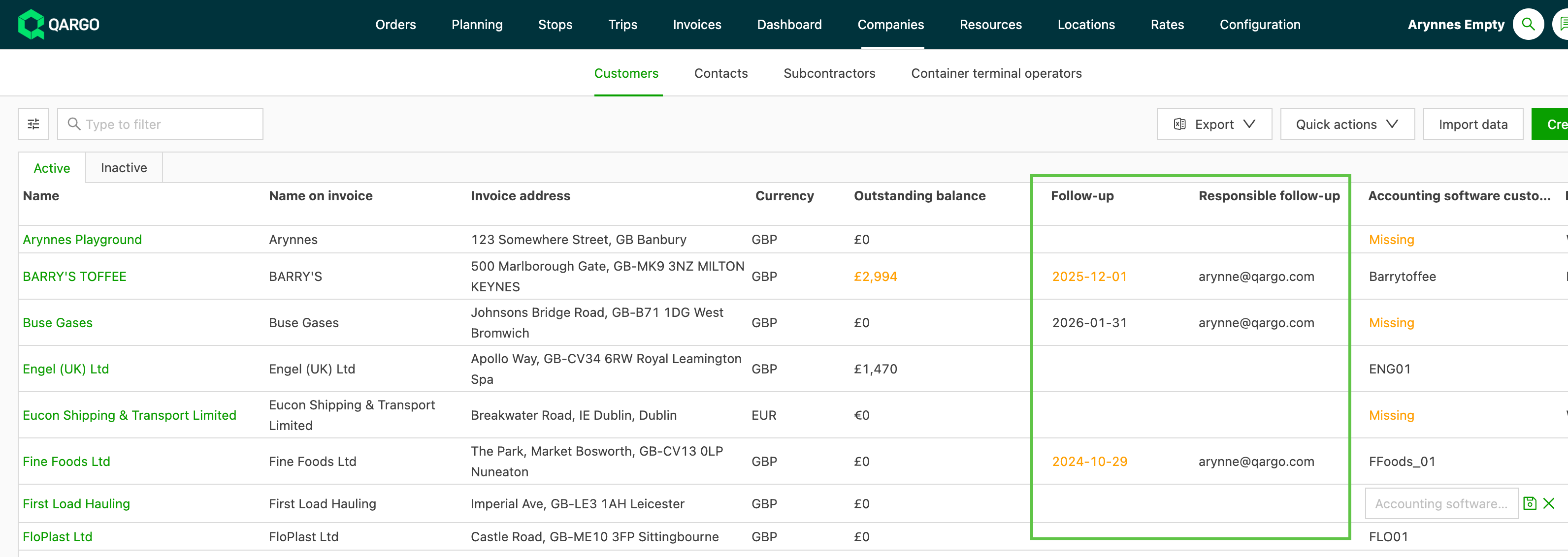
- Entering a follow-up date assigns the follow-up activity to the user who entered that date.
- With the columns enabled, the list view shows the date entered in the Next follow-up field and the assigned user.
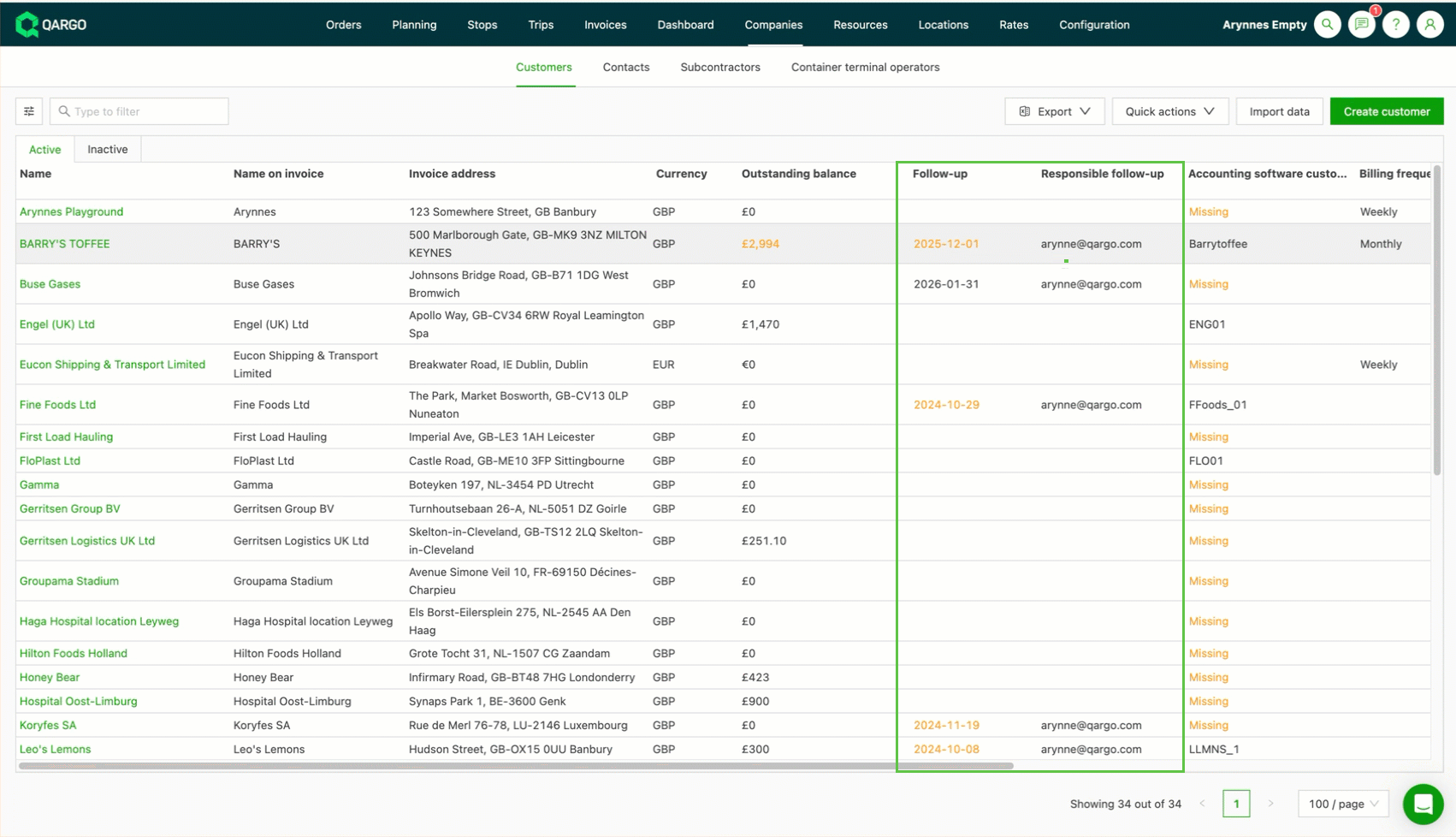
- The follow-up date can be updated or cleared by clicking the line in the company list or through the dedicated field on the customer detail page. When the follow-up date is cleared, the user responsible for the follow-up is also cleared automatically.
- Follow-up dates in the customer list automatically turn orange when they are overdue.
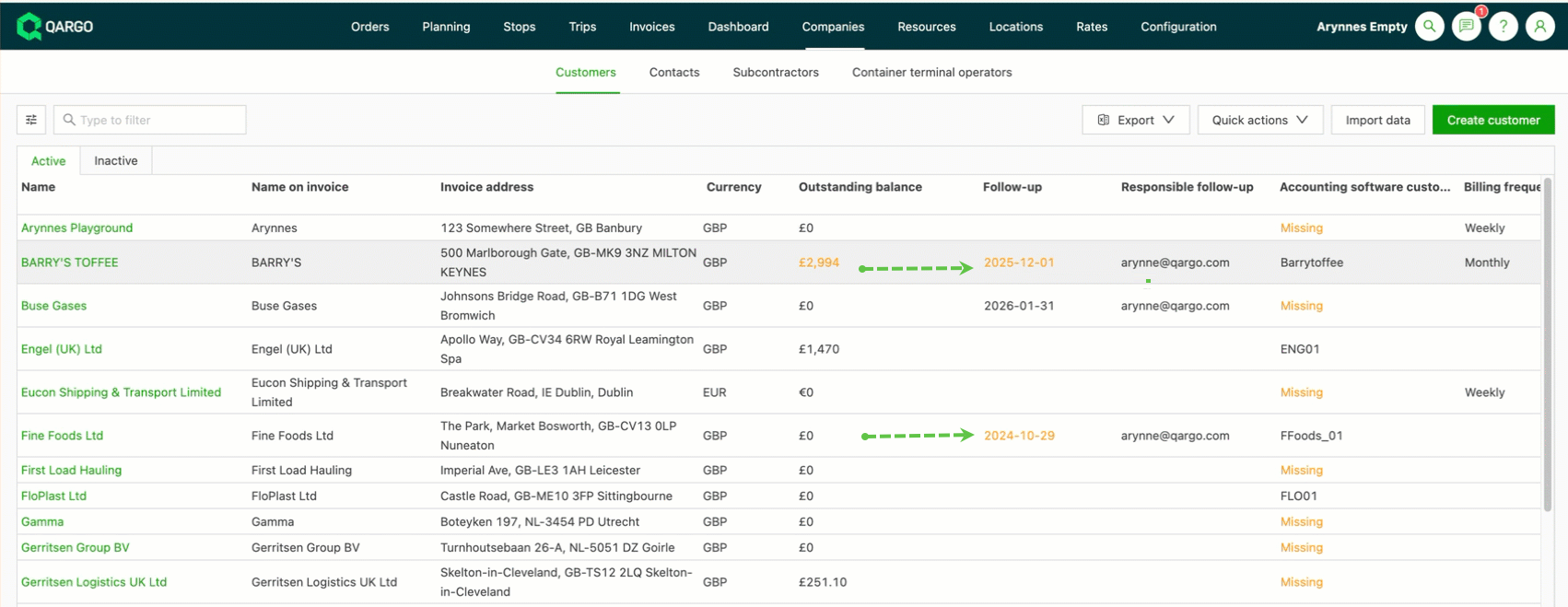
- Users can rely on this visual indicator, or on the dedicated filters for this column, to get a quick overview of overdue or upcoming follow-ups.