
Customer portal locations
Explanation of how to make locations visible on the customer portal
Table of contents
Introduction
Locations that are visible on the customer portal can be created in multiple ways:
- Locations that are created by customers on the portal
- Locations that are created by internal users at the company and made visible on the customer portal
Locations that are created by customers on the portal
When users enter an order on the customer portal, they can create new locations:
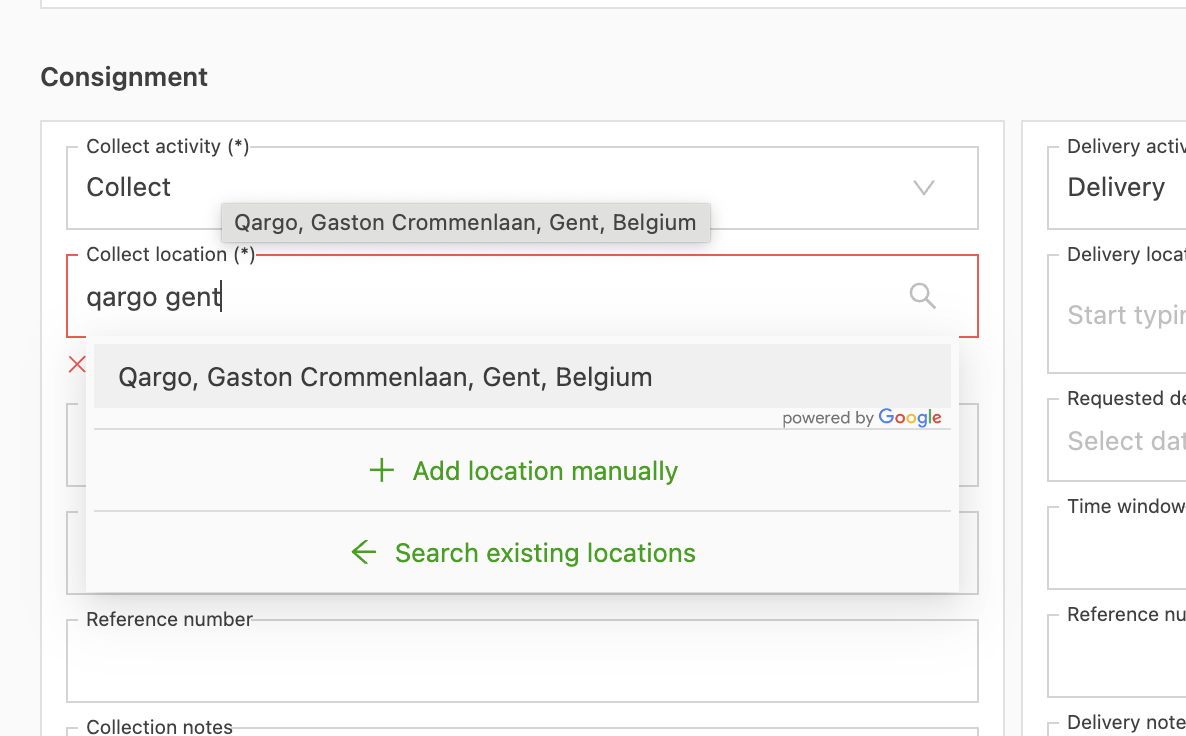
They can also go to the locations tab and click create location:

In Qargo, those locations are stored as accessible to this customer only:
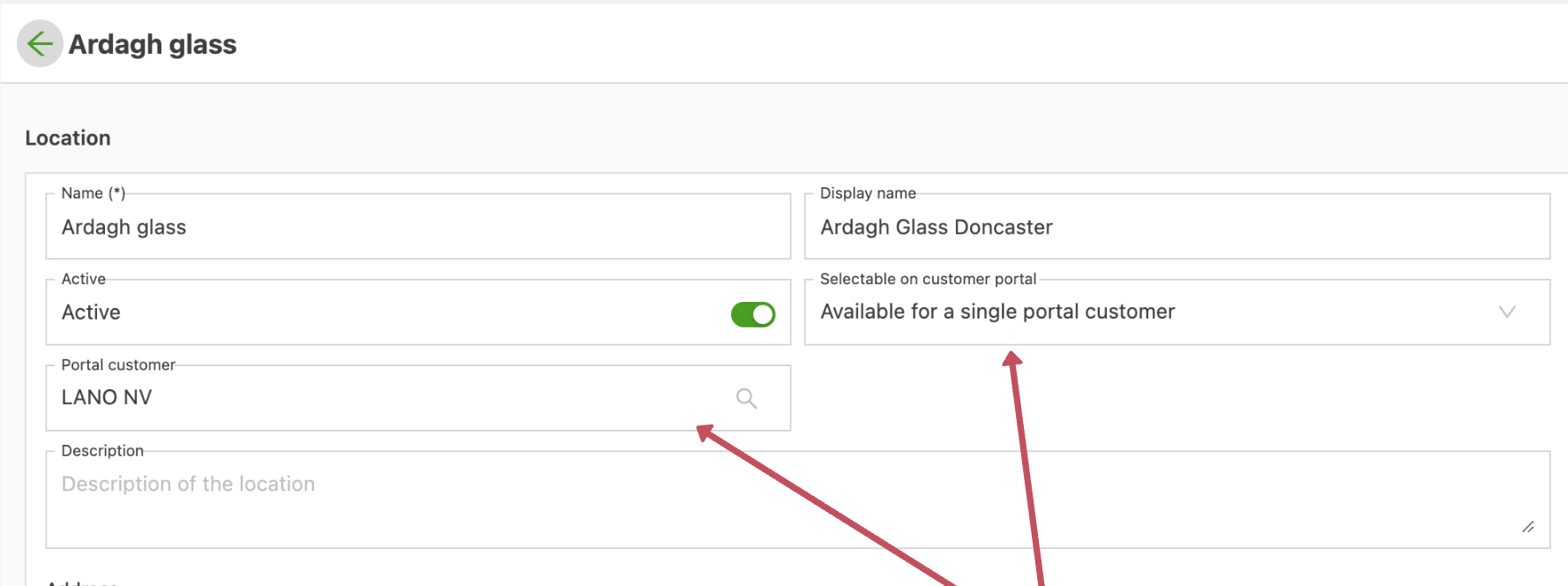
These locations are not visible to other customers.
Locations created by internal users of the company
When an internal user creates a location, the user can decide whether it is visible on the customer portal:
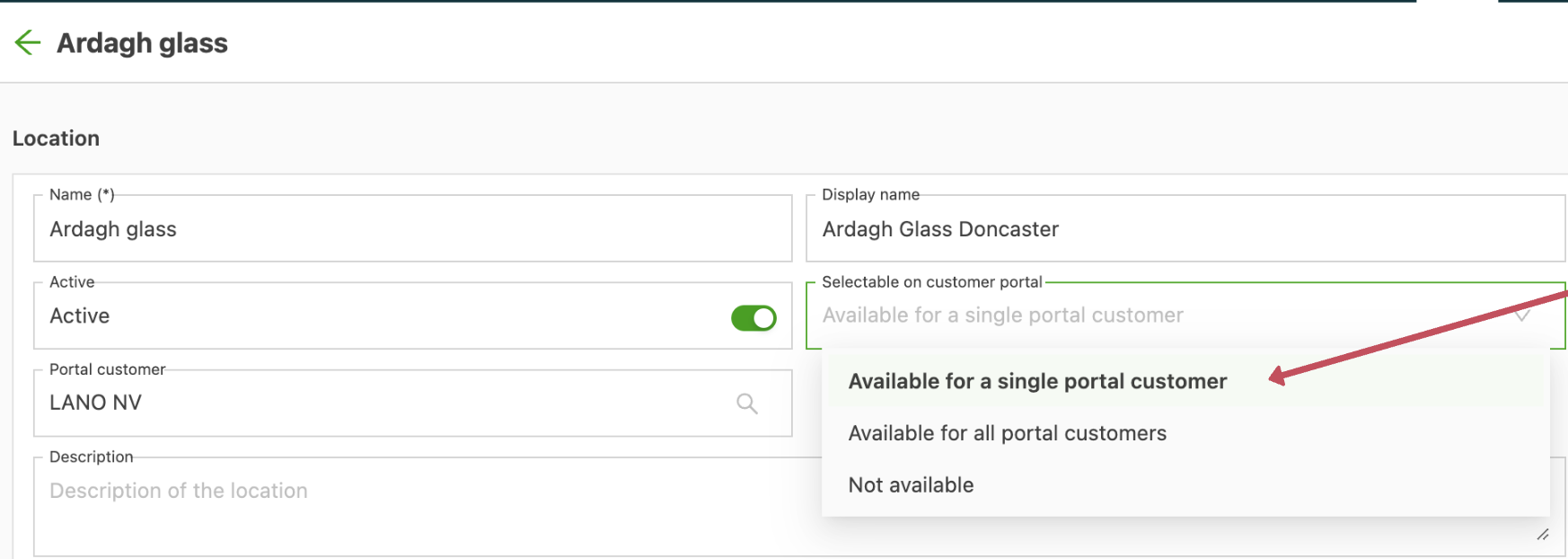
The following options are available:
- Available for a single customer portal customer: the user then decides which customer can see this location
- Available for all portal customers: everyone who uses the customer portal can see this location
- Not available: this location is not visible on the customer portal
Adapting existing locations
The customer portal visibility of existing locations can be changed:
- If the location is only used by one customer, it can be switched to “Available for a single portal customer”. If the location has been used by 2 or more customers, it can only be switched to available for all portal users or not available.