
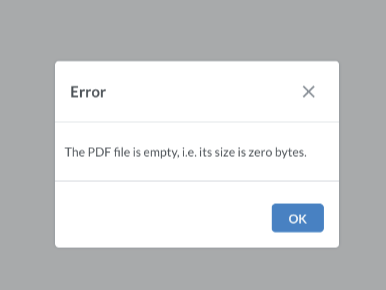
Pallet label error: The PDF file is empty, i.e. its size is zero bytes.
Sometimes the Palletline API returns an empty response, so the generated label file ends up empty.
If the shipment has already been dispatched to Palletline, the solution is to delete the label first and then retrigger the “export to Palletline” task (which pushes the generation of a new pallet label).
The steps below show how to delete the file first:
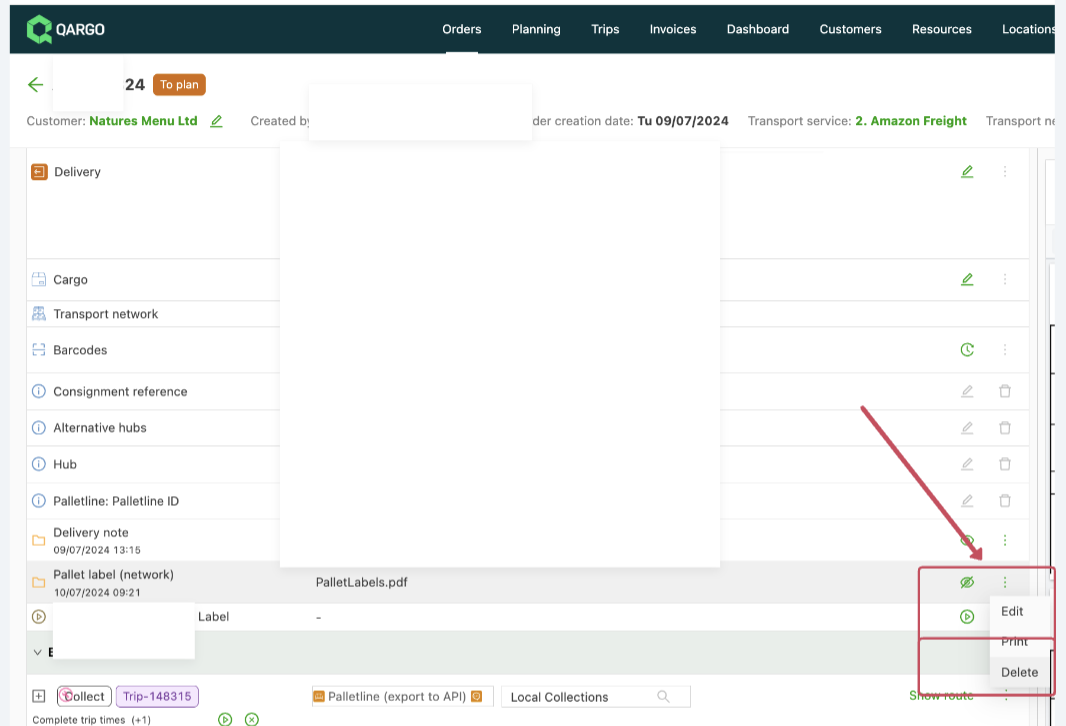
Then navigate to the load and retrigger the task for dispatching to Palletline:
After this, navigate back to the order to view the newly generated document.
If the document is not generated and the message “The PDF file is empty, i.e. its size is zero bytes.” remains on the preview page, contact the Qargo support team for further investigation or generate the label manually in Contrado.