
PN - PalletLine order import/export
Covers how Palletline orders are imported into Qargo via API polling and exported via dispatch tasks. Includes guidance on the third-party label ID feature for customers managing their own labels.
Table of contents
Export (API)
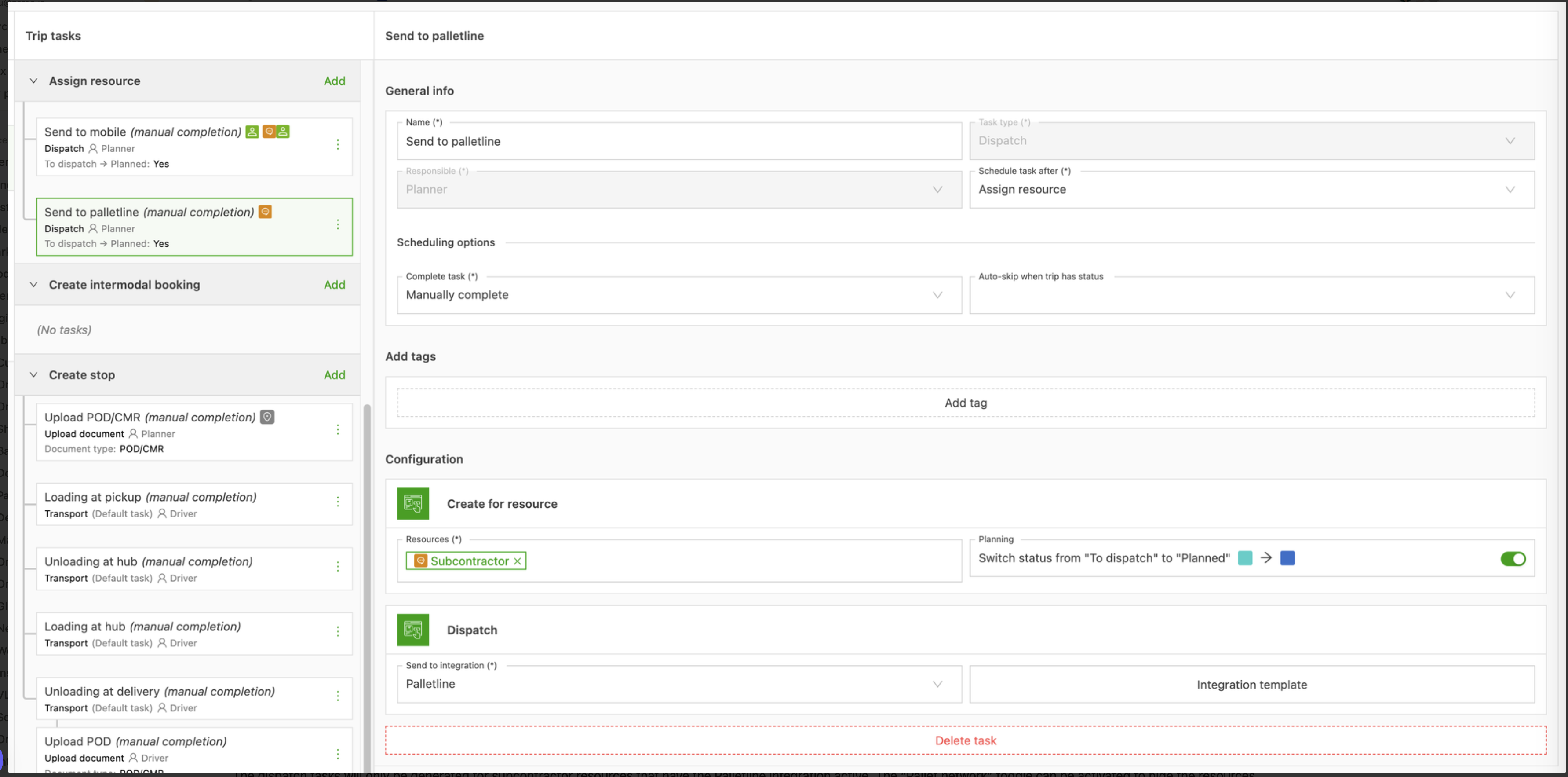
For the order export, a dispatch task sends the shipment to Palletline. The same feature set is therefore available (e.g., the task can be auto-completed to automatically send shipments to Palletline):
In the dispatch task configuration, the integration to dispatch to is “Palletline”:
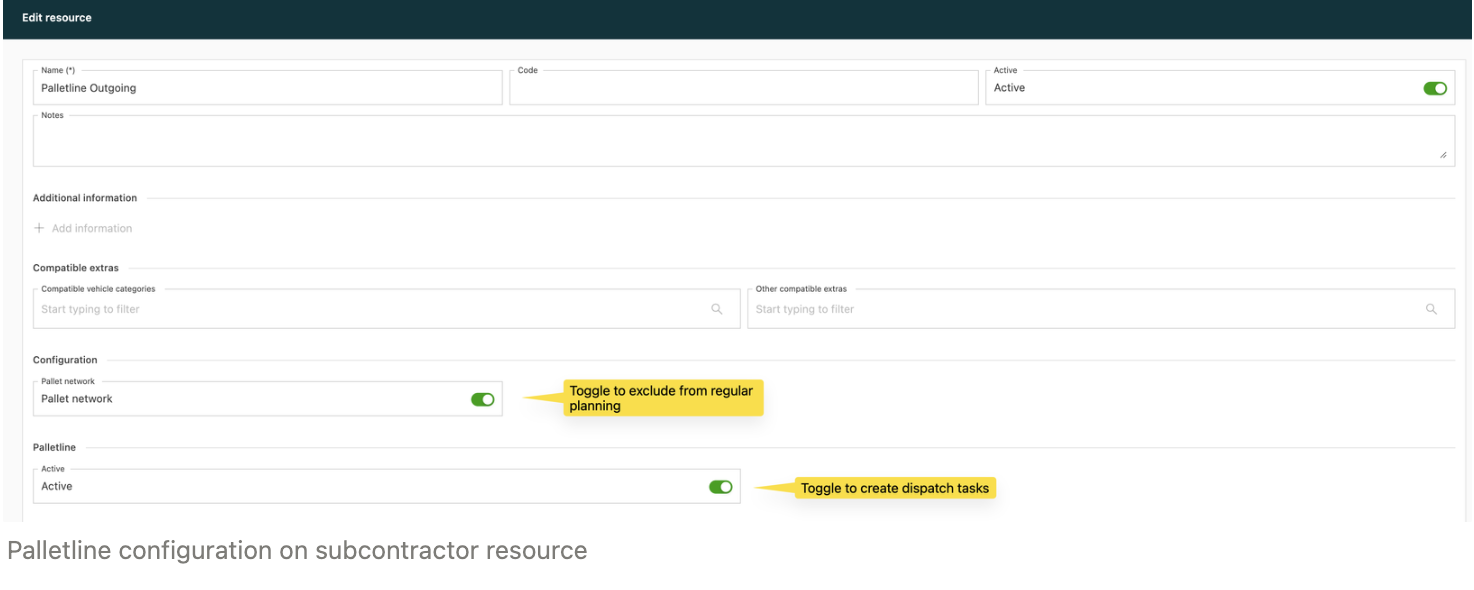
Dispatch tasks are only generated for contract carrier resources that have the Palletline integration active. The Pallet network toggle can be activated to hide these resources from the regular planning board and show them in the pallet network planning board.
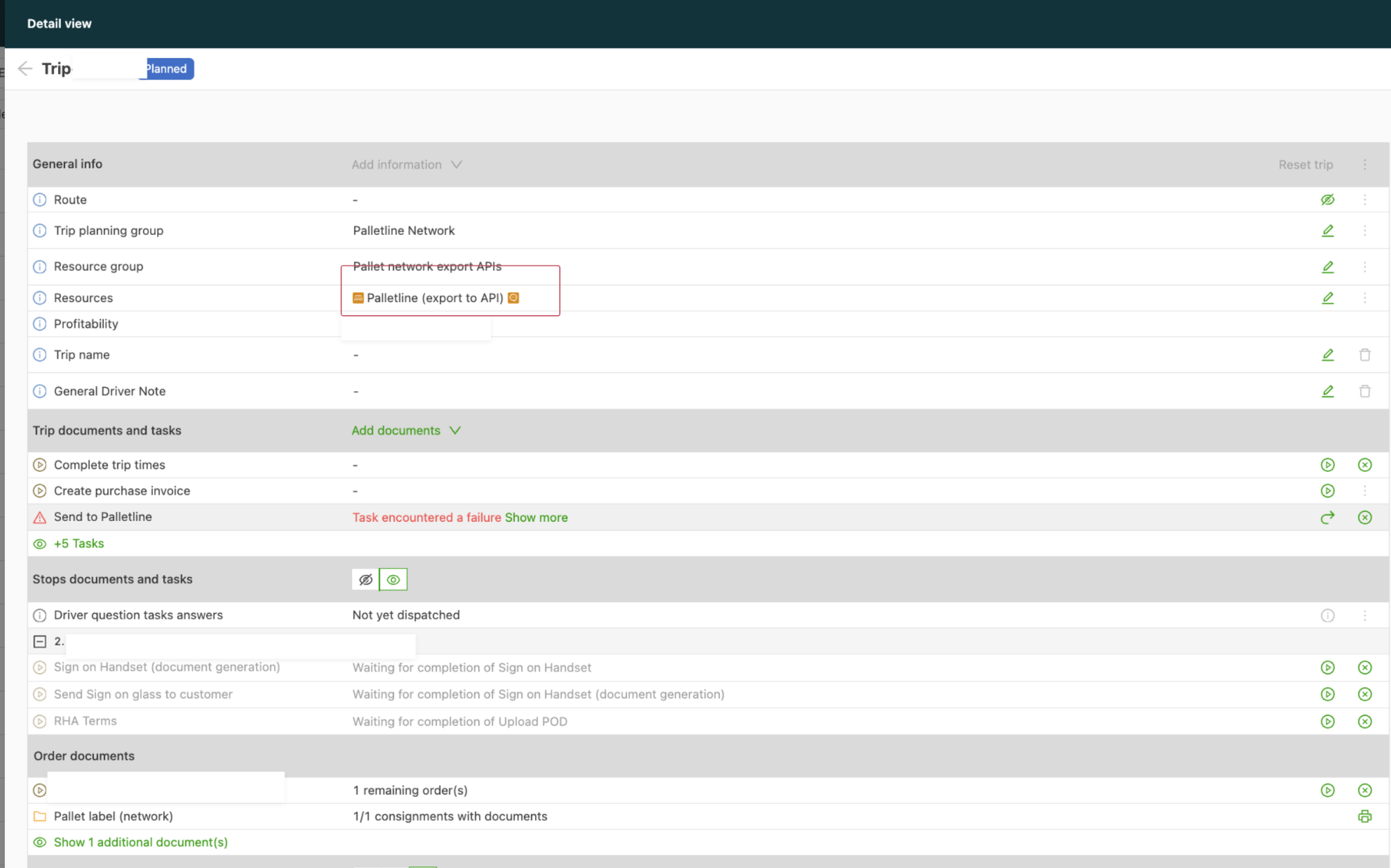
In Qargo, dispatching is always performed at load level, and the Palletline API expects a single shipment. During dispatch, Qargo verifies that only a single shipment is present on the load being dispatched.
It is therefore not possible to consolidate multiple loads and send them to the Palletline API together.
The terminal codes passed to the API are:
- as requesting terminal: the result of the Qargo gazetteering of the location on the stage that is not being exported, or the default when exporting direct stages;
- as pickup terminal: the result of the Qargo gazetteering when exporting the delivery stage;
- as delivery terminal: never passed.
After the dispatch, the Palletline API returns some information to Qargo, such as the routing information and the pallet barcodes.
Import (API)
The order import happens over API. Every minute, Qargo polls the Palletline API to get the shipments assigned to one of the tenant’s terminals.
The terminal codes are taken from the imported orders and are not re-gazetteered in Qargo.
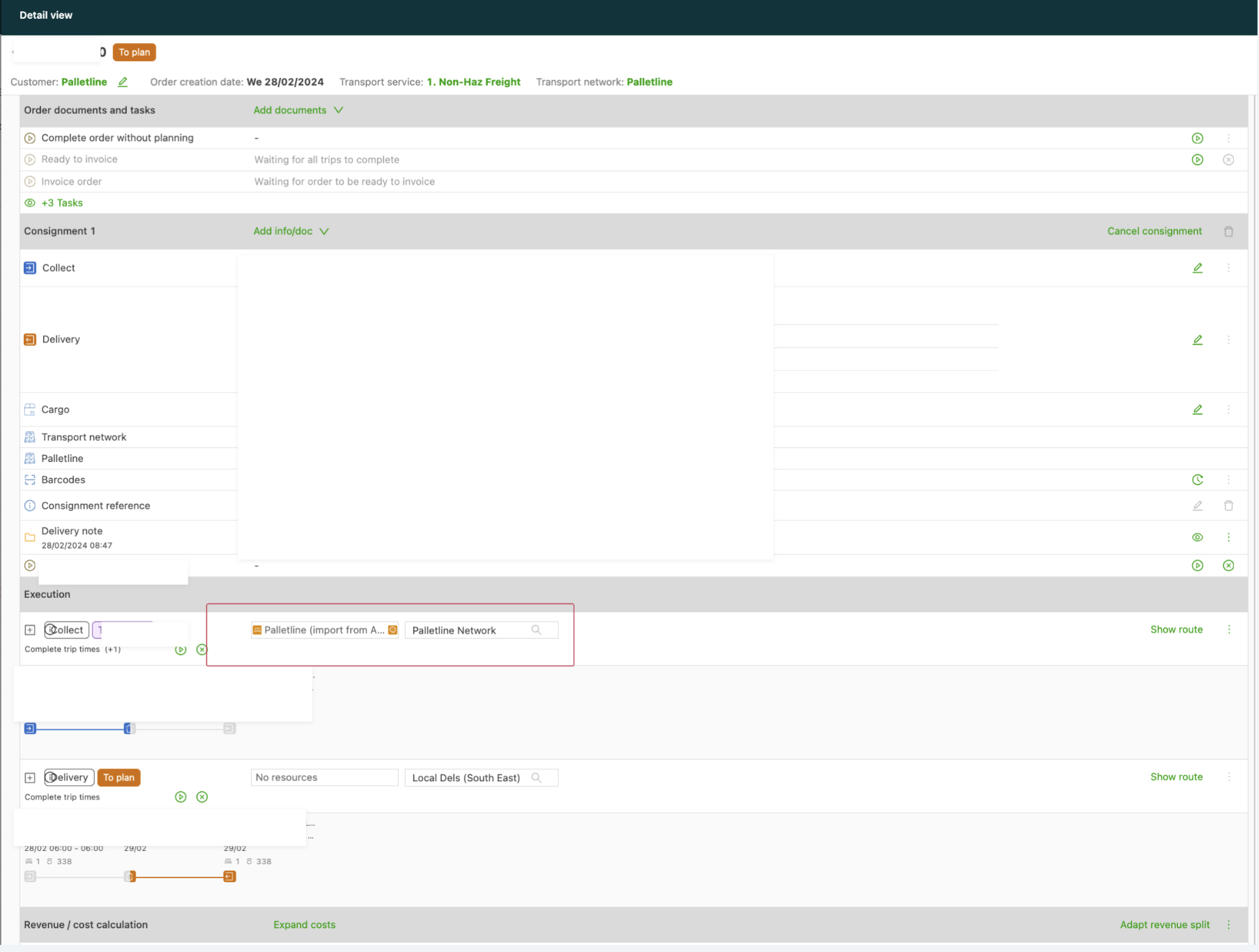
Orders coming in via API are assigned the Palletline transport network because of the transportation service configuration.
They follow the Palletline transport network configuration for splitting at the terminal and automatic resource assignment:
- the transport network is configured to auto-assign a resource
- the contract carrier assigned to the transport network has active resources with the Palletline integration toggle turned off
\
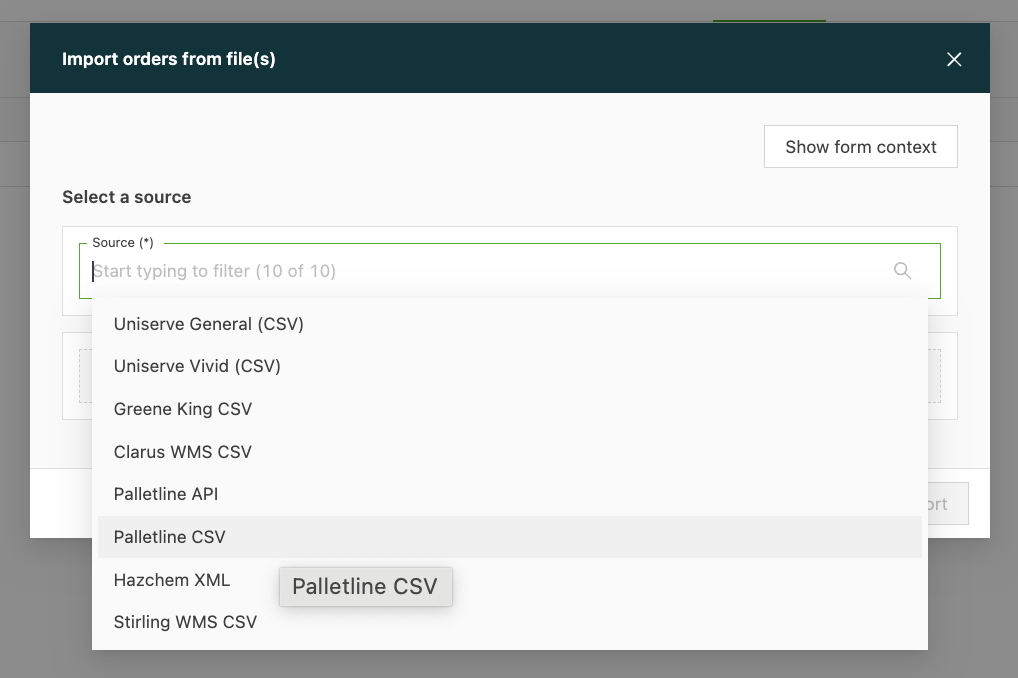
Import (file) – only while onboarding – not live {#h_14c1f93506}
During the onboarding period, Palletline customers can also import orders by file import. This allows them to generate a single invoice for their customers (containing both pre-Qargo and post-Qargo shipments).
Orders imported via file have no data synchronization from the Palletline system (e.g., status updates are lost).
The shipments must be updated manually to get them into the correct state for invoicing.
Third-party label ID
By default, when a shipment is created in Qargo for a Palletline job, Qargo automatically requests a label ID from the Palletline network. Some customers manage their own Palletline labels through a separate system (for example, a WMS or ERP) and supply their own label ID into Qargo instead of having Qargo generate one.
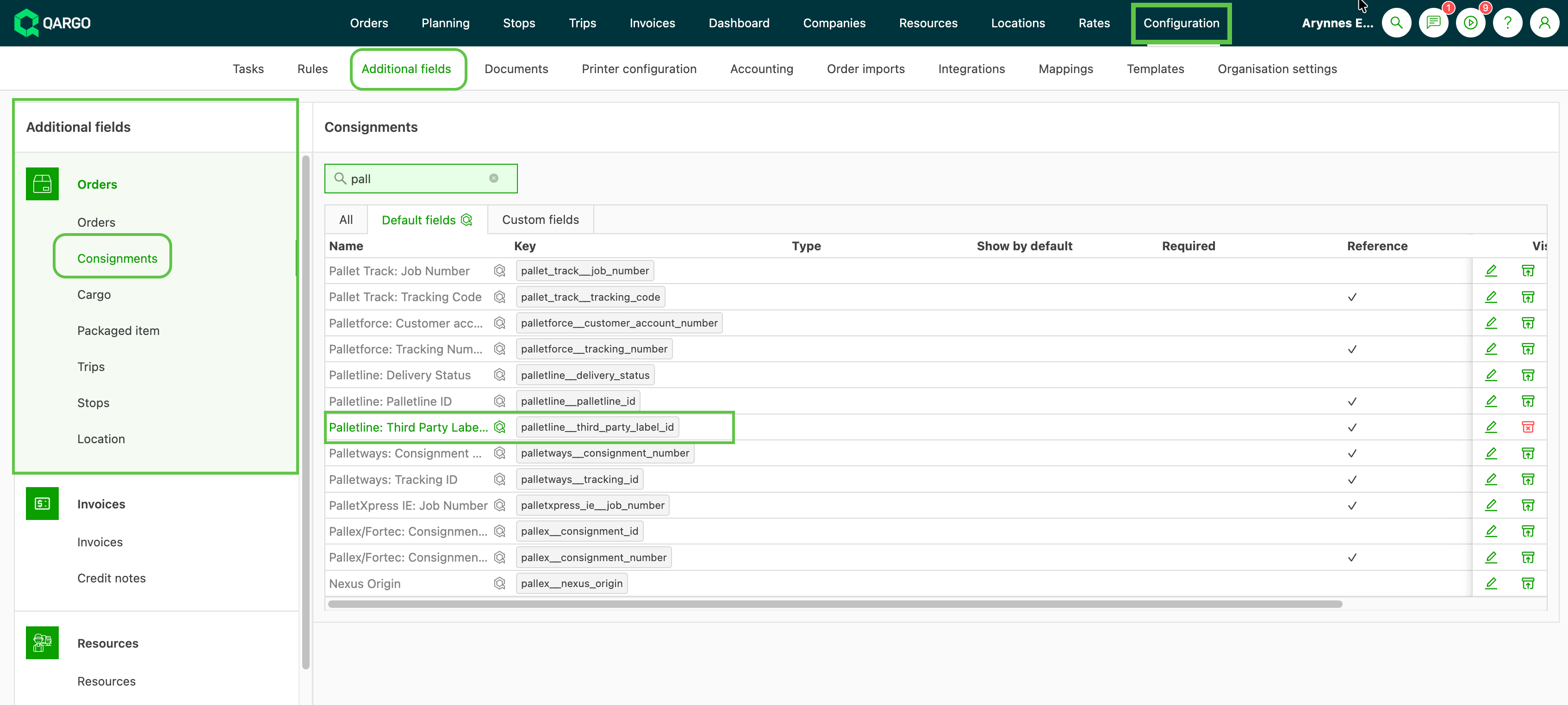
The palletline__third_party_label_id field supports this workflow. When a value is present on the order, Qargo skips the automatic label creation step at order creation and uses the supplied ID instead. Barcodes are confirmed with the Palletline network at the point of dispatch.
How it works
The third-party label ID is supplied via the Qargo API or EDI import. It cannot be set manually in the Qargo user interface.
-
The ID is included when the order is created in Qargo and replaces the standard Qargo label request to Palletline.
-
Dispatch the shipment using the standard Export to Palletline dispatch task.
- At dispatch, Qargo confirms the barcodes with the Palletline network using the supplied label ID.