
PN - PalletForce order import/export
Table of contents
Export (API)
For the order export, a dispatch task allows sending the shipment to Palletforce. This means the same feature set is available (e.g., the task can be auto-completed to automatically send shipments to Palletforce).
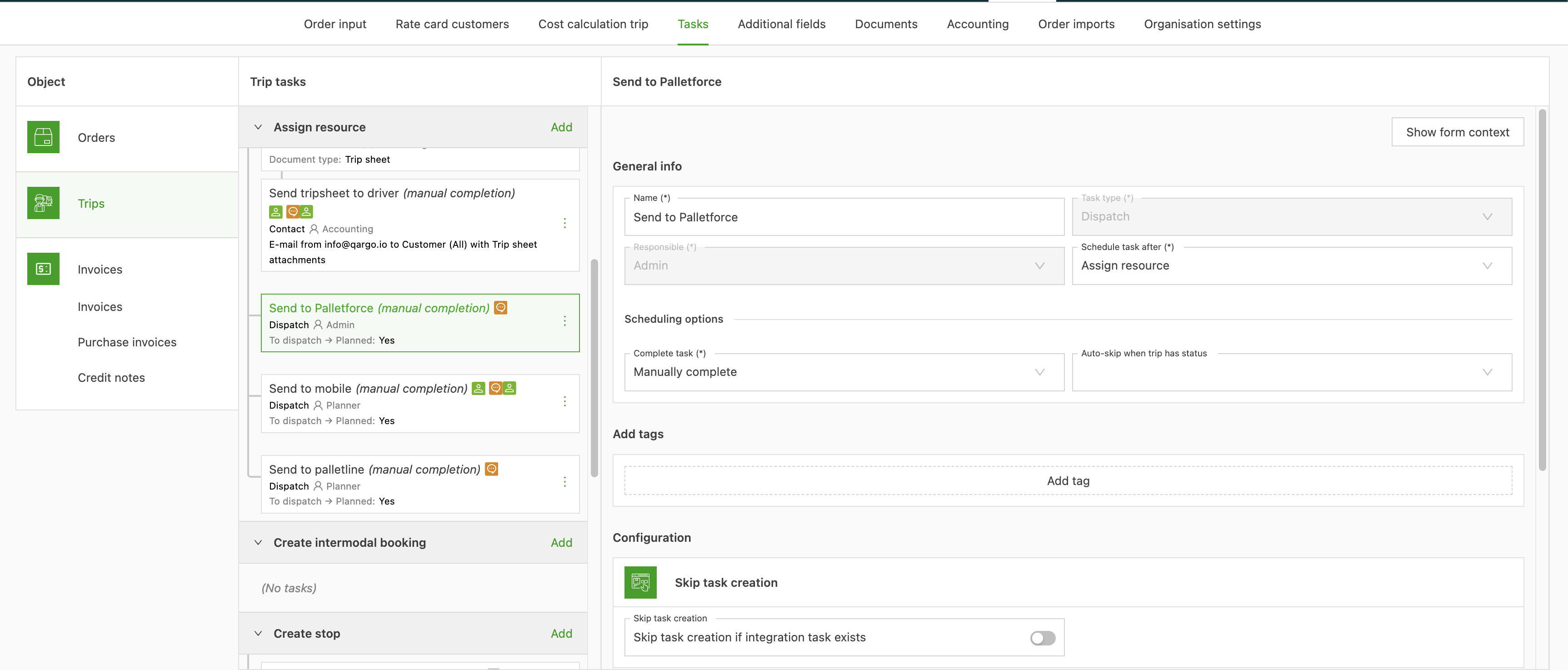
Only single-shipment orders can be created in Palletforce.
When the created shipment is fetched in Palletforce, it returns all relevant routing data but no barcode information.
Import (API)
The order import happens over an API. Every 30 minutes, Qargo pulls the Palletforce API to fetch the shipments related to the terminal. The order import follows the regular order import flow.
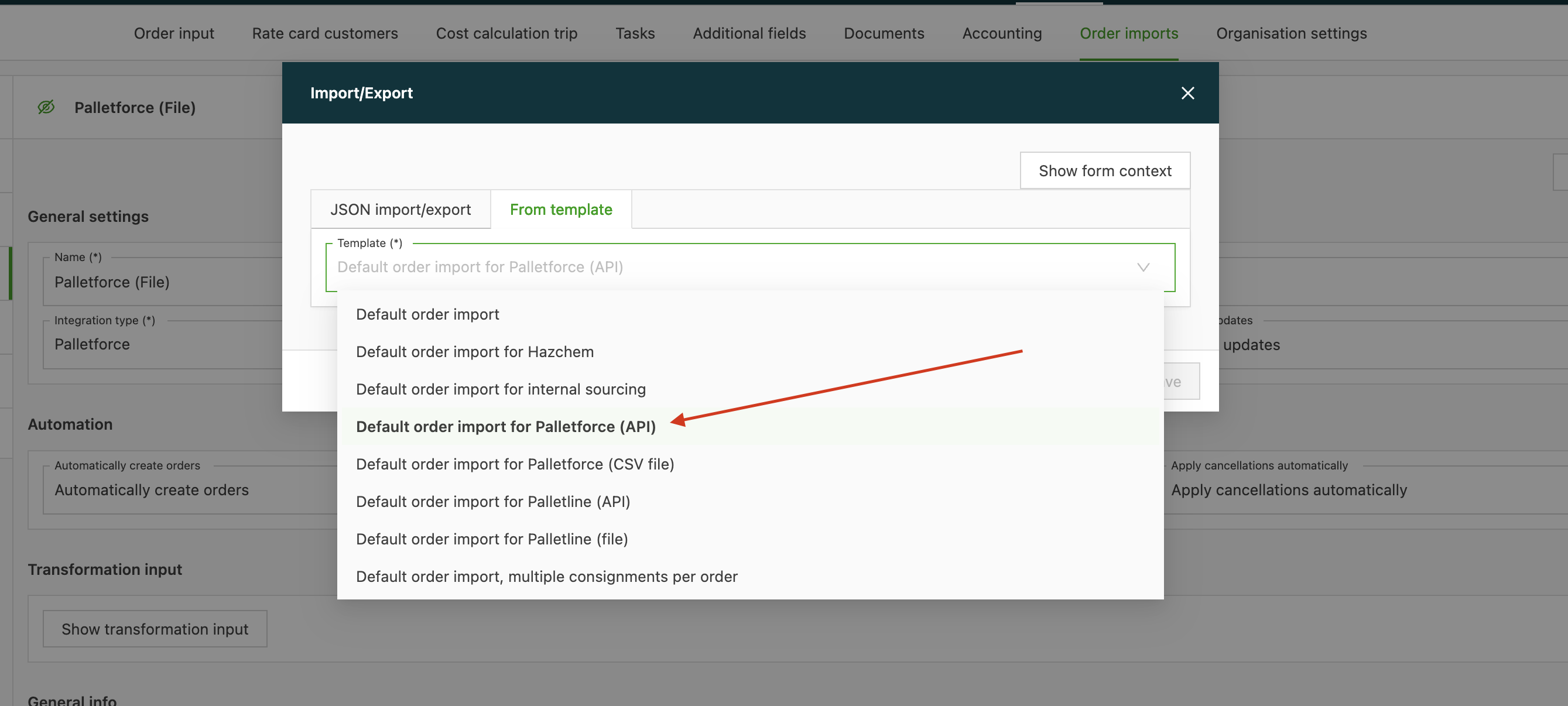
The template for the order import from Palletforce is available to configure the order import setup.
Import (file)
There are currently 2 file-based CSV imports:
-
CSV export from unknown origin
-
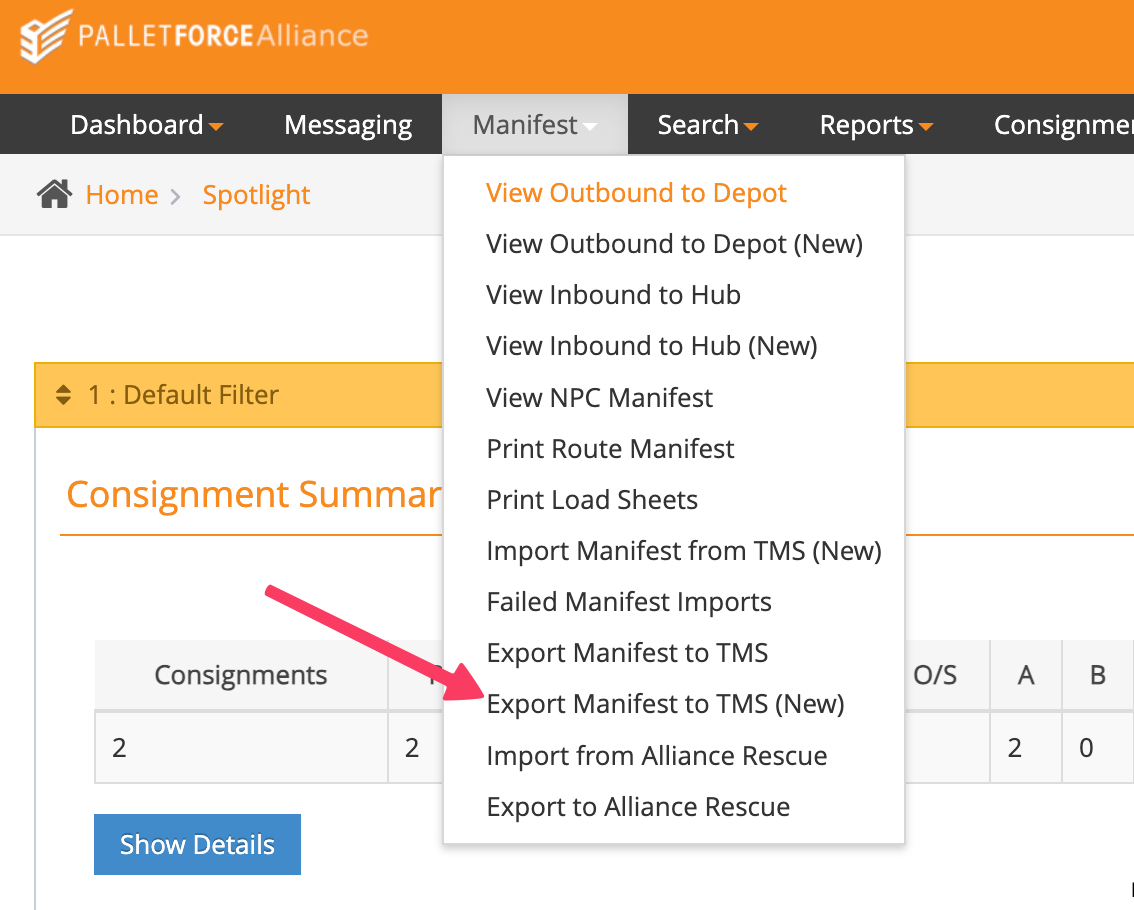
CSV export from Palletforce Portal (‘Export to TMS’ functionality)
Imported tracking ID
Palletforce orders normally receive a tracking number after the dispatch task is completed and the shipment is registered in the Palletforce system. The Imported tracking ID feature allows a tracking number to be provided at order creation or import, before dispatch takes place.
This is useful in two scenarios:
- Pre-created shipment — A shipment has already been created in the Palletforce portal (not yet accepted), and the corresponding tracking number needs to be associated with the Qargo order from the start.
- Self-generated tracking number — The transport company holds a Palletforce prefix and generates tracking numbers independently, outside the standard Palletforce shipment creation flow.
Setting an imported tracking ID
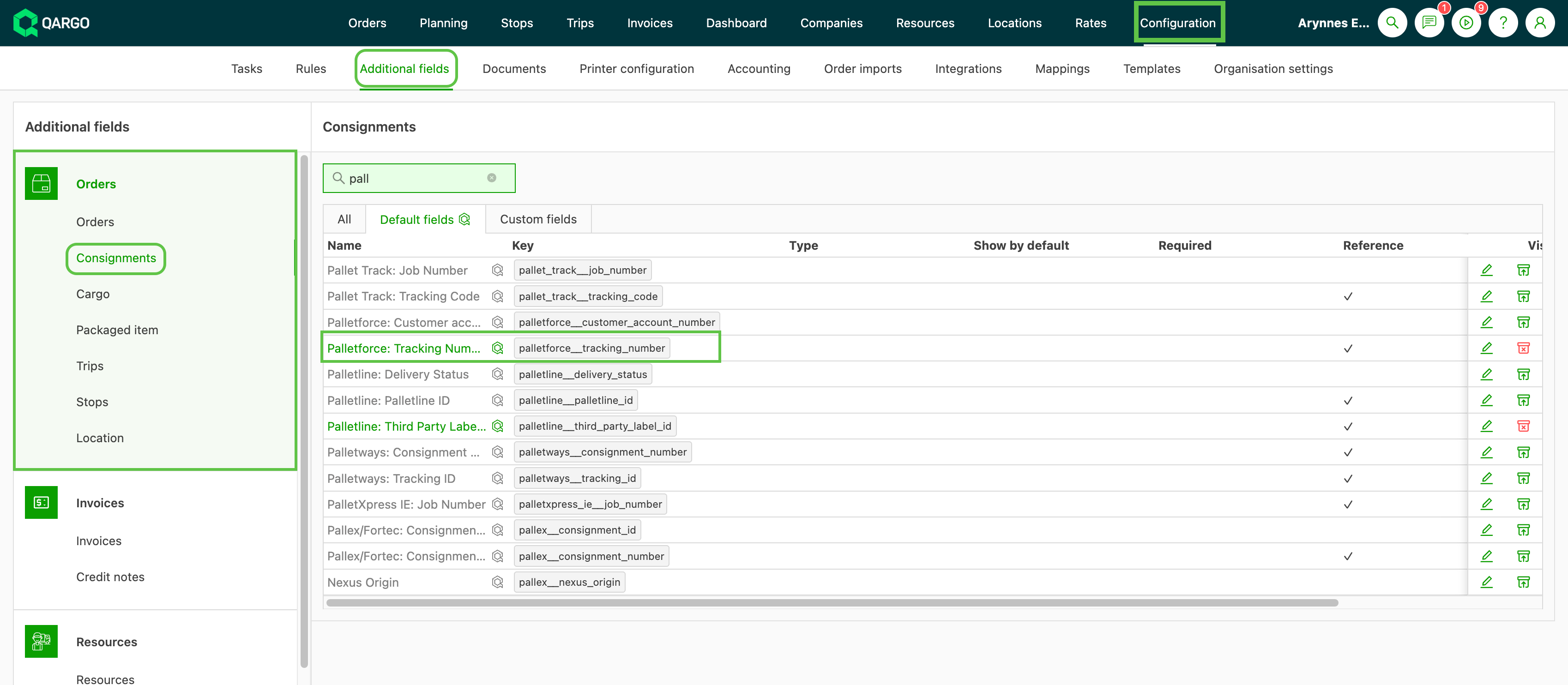
- Enter the tracking number in the Palletforce tracking number field on the order. The field is available during order creation and order editing.
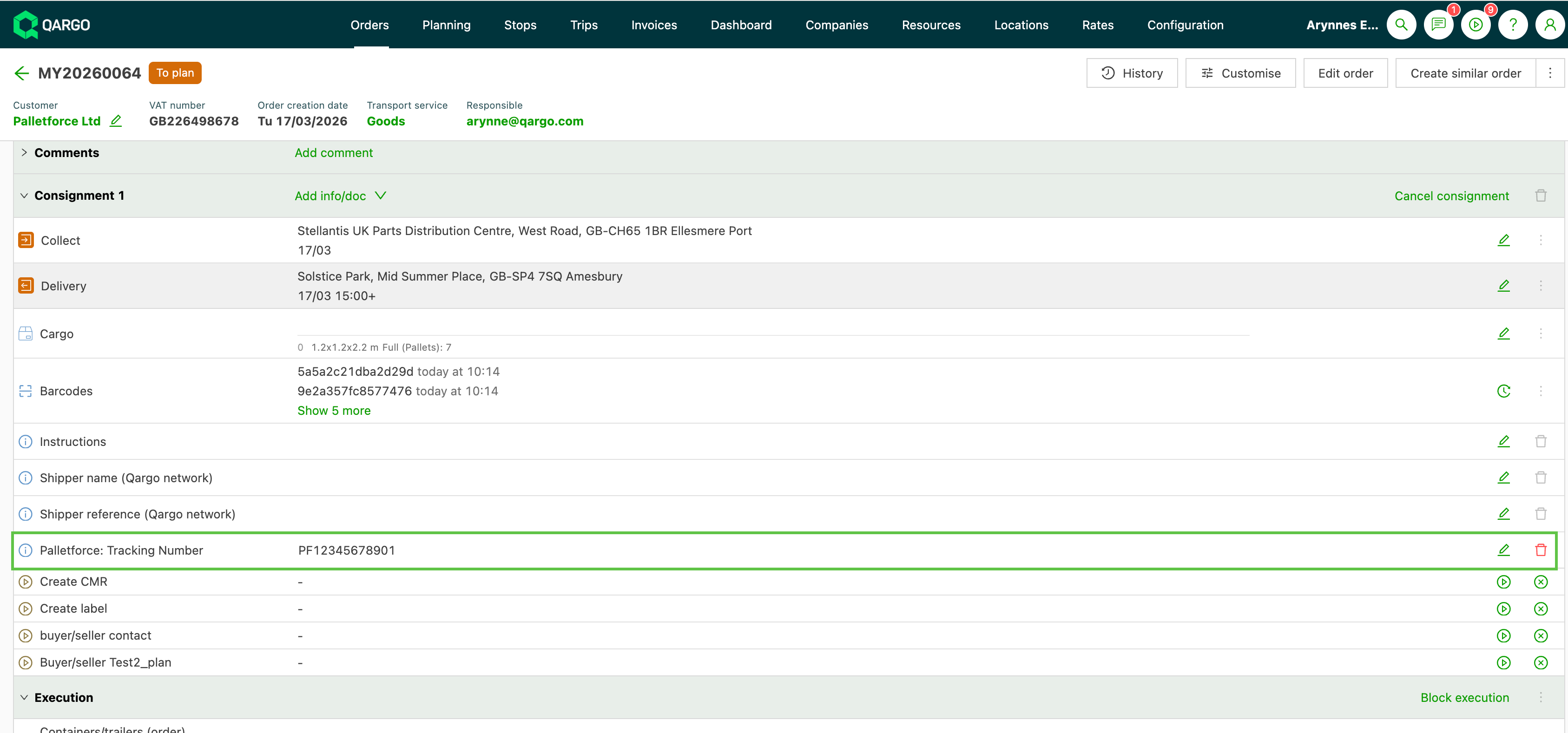
Once set, the tracking number is immediately associated with the order. Labels and barcodes referencing this number can be generated and printed without waiting for the dispatch task to complete.