
Feature releases June 2024
Table of contents
KPI dashboard
Order creation: form pre-fills from scanned document
Order prefill based on transportation service / customer
Location filter for stop tasks
KPI dashboard
Hi,
An additional view is now available on the planning page to support planning capacity decisions.
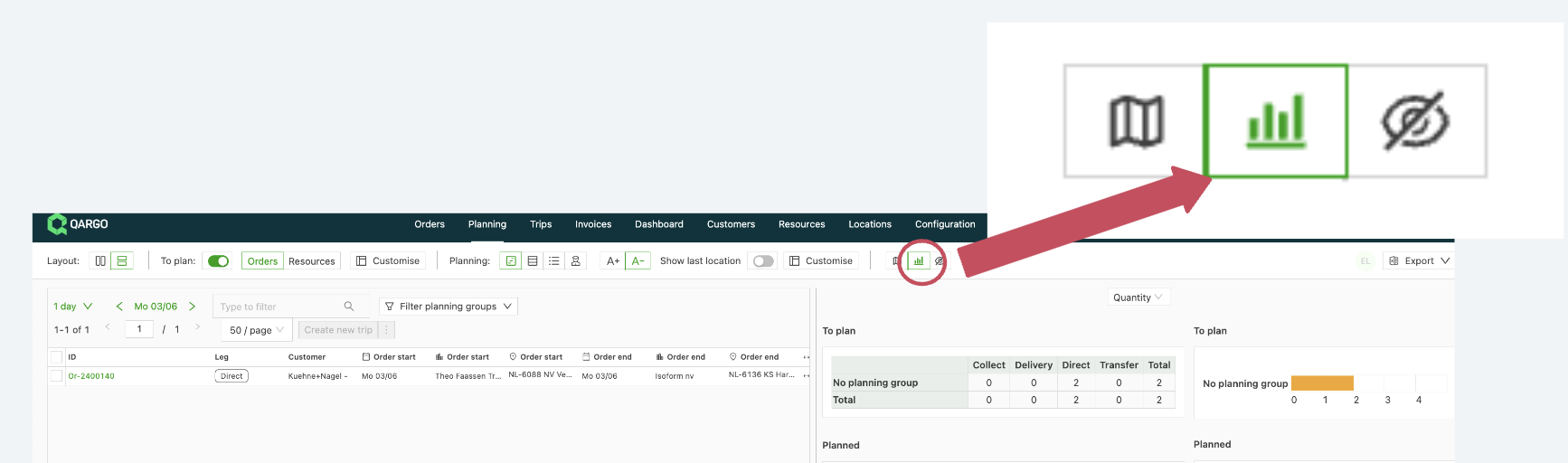
Users can now open a dashboard to view metrics such as available/used pallet spaces, loading meters, and weights.
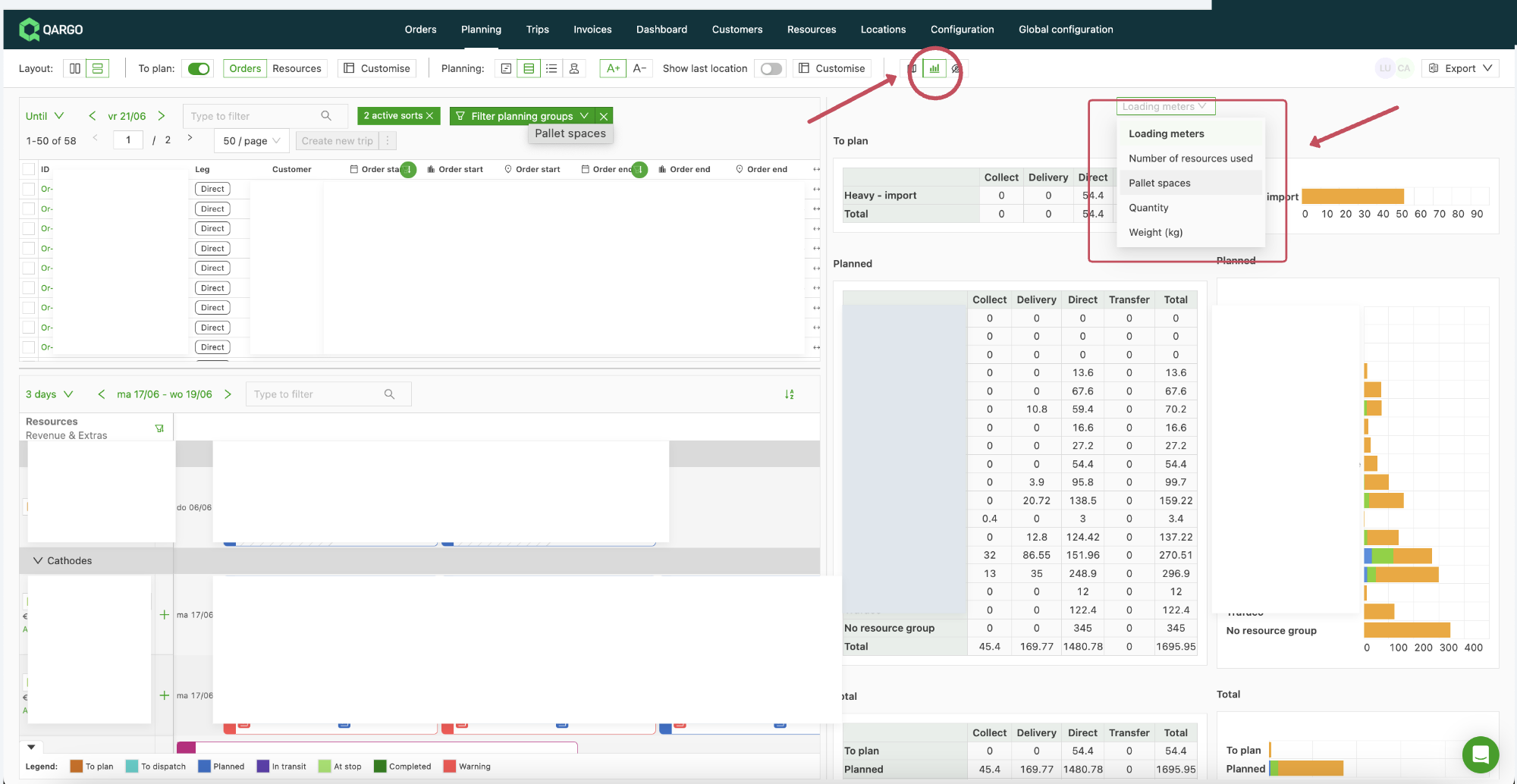
This helps planners get an overview of the vehicle capacity required to fill in their planning and quickly spot where additional effort is needed.
Kind regards,
Order creation: form pre-fills from scanned document
Hello,
A new feature is now available for Qargo Document AI. It makes processing order creation forms more efficient.
The AI model now learns from past orders to automatically fill in data from scanned order confirmation documents into the order form. Below is a detailed overview of how it works and what to expect:
How it works:
1. Learning process⏳:
- The AI model learns every time a user creates an order for a specific customer using a scanned document.
- Typically, the model needs about 3–5 scanned orders before it starts providing pre-fills.
2. Automatic pre-fills 📑:
- When the model is confident that a value in the document matches a field in the order form, it automatically fills in the corresponding field.
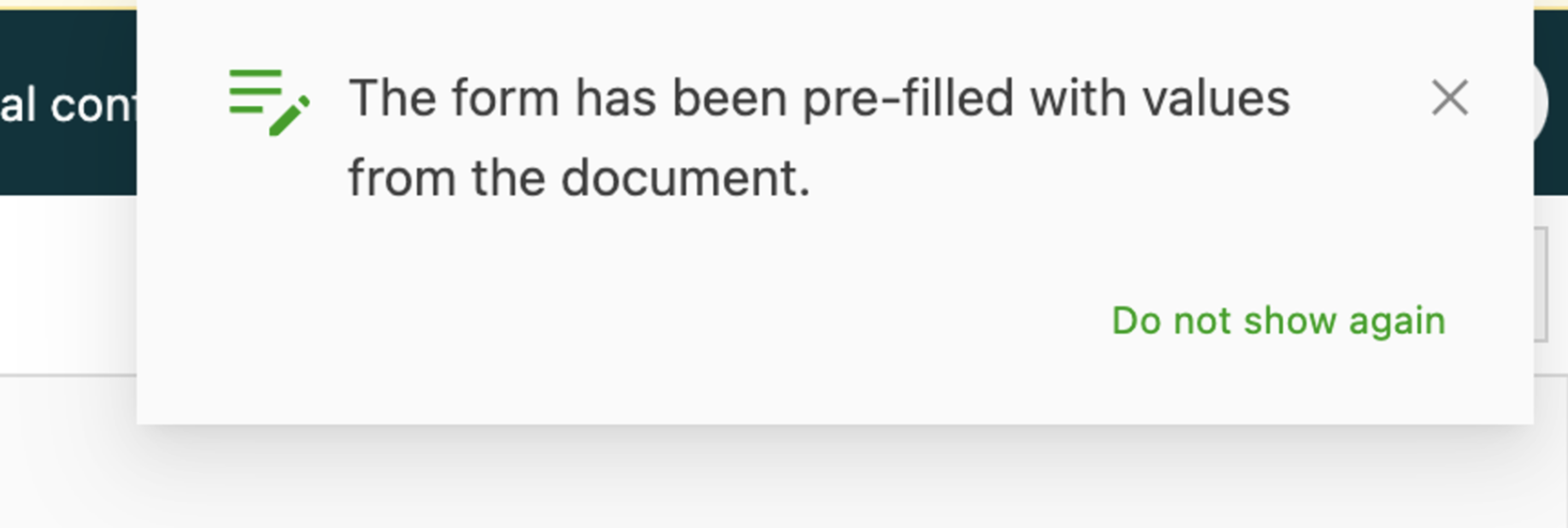
- Users receive a notification in the top-right corner of the screen when one or more fields are pre-filled.
3. User interface 👤:
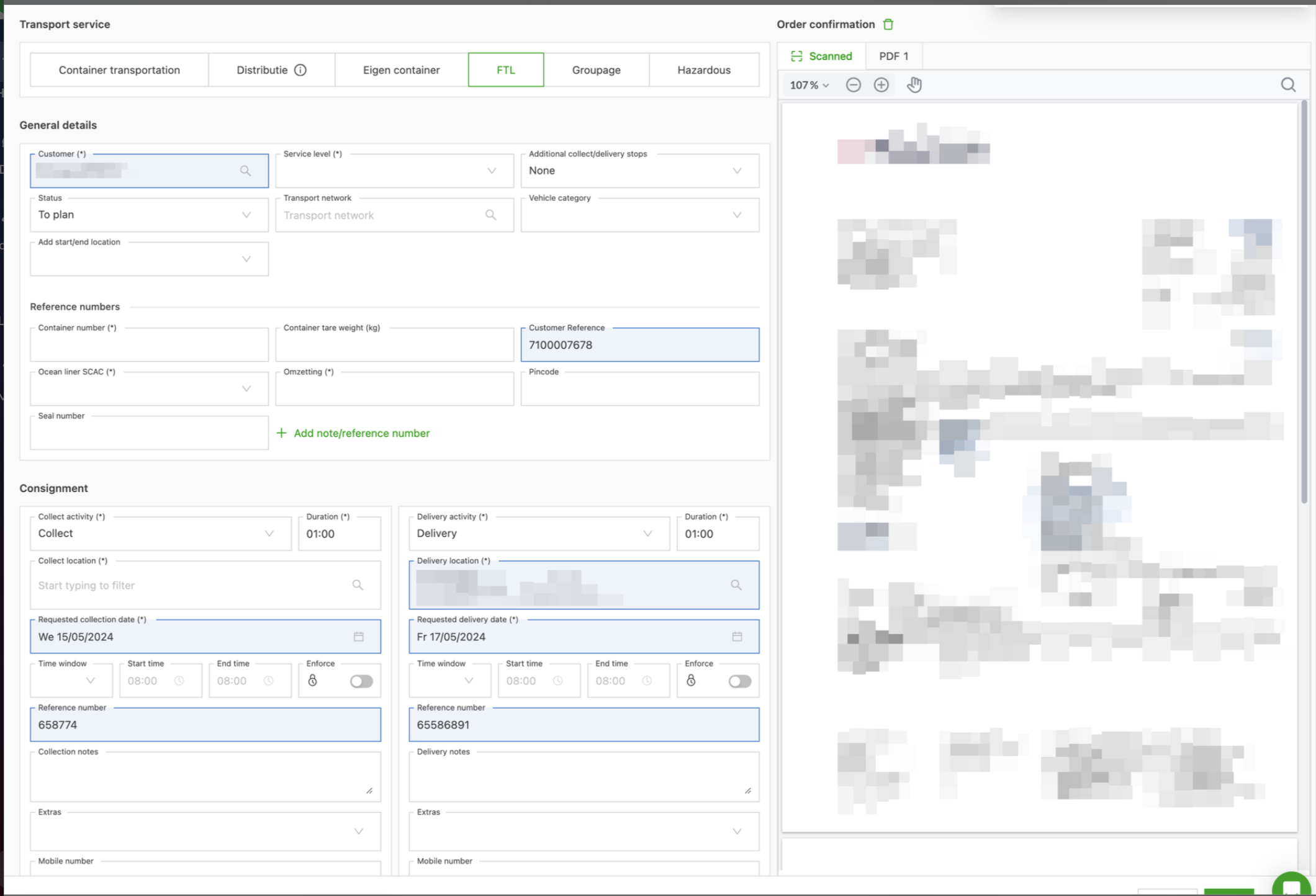
- Pre-filled fields are highlighted in blue in the form, just as when users manually select a suggestion from the document.
- The user should verify the accuracy of the pre-filled data and manually complete any fields that are not filled in automatically.
4. Accuracy and limitations 🚨:
- The model is designed to provide pre-fills only when it is nearly 100% certain of their accuracy, to minimize incorrect pre-fills.
- Users should not expect the entire form to be pre-filled, but can expect a significant reduction in manual data entry.
This feature is designed to greatly reduce the manual workload and improve efficiency when processing order forms.
For any further details or questions, contact the support team.
Kind regards,
Order prefill based on transportation service / customer
Hi,
🎉 The existing order input prefilling has been extended.
📑 It is now possible to create prefills at transportation service level (for all orders created under that transportation service, regardless of the customer) and at customer level(for orders created for a specific customer).
When a user selects a transportation service or customer that has a prefill defined, Qargo fills in the entire prefill (without overwriting any form fields the user has already entered).
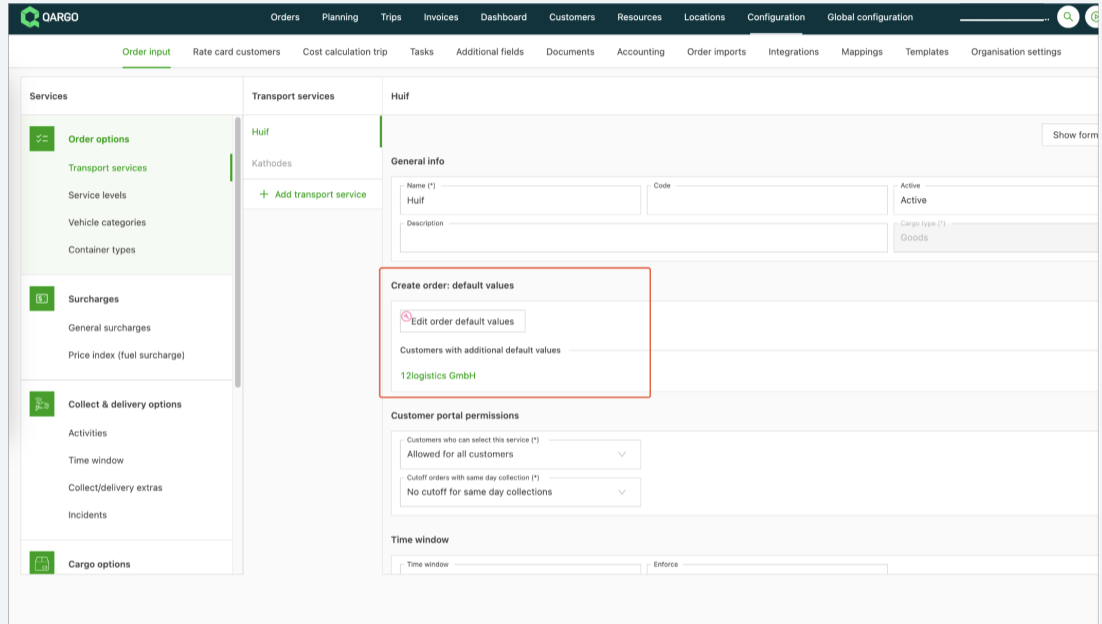
The GIF below shows how to configure it on the Transportation service
➡️ (Go to Configuration > Order input > Transportation services and click Add order default values):
The GIF below shows how to configure it at customer level
➡️ (Go to the Customers tab, select the customer, scroll down and click Add order default values):
The GIF below shows how the default values are filled in automatically once the related transportation service is selected during order creation:
For any further questions, feel free to contact the support team,
Kind regards,
Location filter for stop tasks
Hi,
🎉 It is now possible to create stop tasks only when the stop has one or more specific locations. 🎉
This makes it possible, for example, to:
- Generate documents for a specific location
- Send out an email for a specific location
- Let the driver fill in a specific set of questions for a specific location

To create a task, go to Configuration > Tasks > Loads > Create stop and add or adjust the task with the related stop and stop action, as shown in the example below (driver task):
For any further questions, feel free to contact the support team,
Kind regards,